









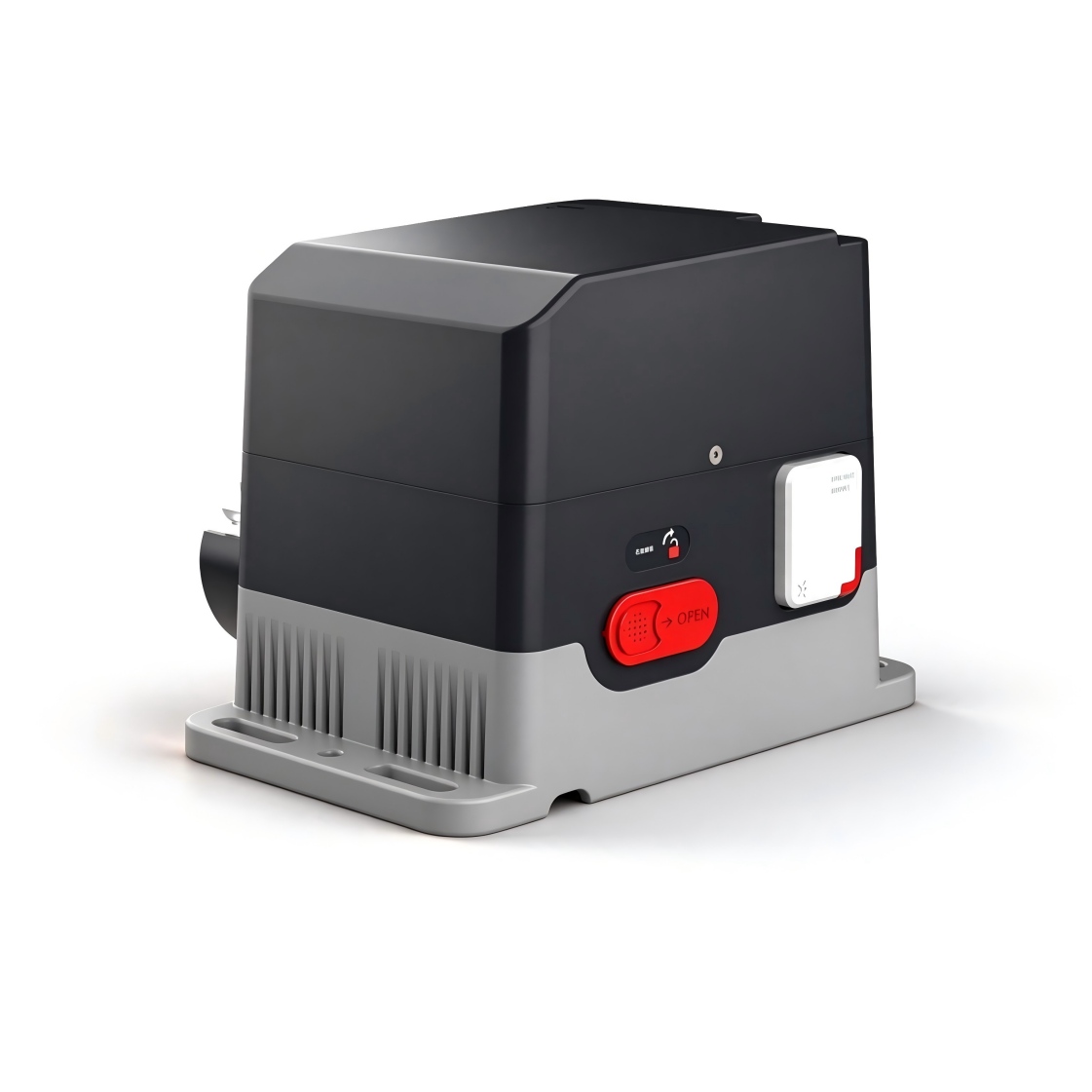
제어기 Qucik 시작 가이드
제어기를 선택하세요
CTM-Sliding Door Operator Controller
슬라이딩 도어 조작 컨트롤러의 작동 지침, 설정 파라미터, 오류 코드 및 배선 정보.
수동 버전 1.5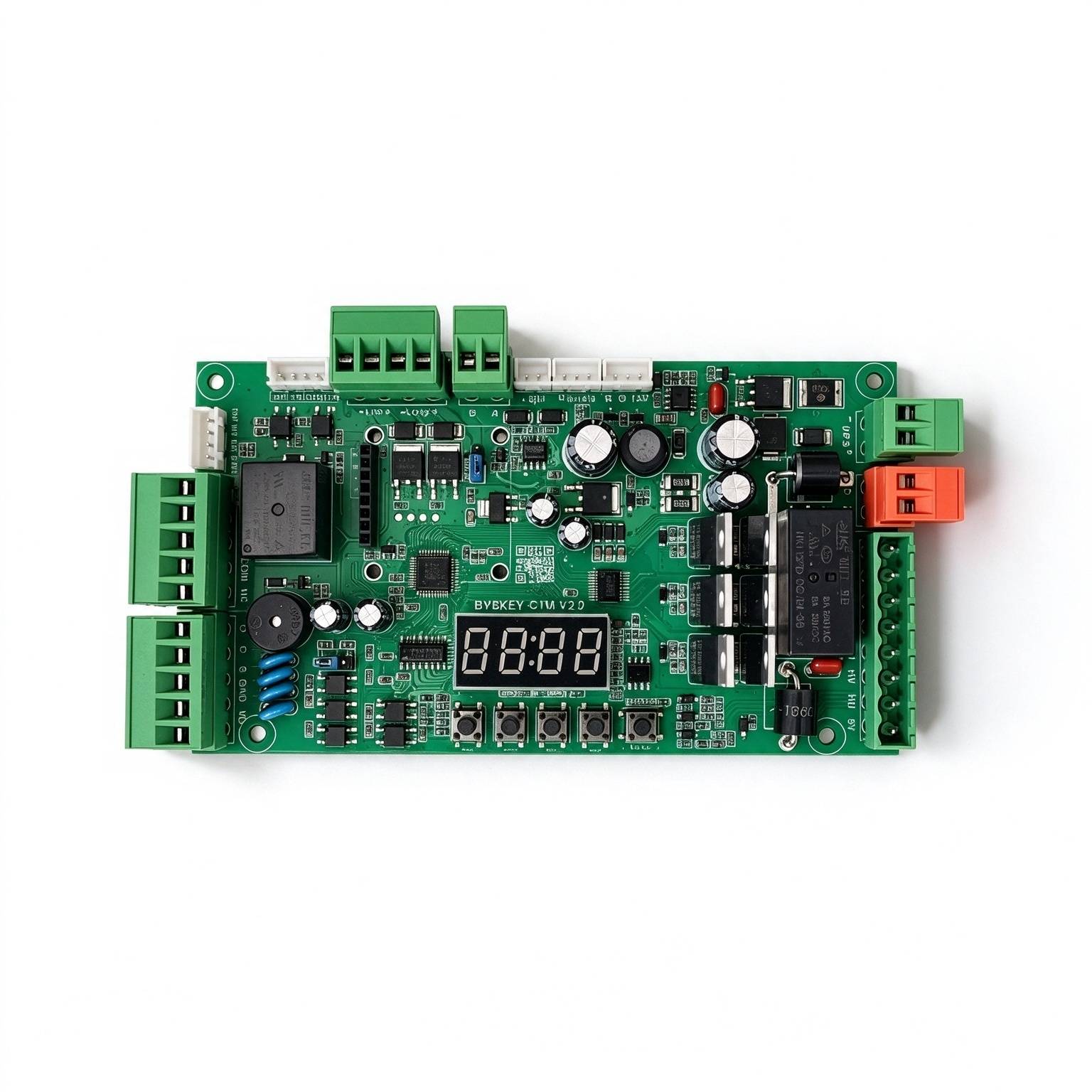
이 제품에 사용됩니다
안전 및 사양
운영 환경 요구 사항+
. 장치를 허용된 습도 및 온도 범위 내에서 운반, 사용 및 보관하십시오. . 어떤 액체라도 장치에 흘러들게 해서는 안 됩니다. . 장치를 잘 환기된 곳에 설치하고 환기구를 막지 마십시오. . 무거운 압력이나 강한 진동을 가하거나 기기를 담그지 마십시오. 장치를 운반할 때는 원래의 공장 포장이나 동급의 포장을 사용하십시오. 신뢰성을 향상시키기 위해 장치의 접지 구멍을 접지에 연결하는 것이 좋습니다.
원본 매뉴얼 · 2 ↗운영 및 유지보수+
허가 없이 기기를 분해하지 마십시오. 제조업체가 지정한 액세서리나 부품을 사용하고, 설치 및 수리는 전문 서비스 직원이 수행하십시오.
원본 매뉴얼 · 2 ↗제품 특징+
안전: 24V DC 전원으로 구동; 에너지 절약: 정전력 2W 미만으로, 최대 250W의 모터를 구동할 수 있습니다. 조정 가능한 속도: 개폐속도는 독립적으로 조절됩니다. 부드러운 작동: 안정적이고 부드러운 작동 성능을 위한 다단계 속도 설계. 조용: 작동 소음 50dB 미만; 다중 보호: 모터 과전류, 과부하 및 단락 보호, 모터 오류 보호 및 역극성 보호; 외부 원격 컨트롤러 입력 지원; 냉방 방지, 부식 방지 등 다양한 기능을 지원합니다. 다수의 리레일 출력 모드를 지원합니다.
원본 매뉴얼 · 2 ↗사양+
전원 공급 장치: DC 24 V ±10%, 10 A. 모터 출력: 최대 250 W. 정전 전력: 2W 미만 오픈/폐쇄 속도: 조절 가능 1%–100% 운영 환경 온도: -35°C ~ 75°C. 운영되는 주변 습도: 30%–80%, 응축 없음.
원본 매뉴얼 · 2 ↗버튼 및 설정
OPEN / + 버튼+
정상 작동 상태에서 이 버튼을 누르면 문을 열어줍니다. 설정 상태에 들어가면 이 기능을 사용하세요. 메뉴 항목을 늘리고 설정 값을 조정하는 버튼 상향. 파라미터 설정 상태에서는 각 단락 버튼을 한 번 더 누르면 증가합니다. 긴 누름은 계속됩니다. 최대값으로 증가한 후 최소값에서 다시 증가하기 시작합니다. 긴 누름이 더 오래 지속되면 속도가 빨라진다.
원본 매뉴얼 · 4 ↗닫기/− 버튼+
정상 작동 상태에서 이 버튼을 누르면 문이 닫힙니다. 설정 상태로 들어가면 이 버튼을 사용하세요. 메뉴 항목을 줄이고 설정 값을 아래로 조정하는 버튼입니다. 파라미터 설정 상태에서는 각 단축키가 누름 버튼이 1개 감소합니다. 긴 누름 버튼을 계속 누르면 최소값으로 감소한 다음 다시 감소하기 시작합니다. 다시 최대값으로. 긴 누름이 더 오래 지속되면 감소 속도가 빨라진다.
원본 매뉴얼 · 4 ↗메뉴 버튼+
이 버튼에는 3가지 기능이 있습니다: 1. 일반 작업 모드에서 이 버튼을 3초 동안 길게 누르면 메뉴 항목 선택 상태로 전환됩니다. LED 디스플레이에는 “P-XX”가 표시됩니다. 이때 “Open/+” 또는 “Close/-”를 눌러 메뉴 항목을 선택하십시오. 2. 메뉴 항목 선택 상태에서 “메뉴”를 짧게 누르면 파라미터 설정 상태로 진입할 수 있습니다. 3. 파라미터를 설정한 후, 저장하고 종료하기 위해 짧게 누릅니다.
원본 매뉴얼 · 4 ↗STOP/CANCELL button+
일반적인 작동 시 이 버튼은 정지 기능을 제공합니다. 메뉴 항목 선택 상태에서는 종료됩니다. 설정 상태. 파라미터 설정 상태에서 이 버튼을 누르면 해당 상태가 종료되어 메뉴로 돌아갑니다. 선택 상태(예: 이전 메뉴로 돌아감)가 변경되고 설정된 값이 무효가 됩니다. 버튼을 누르지 않으면 메뉴 선택 또는 파라미터 설정 상태에서 60초 이내에 버저가 긴 비프음을 내고 제어기는 정상 작동 상태로 돌아갑니다.
원본 매뉴얼 · 4 ↗핫키 단축키+
10초 단축 기능은 출고 시 설정으로 복원합니다. 의도된 단축 기능 시간보다 길게 길게 누르지 마십시오.
정상 작동 상태에서는 이 버튼을 누르고 길게 누르면 디스플레이가 초 단위로 표시됩니다. 이를 실행하면 해당 HOT-KEY 기능이 활성화됩니다. 1. 모터 방향을 자동으로 전환하기 위해 3초 동안 보유한 후 해제합니다. 2. 원격 컨트롤러를 빠르게 익히기 위해 6초 동안 길게 누른 후 해제합니다. 3. 공장 설정 복원을 위해 10초간 누르십시오.
원본 매뉴얼 · 4 ↗LED 디스플레이 및 절전 모드+
제어판에는 작동 상태, 파라미터, 메뉴 항목을 표시하는 4자리 LED 디스플레이가 있습니다. 그리고 기타 정보. 전원을 켜면 저전력 모드로 실행되며 LED 밝기는 약합니다. 어떤 버튼을 누르더라도 버튼을 누르면 LED 디스플레이가 높은 밝기로 정상 작동 모드로 전환됩니다. 버튼을 누르지 않으면 디스플레이가 꺼집니다. 60초 후 저전력 모드로 전환되고 LED가 어두워지며 전력 소비가 감소됩니다. 버튼을 누르지 않으면 2분 후 LED 디스플레이가 꺼지고 최저 에너지 상태로 전환됩니다.
원본 매뉴얼 · 4 ↗파라미터를 설정하는 방법+
“메뉴” 버튼을 3초 동안 길게 누르면 파라미터 설정 상태로 들어갑니다. LED는 “P-XX”를 표시합니다. “Open/+” 및 “Close/-” 버튼을 짧거나 길게 누르면 메뉴 항목을 선택할 수 있습니다. 각 짧은 누름은 하나를 더하거나 빼고, 긴 누름은 계속해서 조절됩니다. “메뉴” 버튼을 다시 누르면 선택한 항목의 설정이 적용됩니다. “Stop/Cancel” 버튼을 누르면 이전 단계로 돌아가거나 설정에서 탈출할 수 있습니다. 파라미터를 설정한 후에는 “메뉴” 버튼을 다시 누르면 효과가 발생합니다. “Stop/Cancel” 버튼을 누른 상태에서 설정한 파라미터는 효과가 발생하지 않습니다. 제어판의 브라더가 60초 이내에 아무 버튼도 누르지 않으면 설정 상태가 해제되고 일반적인 작동 상태로 돌아갑니다.
단계
- P-XX를 표시하기 위해 메뉴를 3초 동안 길게 누릅니다.
- 메뉴 항목을 선택하려면 Open/+ 또는 Close/−를 사용하세요.
- 메뉴 버튼을 눌러 설정 화면으로 들어갑니다.
- Open/+ 또는 Close/−를 사용하여 값을 조정합니다.
- 확인을 위해 메뉴를 누릅니다. 중지/취소하면 현재 변경 사항이 삭제됩니다.
빠른 작동 모드
일반적으로 열린 모드+
문이 완전히 열리면 리모컨의 'Stop' 버튼을 5초 동안 길게 누르면 일반적인 열림 모드로 전환됩니다. 취소하려면 'Close' 버튼을 누르십시오.
원래 설명서 · 5 ↗원격 부분 개방 모드+
완전히 닫거나 부분 개방 상태에서 닫을 때 리모컨의 '오픈' 버튼을 2초 동안 길게 누릅니다. 문은 P-88이 설정한 부분 개방 상태에만 열립니다.
원래 설명서 · 5 ↗모션 감지 개방 기능 비활성화+
문이 완전히 닫힌 후, 리모컨의 '닫기' 버튼을 5초 동안 길게 누르면 모션 감지식 개방 기능이 해제됩니다.
원래 설명서 · 5 ↗모션 감지 개방 기능 활성화+
문이 완전히 열리면 리모컨의 '열기' 버튼을 5초 동안 길게 누르면 모션 감지식 개방이 가능합니다.
원래 설명서 · 5 ↗점프 기능 설정
자기 잠금 공급 전압+
12 V/24 V 점퍼는 전원 전압을 선택합니다. 사용 중인 자물쇠의 전원 사양에 따라 선택하십시오. 보드에 있는 라벨을 사용하여 점퍼를 식별하십시오.
원래 설명서 · 5 ↗액세스 컨트롤러 신호 유형+
액세스 컨트롤러 출력에 따라 릴레이 신호 또는 전압 신호를 선택합니다. 릴레이 개방 신호의 경우 릴레이 개방을 선택합니다. 전압 신호는 액세스 컨트롤러의 5~24V 출력입니다.
원래 설명서 · 5 ↗일반적인 함수들
P-00오픈 속도+
P-01폐쇄 속도+
P-06최종 단계의 개방 속도+
기본값25
RANGE1-80
이 속도로 개방을 완료하세요. 값이 클수록 속도가 빨라집니다. 속도가 너무 높으면 개방이 끝날 때 문이 흔들릴 수 있습니다. 이 경우 이 값을 줄입니다.
원래 설명서 · 5 ↗P-07최종 단계 종료 속도+
기본값25
RANGE1-80
이 속도로 닫기를 완료하세요. 값이 클수록 속도가 빨라집니다. 속도가 너무 높으면 닫는 동안 문이 프레임에 부딪힐 수 있습니다. 이 경우 이 값을 줄이세요. 문이 완전히 닫히지 않으면 이 값을 높이세요.
원래 설명서 · 5 ↗P-08최종 단계 개방 속도 감속 위치+
기본값90
RANGE45-90
오픈 시 문은 먼저 P-00으로 가속하여, 그 후 P-02에서 감속을 시작합니다. 이 옵션에서는 감속이 중지되어 개방이 완료될 때까지 저속의 균일한 속도로 이동합니다.
원래 설명서 · 5 ↗P-09최종 단계 종료 감속 위치+
기본값2
RANGE0-45
닫는 과정에서 문은 먼저 P-01으로 가속하여, 그 후 P-03에서 감속을 시작합니다. 이 옵션에서는 감속이 중지되고, 닫는 과정이 끝날 때까지 저속의 균일한 움직임으로 진입합니다.
원래 설명서 · 5 ↗P-13원격 컨트롤러 학습+
기본값0
RANGE0-60
원격 컨트롤러 학습: P-13으로 들어가면 현재 저장된 원격 컨트롤러 수가 표시됩니다. 그런 다음 학습을 위해 원격 컨트롤러의 열기/정지/닫기 버튼을 순서대로 누릅니다. 계속 누르면 제어판이 한 번씩 경고음을 내리면서 다음 버튼을 누르십시오. 제어판에서 긴 경적이 울리면 또는 디스플레이의 숫자가 한 개씩 증가하면 학습이 완료됩니다. 다음 단계를 배우거나 취소를 눌러 되돌아갈 수 있습니다. 원격 컨트롤러 삭제: 이 메뉴에서 “+” 또는 “-”를 눌러 학습된 원격 컨트롤러 값을 수정하고, “메뉴”를 눌러 확인한 후 해당 값에 해당하는 학습된 원격 컨트롤러를 삭제합니다.
단계
- 저장된 리모컨 수를 표시하려면 P-13을 입력하세요.
- 원격 컨트롤러에서 '열기', '정지', '닫기'를 누릅니다. 컨트롤 보드가 한 번씩 경고음을 내기까지 각 버튼을 누른 후 다음 버튼을 누르기 전에 놓아주세요.
- 긴 경고음이나 표시된 수의 증가는 학습이 완료되었다는 것을 확인합니다.
- 다음 리모컨을 배우거나 취소를 눌러 돌아가세요.
P-14자동 종료 시간+
기본값0
RANGE0-255
문이 완전히 열린 후 지정된 시간 내에 지면 감지/마이크로파 신호가 발생하지 않으면 문이 자동으로 닫힙니다. 설정이 0으로 설정된 경우 문은 자동으로 닫히지 않습니다. 단위: 1초.
원본 매뉴얼 · 6 ↗P-23오픈 방향+
P-27공장 설정 복원+
기본값0
RANGE0-255
이 옵션에는 세 가지 기능이 있습니다. 원격 컨트롤러를 지우는 기능, 공장 설정 부분 복원 기능, 완전한 공장 설정 복원 기능입니다. 실수로 작동하지 않도록 특정 값을 설정한 후 “메뉴”를 눌러 작업을 완료합니다. 5: 원격 컨트롤러 지우기; 10: 공장 설정 복원(원격 컨트롤러 및 모터 유형은 복원되지 않음); 15: 완전한 공장 설정 복원.
원본 매뉴얼 · 6 ↗P-31센서 인터페이스 기능 설정+
기본값2
RANGE0-7
범위: 0-7, 기본값: 2. 이 파라미터는 모션 감지 포트 IN1에 적용됩니다. 다른 값은 서로 다른 기능을 제공합니다. 0: 비활성화; 1: 모션 감지 기능, 사람이 없는 즉시 닫음; 2: 모션 감지 기능, 사람이 없는 P87의 지연된 닫기 시간 이후 닫음; 3: 사람 없는 즉시 P87의 지연된 닫기 시간 이후만 외부 신호 입력이 수신됨; 4: 부분 닫음 기능, “접속 +” 및 “접속 -” 인터페이스는 효과적이지만, 닫는 동안 감지되지 않음; 5: 부분 닫음 기능, “접속 +” 및 “접속 -” 인터페이스는 효과적이지 않음; 6: 닫음; 7: 중지;
원본 매뉴얼 · 6 ↗P-32부분 개방 모드 인터페이스 기능 설정+
기본값2
RANGE0-7
범위: 0-7, 기본값: 2. 이 파라미터는 모션 감지 포트 IN2에 적용됩니다. 다른 값은 다른 기능을 제공합니다. 0: 비활성화; 1: 모션 감지 기능, 사람이 감지되지 않으면 즉시 닫음; 2: 모션 감지 기능, 사람이 감지되지 않은 후 P87의 지연된 닫기 시간 이후 닫음; 3: 완전히 닫은 후 외부 신호 입력만 수신하며 닫는 동안 감지하지 않음; 4: 부분 개방 기능, “Access +” 및 “Access -” 인터페이스는 유효하며; 5: 부분 개방 기능, “Access +” 및 “Access -” 인터페이스는 유효하지 않음; 6: 닫음; 7: 정지; P-31 또는 P-32가 “Access +” 및 “Access -” 인터페이스를 비활성화하도록 설정된 경우, 두 인터페이스 모두 비활성화됩니다.
원래 설명서 · 7 ↗P-34계산 기능+
기본값1
RANGE0-4
0: 열림 동작의 수가 계산되지 않으며, 통과 후 자동으로 닫힙니다. 1: 최대 1개의 수로 열림 신호를 계산합니다. 모션 감지 시 수치는 감소되며, 모션 감지가 사라지고 수치가 0이 되면 문이 닫힙니다. 2-3: 최대 255개의 수로 열림 신호를 계산합니다. 모션 감지가 발생하면 수치는 감소되며, 모션 감지가 사라지고 수치가 0이 되면 문이 닫힙니다.
원래 설명서 · 7 ↗P-64슬라이딩 도어 타입+
범위 열에는 0–6이 표시됩니다. 설명에는 0–4가 나와 있지만 목록에는 5와 6이 나옵니다. 옵션 3과 4는 설명되어 있지 않습니다. 지원되는 도어 모드를 확인하세요.
기본값0
RANGE0-6
범위: 0-4, 기본값: 0, 그중: 0: 단일 도어; 1: 이중 도어의 주문풍; 다른 한쪽은 2로 설정해야 합니다; 2: 이중 도어의 보조문풍; 다른 한쪽은 잎의 설정값은 1이어야 합니다. 5: 인터록 도어의 주 잎, 다른 잎은 6으로 설정해야 합니다. 6: 인터록 도어의 슬레이브 잎, 다른 잎은 6으로 설정해야 합니다. 5;
원래 설명서 · 7 ↗P-71싱글 키 사이클 스위치 기능+
기본값0
RANGE0-2
0: 재사용되지 않음; 1: PUSH 함수로 재사용됨; 이 포트를 통해 트리거된 개방은 RS-485 장치 ID 2를 사용하는 슬레이브에 개방 신호를 동기적으로 전송하며, 해당 장치의 모든 종료 신호도 장치 ID 2를 사용하는 슬레이브에 동기적으로 전송됨; 2: PUSH 함수로 재사용됨; 신호는 떨어지는 에지 트리거로 변경되거나, 신호 프로그램이 3초 동안 지속될 때 트리거됨 초; 3초간 누름으로 열림이 트리거되면 RS-485 장치 ID 2를 사용하는 슬레이브와 함께 열림 신호가 동기화되며, 장치의 모든 닫기 신호도 장치 ID 2를 사용하는 슬레이브와 동기화됩니다(PUSH 인터페이스 설명: 컨트롤러가 완전히 열려 있을 때 PUSH 신호는 문을 닫고, 다른 상태인 경우 PUSH 신호는 문을 열어줍니다). 도어)
원래 설명서 · 7 ↗P-73경보등 작동 모드+
P-74경보등 점멸 빈도+
P-75불법 개방 경보 기능+
P-76트래픽 라이트 모드+
이 슬라이딩 도어 매뉴얼에서는 각도/도 단위의 용어를 사용합니다. 이 문구는 그대로 유지됩니다. 컨트롤러의 위치 값을 조작 방향으로 어떻게 변환하는지 확인하세요.
기본값0
RANGE0-3
0: 교통 신호등 모드 1: 개방 각도가 60° 이상인 경우 녹색 표시등, 폐쇄 시작 시 빨간색 표시등; 1: 교통 신호등 모드 2: 완전히 열려 있을 때 녹색 표시등, 다른 상태에서는 빨간색 표시등; 2: 위치 상태 출력: 완전히 열려 있을 때 녹색 표시등, 완전히 폐쇄할 때 빨간색 표시등, 다른 상태에서는 두 개의 표시등 모두 꺼짐; 3: 위치 맥박 출력: 완전히 열려 있을 때 1초 동안 녹색 표시등, 완전히 폐쇄할 때 1초 동안 빨간색 표시등.
원래 설명서 · 8 ↗P-78푸시-투-오픈 기능+
기본값0
RANGE0-10
0-0-disable는 개폐쇄를 위한 푸시 버튼을 비활성화합니다. 1-10은 문이 완전히 닫힌 후 효과가 발생하는 푸시 버튼 기능을 활성화합니다. 값이 작을수록 민감도가 높아집니다. 1-(이 기능이 활성화되면 P58 수동 푸시 자동 닫기 기능은 무효가 됩니다.)
원래 설명서 · 8 ↗P-80릴레이 출력 모드+
기본값0
RANGE0-4
0: 열기 시작 시 닫음, 종료 시 열음; 1: 완전히 열었을 때 닫음, 완전히 닫았을 때 열음; 2: 완전히 닫았을 때 열음, 다른 상태에서는 열지 않음; 3: 완전히 열었을 때 1초간 닫음; 4: 완전히 닫았을 때 1초간 닫음;
원래 설명서 · 8 ↗P-81학습 제한 모드+
기본값0
RANGE0-3
0-외부 센서 제한 사용; 1-자동 찾기 기계적 제한; 2-오직 개방 제한만 찾습니다(기계적 제한과 센서 제한 모두 유효); 3-오직 폐쇄 제한만 찾습니다(기계적 제한과 센서 제한 모두 유효);
원본 매뉴얼 · 9 ↗P-82닫힘 위치의 수동 학습+
이 학습 작업은 자동문 이동을 유발합니다. 지정된 P-81 전제 조건과 원래 절차를 따르십시오.
설정을 입력하면 L-00이 표시되고, 자동으로 문을 열어 개방 범위를 확인한 후 위치에 정지합니다. 그리고 L-01이 표시됩니다. 사용자는 “열기/닫기” 버튼을 직접 누르면 문 위치를 조절하여 완전 폐쇄된 위치를 찾을 수 있습니다. 그런 다음 “메뉴” 버튼을 누르면 확인 및 저장됩니다.(P-81이 2인 경우 유효)
단계
- P-81을 2로 설정한 경우에만 이 절차를 사용하십시오.
- P-82를 입력합니다. 디스플레이에는 L-00이 표시되고 문이 자동으로 열려 개방 범위를 찾습니다.
- 그것이 한계에 도달하면 L-01이 나타납니다.
- [열기/닫기]를 사용하여 완전히 닫힌 위치를 찾습니다.
- 확인하고 저장하려면 메뉴를 누릅니다.
P-83오프닝 포지션의 수동 학습+
이 학습 작업은 자동문 이동을 유발합니다. 지정된 P-81 전제 조건과 원래 절차를 따르십시오.
설정을 입력하면 L-00이 표시되고, 닫는 한계를 찾기 위해 문이 자동으로 닫히며, 위치에 따라 멈추고 L-01이 표시됩니다. 사용자는 “열기/닫기” 버튼을 수동으로 눌러 문 위치를 제어하여 완전 개방 상태를 찾은 후 “메뉴”를 눌러 확인합니다. 저장합니다.(P-81이 3일 때 유효합니다)
단계
- P-81을 3으로 설정한 경우에만 이 절차를 사용하십시오.
- P-83을 입력합니다. 디스플레이에는 L-00이 표시되고 문은 자동으로 닫히며 닫히는 한도를 찾습니다.
- 그것이 한계에 도달하면 L-01이 나타납니다.
- [Open/Close]를 사용하여 완전히 열려 있는 위치를 찾습니다.
- 확인하고 저장하려면 메뉴를 누릅니다.
P-87센서의 닫기 시간 지연+
소스는 이 매개변수의 시간 단위를 명시하지 않습니다. 다른 모델의 단위를 가정하지 마십시오.
기본값2
RANGE0-255
전자레인지/지상 감지 신호가 사라진 후 닫기를 시작하는 데까지 얼마나 시간이 걸리나요?.
원본 매뉴얼 · 9 ↗P-88도어 부분 개방 위치+
P-89디스플레이 주변 온도+
이 옵션은 디스플레이에 현재의 실내 온도를 표시하는 데 사용됩니다.
원본 매뉴얼 · 9 ↗P-90냉각제 온도 임계값+
소스는 범위를 “-40-40”으로 인쇄합니다. 그대로 유지됩니다. 범위를 확인하고 온도 단위도 확인하세요.
기본값5
RANGE-40-40
저온에서는 기계가 얼지 않도록 하기 위해 이 기능을 활성화한 후, 문이 완전히 닫히고 온도도 낮아질 때까지 이 옵션에 의해 설정된 값보다 문이 P-92의 시간 내에 움직이지 않으면 자동으로 P-91의 위치로 이동하여 닫힙니다. 다시 말해줘.
원본 매뉴얼 · 9 ↗P-91냉각제 작동 거리+
이 슬라이딩 도어 매뉴얼에서는 각도/도 단위의 용어를 사용합니다. 이 문구는 그대로 유지됩니다. 컨트롤러의 위치 값을 조작 방향으로 어떻게 변환하는지 확인하세요.
기본값5
RANGE0-45
냉각제 개방 위치 비율. 주변 온도가 P-90에 설정된 온도까지 내려가고 P-92의 동결방지 간격 명령에 설정된 타이밍 시간까지 도달하면, 이 파라미터에 의해 설정된 각도로 문이 열리고 그 후 자동으로 닫힙니다. 이 매개변수가 0이면 냉각제 기능이 비활성화됩니다. P-91 및 P-92 모두 0이 아닌 경우에만 냉각제 기능이 활성화됩니다.
원본 매뉴얼 · 9 ↗P-92냉각제 작동 간격+
기본값0
RANGE0-255
주변 온도가 설정된 온도보다 낮을 때 타이밍이 시작됩니다. 게이트가 타이밍 기간 내에 실행 동작이 없으면, 이 명령에 의해 설정된 시간 간격이 도달하면 P-91에 의해 설정된 각도로 게이트가 열리고, 그 후 자동으로 닫힙니다. 이 매개변수가 0으로 설정되면 냉각제 기능이 비활성화됩니다.(단위:분)
원본 매뉴얼 · 9 ↗고급 기능
P-02중간 개방 속도 감속 위치+
이 슬라이딩 도어 매뉴얼에서는 각도/도 단위의 용어를 사용합니다. 이 문구는 그대로 유지됩니다. 컨트롤러의 위치 값을 조작 방향으로 어떻게 변환하는지 확인하세요.
기본값75
RANGE10-90
이 파라미터는 문이 열릴 때 감속이 시작되는 위치를 설정하는 데 사용됩니다. 단위는 도르지: 0°는 문이 완전히 닫혔을 때, 90°는 완전히 열렸을 때입니다. 이 파라미터는 문이 이 각도로 열릴 때 감속이 시작된다는 것을 의미합니다.
원본 매뉴얼 · 10 ↗P-03중도 폐쇄 감속 위치+
이 슬라이딩 도어 매뉴얼에서는 각도/도 단위의 용어를 사용합니다. 이 문구는 그대로 유지됩니다. 컨트롤러의 위치 값을 조작 방향으로 어떻게 변환하는지 확인하세요.
기본값20
RANGE0-80
닫는 동안 감속이 시작되는 위치를 설정하는 데 사용됩니다. 단위는 도르지: 0°는 문이 완전히 닫혔을 때, 90°는 완전히 열렸을 때입니다. 이 파라미터는 문이 이 각도로 닫힐 때 감속되기 시작한다는 것을 의미합니다.
원본 매뉴얼 · 10 ↗P-04오픈 가속 시간+
P-05폐쇄 가속 시간+
P-10폐차 브레이크 위치+
P-11폐차 브레이크 지속 시간+
기본값0
RANGE0-255
닫는 동안의 제동 시간, 단위: 0.01초. 닫는 브레이크 각도에 브레이크 포인트가 설정됩니다. 닫는 정지 속도와 닫는 버퍼 시작 위치를 모두 한계까지 조정한 후에도 닫는 동안의 진동이 여전히 크다면, 이는 일반적으로 도어 이너시티가 크기 때문입니다. 브레이크 시간을 설정할 수 있습니다. 기본값은 0입니다. 즉, 브레이크가 없습니다.
원본 매뉴얼 · 10 ↗P-12초기 오픈/폐쇄 속도 설정+
기본값80
RANGE10-80
제어판을 켜면 일정 속도로 원점 위치를 찾아야 합니다. 켜진 후의 속도가 너무 높거나 낮으면 이 파라미터를 통해 설정합니다. 숫자가 클수록 속도가 더 높습니다.
원본 매뉴얼 · 10 ↗P-15액세스 신호 늦어진 개방 시간+
[범위] 열의 값 범위는 0~100이지만 설명에는 1~100으로 되어 있습니다. 지원되는 최소값을 확인하세요.
기본값1
RANGE0-100
범위: 1-100, 단위: 0.1초, 기본값: 1. 자물쇠가 해제되는 데 걸리는 시간입니다.
원본 매뉴얼 · 10 ↗P-17보조 폐쇄 확인+
기본값0
RANGE0-60
이 매개변수의 주요 목적은 문이 완전히 닫힌 후 다시 힘을 가해 문을 닫는 것을 확인하는 것입니다. 이를 통해 자석 잠금 장치가 잠기게 됩니다. 0: 문이 완전히 닫힌 후 바로 멈추고 완전히 닫힌 상태로 들어가십시오. 더 강력합니다. 0보다 작음: 문이 완전히 닫힌 상태에 도달하면, 보조 닫힘 확인을 위해 계속 닫힘력을 가합니다. 값의 크기가 클수록 보조 잠금 확인력이 커집니다. 잠금이 잠기지 않을 경우 이 값을 높이십시오.
원본 매뉴얼 · 10 ↗P-18방해물 반발 감도+
P-19방해력 반발력+
기본값60
RANGE1-100
반대편이 어떤 정도의 방해물로 간주되는지입니다. 리바운드 조건은 다음과 같습니다: P-19에 설정된 저항이 감지되고 P-18에 설정된 시간 동안 지속되며, 그 후 문은 반전하여 열립니다.
원래 설명서 · 11 ↗P-20방해물 회귀 비활성화 위치+
이 슬라이딩 도어 매뉴얼에서는 각도/도 단위의 용어를 사용합니다. 이 문구는 그대로 유지됩니다. 컨트롤러의 위치 값을 조작 방향으로 어떻게 변환하는지 확인하세요.
기본값10
RANGE0-90
닫힘 각도가 이 옵션의 각도보다 작으면 방해물 반사 기능이 작동하지 않습니다. 0은 이 기능을 비활성화합니다.
원래 설명서 · 11 ↗P-21일반적으로 열린 모드+
기본값0
RANGE0-3
0: 일반 리모콘 모드(일반 리모콘 모드에서 임시로 일반 열린 모드로 전환: 값이 0인 경우, 슬라이딩 도어가 완전히 열린 후 리모컨의 정지 버튼을 5초 이상 길게 누르면 임시로 일반 열린 모드로 전환됩니다. 버저가 2초 동안 긴 소리를 내며 경고합니다.) 닫기를 눌러 일반적인 개방 모드를 종료하면 게이트가 닫힙니다); 1: 원격 제어의 “Open” 버튼을 누르면 일반적인 개방 모드로 전환됩니다; 모션 감지 신호는 닫기를 수동으로 누를 때까지 처리되지 않으며, 문은 계속 열려 있습니다; 2: 수동 모드에서는 컨트롤러의 모든 개방 동작이 일반적인 개방 모드로 전환되며, 모션 감지 신호가 발생해도 문은 닫히지 않습니다; 3: 일반적으로 열린 모드가 비활성화되었습니다.
원래 설명서 · 11 ↗P-22모터 타입+
기본 열은 0이라고 표시되어 있지만 설명에는 기본값 1이라고 나와 있습니다. 이 하드웨어에 대한 모터 설정이 올바른지 확인하십시오.
기본값0
RANGE0-3
값 범위: 0-3; 기본값: 1. 모터의 홀 극성, 슬라이딩 도어 메커니즘의 감속비 및 슬라이딩 도어의 좌우 개폐 방향이 다르기 때문에, 이 파라미터를 통해 다양한 모터 및 도어 유형과 호환될 수 있습니다.
원래 설명서 · 11 ↗P-24버퍼 시간 설정/해제+
기본값60
RANGE10-255
오프닝에서 닫기까지의 전환 시간과 닫기에서 다시 열기까지의 전환 시간. 시간 간격이 너무 짧으면 순간 전류가 너무 높을 수 있습니다. 약간 더 긴 시간은 보다 매끄러운 전환을 가능하게 합니다. (단위: 0.01초)
원래 설명서 · 11 ↗P-25버퍼 시간 중단+
기본값60
RANGE10-255
오프닝 또는 닫기 시 스톱 버튼을 누르면 모터가 가동 상태에서 정지하는 데 걸리는 시간입니다. 너무 길면 정지가 매우 느리고 안정적이지 않으며, 너무 짧으면 순간 전류가 너무 높을 수 있습니다. (단위: 0.01초)
원래 설명서 · 11 ↗P-26원격 컨트롤러 추가 방법+
표시된 범위는 0–4이지만, 0과 1의 옵션만 설명되어 있습니다. 비문서화된 값을 사용하기 전에 확인하십시오.
기본값0
RANGE0-4
0: 연속으로 Open/Stop/Close를 누르면 학습이 시작됩니다. 1: 어떤 버튼을 누르면 학습이 완료됩니다.;
원래 설명서 · 11 ↗P-28모터 잠금력+
표시된 범위는 0–30이지만 기본값 및 자동적 적응값은 255입니다. 지원되는 값을 확인하세요.
기본값255
RANGE0-30
모터가 완전히 열린/닫힌 영역에 도달하기 전에 모터가 정지하면 제어기에서 잠금 제어가 출력되어 문이 잠깁니다. 이는 모터와 보드가 가열됩니다. 실제 상황에 따라 설정하고 너무 큰 것은 피하는 것이 좋습니다. 255로 설정하면 잠금력이 자동으로 조정됩니다.
원래 설명서 · 12 ↗P-29완전히 개방된 모터 잠금 시간+
기본값0
RANGE0-255
슬라이딩 도어가 완전히 열린 상태에서 모터가 잠겨 있는 시간. (단위:초) 255로 설정하면 타이밍 없이 완전히 열려 있는 상태에서도 모터가 잠깁니다.
원래 설명서 · 12 ↗P-30완전히 닫힌 모터 잠금 시간+
기본값0
RANGE0-255
슬라이딩 도어가 완전히 닫힌 후 모터가 잠기는 시간(단위:초). 설정된 255로 설정하면 타이밍 없이 완전히 닫힌 상태에서도 모터가 잠깁니다.
원래 설명서 · 12 ↗P-33자동 테스트 기능+
표시되는 범위는 2–255이지만 기본 설정 및 비활성화 설정은 0입니다. 예외는 소스에서 유지됩니다.
기본값0
RANGE2-255
자동 테스트 시간 간격. 0은 자동 테스트가 비활성화된 것을 의미합니다. 자동 테스트 및 노화 테스트에 사용됩니다. 테스트가 완료되면 이 파라미터를 0으로 설정하여 자동 테스트를 해제합니다. 시작하려면 “열기” 버튼을 짧게 누르십시오.
원래 설명서 · 12 ↗P-35닫기 센서 신호 무시 위치+
이 슬라이딩 도어 매뉴얼에서는 각도/도 단위의 용어를 사용합니다. 이 문구는 그대로 유지됩니다. 컨트롤러의 위치 값을 조작 방향으로 어떻게 변환하는지 확인하세요.
기본값5
RANGE0-45
닫힘 각도가 이 값보다 낮을 경우 모션 감지 신호는 처리되지 않으며 문은 직접 닫힙니다.
원래 설명서 · 12 ↗P-36오프닝 센서 신호 무시 위치+
이 슬라이딩 도어 매뉴얼에서는 각도/도 단위의 용어를 사용합니다. 이 문구는 그대로 유지됩니다. 컨트롤러의 위치 값을 조작 방향으로 어떻게 변환하는지 확인하세요.
기본값85
RANGE0-85
오픈 시 모션 센싱이 설정된 각도보다 작을 경우 모션 센싱 트리거는 유효하지 않습니다.
원래 설명서 · 12 ↗P-37센서 신호 버저 주파수+
기본값4
RANGE0-10
운동 감지 시 경고음 주파수. 0: 비활성화; 1: 짧은 경고음 한 번; 2-10: 지정된 주파수에서 지속적으로 경고음이 울립니다. 숫자가 클수록 경고음이 더 빠르게 울립니다.
원래 설명서 · 12 ↗P-38액세스 신호 유효 시간+
기본값10
RANGE1-255
유효 신호로 간주되기 위해서는 오프닝, 닫기, 정지, 액세스 및 모션 감지 신호가 얼마나 지속되어야 하는지(단위: 0.01초).
원래 설명서 · 12 ↗P-39전기 잠금 장치 타입+
기본값0
RANGE0-3
범위: 0-3, 기본값: 0. 다른 값은 서로 다른 잠금 유형에 해당합니다. 0: 전자기 잠금, 잠금 상태에서 전원이 공급되며, 해제 상태에서는 전원이 차단됩니다. 1: 전기 스톱 잠금, 해제 상태에서 전원이 공급되며, 잠금 상태에서는 전원이 차단됩니다. 2: 전기 제어 잠금, 해제 상태에서 전원이 공급되며, 해제 상태에서는 아무 동작도 없으며, 완전히 잠기면 자동으로 잠깁니다. 3: 기계식 잠금, 해제 상태에서 전원이 공급되며, 문이 밀리는 데는 도어 이너시티(inertia)가 필요합니다. 이는 국내식 몰딩 잠금과 유사합니다.;
원래 설명서 · 12 ↗P-40RS-485 바우트 속도+
P-41RS-485 장치 ID+
P-42RS-485 마스터/슬레이브 모드+
P-43RS-485 액티브 상태 전송+
P-44오픈 시그널 우선순위+
기본값0
RANGE0-80
0: 모든 제어 신호는 모든 상태에서 동일한 우선순위를 갖습니다. 1: 개방은 가장 높은 우선순위를 갖습니다. 다른 신호는 개방 중에는 쓸모가 없습니다. 2: 개방 중 차량이 지면 센서를 통과한 경우, 완전히 열리는 기다림 없이 즉시 폐쇄가 시작됩니다. 50-80: 개방 중 차량이 완전히 열리기 전에 지면 센서를 통과한 경우, 문이 이 설정값의 위치로 열리면 바로 폐쇄가 시작됩니다.
원래 설명서 · 13 ↗P-45주변 조명 강도+
P-46광 강도 임계값+
P-47지연된 조명 켜기+
P-48지연된 조명 꺼기+
P-49오픈/폐쇄 타이머 시간+
기본값60
RANGE6-120
오프닝/폐업 시간 제한 시간을 설정합니다. 문이 오프닝 또는 폐업 시 설정 시간 내에 위치에 도달하지 않으면 슬라이딩 도어가 자동으로 정지되고 오프닝 시간 제한 경고(Err5) 또는 폐업 시간 제한 경고(Err6)가 표시됩니다. (단위: 초)
원래 설명서 · 13 ↗P-54블루투스 설정+
소스는 기본값과 범위를 제공하지만 작동 방식에 대한 설명은 없습니다. 변경하기 전에 해당 기능을 확인하십시오.
기본값0
RANGE0-255
소스 매뉴얼에는 설명이 제공되어 있지 않습니다.
원래 설명서 · 13 ↗P-55전원 끄기 자동 실행 전압+
트리거 전압의 표현이 불분명합니다(“1: 21” 포함). 소스는 20을 권장합니다. 이 펌웨어의 임계값 해석을 확인하십시오.
기본값0
RANGE0-30
0: 꺼짐; 1: 21은 자동 열기/닫기 전압을 발생시킵니다. 이 기능은 백업 전원 공급 장치가 필요하며 P-56과 함께 사용해야 합니다. 20으로 설정하는 것이 좋습니다.
원래 설명서 · 13 ↗P-56전원 끄기 자동 실행 모드+
범위는 0~4이지만, 0, 1, 2만 설명됩니다. 문서화되지 않은 모드를 사용하기 전에 확인하십시오.
기본값1
RANGE0-4
전원 차단 자동 실행 옵션을 설정합니다. P-55가 0이 아닌 경우, 공급 전압이 P-55가 설정한 값보다 낮게 판정될 때 슬라이딩 도어의 처리 방법은 다음과 같습니다: 0: 아무런 조치 없음; 1: 자동 개방; 2: 자동 닫기;
원래 설명서 · 13 ↗P-57디스플레이 모드+
기본값2
RANGE0-2
0: 게이트 상태 표시; 1: 게이트의 개폐시 운전 전압(단위: V) 또는 운전 전류(단위: A)가 표시됩니다. 작업 모드에서는 “메뉴” 버튼을 짧게 누르면 현재값과 전압값을 전환할 수 있습니다. 2: 모터 위치 표시.
원래 설명서 · 13 ↗P-58불법 푸시 자동 닫기 수+
기본값255
RANGE0-255
완전히 닫을 경우 P-86에 설정된 위치를 넘어 수동으로 문을 밀면 기계가 자동으로 닫히게 됩니다. 수동으로 문을 밀고 자동 닫히는 횟수가 이 값을 초과하면 닫히는 동작이 더 이상 발생하지 않습니다. 일반적인 열고 닫기 사이클마다 누적된 자동 닫기 횟수가 지워집니다. 설정된 값이 255인 경우 계산이 이루어지지 않으며 이 기능은 항상 작동합니다.
원래 설명서 · 14 ↗P-59모터 과전류 보호값+
기본값120
RANGE20-180
과전류 보호값. 슬라이딩 도어의 작동 전류가 이 값을 초과하면 슬라이딩 도어가 자동으로 정지됩니다. 닫는 동안 과전류 보호가 발생하면 슬라이딩 도어가 방해물 반사로 처리됩니다. (단위: 0.1A)
원래 설명서 · 14 ↗P-62출력 전력 제한+
P-67전기 잠금 장치 활성화 위치+
이 슬라이딩 도어 매뉴얼에서는 각도/도 단위의 용어를 사용합니다. 이 문구는 그대로 유지됩니다. 컨트롤러의 위치 값을 조작 방향으로 어떻게 변환하는지 확인하세요.
기본값20
RANGE0-30
닫을 때 자물쇠가 잠기는 각도입니다.
원래 설명서 · 14 ↗P-68오픈 방해 방지 가치+
P-72조도 모드+
P-77방해물 반발 감도 향상+
기본값0
RANGE0-1
P19의 방해 반동력의 최소 트리거 임계치를 더 민감하게 만드십시오. 0-OFF, 1-ON. 이 항목은 페이지 8에도 나타납니다. 메뉴 인덱스를 따라 고급 기능 아래에서 여기에서 한 번 더 표시됩니다.
원래 설명서 · 14 ↗P-79반전 기능 사용하기+
기본값0
RANGE0-1
완전히 닫힌 상태에서 개방이 발생하면, 문은 먼저 닫는 방향으로 짧은 시간 동안 회전한 후 열립니다. 이를 통해 직접 열 때 일부 도어 잠금이 걸리는 문제로 인한 개방 실패 문제를 해결할 수 있습니다.
원래 설명서 · 14 ↗P-84오프닝 엔드 포지션 피넨튠+
기본값15
RANGE0-255
완전히 열린 위치와 개방 제한 사이의 거리. (P-81이 1일 때 또는 P-81이 2일 때이며 개방 제한 센서가 설치되어 있지 않은 경우에 유효)
원래 설명서 · 14 ↗P-85종점 위치 정밀 조정+
기본값15
RANGE0-255
완전히 닫힌 위치와 닫는 한계 사이의 거리. (P-81이 1일 때 또는 P-81이 3일 때이며 닫는 한계 센서가 설치되어 있지 않을 때 유효)
원래 설명서 · 14 ↗P-86불법 푸시 감지 감도+
기본값5
RANGE3-255
문이 완전히 닫힌 후, 문이 누군가에 의해 열렸음을 감지하여 자동으로 닫히는 동작이 발생합니다. 값이 클수록 허용되는 이동 범위가 커지고, 값이 작을수록 트리거하기가 더 쉬워집니다.
원래 설명서 · 14 ↗오류 코드
Err0오류 수정된 재설정/원격 삭제 확인+
원격 컨트롤러를 지우거나 공장 설정으로 복원할 때 잘못된 확인 값이 Err0를 생성합니다.
원래 설명서 · 15 ↗Err1정해진 사항 없음+
소스에는 “/”가 나열되어 있지만, 원인이나 조치는 제공되지 않습니다.
원래 설명서 · 15 ↗Err2브레이크 작동 시 전자기파 전압이 너무 높음+
소스는 실행 속도를 줄이는 것이 좋습니다.
원래 설명서 · 15 ↗Err3점포 개설+
가능한 원인은 개폐쇄 속도가 너무 낮거나 최종 단계의 개폐쇄 속도가 너무 낮다는 것입니다. 출처는 개폐쇄 속도와 최종 단계의 개폐쇄 속도를 높이는 것이 좋습니다.
원래 설명서 · 15 ↗Err4닫는 스테이지+
가능한 원인은 닫힘 속도 또는 최종 단계 닫힘 속도가 너무 낮다는 것입니다. 출처는 닫힘 속도와 최종 단계 닫힘 속도를 높이는 것이 좋습니다.
원래 설명서 · 15 ↗Err5오프닝 타임아웃+
오픈 시간은 P-49을 초과합니다. 소스는 오픈 속도와 최종 단계의 오픈 속도를 높이는 것이 좋습니다.
원래 설명서 · 15 ↗Err6마감 시간 종료+
폐쇄 시간은 P-49을 초과합니다. 소스는 폐쇄 속도와 최종 단계 폐쇄 속도를 높이는 것이 좋습니다.
원래 설명서 · 15 ↗Err7Wrong motor type+
Change the motor type to the correct type using P-22.
원래 설명서 · 15 ↗Err8정해진 사항 없음+
소스에는 “/”가 나열되어 있지만, 원인이나 조치는 제공되지 않습니다.
원래 설명서 · 15 ↗메시지 표시
IDLEIDLE+
Motor not connected, or motor Hall fault; possibly loose wiring.
원래 설명서 · 15 ↗STOP멈춰라+
Sliding door fully closed.
원래 설명서 · 15 ↗CLOSCLOS+
Sliding door closing.
원래 설명서 · 15 ↗OPENOPEN+
Sliding door opening.
원래 설명서 · 15 ↗HOLDHOLD+
Sliding door fully open.
원래 설명서 · 15 ↗LOCKLOCK+
Sliding door locked.
원래 설명서 · 15 ↗FLETFLET+
Normally-open mode.
원래 설명서 · 15 ↗배선도
Controller terminal overview+
Use the original page 16 diagram for the labeled power, motor, input, sensor, limit, relay, lock, RS-485, remote-receiver, lighting and backup-power connections. The separate wiring image supplied with this import is a rendering of that original page.
Original manual · 16 ↗Source: User-manual-sliding-gate-opener.pdf, page 16. Use the board labels and original diagram. Product compatibility and a specific controller model number are not identified in the document.
일치하는 항목이 없습니다.
D6 DC Brushless Barrier Gate Controller
Setup, parameters, relay modes, fault codes and wiring for the D6 barrier gate controller.
Manual version 3.51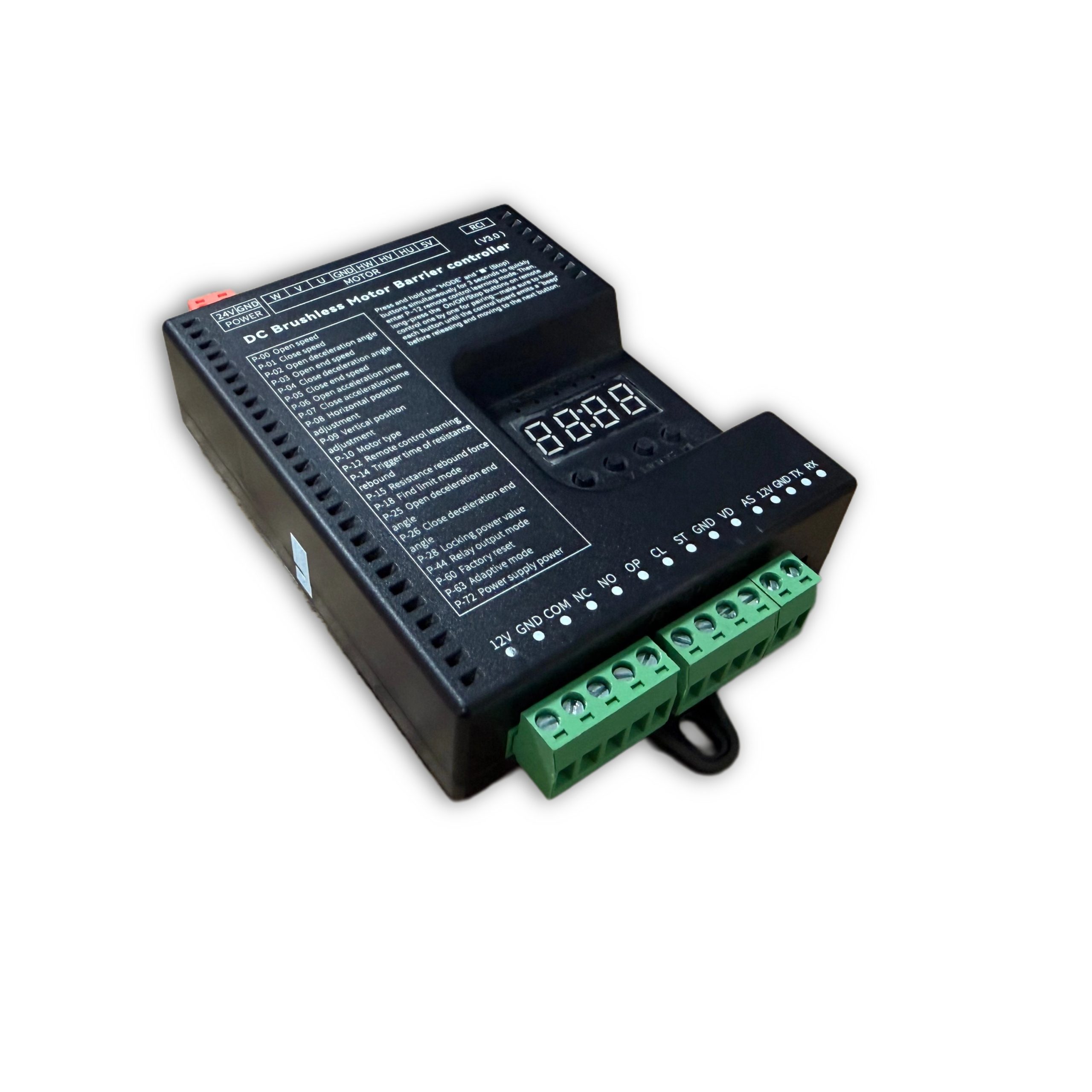
안전 및 사양
Installation, operation and maintenance+
Read the manual before use and keep it for reference. Transport, use and store within the permitted temperature and humidity. Keep liquid out, provide ventilation and do not block vents. Avoid heavy pressure, severe vibration and immersion. Transport in original packaging or equivalent protection. Grounding through the grounding hole is recommended. Do not disassemble without authorization. Use manufacturer-specified accessories, installed and serviced by qualified personnel. Do not extend, shorten or add weight to the boom without authorization.
원본 매뉴얼 · 2 ↗기술 사양+
Power Supply: DC 24V +/-10% Motor Power: Max 200W Static Power: <2W Boom Raise/Lower Speed: 1%-100% adjustable Operating Temperature: -35℃ ~ 75℃ Operating Humidity: 30% ~ 80% (no condensation)
원본 매뉴얼 · 2 ↗제품 특징+
DC 24 V supply; static power below 2 W; maximum motor power 200 W; independent raise/lower speed adjustment; multistage speed control; working noise below 50 dB. Motor overcurrent, overload, short-circuit, motor fault and reverse-polarity protection. External remote-control input, configurable parameters, windproof, anti-freeze, anti-rust and relay output modes.
원본 매뉴얼 · 2 ↗Before changing parameters+
Some preset default values may differ from the defaults printed in the parameter table. Use the entries for this controller model and manual version. Original inconsistencies are noted beside the affected entries.
원본 매뉴얼 · 6 ↗버튼 및 설정
Buttons: Open / Close / Menu / Stop+
I. Button Description The controller has 4 buttons. From left to right, they are "Open/+", "Close/-", "Menu", and "Stop/Cancel". Various parameters of the controller can be set through these 4 buttons. "Open/+": In normal working mode, pressing this button raises the boom. After entering settings mode, this button can be used to increase menu items and adjust values upward. In parameter setting mode, each short press increases by one. Long press continuously increases to the maximum value, then restarts from the minimum. If long-pressed for an extended period, the continuous increase speed will accelerate. "Close/-": In normal working mode, pressing this button lowers the boom. After entering settings mode, this button can be used to decrease menu items and adjust values downward. In parameter setting mode, each short press decreases by one. Long press continuously decreases to the minimum value, then restarts from the maximum. If long-pressed for an extended period, the continuous decrease speed will accelerate. "Menu": This button has 3 functions: 1. In normal working mode, long-press this button for 3 seconds to enter menu item selection mode. The LED displays "P-XX", then you can press "Open/+" or "Close/-" to select menu items; 2. In menu item selection mode, short-press "Menu" to enter parameter setting mode; 3. After parameter setting is complete, short-press to save and exit. "Stop/Cancel": In normal working mode, this button functions as stop. In menu item selection mode, it exits the setting mode. In parameter setting mode, pressing this button exits the current state and returns to the menu selection state (i.e., returns to the previous menu level), and the set value is invalid. If no button is pressed within 60 seconds in menu selection mode and parameter setting mode, the buzzer will sound a long beep and the controller will return to normal working mode.
원래 설명서 · 5 ↗LED display and power saving+
The control board has a 4-digit LED display that can show barrier gate working status, parameters, menu items, and other information. After power-on, it runs in low-power mode, where the LED display brightness is dim. Pressing any button will switch the LED display to normal working mode with high brightness. If no button is pressed, after 60 seconds it enters low-power mode with dim LED brightness to reduce power consumption. After 2 minutes without button press, the LED display will turn off, entering the lowest power consumption state.
원래 설명서 · 5 ↗Set and save a parameter+
III. Parameter Settings You can enter the parameter setting mode by long-pressing the "Menu" button for 3 seconds. The LED will display "P-XX". Use short press or long press of "Open/+" and "Close/-" buttons to select menu items. Short press increases or decreases by one; long press continuously increases or decreases. Press "Menu" again to enter the setting for the specified item. Press "Stop/Cancel" to return to the previous level or exit settings. After completing the parameter setting, you must press "Menu" to confirm for it to take effect. Parameters set by pressing "Stop/Cancel" will not take effect. If no button is pressed within 60 seconds, the buzzer on the control board will sound a long beep, exit the setting mode, and return to normal working mode.
단계
- Hold Menu for 3 seconds.
- Select P-XX with Open/+ or Close/-.
- Press Menu to enter the setting and adjust the value.
- Press Menu to save. Stop/Cancel discards the current change.
- Settings time out after 60 seconds without a button press.
Motion & limits
P-00Boom Raise Speed+
기본값80
RANGE10-200
The larger the value, the faster the speed; the smaller the value, the slower the speed. When adjusted to 200 and still unable to reach the required speed, increase P-72. (When P-63 is 0 or 1, values exceeding 100 are treated as 100; when P-63 is set to 2, values exceeding 100 are valid)
원본 매뉴얼 · 6 ↗P-01Boom Lower Speed+
P-02Boom Raise Deceleration Angle+
기본값45
RANGE10-90
Used to set the position where deceleration starts during boom raising. Measured in degrees, 0 degrees represents the horizontal position and 90 degrees represents the vertical position. This parameter indicates the angle at which the boom starts to decelerate during raising.
원본 매뉴얼 · 6 ↗P-03Boom Raise End Speed+
기본값10
RANGE1-80
The boom raising ends at this speed. Too low will cause incomplete opening; too high will cause oscillation.
원본 매뉴얼 · 6 ↗P-04Boom Lower Deceleration Angle+
기본값55
RANGE0-80
Used to set the position where deceleration starts during boom lowering. Measured in degrees, 0 degrees represents the horizontal position and 90 degrees represents the vertical position. This parameter indicates the angle at which the boom starts to decelerate during lowering.
원본 매뉴얼 · 6 ↗P-05Boom Lower End Speed+
기본값5
RANGE1-80
The boom lowering ends at this speed. Too low will cause incomplete closing; too high will cause oscillation. If the P-26 command has set a boom lower low-speed angle and it is within the valid range, it will run at this speed in the low-speed uniform zone.
원본 매뉴얼 · 6 ↗P-06Boom Raise Acceleration Time+
기본값60
RANGE0-255
Time required to accelerate from start to the boom raise speed set by P-00 (larger value means longer time). (Unit: 0.01 seconds)
원본 매뉴얼 · 6 ↗P-07Boom Lower Acceleration Time+
기본값50
RANGE0-255
Time required to accelerate from start to the boom lower speed set by P-01 (larger value means longer time). (Unit: 0.01 seconds)
원본 매뉴얼 · 6 ↗P-08Horizontal Position Fine-tuning+
기본값15
RANGE0-255
Distance of the boom horizontal position from the horizontal mechanical limit. Larger value means farther, and vice versa. When the barrier gate completes self-check and is in the closed- in-place state, modifying this parameter will cause the barrier gate horizontal angle to update in real-time according to the set value. (This parameter should not be set too small, otherwise the connecting rod may hit the mechanical limit when closed in place, posing a risk of damaging the mechanism and mainboard)
원본 매뉴얼 · 6 ↗P-09Vertical Position Fine-tuning+
기본값15
RANGE0-255
Distance of the boom vertical position from the vertical mechanical limit. Larger value means farther, and vice versa. When the barrier gate completes self-check and is in the open-in-place state, modifying this parameter will cause the barrier gate vertical angle to update in real-time according to the set value. (This parameter should not be set too small, otherwise the connecting rod may hit the mechanical limit when open in place, posing a risk of damaging the mechanism and mainboard)
원본 매뉴얼 · 6 ↗P-10모터 타입+
Source inconsistency: the default column says 0, but the description says default 1. Confirm the correct motor type for this hardware.
기본값0
RANGE0-3
Value range: 0-3; Default: 1. Due to different Hall polarities of motors, different reduction ratios of barrier gate mechanisms, and left/right boom output configurations, this parameter is used to be compatible with various types of motors and barrier gates. 0: Motor positive polarity, reducer positive polarity; 1: Motor positive polarity, reducer negative polarity; 2: Motor negative polarity, reducer positive polarity; 3: Motor negative polarity, reducer negative polarity
원본 매뉴얼 · 6 ↗P-17Limit Learning Speed+
기본값40
RANGE10-80
Set different speeds for finding upper limit and lower limit. After entering the menu, the first setting is the speed for finding the upper limit. The digital tube displays "1-XX", where XX represents the speed for finding the upper limit. You can adjust the speed by pressing "Open/+" and "Close/-". After setting the upper limit speed, press "Menu" and the digital tube displays "2-XX", where XX represents the speed for finding the lower limit. Similarly, adjust the speed by pressing "Open/+" and "Close/-". After both upper and lower limit speeds are set, press "Menu" to save. If "Stop/Cancel" is pressed during setting, the parameters will be invalid.
원래 설명서 · 7 ↗P-18Limit Search Mode+
기본값0
RANGE0-2
0: Search for both limits. 1: Search for upper limit. 2: Search for lower limit.
원래 설명서 · 7 ↗P-19Manual Upper Limit Learning+
After entering this setting, the digital tube displays L-00. The boom automatically raises to position and stops, displaying L-01. The operation is the same as P-21, finding vertical and horizontal limits. After learning the horizontal limit, it automatically returns to the setting page, indicating success. Then set P-18 to 1 to use.
원래 설명서 · 7 ↗P-20Manual Lower Limit Learning+
Same as P-19 but reversed. After entering the setting, it displays L-00 and automatically finds the lower limit. When in position, it stops and displays L-01. The user manually finds the horizontal and vertical positions. The first confirmation is the horizontal position, displaying L-02. The second is the vertical position, and it returns to the setting page. Then set P-18 to 2 to use.
원래 설명서 · 7 ↗P-21Manual Upper/Lower Limit Learning+
After entering this setting, the digital tube displays L-00. The barrier gate first automatically lowers the boom. When in position, it displays L-01, then automatically raises the boom. When in position, it stops and displays L-02. At this point, holding the raise or lower button will raise or lower the boom, and releasing will stop. It will alarm when reaching the mechanical limit. The user can adjust the position manually. Once determined, press Menu to learn one limit. The first Menu press is for the vertical limit, displaying L-03. The second is for the horizontal limit. After the second press, it automatically returns to the setting page, indicating learning is successful. After setting this function, P-18 must be set to 0.
원래 설명서 · 8 ↗P-22Boom Raise Reverse Buffer Time+
기본값80
RANGE10-255
Buffer time from boom raise to boom lower. Too short a time may cause excessive instantaneous current. (Unit: 0.01 seconds)
원래 설명서 · 8 ↗P-23Boom Lower Reverse Buffer Time+
기본값100
RANGE10-255
Buffer time from boom lower to boom raise. Too short a time may cause excessive instantaneous current. (Unit: 0.01 seconds)
원래 설명서 · 8 ↗P-24버퍼 시간 중단+
기본값100
RANGE10-255
Time required for the motor to stop from running when Stop is pressed during boom raise or lower. Too large will cause slow and stable stopping. Too short may cause excessive instantaneous current. (Unit: 0.01 seconds)
원래 설명서 · 8 ↗P-25Boom Raise Deceleration End Angle+
기본값90
RANGE45-90
During boom raising, the boom first accelerates to P-00, then starts decelerating at P-02. At this option, it stops decelerating and enters uniform motion until boom raising ends.
원래 설명서 · 8 ↗P-26Boom Lower Deceleration End Angle+
기본값10
RANGE0-45
During boom lowering, the boom first accelerates to P-01, then starts decelerating at P-04. At this option, it stops decelerating and enters uniform motion until boom lowering ends.
원래 설명서 · 8 ↗원격 제어
P-11Remote Control Learning Mode+
기본값0
RANGE0-1
0: Press Open, Close, Stop in sequence to complete learning; 1: Press any one button to complete learning
원래 설명서 · 7 ↗P-12Remote Control Learning+
기본값0
RANGE0-50
Remote control learning: Entering P-12 will display the current number of saved remote controls. At this point, press the remote control buttons Open, Close, Stop in sequence to learn. Keep pressing until the control board beeps once, then release and press the next button. Continue until the control board gives a long beep or the number displayed on the digital tube increases by one, indicating learning is complete. You can continue learning the next remote or press Cancel to return. Remote control deletion: In this menu, press "+" or "-" to modify the learned remote control count, then press "Menu" to confirm. This will delete all learned remote controls after that count.
원래 설명서 · 7 ↗P-13Remote Convoy Mode+
기본값0
RANGE0-3
0: Normal remote control mode. (Temporary convoy mode entry method: After the barrier gate is fully opened, long-press the remote control Open button for more than 5 seconds to temporarily enter convoy mode. The buzzer will sound for 2 seconds. Press Close to exit convoy mode and close the barrier gate.) 1: Remote "Open" enters convoy mode. Loop detector signals will not be processed until manual boom lowering. The boom stays raised. 2: Manual mode. All opening actions of the barrier gate will enter convoy mode, and loop detector trigger will not lower the boom. 3: Disable convoy mode.
원래 설명서 · 7 ↗P-82Bluetooth Connection+
When the mini program connects to the mainboard via Bluetooth for the first time, please enter the P-82 menu, then connect to the mainboard Bluetooth. After the mini program has the mainboard connection data, there is no need to enter the P-82 menu. You can directly connect via Bluetooth.
원래 설명서 · 13 ↗Detection & automatic closing
P-14Reverse-on- Obstacle Trigger Time+
기본값2
RANGE1-40
How long an obstacle must be encountered before it is judged as reverse-on-obstacle. (Unit: 0.05 seconds)
원래 설명서 · 7 ↗P-15Reverse-on- Obstacle Force+
기본값45
RANGE1-100
How much resistance is considered as an obstacle. The reverse condition is that the resistance set by P-15 is encountered and persists for the time set by P-14, then the boom reverses.
원래 설명서 · 7 ↗P-16Reverse-on- Obstacle Angle+
기본값5
RANGE0-90
When the boom is below this angle, reverse-on- obstacle will not occur. 0 disables this function.
원래 설명서 · 7 ↗P-27Anti-crash Function+
기본값1
RANGE0-8
Whether the anti-crash port signal is valid. 0: Invalid, triggering anti-crash signal does not raise the boom. 1: Valid, triggering anti-crash signal during boom lowering raises the boom. 2: Anti-crash port repurposed as "Open" port function. 3: Anti-crash port repurposed as "Close" port function. 4: Anti-crash port repurposed as loop detector port function. (After repurposing the anti-crash port, the original function port becomes invalid.) 5: Anti-crash terminal connected to radar for pedestrian anti- crash. (Valid during lowering, resumes lowering after target disappears, i.e., does not change the original raise/lower state, only used for anti- crash for pedestrians/vehicles.) 6: Anti-crash port repurposed as "Open" port function while keeping the original "Open" port valid. 7: Anti- crash port repurposed as "Fire Emergency port". When triggered, raises the boom and automatically enters convoy mode. 8: Anti-crash port repurposed as Open, Stop port repurposed as loop detector. (Original Open and loop detector ports become invalid.)
원래 설명서 · 8 ↗P-28Lock Power Value+
기본값255
RANGE0-21, 255
When the motor stops in a non-mechanical lock zone, since there is no mechanical lock, the spring tension will pull the boom up. This function uses controller output control for locking, which will cause the motor and board to heat up. It is recommended to set according to actual conditions and not too high. When set to 255, it is auto-adaptive lock power.
원래 설명서 · 8 ↗P-29Open-in-place Lock Time+
기본값0
RANGE0-255
How long the lock remains active after the boom reaches the open position. (Unit: seconds) When set to 255, the lock is always maintained when open in place, without timing.
원래 설명서 · 8 ↗P-30Close-in-place Lock Time+
기본값0
RANGE0-255
How long the lock remains active after the boom reaches the close position. (Unit: seconds) When set to 255, the lock is always maintained when closed in place, without timing.
원래 설명서 · 8 ↗P-31Reverse Lock Turns+
기본값0
RANGE0-20
During boom raising, if the motor reverses for various reasons, how many turns before locking.
원본 매뉴얼 · 9 ↗P-32Auto Lower Time Without Loop Detector+
기본값0
RANGE0-255
Time for the boom to automatically lower without loop detector trigger. Setting to 0 means no auto-lowering without loop detector. (Unit: seconds)
원본 매뉴얼 · 9 ↗P-33Vehicle Pass Delay Lower Time+
기본값2
RANGE0-255
How long after the loop detector signal disappears before starting to lower the boom. Default 0.2 seconds. (Unit: 0.1 seconds)
원본 매뉴얼 · 9 ↗P-34Loop Detector Counting+
기본값1
RANGE0-4
0: No raise counting, lower after vehicle passes. 1: Count raise signals, max count is 1. Decrement count when loop detector is triggered. Lower when loop detector disappears and count is 0. 2: Count raise signals, max count is 2. Decrement count when loop detector is triggered. Lower when loop detector disappears and count is 0. 3: Count raise signals, max count is 3. Decrement count when loop detector is triggered. Lower when loop detector disappears and count is 0. 4: Count raise signals, max count is 255. Decrement count when loop detector is triggered. Lower when loop detector disappears and count is 0.
원본 매뉴얼 · 9 ↗P-35Loop Detector Non- detection Angle+
기본값10
RANGE0-45
When the boom angle is below this value, loop detector signals will not be processed, and the boom lowers directly.
원본 매뉴얼 · 9 ↗P-36Loop Detector Trigger Buzzer Frequency+
기본값4
RANGE0-20
Buzzer frequency when loop detector is triggered. 0 disables. Larger number means faster beeping.
원본 매뉴얼 · 9 ↗P-37Loop Detector Signal Trigger Judgment Time+
기본값4
RANGE1-255
How long the signal must be maintained to be considered a loop detector trigger. (Unit: 0.01 seconds)
원본 매뉴얼 · 9 ↗P-38Loop Detector Signal Valid Judgment Time+
기본값4
RANGE1-255
When the loop detector is triggered, how long it must remain triggered to be considered a real loop detector signal (i.e., a vehicle is present). (Unit: 0.01 seconds)
원본 매뉴얼 · 9 ↗P-42Boom Raise Priority+
기본값1
RANGE0-2, 50-80
0: All control signals have the same priority in any state. 1: Boom raise has the highest priority. Other signals are ineffective during raising. 2: During boom raising, if the vehicle has already passed the loop detector, immediately start lowering without waiting for the barrier gate to fully open. 50-80: During boom raising, if the vehicle has passed the loop detector before fully open, the barrier gate starts lowering when it reaches the angle set by this value.
원본 매뉴얼 · 9 ↗P-43Boom Raise Signal Judgment Time+
기본값8
RANGE1-255
How long the raise signal must persist to be considered a valid raise signal. (Unit: 0.01 seconds)
원본 매뉴얼 · 9 ↗P-58Auto Close Count After Manual Raise+
기본값0
RANGE0-255
When closed in place, if the boom is manually lifted more than 10 degrees, the machine will automatically lower. This parameter is how many times it lowers. When the manual lift and lower count exceeds this value, it will no longer trigger lowering. Each normal raise-lower cycle resets the accumulated auto-lower count. If set to 255, no counting is performed and this function is always active.
원래 설명서 · 11 ↗P-68Pause on Loop Trigger During Lowering+
기본값0
RANGE0-1
0: When loop detector is triggered during lowering, the barrier gate automatically raises. 1: When loop detector is triggered during lowering, the barrier gate stops at the current position (can serve as a certain degree of anti- toll-evasion function).
원래 설명서 · 12 ↗P-73Auto Lower Speed Without Loop Detector+
기본값40
RANGE0-80
Auto lower speed without loop detector. When set to 0, it is invalid. Auto-lowering without loop detector uses P-01 (boom lower speed) as the running speed. When set to non-zero, this parameter replaces P-01 (boom lower speed) as the running speed. This function solves the problem of auto-lowering without loop detector being too fast and potentially hitting pedestrians. A relatively smaller auto-lower speed parameter can be set to prevent auto- lowering from hitting pedestrians.
원래 설명서 · 12 ↗P-83Boom Raise Loop Non-detection Angle+
기본값20
RANGE0-80
During boom raising, when the loop detector is below the set angle, loop detector trigger is invalid.
원래 설명서 · 13 ↗P-89Loop Detector Tailgating Auto Lower Time+
기본값0
RANGE0-255
Used to solve the problem where the front vehicle has not left the loop detector, the rear vehicle gives an open signal, and the vehicles are too close together causing both to press the loop detector. When the front vehicle leaves and the loop detector signal does not disappear, the boom does not lower. The set value is the lower time for this situation, in units of 10 seconds. Setting to 0 disables this function.
원래 설명서 · 14 ↗System & other parameters
P-39Undocumented menu slot+
The original manual marks this menu slot with “/” and provides no setting instructions.
원본 매뉴얼 · 9 ↗P-40Undocumented menu slot+
The original manual marks this menu slot with “/” and provides no setting instructions.
원본 매뉴얼 · 9 ↗P-41Light Sensor Off Threshold+
This entry refers to P-46, but the D6 manual marks P-46 as undocumented. Confirm whether this function is supported on the installed hardware.
기본값0
RANGE0-50
0 -- This parameter is invalid. The light sensor is fully controlled by the P-46 photosensitive threshold. Other -- Light sensor off threshold. When ambient light intensity falls below this value, the light sensor turns off after a delay. (P-41 works with P-46. P-46 sets the light-on threshold, and P-41 sets the light-off threshold. By setting P-41 to a value smaller than P-46, you can solve the problem of the light box control being unstable due to the light box illuminating the photosensitive receiver.)
원본 매뉴얼 · 9 ↗P-44릴레이 출력 모드+
기본값4
RANGE0-7
0: Traffic light mode: Relay closes when open in place, relay opens when closed in place. 1: / 2: Loop detector mode: Closes when boom starts raising, relay opens when closed in place. 3: Traffic light mode 1: Normally closed connects to red light, normally open connects to green light. Relay closes and green light turns on after barrier gate opens in place; otherwise relay opens and red light turns on. 4: Traffic light mode 2: Normally closed connects to red light, normally open connects to green light. Relay closes and green light turns on when barrier gate angle exceeds 60 degrees; otherwise relay opens and red light turns on. 5: Traffic light mode 3: Relay closes during boom raising, opens during boom lowering. 6: Manual lift alarm: Relay closes when boom is manually lifted more than 5 degrees after closing in place. Can be used to connect an alarm. 7: Pulse mode: Relay closes for 1 second when closed in place, then opens.
원본 매뉴얼 · 9 ↗P-45Undocumented menu slot+
The original manual marks this menu slot with “/” and provides no setting instructions.
원래 설명서 · 11 ↗P-46Undocumented menu slot+
The original manual marks this menu slot with “/” and provides no setting instructions.
원래 설명서 · 11 ↗P-47Undocumented menu slot+
The original manual marks this menu slot with “/” and provides no setting instructions.
원래 설명서 · 11 ↗P-48Undocumented menu slot+
The original manual marks this menu slot with “/” and provides no setting instructions.
원래 설명서 · 11 ↗P-49Ambient Temperature+
This option is used to display the current ambient temperature on the digital tube.
원래 설명서 · 11 ↗P-50Anti-freeze Temperature Threshold+
기본값0
RANGE-40-0
At low temperatures, to prevent the machine from freezing, when this function is enabled and the temperature falls below the set value, if the barrier gate has not moved within the P-52 time interval, it will automatically run to the P-51 angle and then close.
원래 설명서 · 11 ↗P-51Anti-freeze Boom Raise Angle+
기본값0
RANGE0-45
Range: 0-45, Default: 0. Anti-freeze opening angle. When the ambient temperature drops to the P-50 set temperature and the P-52 anti- freeze time interval has elapsed, the barrier gate will open to the angle set by this parameter, then automatically close. If this parameter is 0, the anti-freeze function is disabled. Both P-51 and P-52 must be non-zero to enable the anti- freeze function.
원래 설명서 · 11 ↗P-52Anti-freeze Boom Raise Time Interval+
기본값0
RANGE0-255
When the ambient temperature is below the set temperature, timing starts. If the barrier gate has no movement within the timing period, it will open to the P-51 set angle after the time interval set by this command, then automatically close. Setting this parameter to 0 disables the anti- freeze function. (Unit: minutes)
원래 설명서 · 11 ↗P-53Anti-rust Open Angle+
기본값0
RANGE0-45
The angle for anti-rust boom raising. If this parameter is non-zero, after the time interval specified by the P-54 command, the controller will open to the angle specified by this parameter, then automatically close. During normal operation, the boom raising and lowering of the barrier gate will reset the time interval and restart timing. If this parameter is 0, the anti-rust function is disabled.
원래 설명서 · 11 ↗P-54Anti-rust Boom Raise Time Interval+
기본값0
RANGE0-255
If the barrier gate is installed at a site and left unused for a long time, it may rust. You can enable this parameter to make the barrier gate open once after a certain time interval. The opening angle is set by the P-53 command. If this parameter is 0, the anti-rust function is disabled. Both P-53 and P-54 must be non-zero to enable the anti-rust function. (Unit: hours)
원래 설명서 · 11 ↗P-55Set 485 Baud Rate+
기본값4
RANGE0-4
Set the baud rate of the control board. Settings: 0: 9600; 1: 19200; 2: 38400; 3: 57600; 4: 115200
원래 설명서 · 11 ↗P-56Set 485 Address+
P-57Controller Master/Slave Mode+
기본값0
RANGE0-1
Set the master/slave mode of the control board. 0: Slave mode. 1: Master mode.
원래 설명서 · 11 ↗P-59Auto Test+
기본값0
RANGE0-255
Auto test time interval. When set to 0, auto test is disabled. Used for auto testing and aging testing. After testing is complete, set this parameter to 0 to cancel auto test. Short press "Open" button to start open/close-in-place auto test. Long press "Open" button to start simulated lowering to middle position then raising auto test. (Unit: seconds)
원래 설명서 · 11 ↗P-60Restore Default Settings+
기본값0
RANGE0-255
This option has three functions: clear remote controls, partial factory reset, and full factory reset. To prevent misoperation, specific values must be set before pressing "Menu" to complete the operation. 5: Clear remote controls. 10: Factory reset (remote controls and motor type are not restored). 15: Full factory reset.
원래 설명서 · 11 ↗P-61Undocumented menu slot+
The original manual marks this menu slot with “/” and provides no setting instructions.
원래 설명서 · 12 ↗P-62Undocumented menu slot+
The original manual marks this menu slot with “/” and provides no setting instructions.
원래 설명서 · 12 ↗P-63Adaptive Mode+
Source inconsistency: the default is 3, but the listed range is 0–2 and only modes 0–2 are explained. Do not infer mode 3 from another model.
기본값3
RANGE0-2
0: Conventional mode. 1: Use adaptive mode for limit initialization. 2: Use adaptive mode for both limit initialization and boom raise/lower.
원래 설명서 · 12 ↗P-64Boom Raise/Lower Timeout+
The parameter table gives an adjustable timeout of 6–40 seconds (default 30), while the Err5/Err6 descriptions say 15 seconds. The source is inconsistent; confirm the firmware behavior.
기본값30
RANGE6-40
Set the boom raise/lower timeout. If the boom raise/lower exceeds the set time without reaching position, the barrier gate will automatically pause and report a raise timeout warning (Err5) or lower timeout warning (Err6). (Unit: seconds)
원래 설명서 · 12 ↗P-65Power-off Auto Raise/Lower Voltage+
기본값0
RANGE0-21
0: Disabled. 1-21: Trigger auto raise/lower voltage. This function requires a backup power supply and must be configured with the P-69 setting. Recommended to set to 20.
원래 설명서 · 12 ↗P-66Brake Reverse Voltage Warning Threshold+
The range column lists 30–100 V, while the description also specifies 0 to disable the warning. This source exception is retained.
기본값55
RANGE30-100
For situations where the barrier gate spring is poorly matched, when the motor decelerates and generates excessive reverse voltage, a warning is issued. The warning sound is 5 quick buzzer beeps, and the digital tube displays ERR2. This warning will not interrupt barrier gate operation. The reverse voltage effect can be reduced by lowering the barrier gate running speed or matching the spring and boom balance. (Unit: V). Setting to 0 disables this warning.
원래 설명서 · 12 ↗P-67Display Drive Voltage and Current+
기본값1
RANGE0-1
0: Do not display voltage and current data. 1: During boom raising and lowering, the digital tube displays drive voltage (Unit: V) or drive current (Unit: A). In working mode, you can switch between displaying current and voltage by short-pressing the "Menu" button.
원래 설명서 · 12 ↗P-69Power-off Auto Run Function+
기본값1
RANGE0-4
Set the power-off auto run option. When P-65 is set to non-zero and the supply voltage is detected to be below the P-65 set value, the barrier gate handling method: 0: No action. 1: Auto raise boom. 2: Auto lower boom. 3: No action when in open/close-in-place position; auto raise when in middle position. 4: No action when in open/close-in-place position; auto low- speed lower when in middle position.
원래 설명서 · 12 ↗P-70Custom Parameter Settings+
Currently no function
원래 설명서 · 12 ↗P-71Overcurrent Protection Value+
기본값120
RANGE20-160
Overcurrent protection value. When the barrier gate running current exceeds this value, the barrier gate automatically stops running. If overcurrent protection occurs during lowering, the barrier gate will treat it as reverse-on- obstacle. (Unit: 0.1A)
원래 설명서 · 12 ↗P-72Power Output+
기본값80
RANGE20-100
Maximum limited output power % during barrier gate operation. (Non-professionals should operate with caution)
원래 설명서 · 12 ↗P-74Undocumented menu slot+
The original manual marks this menu slot with “/” and provides no setting instructions.
원래 설명서 · 12 ↗P-75Undocumented menu slot+
The original manual marks this menu slot with “/” and provides no setting instructions.
원래 설명서 · 12 ↗P-76Undocumented menu slot+
The original manual marks this menu slot with “/” and provides no setting instructions.
원래 설명서 · 12 ↗P-77Undocumented menu slot+
The original manual marks this menu slot with “/” and provides no setting instructions.
원래 설명서 · 12 ↗P-78Auto Send Barrier Status Data+
기본값0
RANGE0-1
When set to 1, when the barrier gate triggers a raise/lower action, it automatically sends barrier gate status commands.
원래 설명서 · 13 ↗P-79Undocumented menu slot+
The original manual marks this menu slot with “/” and provides no setting instructions.
원래 설명서 · 13 ↗P-80Adaptive Control Coefficient+
기본값4
RANGE0-9
Adaptive control parameter. Used for optimizing the effect on some special barrier gates. (Not recommended for non-professionals to adjust this parameter)
원래 설명서 · 13 ↗P-81Adaptive Mode Limit Learning Power+
기본값40
RANGE10-80
In adaptive mode, set the maximum power for limit learning. For some lower-power power supplies, if power overcurrent protection occurs during limit learning, this parameter can be reduced. For poorly matched spring counterweights where the motor torque is insufficient during limit learning raise/lower, this parameter can be increased.
원래 설명서 · 13 ↗P-84Expansion Port Mode+
기본값0
RANGE0-5
0: 485 mode. 1-3: TX pin repurposed as colored light strip flashing mode. Larger value means higher light strip brightness. When P-44 is set to 3, RX pin is repurposed as close-in- place status output (if the built-in relay is normally open, it becomes open-in-place status output). 4: Colored light strip flashing mode 2. 5: Colored light strip flashing mode 3.
원래 설명서 · 13 ↗P-85Undocumented menu slot+
The original manual marks this menu slot with “/” and provides no setting instructions.
원래 설명서 · 14 ↗P-86Undocumented menu slot+
The original manual marks this menu slot with “/” and provides no setting instructions.
원래 설명서 · 14 ↗P-87Undocumented menu slot+
The original manual marks this menu slot with “/” and provides no setting instructions.
원래 설명서 · 14 ↗P-88Control Interface Disable+
기본값0
RANGE0-3
0 - All enabled. 0x01 - Disable Open/Close/Stop ports. 0x02 - Disable remote control interface. 0x03 - Disable Open/Close/Stop and remote control.
원래 설명서 · 14 ↗P-90Barrier Limit Verification+
기본값1
RANGE0-1
0 - Disable. 1 - Enable. Enabling this function can optimize the issue of some barrier gates with poorly matched parameters, where self- check easily misjudges the limit, causing incorrect self-check angles and incomplete opening/closing.
원래 설명서 · 14 ↗Relay output modes
P-440: Traffic Light Mode+
Relay closes when open in place, relay opens when closed in place
원본 매뉴얼 · 10 ↗P-441: /+
P-442: Loop Detector Mode+
Closes when boom starts raising, relay opens when closed in place
원본 매뉴얼 · 10 ↗P-443: Traffic Light Mode 1+
Normally closed connects to red light, normally open connects to green light. Relay closes and green light turns on after barrier gate opens in place; otherwise relay opens and red light turns on
원본 매뉴얼 · 10 ↗P-444: Traffic Light Mode 2+
Normally closed connects to red light, normally open connects to green light. Relay closes and green light turns on when barrier gate angle exceeds 60 degrees; otherwise relay opens and red light turns on
원본 매뉴얼 · 10 ↗P-445: Traffic Light Mode 3+
Relay closes during boom raising, opens during boom lowering
원본 매뉴얼 · 10 ↗P-446: Manual Lift Alarm+
Relay closes when boom is manually lifted more than 5 degrees after closing in place. Can be used to connect an alarm
원본 매뉴얼 · 10 ↗P-447: Pulse Mode+
Relay closes for 1 second when closed in place, then opens
원본 매뉴얼 · 10 ↗오류 코드
Err0에러 0+
When clearing remote controls and restoring factory settings, the correct confirmation value must be set. An incorrect confirmation value will prompt an Err0 error.
원래 설명서 · 14 ↗Err1에러 1+
예약되었습니다.
원래 설명서 · 14 ↗Err2Err2+
Brake reverse voltage too high warning. Generally caused by poorly matched springs and excessive speed. Can be resolved by matching the spring and boom balance and reducing running speed. You can also increase the P-66 setting value to increase the trigger threshold.
원래 설명서 · 14 ↗Err3Err3+
Boom raise stall. Possible causes: broken barrier gate spring, boom raise speed too low, boom raise end speed too low. Can increase boom raise speed and boom raise end speed.
원래 설명서 · 14 ↗Err4Err4+
Boom lower stall. Possible causes: barrier gate spring too tight, boom not attached, boom lower speed or boom lower end speed too low. Check if the spring is too tight, whether the boom is attached, and increase boom lower speed or boom lower end speed.
원래 설명서 · 14 ↗Err5Err5+
The parameter table gives an adjustable timeout of 6–40 seconds (default 30), while the Err5/Err6 descriptions say 15 seconds. The source is inconsistent; confirm the firmware behavior.
Boom raise timeout. The cause is that the raise time exceeds 15 seconds. Can increase boom raise speed and boom raise end speed.
원래 설명서 · 14 ↗Err6Err6+
The parameter table gives an adjustable timeout of 6–40 seconds (default 30), while the Err5/Err6 descriptions say 15 seconds. The source is inconsistent; confirm the firmware behavior.
Boom lower timeout. The cause is that the lower time exceeds 15 seconds. Can increase boom lower speed and boom lower end speed.
원래 설명서 · 14 ↗Err7에러 7+
Motor type selection error. Can be corrected by changing P-10 to the correct type.
원래 설명서 · 14 ↗Err8에러 8+
예약되었습니다.
원래 설명서 · 14 ↗Err9Err9+
During boom raising, the motor reverses due to situations such as a broken spring.
원래 설명서 · 14 ↗메시지 표시
IDLEIDLE+
Motor wiring not connected (or loose), or motor Hall sensor fault. By pressing buttons to enter the menu settings, find P-59, then enter the value setting interface. At this point, the 3 LED status lights on the right will become 3 Hall sensor level indicators, used to assist in diagnosing Hall detection issues.
원래 설명서 · 15 ↗STOP멈춰라+
Barrier gate closed in place
원래 설명서 · 15 ↗CLOSCLOS+
Barrier gate is closing
원래 설명서 · 15 ↗OPENOPEN+
Barrier gate is opening
원래 설명서 · 15 ↗HOLDHOLD+
Barrier gate opened in place
원래 설명서 · 15 ↗LOCKLOCK+
Barrier gate locked
원래 설명서 · 15 ↗FLETFLET+
Convoy mode
원래 설명서 · 15 ↗Diagrams & revisions
Horizontal and vertical position adjustment+
Original diagram for P-08 / P-09. Open the source PDF page to view the diagram.
Original manual · 16 ↗Raising without a low-speed zone+
P-25 >= 90. Open the source PDF page to view the speed/position diagram.
Original manual · 16 ↗Raising with a low-speed zone+
P-25 < 90 and P-25 > P-02. Open the source PDF page to view the diagram.
Original manual · 17 ↗Lowering without a low-speed zone+
P-26 = 0. Open the source PDF page to view the diagram.
Original manual · 17 ↗Lowering with a low-speed zone+
P-26 != 0 and P-26 < P-04. Open the source PDF page to view the diagram.
Original manual · 18 ↗Mounting hole dimensions+
Refer to the original dimensioned drawing on PDF page 21.
Original manual · 21 ↗V2.1 · 2023-10-26+
Initial draft
Original manual · 22 ↗V3.0 · 2024-03-30+
Added plug-in traffic light interface
Original manual · 22 ↗V3.1 · 2025-03-25+
Added menu function P-84: Expansion port mode
Original manual · 22 ↗V3.2 · 2025-04-16+
Menu function P-84 added item 4 and item 5
Original manual · 22 ↗V3.3 · 2025-05-30+
Added menu function P-41: Light sensor off threshold
Original manual · 22 ↗V3.4 · 2025-06-17+
Added menu function P-90: Barrier limit verification
Original manual · 22 ↗V3.5 · 2025-08-21+
Menu function P-27 added item 8
Original manual · 22 ↗V3.51 · 2026-05-29+
Menu function P-27 modified item 5
Original manual · 22 ↗Wiring diagrams
Mainboard terminals+
The supplied wiring image reproduces the original controller terminal diagram. Match the terminal labels and hardware variant to the original drawing.
Original manual · 19 ↗Variant with plug-in traffic light port+
The second drawing in the supplied image is the original plug-in traffic light port variant. Use the diagram that matches your hardware.
Original manual · 20 ↗Traffic light wiring+
Refer to the original P-44 traffic light wiring drawing. The source describes common-anode LED strips and says to reverse the power supply 12 V / GND connections for common-cathode strips.
원본 매뉴얼 · 10 ↗Original PDF page(s): 19, 20. Additional lighting diagrams are linked through their source-page entries. Product compatibility is not inferred.
일치하는 항목이 없습니다.
D8 DC Brushless Barrier Gate Controller
Setup, parameters, relay modes, fault codes and wiring for the D8 barrier gate controller.
Manual version 3.81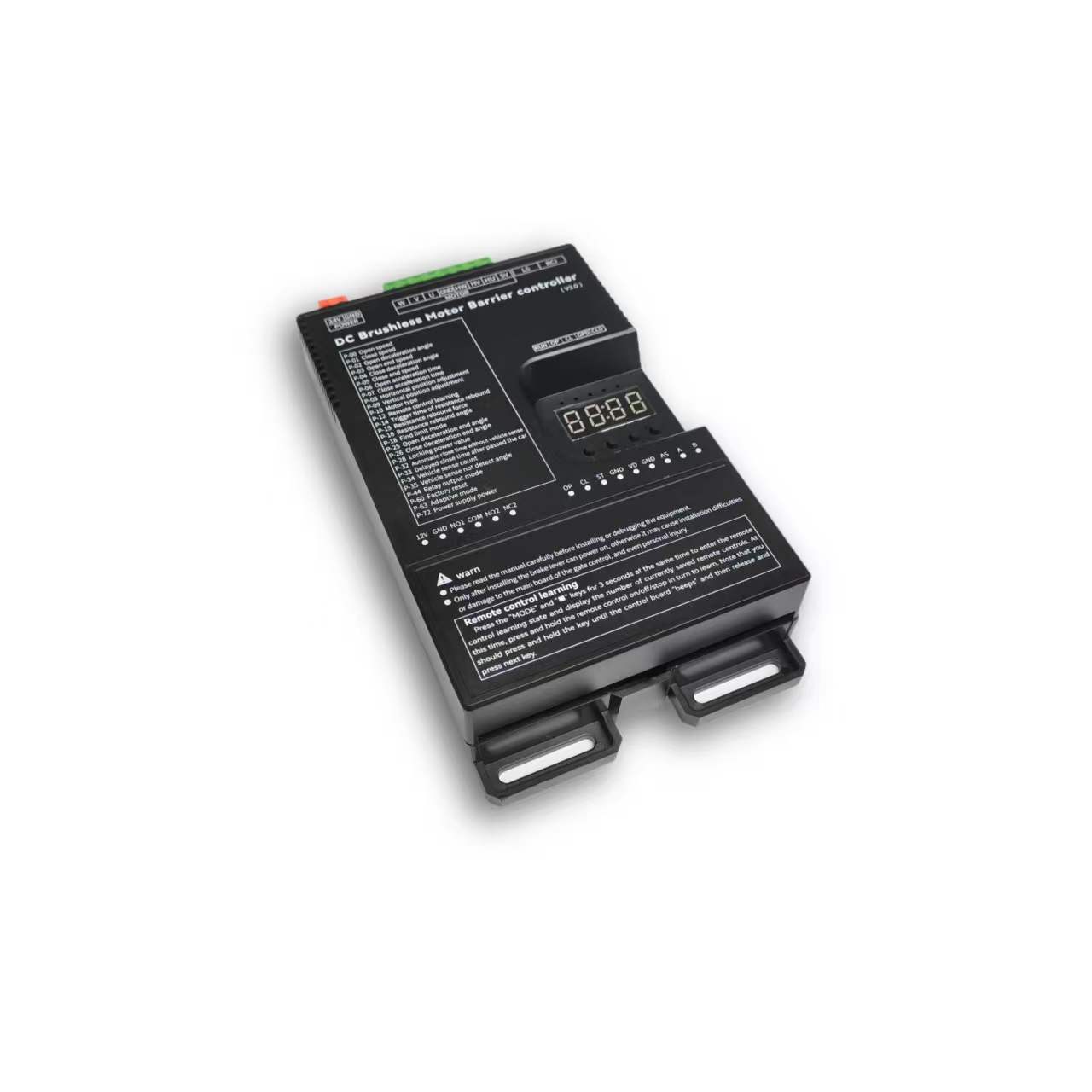
안전 및 사양
Installation, operation and maintenance+
Read the manual before use and keep it for reference. Transport, use and store within the permitted temperature and humidity. Keep liquid out, provide ventilation and do not block vents. Avoid heavy pressure, severe vibration and immersion. Transport in original packaging or equivalent protection. Grounding through the grounding hole is recommended. Do not disassemble without authorization. Use manufacturer-specified accessories, installed and serviced by qualified personnel. Do not extend, shorten or add weight to the boom without authorization.
원본 매뉴얼 · 2 ↗기술 사양+
Power Supply: DC 24V +/-10% 10A Motor Power: Max 250W Static Power: <2W Boom Raise/Lower Speed: 1%-100% adjustable Operating Temperature: -40℃ ~ 75℃ Operating Humidity: 30%~80% (no condensation)
원본 매뉴얼 · 2 ↗제품 특징+
DC 24 V supply; static power below 2 W; maximum motor power 250 W; independent raise/lower speed adjustment; multistage speed control; working noise below 50 dB. Motor overcurrent, overload, short-circuit, motor fault and reverse-polarity protection. External remote-control input, configurable parameters, windproof, anti-freeze, anti-rust and relay output modes. Light-sensor control for advertising lighting.
원본 매뉴얼 · 2 ↗Before changing parameters+
Some preset default values may differ from the defaults printed in the parameter table. Use the entries for this controller model and manual version. Original inconsistencies are noted beside the affected entries.
원본 매뉴얼 · 6 ↗버튼 및 설정
Buttons: Open / Close / Menu / Stop+
1. Button Description The controller has 4 buttons. From left to right, they are "Open/+", "Close/-", "Menu", and "Stop/Cancel". Various parameters of the controller can be set through these 4 buttons. "Open/+": In normal working state, pressing this button raises the boom. After entering the setting state, this button can be used to increase menu items and adjust setting values upward. In the parameter setting state, short press increments by 1 each time. Long press continuously increases to the maximum value, then starts from the minimum value. If long pressed for a longer time, the continuous increment will speed up. "Close/-": In normal working state, pressing this button lowers the boom. After entering the setting state, this button can be used to decrease menu items and adjust setting values downward. In the parameter setting state, short press decrements by 1 each time. Long press continuously decreases to the minimum value, then starts from the maximum value. If long pressed for a longer time, the continuous decrement will speed up. "Menu": This key has 3 functions: 1. In normal working mode, long press this key for 3 seconds to enter the menu item selection state. The LED displays "P-XX", then you can press "Open/+" and "Close/-" buttons to select menu items; 2. In the menu item selection state, short press "Menu" to enter the parameter setting state; 3. After parameter setting is complete, short press to save and exit. "Stop/Cancel": In normal working mode, this button functions as stop. In the menu item selection state, it exits the setting state. In the parameter setting state, pressing this key will exit the current state and return to the menu selection state (i.e., return to the previous menu level), and the set value will be invalid. If there is no button operation for 60 seconds in the menu selection state and parameter setting state, the buzzer will sound a long beep and the controller will return to normal working state.
원래 설명서 · 5 ↗LED display and power saving+
The control board has a four-digit LED display that can show barrier gate working status, parameters, menu items, and other information. After power-on, it runs in low-power mode, during which the LED display brightness is dim. Pressing any button will make the LED display enter normal working mode with high brightness. If there is no button press, after 60 seconds it enters low-power mode and the LED brightness dims to reduce power consumption. After 2 minutes without button operation, the LED display will turn off, entering the lowest energy consumption state.
원래 설명서 · 5 ↗Set and save a parameter+
3. Parameter Settings You can enter the parameter setting state by long pressing the "Menu" button for 3 seconds. The LED will display "P-XX". Select menu items by short or long pressing the "Open/+" and "Close/-" buttons. Short press increments or decrements by 1, long press continuously increases or decreases. Press "Menu" again to enter the setting of the specified item. Press "Stop/Cancel" to return to the previous level or exit settings. After setting a specified parameter, you must press the "Menu" key to confirm for it to take effect. Pressing "Stop/Cancel" will not save the set parameters. If there is no button operation for 60 seconds, the buzzer on the control board will sound a long beep, exit the setting state, and return to normal working state.
단계
- Hold Menu for 3 seconds.
- Select P-XX with Open/+ or Close/-.
- Press Menu to enter the setting and adjust the value.
- Press Menu to save. Stop/Cancel discards the current change.
- Settings time out after 60 seconds without a button press.
Motion & limits
P-00Boom raising speed+
기본값80
RANGE10-200
The larger the value, the faster the speed; the smaller the value, the slower the speed. When the value reaches 200 and the required speed is still not achieved, increase P-72. (When P-63 is 0 or 1, values exceeding 100 are treated as 100; when P-63 is set to 2, values exceeding 100 are effective)
원본 매뉴얼 · 6 ↗P-01Boom lowering speed+
P-02Boom raising deceleration angle+
기본값45
RANGE10-90
Used to set the position where deceleration begins during boom raising. Measured in degrees, 0 degrees represents the horizontal position and 90 degrees represents the vertical position. This parameter indicates the angle at which the boom starts to decelerate during raising.
원본 매뉴얼 · 6 ↗P-03Boom raising end speed+
기본값10
RANGE1-80
The speed at which boom raising ends. Too small a value will result in incomplete opening; too large a value will cause shaking.
원본 매뉴얼 · 6 ↗P-04Boom lowering deceleration angle+
기본값55
RANGE0-80
Used to set the position where deceleration begins during boom lowering. Measured in degrees, 0 degrees represents the horizontal position and 90 degrees represents the vertical position. This parameter indicates the angle at which the boom starts to decelerate during lowering.
원본 매뉴얼 · 6 ↗P-05Boom lowering end speed+
기본값5
RANGE1-80
The speed at which boom lowering ends. Too small a value will result in incomplete closing; too large a value will cause shaking. If P-26 sets a boom lowering low-speed angle within a valid range, the boom will run at this speed in the low- speed uniform zone.
원본 매뉴얼 · 6 ↗P-06Boom raising acceleration time+
기본값60
RANGE0-255
Time required to accelerate from start of boom raising to the speed set by P-00 (larger value means longer time). (Unit: 0.01 seconds)
원본 매뉴얼 · 6 ↗P-07Boom lowering acceleration time+
기본값50
RANGE0-255
Time required to accelerate from start of boom lowering to the speed set by P-01 (larger value means longer time). (Unit: 0.01 seconds)
원본 매뉴얼 · 6 ↗P-08Horizontal position fine- tuning+
기본값15
RANGE0-255
Distance from the boom horizontal position to the horizontal mechanical limit. The larger the value, the farther the distance, and vice versa. When the barrier gate completes self-check and is in the set position state, this parameter can be modified in real time by manually turning. This parameter cannot be too small, otherwise the connecting rod will hit the mechanical limit when fully closed, risking damage to the mechanism and mainboard.
원본 매뉴얼 · 6 ↗P-09Vertical position fine- tuning+
기본값15
RANGE0-255
Distance from the boom vertical position to the vertical mechanical limit. The larger the value, the farther the distance, and vice versa. When the barrier gate completes self-check and is in the set position state, this parameter can be modified in real time by manually turning. This parameter cannot be too small, otherwise the connecting rod will hit the mechanical limit when fully open, risking damage to the mechanism and mainboard.
원본 매뉴얼 · 6 ↗P-10Motor type+
기본값0
RANGE0-3
Due to different motor Hall polarity, barrier gate mechanism gear reduction ratios, and left/right boom orientations, this parameter is used to be compatible with various types of motors and barrier gates. 0: Motor positive polarity, gear reducer positive polarity; 1: Motor positive polarity, gear reducer negative polarity; 2: Motor negative polarity, gear reducer positive polarity; 3: Motor negative polarity, gear reducer negative polarity
원본 매뉴얼 · 6 ↗P-17Limit position learning speed+
기본값40
RANGE10-80
Set different speeds for finding upper and lower limit positions. After entering the menu, the first setting is the speed for finding the upper limit. The display shows "1-XX", where XX represents the speed for finding the upper limit. Adjust the speed by pressing "Open/+" and "Close/-". After setting the upper limit speed, press "Menu" and the display shows "2-XX", where XX represents the speed for finding the lower limit. Adjust the speed the same way. After both speeds are set, press "Menu" to save. If "Stop/Cancel" is pressed during the process, the settings will be invalid.
원래 설명서 · 7 ↗P-18Limit position search mode+
기본값0
RANGE0-2
0: Search for both limits. 1: Search for upper limit. 2: Search for lower limit.
원래 설명서 · 7 ↗P-19Manual learn upper limit+
After entering this setting, the display shows L-00. The boom automatically raises to the limit and stops, showing L-01. The operation is the same as P-21, searching for vertical and horizontal limits. After learning the horizontal position, it automatically returns to the setting page, indicating success. Then set P-18 to 1 to use.
원래 설명서 · 7 ↗P-20Manual learn lower limit+
Same as P-19 but reversed. After entering, the display shows L-00. It automatically finds the lower limit. When reached, it stops and shows L-01. The user manually finds the horizontal and vertical positions. The first confirmation is the horizontal position, showing L-02. The second is the vertical position, then it returns to the setting page. Set P-18 to 2 to use.
원래 설명서 · 7 ↗P-21Manual learn upper and lower limits+
After entering this setting, the display shows L-00. The barrier gate first automatically lowers the boom. When in position, it shows L-01, then automatically raises until reaching the limit and stops, showing L-02. At this point, pressing raise or lower will raise or lower the boom, and releasing will stop. The mechanical limit will trigger an alarm. The user can adjust the position manually. Press Menu to learn one limit position. The first press of Menu sets the vertical limit, showing L-03. The second press sets the horizontal limit. After the second press, it automatically returns to the setting page, indicating successful learning. After this function is set, P-18 must also be set to 0.
원래 설명서 · 7 ↗P-22Boom raising rebound buffer time+
기본값80
RANGE10-255
Buffer time from boom raising to lowering. Too short a time may cause excessive instantaneous current. (Unit: 0.01 seconds)
원래 설명서 · 8 ↗P-23Boom lowering rebound buffer time+
기본값50
RANGE10-255
Buffer time from boom lowering to raising. Too short a time may cause excessive instantaneous current. (Unit: 0.01 seconds)
원래 설명서 · 8 ↗P-24Stop buffer time+
기본값60
RANGE10-255
Time required for the motor to stop from running when Stop is pressed during boom raising or lowering. Too large a value will result in very slow and stable stopping. Too short a time may cause excessive instantaneous current. (Unit: 0.01 seconds)
원래 설명서 · 8 ↗P-25Boom raising deceleration end angle+
기본값90
RANGE45-90
During boom raising, the boom first accelerates to P-00, then starts decelerating at P-02. At this option, deceleration stops and uniform motion begins until boom raising is complete.
원래 설명서 · 8 ↗P-26Boom lowering deceleration end angle+
기본값10
RANGE0-45
During boom lowering, the boom first accelerates to P-01, then starts decelerating at P-04. At this option, deceleration stops and uniform motion begins until boom lowering is complete.
원래 설명서 · 8 ↗원격 제어
P-11Remote control learning method+
The range is 0–4, but only modes 0, 1 and 4 are explained. Modes 2 and 3 are not documented.
기본값0
RANGE0-4
0: Learn by sequentially pressing Open/Close/Stop; 1: Learn by pressing any one key; 4: One-key learning of specified type remote control (up to 200 remote controls can be learned in this mode, not compatible with non-original remote controls). Note: When the original setting is not 4, setting this parameter to 4 will automatically clear learned remote controls; when the original setting is 4, setting other values will also automatically clear learned remote controls.
원래 설명서 · 7 ↗P-12Remote control learning+
기본값0
RANGE0-50
Remote control learning: Entering P-12 will show the current number of saved remote controls. Press the remote control's Open/Close/Stop in sequence to learn. Keep pressing until the control board beeps once, then release and press the next button. When the control board beeps a long beep or the displayed number increments by 1, learning is complete. You can continue learning the next one or press Cancel to return. Remote control deletion: In this menu, press "+" or "-" to modify the number of learned remote controls, press "Menu" to confirm, and delete the learned remote controls after that number.
원래 설명서 · 7 ↗P-13Remote control convoy mode+
기본값0
RANGE0-3
0: Normal remote control mode; (Temporary convoy mode entry: After the barrier gate is fully open, long press the remote control Open button for more than 5 seconds to temporarily enter convoy mode. The buzzer will sound for 2 seconds. Press Close to exit convoy mode and the barrier gate will close.) 1: Remote control "Open" enters convoy mode. Before manually lowering the boom, ground sensor signals will not be processed, and the boom stays raised; 2: Manual mode. All boom opening actions will enter convoy mode, and ground sensor triggers will not lower the boom. 3: Disable convoy mode.
원래 설명서 · 7 ↗P-82Bluetooth connection type+
기본값1
RANGE0-3
Bluetooth verification permission: When the mini program first connects to the mainboard via Bluetooth, in normal working state, long press "Pause" for 3 seconds. The buzzer will sound a long beep and display -LY-, opening Bluetooth verification permission for 30 minutes. Then perform the Bluetooth connection operation. Once the mini program has the mainboard connection data, subsequent connections to this mainboard can be verified directly. 0: Allow verified phones to connect directly; 1: Do not allow verified phones to connect directly. Each connection requires long pressing "Pause" to open Bluetooth verification permission; 2: Automatically start 30-minute Bluetooth connection verification permission on each power- on; 3: Disable Bluetooth mini program connection.
원래 설명서 · 14 ↗Detection & automatic closing
P-14Obstacle rebound trigger time+
기본값5
RANGE1-40
How long an obstacle must be encountered before it is judged as an obstacle. (Unit: 0.05 seconds)
원래 설명서 · 7 ↗P-15Obstacle rebound force+
기본값65
RANGE1-100
How much resistance is considered an obstacle. The rebound condition is: the resistance set by P-15 is encountered and lasts for the time set by P-14.
원래 설명서 · 7 ↗P-16Obstacle rebound angle+
기본값10
RANGE0-90
When the boom angle is below this value, obstacle rebound will not occur. 0 disables this function.
원래 설명서 · 7 ↗P-27Anti-smash function+
기본값1
RANGE0-9
Whether the anti-smash port signal is valid; 0: Invalid, triggering anti-smash signal does not raise the boom. 1: Valid, triggering anti-smash signal during boom lowering raises the boom. 2: Anti-smash interface multiplexed as "Open" interface function. 3: Anti-smash interface multiplexed as "Close" interface function. 4: Anti-smash interface multiplexed as ground sensor interface function. (After multiplexing, the original function's interface becomes invalid.) 5: Anti-smash terminal connected to radar for pedestrian anti-smash. (Valid during boom lowering, resumes lowering after target disappears, i.e., does not change the original raise/lower state, only for anti-smash of people/vehicles.) 6: Anti-smash interface multiplexed as "Open" interface function, while keeping the original "Open" interface valid. 7: Anti-smash interface multiplexed as "Fire interface". When triggered, raises the boom and automatically enters convoy mode. 8: Anti-smash interface multiplexed as Open, Stop interface multiplexed as ground sensor. (Original Open and ground sensor interfaces become invalid.) 9: Anti-smash interface multiplexed as ground sensor interface, original ground sensor interface remains valid.
원래 설명서 · 8 ↗P-28Lock power+
기본값255
RANGE0-255
When the motor stops in a non-mechanical lock zone, since there is no mechanical lock, the spring force will pull the boom up. This function uses controller output control for locking, which may cause the motor and board to heat up. It is recommended to set according to actual conditions and not set too high. When the value is 255, the lock power is auto-adaptive.
원래 설명서 · 8 ↗P-29Lock time at fully open position+
기본값0
RANGE0-255
How long to maintain locking after the boom reaches the fully open position before releasing the lock. (Unit: seconds) When set to 255, the lock is maintained at fully open position without timing.
원래 설명서 · 8 ↗P-30Lock time at fully closed position+
기본값0
RANGE0-255
How long to maintain locking after the boom reaches the fully closed position before releasing the lock. (Unit: seconds) When set to 255, the lock is maintained at fully closed position without timing.
원래 설명서 · 8 ↗P-31Reverse lock turns+
기본값0
RANGE0-20
If the motor reverses for various reasons during boom raising, how many turns before locking.
원본 매뉴얼 · 9 ↗P-32Auto lowering time without ground sensor+
기본값0
RANGE0-255
Time for the boom to automatically lower without ground sensor trigger. Set to 0 means no auto lowering without ground sensor. (Unit: seconds)
원본 매뉴얼 · 9 ↗P-33Vehicle passing delayed lowering time+
기본값2
RANGE0-255
How long after the ground sensor signal disappears before lowering begins. Default 0.2 seconds. (Unit: 0.1 seconds)
원본 매뉴얼 · 9 ↗P-34Ground sensor count+
기본값1
RANGE0-4
0: No boom raising count, vehicle passing lowers boom. 1: Counts boom raising signals, max count is 1. When ground sensor is triggered, the count is decremented. When ground sensor disappears and count is 0, lower the boom. 2: Counts boom raising signals, max count is 2. When ground sensor is triggered, the count is decremented. When ground sensor disappears and count is 0, lower the boom. 3: Counts boom raising signals, max count is 3. When ground sensor is triggered, the count is decremented. When ground sensor disappears and count is 0, lower the boom. 4: Counts boom raising signals, max count is 255. When ground sensor is triggered, the count is decremented. When ground sensor disappears and count is 0, lower the boom.
원본 매뉴얼 · 9 ↗P-35Ground sensor no- detection angle+
기본값10
RANGE0-45
When the boom angle is below this value, ground sensor signals will not be processed and the boom lowers directly.
원본 매뉴얼 · 9 ↗P-36Ground sensor trigger buzzer frequency+
기본값4
RANGE0-20
Buzzer frequency when ground sensor is triggered. 0 disables the buzzer. The larger the number, the faster the buzzer speed.
원본 매뉴얼 · 9 ↗P-37Ground sensor signal trigger judgment time+
기본값4
RANGE1-255
How long the signal must be maintained to be considered a ground sensor trigger. (Unit: 0.01 seconds)
원본 매뉴얼 · 9 ↗P-38Ground sensor signal valid judgment time+
기본값4
RANGE1-255
When the ground sensor is triggered, how long the signal must be continuously maintained to be considered a valid ground sensor signal (i.e., a vehicle is present). (Unit: 0.01 seconds)
원본 매뉴얼 · 9 ↗P-42Boom raising priority+
The range column lists 0–2, but the description also lists 50–80. Confirm support for those additional angle values.
기본값1
RANGE0-2
0: In all states, all control signals have the same priority. 1: Boom raising has the highest priority. During boom raising, other signals are invalid. 2: During boom raising, if the vehicle has already passed the ground sensor, boom lowering starts immediately without waiting for the barrier gate to fully open. 50-80: During boom raising, if the vehicle has already passed the ground sensor before the gate is fully open, the barrier gate starts lowering at the angle set by this value.
원본 매뉴얼 · 9 ↗P-43Boom raising signal judgment time+
기본값5
RANGE1-255
How long the boom raising signal must be maintained to be considered a valid boom raising signal. (Unit: 0.01 seconds)
원본 매뉴얼 · 9 ↗P-58Auto close count after manual boom raising+
기본값0
RANGE0-255
When the boom is at fully closed position and manually raised beyond 10 degrees, the machine will automatically lower the boom. This parameter sets how many times to lower. When the manual boom raising and lowering count exceeds this value, it will not trigger lowering again. Each normal raise/lower cycle resets the auto lowering count to zero. If set to 255, counting is not performed and this function is always active.
원래 설명서 · 13 ↗P-68Ground sensor pause during boom lowering+
기본값0
RANGE0-1
0: When ground sensor is triggered during boom lowering, the barrier gate automatically raises the boom; 1: When ground sensor is triggered during boom lowering, the barrier gate stops at the current position (can partially serve as an anti-toll-evasion function).
원래 설명서 · 13 ↗P-73Auto lowering speed without ground sensor+
기본값40
RANGE0-80
Auto lowering speed without ground sensor. When set to 0, it is invalid. Auto lowering without ground sensor uses P-01 (boom lowering speed) as the lowering speed. When set to a non-zero value, this parameter replaces P-01 (boom lowering speed) as the lowering speed. This function addresses the issue where auto lowering without ground sensor may be too fast and hit pedestrians. A relatively small auto lowering speed parameter can be set to prevent auto lowering from hitting pedestrians.
원래 설명서 · 14 ↗P-83Boom raising ground sensor no-detection angle+
기본값20
RANGE0-80
During boom raising, when the boom angle is below the set value, ground sensor triggers are invalid.
원래 설명서 · 14 ↗P-89Ground sensor following car auto lowering time+
기본값0
RANGE0-255
Used to solve the problem where the front car has not left the ground sensor when the rear car gives an open signal and follows too closely, causing the front car to leave the ground sensor but the signal does not disappear and the boom does not lower. The set value is the lowering time for this situation, in units of 10 seconds. Setting to 0 disables this function. (30 means 300 seconds)
원래 설명서 · 15 ↗System & other parameters
P-39Undocumented menu slot+
The original manual marks this menu slot with “/” and provides no setting instructions.
원본 매뉴얼 · 9 ↗P-40Undocumented menu slot+
The original manual marks this menu slot with “/” and provides no setting instructions.
원본 매뉴얼 · 9 ↗P-41Light sensor lamp off threshold+
기본값0
RANGE0-50
0: This parameter is invalid. The light sensor lamp is fully controlled by P-46. Other: Light sensor lamp off threshold. When the ambient light intensity falls below this value, the light sensor lamp starts delayed turn-off. (P-41 works with P-46. P-46 sets the turn-on threshold, P-41 sets the turn-off threshold. By setting P-41 to a value smaller than P-46, you can solve the problem where the light box illumination affects the light sensor receiver, causing unstable light box control.)
원본 매뉴얼 · 9 ↗P-44Relay output mode+
기본값3
RANGE0-19
Default: 3. The controller has two relays. The relay output can be set through output modes to meet different application requirements. 0: Traffic light mode 1: Advertising light mode 2: Ground sensor mode 3: Traffic light mode 1 4: Traffic light mode 2 5: Pulse mode 6: Traffic light mode 3 7: Traffic light mode 4 8: Barrier gate working status mode 9: Traffic light mode 5 10: / 11: / 12: Barrier gate working status 2 13: Ground sensor, Open signal passthrough 14: Open signal passthrough + Traffic light 15: Open-in-position pulse + Traffic light 16: Barrier gate working status 3 17: Barrier gate position pulse output 18: Large vehicle gate opening ground sensor signal sync + Traffic light 19: Advertising light + Large vehicle gate opening ground sensor signal sync See the "Relay Mode Output and Relay Switch Closure Self-Check Relationship Table" below for details.
원본 매뉴얼 · 9 ↗P-45Light sensor value+
Current ambient light intensity. The smaller the value, the brighter the environment.
원래 설명서 · 12 ↗P-46Light sensor threshold+
기본값30
RANGE0-200
When the current ambient light intensity exceeds this value and P-44 related settings are configured, a relay signal will be output.
원래 설명서 · 12 ↗P-47Delayed open+
기본값10
RANGE0-255
How long to delay outputting relay signal when current light exceeds P-46. (Unit: seconds)
원래 설명서 · 12 ↗P-48Delayed close+
기본값250
RANGE0-255
How long to delay turning off relay output when current ambient light is below P-46. (Unit: seconds)
원래 설명서 · 12 ↗P-49Ambient temperature+
This option displays the current ambient temperature on the LED display.
원래 설명서 · 12 ↗P-50Antifreeze temperature threshold+
기본값0
RANGE-40-0
At low temperatures, to prevent the machine from freezing, when this function is enabled and the temperature falls below the set value, if the barrier gate has not moved within the P-52 time interval, it will automatically run to the P-51 angle and then close.
원래 설명서 · 12 ↗P-51Antifreeze boom raising angle+
기본값0
RANGE0-45
Range: 0-45, default: 0. Antifreeze activation angle. When the ambient temperature drops to the P-50 setting, after the P-52 time interval expires, the barrier gate will open to the angle set by this parameter, then automatically close. If this parameter is 0, the antifreeze function is disabled. Only when both P-51 and P-52 are non-zero is the antifreeze function enabled. When the ambient temperature falls below the set value, timing begins. If the barrier gate does not move during the timing period, when the time interval set by this command is reached, the barrier gate opens to the P-51 set angle, then automatically closes.
원래 설명서 · 12 ↗P-52Antifreeze boom raising time interval+
기본값0
RANGE0-255
When the ambient temperature drops below the set value, timing begins. If the barrier gate has no movement during the timing period, after the time interval set by this command, the barrier gate opens to the angle set by P-51, then automatically closes. If this parameter is set to 0, the antifreeze function is disabled. (Unit: minutes)
원래 설명서 · 12 ↗P-53Antirust open angle+
기본값0
RANGE0-45
Antirust boom raising angle. If this parameter is not 0, after the time interval specified by P-54, the controller will open to the angle specified by this parameter, then automatically close. During normal operation, boom raising and lowering will reset the time interval and restart timing. If this parameter is 0, the antirust function is disabled.
원래 설명서 · 12 ↗P-54Antirust boom raising time interval+
기본값0
RANGE0-255
If the barrier gate is installed at a site and not used for a long time, it may rust. You can enable this parameter to make the barrier gate open once after a certain time interval. The opening angle is set by P-53. If this parameter is 0, the antirust function is disabled. Both P-53 and P-54 must be non-zero to enable the antirust function. (Unit: hours)
원래 설명서 · 13 ↗P-55Set 485 baud rate+
기본값4
RANGE0-4
Set the control board baud rate. 0: 9600; 1: 19200; 2: 38400; 3: 57600; 4: 115200
원래 설명서 · 13 ↗P-56Set 485 address+
P-57Controller master/slave mode+
P-59Auto test+
기본값0
RANGE0-255
Auto test time interval. 0 means auto test is disabled. Used for auto testing and aging tests. Set this parameter to 0 after testing to cancel auto test. Short press "Open" to start open/close position auto test. Long press "Open" to start simulated boom lowering to middle position then raising auto test.
원래 설명서 · 13 ↗P-60Restore default settings+
기본값0
RANGE0-255
This option has three functions: clear remote controls, partial factory reset, full factory reset. To prevent misoperation, a specific value must be set before pressing "Menu" to complete the operation. 5: Clear remote controls 10: Factory reset (remote controls and motor type are not restored) 15: Full factory reset
원래 설명서 · 13 ↗P-61Undocumented menu slot+
The original manual marks this menu slot with “/” and provides no setting instructions.
원래 설명서 · 13 ↗P-62Undocumented menu slot+
The original manual marks this menu slot with “/” and provides no setting instructions.
원래 설명서 · 13 ↗P-63Adaptive mode+
기본값2
RANGE0-3
0: Normal mode; 1: Use adaptive mode for limit initialization; 2: Use adaptive mode for both limit initialization and boom raising/lowering; 3: Fast gate mode.
원래 설명서 · 13 ↗P-64Barrier gate boom raising/lowering timeout+
The parameter table gives an adjustable timeout of 6–40 seconds (default 30), while the Err5/Err6 descriptions say 15 seconds. The source is inconsistent; confirm the firmware behavior.
기본값30
RANGE6-40
Set the barrier gate boom raising/lowering timeout. If the barrier gate boom raising/lowering exceeds the set time without reaching position, the barrier gate will automatically pause and report a boom raising timeout warning (Err5) or boom lowering timeout warning (Err6). (Unit: seconds)
원래 설명서 · 13 ↗P-65Power-off auto raise/lower voltage+
기본값0
RANGE0-21
0: Disabled; 1-21: Trigger auto raise/lower voltage. This function requires a backup power supply and must be configured with P-69. Recommended setting: 20.
원래 설명서 · 13 ↗P-66Brake reverse voltage warning threshold+
The range column lists 30–100 V, while the description also specifies 0 to disable the warning. This source exception is retained.
기본값55
RANGE30-100
For situations where the barrier gate spring is poorly matched, warns when the motor deceleration produces excessive reverse voltage. The warning sound is 5 fast buzzer beeps, and the display shows ERR2. This warning does not interrupt barrier gate operation. It can be mitigated by reducing the barrier gate running speed or matching the spring and boom balance. (Unit: V). Setting to 0 disables this warning.
원래 설명서 · 13 ↗P-67LED display drive voltage and current+
기본값1
RANGE0-1
0: Do not display voltage and current data. 1: During boom raising and lowering, the LED displays drive voltage (Unit: V) or drive current (Unit: A). In working mode, short press "Menu" to toggle between current and voltage display.
원래 설명서 · 13 ↗P-69Power-off auto run function+
기본값1
RANGE0-4
Set the power-off auto run option. When P-65 is not 0 and the supply voltage is detected to be below the P-65 set value, the barrier gate's handling method: 0: No action; 1: Auto raise boom; 2: Auto lower boom; 3: No action when at open/close position; auto raise boom when in middle position; 4: No action when at open/close position; auto lower boom at low speed when in middle position.
원래 설명서 · 13 ↗P-70Custom parameter settings+
No operating description is provided in the source manual.
원래 설명서 · 14 ↗P-71Overcurrent protection value+
기본값140
RANGE20-160
Overcurrent protection value. When the barrier gate running current exceeds this value, the barrier gate automatically stops. If overcurrent protection occurs during boom lowering, the barrier gate treats it as obstacle rebound. (Unit: 0.1A)
원래 설명서 · 14 ↗P-72Power output+
기본값90
RANGE20-100
Maximum output power percentage during barrier gate operation. (Non-professionals should operate with caution)
원래 설명서 · 14 ↗P-74Undocumented menu slot+
The original manual marks this menu slot with “/” and provides no setting instructions.
원래 설명서 · 14 ↗P-75Undocumented menu slot+
The original manual marks this menu slot with “/” and provides no setting instructions.
원래 설명서 · 14 ↗P-76Undocumented menu slot+
The original manual marks this menu slot with “/” and provides no setting instructions.
원래 설명서 · 14 ↗P-77Undocumented menu slot+
The original manual marks this menu slot with “/” and provides no setting instructions.
원래 설명서 · 14 ↗P-78Auto send barrier gate status data+
기본값0
RANGE0-1
When set to 1, the barrier gate automatically sends status commands when triggering raise/lower actions.
원래 설명서 · 14 ↗P-79Undocumented menu slot+
The original manual marks this menu slot with “/” and provides no setting instructions.
원래 설명서 · 14 ↗P-80Undocumented menu slot+
The original manual marks this menu slot with “/” and provides no setting instructions.
원래 설명서 · 14 ↗P-81Adaptive mode limit learning power+
기본값50
RANGE10-80
In adaptive mode, the maximum power for learning limit positions. For some power supplies with lower power, if overcurrent protection occurs during limit learning, this parameter can be reduced. For poorly matched spring counterweights where the motor torque is insufficient during limit learning boom raising/lowering, increase this parameter.
원래 설명서 · 14 ↗P-84Expansion port mode+
기본값0
RANGE0-5
0: 485 mode 1-3: TX pin multiplexed as colored light strip flash mode 1. The larger the value, the higher the light strip brightness. 4: Colored light strip flash mode 2 5: Colored light strip flash mode 3
원래 설명서 · 14 ↗P-85Undocumented menu slot+
The original manual marks this menu slot with “/” and provides no setting instructions.
원래 설명서 · 15 ↗P-86Undocumented menu slot+
The original manual marks this menu slot with “/” and provides no setting instructions.
원래 설명서 · 15 ↗P-87Undocumented menu slot+
The original manual marks this menu slot with “/” and provides no setting instructions.
원래 설명서 · 15 ↗P-88Control interface disable+
기본값0
RANGE0-3
0: All enabled; 0x01: Disable Open/Close/Stop port; 0x02: Disable remote control interface; 0x03: Disable both Open/Close/Stop and remote control.
원래 설명서 · 15 ↗P-90Barrier gate limit verification+
기본값0
RANGE0-1
0: Off; 1: On. Enabling this function can optimize the issue where some barrier gate parameters are poorly matched, and during self-check, limit positions are easily misjudged, causing incorrect self-check angles and the switch not being in position.
원래 설명서 · 15 ↗Relay output modes
P-440: Traffic light mode+
Relay 1: Opens at fully open, closes at fully closed Relay 2: Closes at fully open, opens at fully closed
원본 매뉴얼 · 10 ↗P-441: Advertising light mode+
Relay 1: Used for advertising barrier gates. Opens/closes advertising gate lights based on external light sensor Relay 2: Closes after boom reaches fully closed position and manually raised beyond 5 degrees Can be used to connect an alarm
원본 매뉴얼 · 10 ↗P-442: Ground sensor mode+
Relay 1: Closes when boom raising starts Opens at fully closed position Relay 2: Not used
원본 매뉴얼 · 10 ↗P-443: Traffic light mode 1+
Relay 1: Same as the advertising light mode, used for advertising barrier gates. The light of the advertising barrier gate is turned on/off according to the externally connected light sensor. Relay 2: Normally closed contact connects to the red light, normally open contact connects to the green light.When the barrier gate is fully opened, the relay closes and the green light turns on; otherwise, the relay disconnects and the red light turns on.
원본 매뉴얼 · 10 ↗P-444: Traffic light mode 2+
Relay 1: Connected to the red light: the relay closes when the barrier gate starts closing, and disconnects after the barrier gate is fully opened. Relay 2: Connected to the green light: the relay closes after the barrier gate is fully opened, and disconnects when the barrier gate starts closing.
원본 매뉴얼 · 10 ↗P-445: Pulse mode+
Relay 1: When the barrier gate is fully closed, the relay closes for 1 second and then disconnects. Relay 2: The relay closes after the barrier gate is fully closed, and the relay disconnects after the barrier gate is fully opened.
원본 매뉴얼 · 10 ↗P-446: Traffic light mode 3+
Relay 1: Same as advertising light mode.Used for advertising barrier gates. Opens/closes advertising gate lights based on external light sensor. Relay 2: Normally closed connects red light, normally open connects green light. Relay closes and green light turns on when barrier gate angle is greater than 60 degrees.Otherwise relay opens and red light turns on.
원본 매뉴얼 · 10 ↗P-447: Traffic light mode 4+
Relay 1: Opens during boom raising. Closes during boom lowering. Relay 2: Closes during boom raising. Opens during boom lowering.
원본 매뉴얼 · 10 ↗P-448: Barrier gate working status mode+
Relay 1: The relay closes when the barrier gate is fully closed, and disconnects while the barrier gate is running or in a paused state at an intermediate position. Relay 2: The relay closes when the barrier gate is fully opened, and disconnects while the barrier gate is running or in a paused state at an intermediate position.
원본 매뉴얼 · 10 ↗P-449: Traffic light mode 5+
Relay 1: Turn on/off the light of the advertising barrier gate according to the externally connected light sensor. Relay 2: The relay closes when the barrier gate is fully closed, and disconnects in all other states.
원본 매뉴얼 · 10 ↗P-4410: /+
Relay 1: / Relay 2: /
원본 매뉴얼 · 10 ↗P-4411: /+
Relay 1: / Relay 2: /
원본 매뉴얼 · 10 ↗P-4412: Barrier gate working status 2+
Relay 1: The relay closes while the boom is rising and while the boom is falling, and disconnects in all other states. Relay 2: The relay closes when the barrier gate is fully opened, and disconnects in all other states.
원본 매뉴얼 · 10 ↗P-4413: Ground sensor, Open signal passthrough+
Relay 1: Consistent with the "loop detector" signal input status. Relay 2: Consistent with the "open" signal input status.
원본 매뉴얼 · 10 ↗P-4414: Open signal passthrough + Traffic light+
Relay 1: Consistent with the "open" signal input status. Relay 2: Normally closed contact connects to the red light, normally open contact connects to the green light. The relay closes when the barrier gate is fully opened and the green light turns on; in all other states, the red light turns on.
원본 매뉴얼 · 10 ↗P-4415: Open-in- position pulse + Traffic light+
Relay 1: When the barrier gate is fully opened, the relay closes for 1 second and then disconnects. Relay 2: Normally closed contact connects to the red light, normally open contact connects to the green light. The relay closes when the barrier gate is fully opened and the green light turns on; in all other states, the red light turns on.
원래 설명서 · 11 ↗P-4416: Barrier gate working status 3+
Relay 1: The relay closes while the boom is falling, and disconnects in all other states. Relay 2: The relay closes while the boom is rising, and disconnects in all other states.
원래 설명서 · 11 ↗P-4417: Barrier gate position pulse output+
Relay 1: When the barrier gate is fully opened, the relay closes for 1 second and then disconnects. Relay 2: When the barrier gate is fully closed, the relay closes for 1 second and then disconnects.
원래 설명서 · 11 ↗P-4418: Large vehicle gate opening ground sensor signal sync + Traffic light+
Relay 1: When a large vehicle triggers the gate opening, the loop detector output is synchronized (an open port trigger duration exceeding 1.5 seconds is identified as a large vehicle gate-opening signal). Relay 2: Normally closed contact connects to the red light, normally open contact connects to the green light. The relay closes when the barrier gate is fully opened and the green light turns on; in all other states, the red light turns on.
원래 설명서 · 11 ↗P-4419: Advertising light + Large vehicle gate opening ground sensor signal sync+
Relay 1: Same as the advertising light mode. Relay 2: When a large vehicle triggers the gate opening, the normally open contact synchronizes the loop detector output (an open port trigger duration exceeding 1.5 seconds is identified as a large vehicle gate-opening signal; a setting of 2 seconds is recommended).
원래 설명서 · 11 ↗오류 코드
Err0에러 0+
When clearing remote controls and restoring factory settings, the correct confirmation value must be set. An incorrect confirmation value will prompt the Err0 error.
Original manual · 16 ↗Err1에러 1+
예약되었습니다.
Original manual · 16 ↗Err2Err2+
Brake reverse voltage too high warning. Generally caused by poor spring matching and excessive speed. Can be resolved by matching the spring and boom balance and reducing running speed. You can also increase the P-66 setting value to raise the trigger threshold.
Original manual · 16 ↗Err3Err3+
Boom raising stall. Possible causes: barrier gate spring is broken, boom raising speed is too low, boom raising end speed is too low. Increase the boom raising speed and boom raising end speed.
Original manual · 16 ↗Err4Err4+
Boom lowering stall. Possible causes: barrier gate spring is too tight, boom is not attached, boom lowering speed or boom lowering end speed is too low. Check if the spring is too tight, whether the boom is attached, and increase the boom lowering speed or boom lowering end speed.
Original manual · 16 ↗Err5Err5+
The parameter table gives an adjustable timeout of 6–40 seconds (default 30), while the Err5/Err6 descriptions say 15 seconds. The source is inconsistent; confirm the firmware behavior.
Boom raising timeout. Cause: boom raising time exceeds 15 seconds. Increase the boom raising speed and boom raising end speed.
Original manual · 16 ↗Err6Err6+
The parameter table gives an adjustable timeout of 6–40 seconds (default 30), while the Err5/Err6 descriptions say 15 seconds. The source is inconsistent; confirm the firmware behavior.
Boom lowering timeout. Cause: boom lowering time exceeds 15 seconds. Increase the boom lowering speed and boom lowering end speed.
Original manual · 16 ↗Err7에러 7+
Motor type selection error. Change to the correct type through P-10.
Original manual · 16 ↗Err8에러 8+
예약되었습니다.
Original manual · 16 ↗Err9Err9+
During boom raising, motor reversal occurs due to broken spring or similar conditions.
Original manual · 16 ↗메시지 표시
IDLEIDLE+
Motor not connected, or motor Hall fault. Possible cause: loose wiring. Through button entry into menu settings, find P-59, then enter the value setting interface. The 3 LED status indicators on the right will become 3 Hall sensor level indicators to assist in diagnosing Hall detection issues.
Original manual · 16 ↗STOP멈춰라+
Barrier gate fully closed
Original manual · 16 ↗CLOSCLOS+
Barrier gate is closing
Original manual · 16 ↗OPENOPEN+
Barrier gate is opening
Original manual · 16 ↗HOLDHOLD+
Barrier gate fully open
Original manual · 16 ↗LOCKLOCK+
Barrier gate locked
Original manual · 16 ↗FLETFLET+
Convoy mode
Original manual · 16 ↗Diagrams & revisions
Horizontal and vertical position adjustment+
Original diagram for P-08 / P-09. Open the source PDF page to view the diagram.
Original manual · 17 ↗Raising without a low-speed zone+
P-25 >= 90. Open the source PDF page to view the speed/position diagram.
Original manual · 17 ↗Raising with a low-speed zone+
P-25 < 90 and P-25 > P-02. Open the source PDF page to view the diagram.
Original manual · 18 ↗Lowering without a low-speed zone+
P-26 = 0. Open the source PDF page to view the diagram.
Original manual · 18 ↗Lowering with a low-speed zone+
P-26 != 0 and P-26 < P-04. Open the source PDF page to view the diagram.
Original manual · 19 ↗Mounting hole dimensions+
Refer to the original dimensioned drawing on PDF page 21.
Original manual · 21 ↗V1.0 · 2023-04-24+
Initial draft
Original manual · 22 ↗V2.0 · 2023-09-26+
Menu function P-27 added item 5: Anti-smash terminal connected to radar to distinguish people and vehicles
Original manual · 22 ↗/ · 2024-05-07+
Menu function P-27 added item 6: Anti-smash interface multiplexed as "Open" interface function
Original manual · 22 ↗/ · 2024-06-24+
Menu function P-13 added item 2: Manual mode
Original manual · 22 ↗/ · 2024-07-15+
Menu function P-13 added item 3: Disable convoy mode
Original manual · 22 ↗V3.0 · 2024-12-02+
Menu function P-11 added item 4: One-key learning of specified type remote control; Menu functions P-88, P-89 added
Original manual · 22 ↗V3.1 · 2025-01-07+
Menu function P-44 added items 12, 13, 14, 15, 16
Original manual · 22 ↗V3.2 · 2025-03-25+
Menu function P-27 added item 7: Anti-smash interface multiplexed as "Fire interface", raises boom and automatically enters convoy mode when triggered; New menu function P-84: Expansion port mode
Original manual · 22 ↗V3.3 · 2025-04-17+
Menu function P-84 added items 4, 5; Menu function P-44 added item 17
Original manual · 22 ↗V3.4 · 2025-05-30+
New menu function P-41: Light sensor lamp off threshold
Original manual · 22 ↗V3.5 · 2025-08-21+
Menu function P-27 added item 8; New menu function P-90: Barrier gate limit verification
Original manual · 22 ↗V3.6 · 2025-09-10+
Menu function P-27 added item 9; Menu function P-44 added items 18, 19
Original manual · 22 ↗V3.7 · 2025-11-21+
Menu function P-63 added item 3
Original manual · 22 ↗V3.8 · 2026-01-16+
Menu function P-82 added Bluetooth connection type
Original manual · 22 ↗V3.81 · 2026-05-26+
Menu function P-27 modified item 5
Original manual · 22 ↗Wiring diagrams
Mainboard terminals+
The supplied wiring image reproduces the original controller terminal diagram. Match the terminal labels and hardware variant to the original drawing.
Original manual · 20 ↗Traffic light wiring+
Refer to the original P-44 traffic light wiring drawing. The source describes common-anode LED strips and says to reverse the power supply 12 V / GND connections for common-cathode strips.
원래 설명서 · 12 ↗Advertising light wiring+
Refer to the original advertising light wiring diagram and P-44 relay modes.
원래 설명서 · 11 ↗Original PDF page(s): 20. Additional lighting diagrams are linked through their source-page entries. Product compatibility is not inferred.
일치하는 항목이 없습니다.
K2 Swing Gate Controller User Manual
제어기 설정, 배선 연결 및 디스플레이 메시지를 찾습니다.
수동 버전 2.1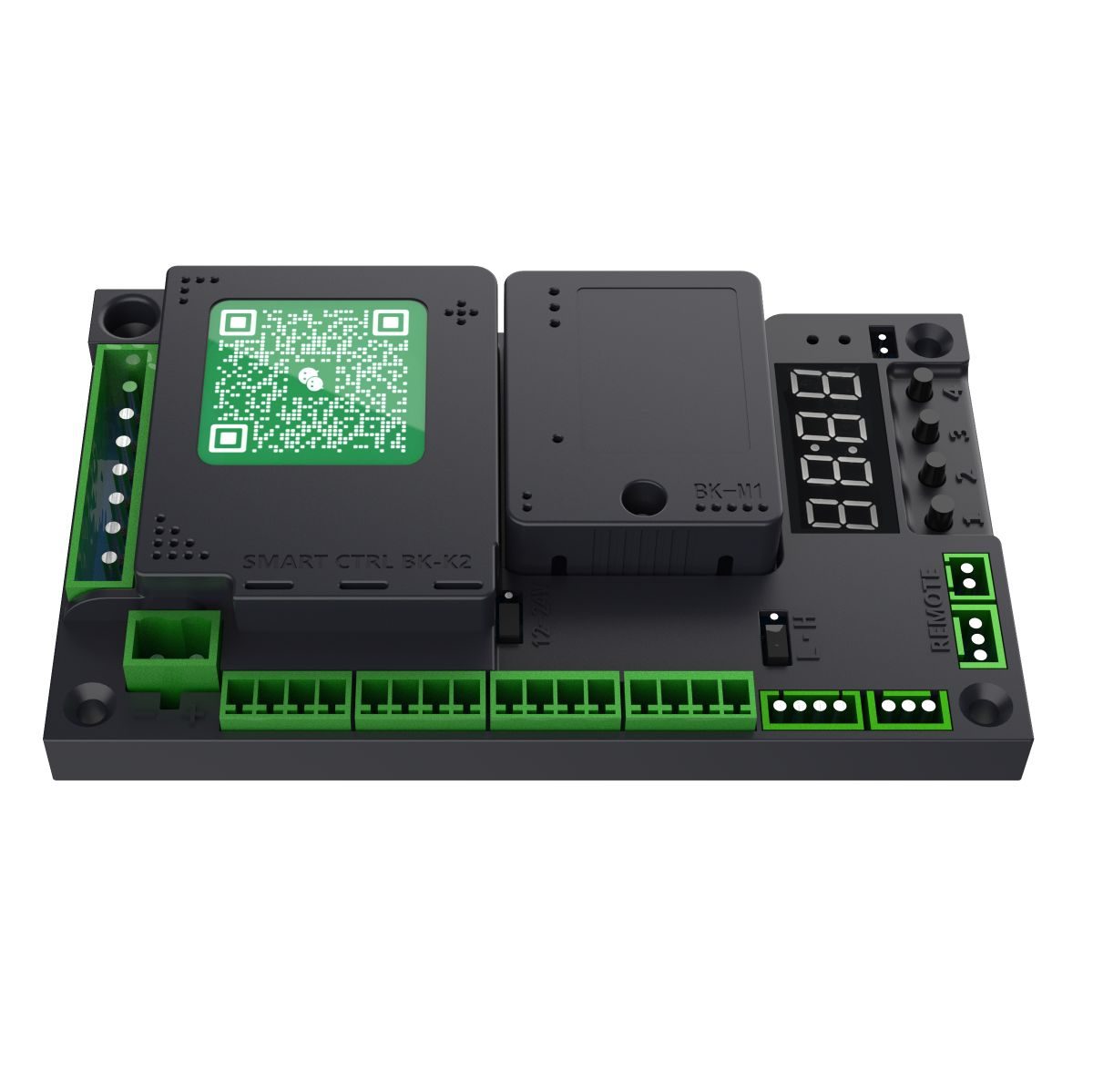
이 제품에 사용됩니다
H3 Swing Gates Series
H5 Swing Gates Series
H9 Swing Gates Series
오류 코드
Err0에러 0+
원격 제어 장치를 초기화하거나 공장 기본 설정을 복원할 때 올바른 확인 값을 설정해야 합니다. 확인 값이 잘못된 경우 Err0 오류 값이 표시됩니다.
원래 설명서 · 15 ↗Err1에러 1+
예약되었습니다.
원래 설명서 · 15 ↗Err2Err2+
후방 EMF 전압이 너무 높다는 경고; 작동 속도를 줄여 해결할 수 있습니다.
원래 설명서 · 15 ↗Err3Err3+
매장 오픈. 가능한 원인: 오프닝 속도가 너무 낮거나, 오프닝 종료 속도가 너무 낮습니다. 오프닝 속도를 높이고, 오프닝 종료 속도를 낮춰주세요.
원래 설명서 · 15 ↗Err4Err4+
폐쇄 스테이션. 가능한 원인: 폐쇄 속도 또는 폐쇄 종료 속도가 너무 낮습니다. 폐쇄 속도를 높이거나 폐쇄 종료 속도를 높이십시오.
원래 설명서 · 15 ↗Err5Err5+
오프닝 타임 – 오프닝 시간이 P-49를 초과했습니다. 오프닝 속도를 높이고 종료 오프닝 속도를 줄입니다.
원래 설명서 · 15 ↗Err6Err6+
닫기 시간 초과 – P-49 시간 초과. 닫기 속도 및 종료 닫기 속도를 높이세요.
원래 설명서 · 15 ↗Err7에러 7+
모터 유형 선택이 잘못되었습니다. P-22를 통해 올바른 유형으로 변경하세요.
원래 설명서 · 15 ↗Err8에러 8+
예약되었습니다.
원래 설명서 · 15 ↗일반적인 함수들
P-00오픈 속도운동과 속도+
P-01폐쇄 속도운동과 속도+
P-06연결 종료 속도운동과 속도+
기본값15
RANGE1-80
오픈은 이 속도로 종료됩니다. 값이 클수록 속도가 빨라집니다. 속도가 너무 높으면 오픈이 끝날 때 게이트가 흔들릴 수 있으므로, 이 경우 값을 줄이세요.
원본 매뉴얼 · 6 ↗P-07폐쇄 속도운동과 속도+
기본값15
RANGE1-80
닫는 속도는 이 속도로 끝납니다. 값이 클수록 속도가 빨라집니다. 속도가 너무 높으면 닫는 동안 게이트가 충돌할 수 있습니다. 이 경우 값을 줄입니다. 게이트가 완전히 닫히지 않으면 값을 늘립니다.
원본 매뉴얼 · 6 ↗P-08개방 종료 시 감속 각도운동과 속도+
세부적인 지침이 없습니다. 변경하기 전에 공급업체와 확인하십시오.
기본값Not specified
RANGENot specified
이 에디션에서는 상세한 지침 없이 인덱스에 포함되었습니다.
원래 설명서 · 3 ↗P-09폐쇄 종료 시 속도 감속 각도운동과 속도+
세부적인 지침이 없습니다. 변경하기 전에 공급업체와 확인하십시오.
기본값Not specified
RANGENot specified
이 에디션에서는 상세한 지침 없이 인덱스에 포함되었습니다.
원래 설명서 · 3 ↗P-13원격 학습원격 제어 및 액세스+
기본값0
RANGE0-60
원격 학습: P-13 화면에서 현재 저장된 리모컨 수를 확인할 수 있습니다. 학습을 위해 리모컨의 OPEN, CLOSE 및 STOP 버튼을 순서대로 누릅니다. 컨트롤 보드가 한 번씩 경고음을 내리도록 계속 누르고 다음 버튼을 누릅니다. 컨트롤 보드가 한 번 긴 경고음을 내리거나 숫자 디스플레이에 표시된 숫자가 한 단계 증가할 때까지 각 버튼을 계속 누릅니다. 해당 값에 해당하는 리모컨을 학습한 경우 컨트롤 보드가 한 번 긴 경고음을 내리거나 숫자 디스플레이에 표시된 숫자가 한 단계 증가하면 학습이 완료됩니다. 리모컨 삭제: 이 메뉴에서 “+” 또는 “-”를 눌러 학습된 리모컨의 값을 변경한 다음, “MENU” 버튼을 눌러 해당 값을 기준으로 학습된 리모컨을 확인하고 삭제합니다.
단계
- 저장된 원격 수치를 보려면 P-13을 입력하세요.
- 원격 제어기의 OPEN, CLOSE, STOP 버튼을 순서대로 누릅니다. 보드가 한 번씩 경고음을 내기 전까지 각 버튼을 누르고, 그 후 버튼을 놓아주세요.
- 긴 경고음 또는 저장된 리모컨 수의 증가가 학습을 확인합니다.
- 다른 리모컨을 사용하거나 CANCEL을 눌러 종료하세요.
P-14자동 닫기 지연원격 제어 및 액세스+
기본값5
RANGE0-255
게이트가 열리면 지정된 유지 시간 후에 자동으로 닫힙니다. 설정된 유지 시간 0일 경우 게이트는 자동으로 닫히지 않습니다. 단위: 1초.
원본 매뉴얼 · 6 ↗P-16오픈 포지션 학습모터 및 시스템+
기본값0
RANGE0-0
설정을 입력하면 L-00이 표시됩니다. 컨트롤러는 자동으로 닫는 제한 위치를 찾고 이를 도달하면 정지합니다. 그런 다음 L-01이 표시됩니다. 직접 “OPEN/CLOSE” 버튼을 누르면 완전히 열린 위치를 찾을 수 있으며, 확인 버튼을 눌러 열린 위치를 저장합니다.
단계
- P-16을 입력합니다. L-00이 나타나고 게이트는 자동으로 종료 리미트를 찾습니다.
- 문이 종료 한도를 넘어서면 L-01이 나타납니다.
- OPEN/CLOSE를 사용하여 완전히 열린 위치를 찾습니다.
- 오픈된 포지션을 저장하기 위해 확인 버튼을 누릅니다.
P-18방해물 회귀 감도센서 및 보호+
P-19방해 반전력센서 및 보호+
기본값30
RANGE1-100
저항은 장애물로 인식되는 값입니다. 반전 조건은 다음과 같습니다: 저항이 P-19 값을 초과하고 P-18 시간 동안 지속되면 게이트가 반전(열림)됩니다.
원래 설명서 · 7 ↗P-20방해 반전 각도센서 및 보호+
P-23오픈 방향모터 및 시스템+
P-27공장 초기화모터 및 시스템+
기본값0
RANGE0-255
이 옵션에는 세 가지 기능이 있습니다. 리모트의 초기 설정 취소, 부분적인 공장 초기 설정 및 완전한 공장 초기 설정입니다. 실수로 인한 작동을 방지하기 위해 특정 값을 설정한 후 “MENU” 버튼을 눌러 작업을 완료해야 합니다. 5: 리모트 초기 설정; 10: 공장 초기 설정(리모트 및 모터 유형은 초기 설정되지 않음); 15: 완전한 공장 초기 설정.
원래 설명서 · 7 ↗P-31센서 포트 기능 설정 1센서 및 보호+
기본값2
RANGE0-7
범위: 0-7, 기본값: 2. 이 파라미터는 Presence Sensor Port IN1에 적용됩니다. 다양한 값은 서로 다른 기능을 제공합니다. 0: 비활성화; 1: 존재 감지 – 사람이 없는 경우 즉시 닫음; 2: 존재 감지 – 사람이 없는 경우 열림 유지 시간 경과 후 닫음; 3: 외부 신호 입력은 완전히 활성화된 후에만 허용됩니다. 닫힘; 닫힘 중 탐지되지 않음; 4: OPEN 함수 – “ACCESS+” 및 “ACCESS” 단자가 활성화됨; 5: OPEN 함수 – “ACCESS+” 및 “ACCESS” 단자가 비활성화됨; 6: 닫힘; 7: 중지.
원래 설명서 · 7 ↗P-32센서 포트 기능 설정 2센서 및 보호+
범위는 0–7로 나열되어 있지만 옵션 8도 설명되어 있습니다. 공급업체와 지원되는 옵션을 확인하십시오.
기본값2
RANGE0-7
범위: 0-7, 기본값: 2입니다. 이 파라미터는 Presence Sensor Port IN2에 적용됩니다. 다양한 값은 서로 다른 기능을 제공합니다. 0: 비활성화; 1: 존재 감지 – 사람이 없는 경우 즉시 닫음; 2: 존재 감지 – 사람이 없는 경우 열기 유지 시간 경과 후 닫음; 3: 외부 신호 입력은 완전히 닫은 후에만 허용됩니다. 닫는 동안 감지됨; 4: OPEN 함수 – “ACCESS+” 및 “ACCESS” 단자가 활성화됨; 5: OPEN − 함수 – “ACCESS+” 및 “ACCESS” 단자가 비활성화됨; 6: 닫기; 7: 정지; 8: 외부 홀 리미트 모드.
원래 설명서 · 7 ↗P-39전기 잠금 장치 타입잠금 장치 및 페어드 게이트+
기본값0
RANGE0-3
범위: 0-3, 기본값: 0. 다른 값은 서로 다른 잠금 유형에 해당합니다. 0: 전자기 잠금 – 전원이 공급되면 잠깁니다. 전원이 차단되면 해제됩니다; 1: 전기 볼트 잠금 – 전원이 공급되면 잠깁니다. 전원이 차단되면 해제됩니다; 2: 전기 제어 잠금 – 전원이 공급되면 잠금됩니다. 전원이 꺼지면 잠기지 않습니다. 잠금 위치에 놓인 상태에서 자동으로 잠깁니다. 3: 기계식 잠금 – 전원이 공급되면 잠깁니다. 게이트는 닫는 동안 관성으로 잠깁니다.
원래 설명서 · 8 ↗P-64더블 도어 타입잠금 장치 및 페어드 게이트+
[범위] 열에는 0–6이 표시됩니다. 설명에는 0–4가 나와 있지만 5와 6 옵션도 포함되어 있습니다. 지원되는 모드를 확인하세요.
기본값0
RANGE0-6
범위: 0-4, 기본값: 0, 위치: 0: 단일 도어; 1: 이중 도어의 주도어 – 다른 도어를 2로 설정해야 합니다; 2: 이중 도어의 보조도어 – 다른 도어를 1로 설정해야 합니다; 3: 비등도어의 주도어 – 다른 도어를 4로 설정해야 합니다; 4: 비등도어의 보조도어 – 다른 잎은 3으로 설정해야 합니다. 5: 인터록딩 도어의 마스터 잎 – 다른 잎은 6으로 설정해야 합니다. 6: 인터록딩 도어의 슬레이브 잎 – 다른 잎은 5로 설정해야 합니다. 이중 문, 비등문 및 상호 연결식 문은 쌍으로 사용됩니다. 한쪽은 주문문이고 다른 쪽은 종문입니다.
원래 설명서 · 8 ↗P-65비대칭 잎 문 개방 지연잠금 장치 및 페어드 게이트+
기본값10
RANGE0-100
범위: 0-100, 기본값: 10. 단위: 0.1 s. 이 파라미터는 P-64를 3(비등변형도어의 마스터 잎)로 설정했을 때만 유효합니다. 오픈 시에는 마스터 잎이 먼저 열리고, 설정된 지연 시간 후에 슬레이브 잎이 열립니다; 닫는 시에는 마스터 잎이 먼저 닫고, 슬레이브 잎이 닫습니다. 세트 연기 후 종료됩니다.
원래 설명서 · 8 ↗P-66비대칭 잎 도어 대기 각도잠금 장치 및 페어드 게이트+
기본값15
RANGE0-90
전원 켜기 후 첫 번째 제한 설정 시, 마스터 잎과 슬레이브 잎은 먼저 P-66에 설정된 각도로 열립니다. 그런 다음 제한 설정에 따라 닫기 시작합니다. 비대칭형 도어의 마스터 잎은 슬레이브 잎이 완전히 닫힌 후에만 마스터 보드가 닫기 시작합니다. 정상적인 개폐시, 마스터 잎이 P-66에 설정된 각도로 열리지만 슬레이브 잎이 완전히 닫히지 않은 경우, 마스터 잎은 멈추고 대기합니다. 슬레이브 잎이 완전히 닫힌 후에는 마스터 잎이 다시 닫힙니다.
원래 설명서 · 8 ↗P-71단일 버튼 전환 기능원격 제어 및 액세스+
배선도에는 P71:3이라는 라벨이 있지만, 파라미터 테이블에는 0–2가 나열되어 있습니다. 확인까지는 도면 값을 사용하지 마십시오.
기본값2
RANGE0-2
0: 멀티플렉싱되지 않음. 1: PUSH 함수로 멀티플렉싱됨. 이 포트를 통해 트리거된 오픈은 RS-485 장치 ID 2와 슬레이브 간의 오픈 신호를 동기화하며, 모든 클로 신호도 슬레이브와 RS-485 장치 ID 2가 동기화된 상태에서 동기화됩니다. 2: PUSH 함수로 멀티플렉싱됨; 신호는 떨어지는 에지 트리거로 변경되거나 3초 동안 유지된 신호가 트리거하면 트리거됩니다. 3초 동안 긴 누름을 통해 오픈이 트리거되면, 오픈 신호는 RS-485 장치 ID 2와 슬레이브 간에 동기화되며, 모든 클로 신호도 슬레이브와 RS-485 장치 ID 2가 동기화된 상태에서 동기화됩니다. (PUSH 인터페이스 설명: 마스터 보드가 완전히 열린 상태일 때 PUSH 함수는 게이트를 닫습니다. 마스터 보드가 다른 상태일 때는 PUSH 함수는 게이트를 열어 둡니다.)
원래 설명서 · 8 ↗P-78푸시-투-오픈 기능원격 제어 및 액세스+
기본값0
RANGE0-10
0: 개폐쇄 버튼이 비활성화되었습니다. 1-10: 게이트가 완전히 닫힌 후 작동되는 개폐쇄 버튼 기능을 활성화합니다. 값이 작을수록 민감도가 높아집니다. (이 기능이 활성화되면 P-58 강제 개폐쇄 자동 닫기 기능이 비활성화됩니다.)
원본 매뉴얼 · 9 ↗P-79열어짐 시 역방향 푸시력잠금 장치 및 페어드 게이트+
기본값0
RANGE0-60
문이 완전히 닫힌 상태에서 열림이 발생하면, 문은 먼저 닫는 방향으로 순간적으로 반전한 후 열립니다. 이는 직접 열 때 일부 잠금이 막히는 경우를 해결하는 데 도움이 됩니다. 이 경우 열림이 실패합니다. 0: 기능 비활성화; 기타 값: 역력도, 값이 클수록 힘도 커집니다.
원본 매뉴얼 · 9 ↗P-85릴레이 신호 출력 모듈 기능조명 및 출력+
고급 설정
P-02중간 개방 속도 감속 각도운동과 속도+
기본값60
RANGE10-90
오픈 시 감속이 시작되는 위치를 설정합니다. 단위는 도입니다. 완전 폐쇄 상태는 0도이고 완전 개폐는 90도입니다. 이 파라미터는 오프닝 시 게이트가 감속하기 시작하는 각도를 나타냅니다.
원본 매뉴얼 · 9 ↗P-03중간 폐쇄 속도 감소 각도운동과 속도+
기본값40
RANGE0-80
닫는 동안 감속이 시작되는 위치를 설정합니다. 정도 단위로 표현하면, 완전히 닫힌 상태는 0°이고 완전히 열린 상태는 90°입니다. 이 파라미터는 닫는 동안 게이트가 감속하기 시작하는 각도를 나타냅니다.
원본 매뉴얼 · 10 ↗P-04오픈 가속 시간운동과 속도+
기본값100
RANGE0-255
정지 상태에서 P-00이 설정한 초속으로 가속하는 데 걸리는 시간(값이 클수록 시간이 더 오래 걸립니다). (단위: 0.01 s)
원본 매뉴얼 · 10 ↗P-05폐쇄 가속 시간운동과 속도+
P-10폐차 브레이크 각도운동과 속도+
P-11폐차 브레이크 지속 시간운동과 속도+
기본값0
RANGE0-255
폐쇄 시의 제동 시간. 단위: 0.01 s. 제동 지점은 폐쇄 브레이크 각도에서 설정됩니다. 닫힘 끝 속도와 닫힘 버퍼 시작 위치를 모두 한계값으로 조정해도 닫힘 진동이 여전히 큰 경우, 게이트는 일반적으로 큰 값을 갖습니다. 적재체의 관성; 브레이크 시간을 설정할 수 있습니다. 기본값은 0입니다. 즉, 브레이크를 걸지 않습니다.
원본 매뉴얼 · 10 ↗P-12초기 오픈/폐쇄 속도 설정운동과 속도+
기본값35
RANGE10-80
제어판을 켜면 홈 위치를 찾기 위해 속도가 필요합니다. 켜진 후의 속도가 너무 높거나 낮으면 이 파라미터를 통해 설정할 수 있습니다. 값이 클수록 속도가 높아집니다.
원본 매뉴얼 · 10 ↗P-15액세스 신호 개방 지연원격 제어 및 액세스+
범위 열은 0에서 시작되며, 설명은 1에서 시작됩니다. 지원되는 최소값 확인.
기본값1
RANGE0-100
범위: 1~100, 단위: 0.1s, 기본값: 1. 자물쇠가 해제될 때까지 기다려야 하는 시간.
원본 매뉴얼 · 10 ↗P-17두 배 확인 기능 종료잠금 장치 및 페어드 게이트+
기본값20
RANGE0-60
이 매개변수의 주요 목적은 게이트가 완전히 닫힌 후 닫히기를 확인하기 위해 추가적인 힘을 가하는 것입니다. 이를 통해 자물쇠가 작동할 수 있도록 합니다. 0: 완전히 닫힌 후 바로 작동을 중지하고 완전히 닫힌 상태로 진입합니다. >0: 완전히 닫힌 상태로 닫힌 후, 두 번째 닫히기를 확인하기 위해 계속해서 닫힘 힘을 가합니다. 값이 클수록 두 번째 닫히기에 더 큰 닫힘 힘이 적용됩니다. 게이트가 잠기지 않으면 이 값을 높입니다.
원본 매뉴얼 · 10 ↗P-21홀드 오픈 모드원격 제어 및 액세스+
기본값0
RANGE0-3
0: 일반 리모트 모드. (일반 리모트 모드에서 임시로 홀드오프 모드로 전환하려면: 설정값 0이 되면 게이트가 완전히 열린 후 리모트 STOP 버튼을 5초 이상 길게 누르면 임시로 홀드오프 모드로 전환됩니다. 2초 동안 버저가 경고음을 울립니다.) (닫기를 눌러 유지 열림 모드를 종료하고 게이트를 닫으세요.) 1: 원격 제어 “OPEN”가 유지 열림 모드로 전환됩니다. 존재 센서 신호는 수동으로 “CLOSE”가 눌리기 전까지 처리되지 않으며, 게이트는 계속 열려 있습니다. 2: 수동 모드 – 마스터 보드의 모든 개방 동작이 유지 열림 모드로 전환됩니다; 존재 감지는 없습니다. 문을 닫으십시오. 3: 홀드오프 모드를 비활성화하십시오.
원본 매뉴얼 · 10 ↗P-22모터 타입모터 및 시스템+
기본값0
RANGE0-3
범위: 0-3. 모터의 홀 극성, 게이트 메커니즘의 감속비, 게이트의 좌우 개폐 방식이 다르기 때문에, 이 이 파라미터는 다양한 유형의 모터와 게이트를 수용하기 위해 사용됩니다. 1: 측면 장착형 게이트 조작기 (H3L, H9); 2: 수평 장착형 게이트 조작기 (H5L).
원래 설명서 · 11 ↗P-24버퍼 시간 설정/해제운동과 속도+
기본값60
RANGE10-255
오픈 상태에서 닫는 상태로 전환하는 시간과 닫는 상태에서 다시 열어주는 시간. 시간 간격이 너무 짧으면 순간 전류가 과도할 수 있으며, 약간 더 긴 시간은 보다 부드러운 전환을 가능하게 합니다. (단위: 0.01 s)
원래 설명서 · 11 ↗P-25버퍼 시간 중단운동과 속도+
기본값60
RANGE10-255
오프닝 또는 클로징 시 STOP 버튼을 누르면 모터가 움직임에서 정지하는 데 걸리는 시간입니다. 너무 길면 게이트가 매우 느리지만 부드럽게 멈춥니다. 너무 짧으면 순간 전류가 과도할 수 있습니다. (단위: 0.01 s)
원래 설명서 · 11 ↗P-26원격 추가 방법원격 제어 및 액세스+
P-28모터 홀드 힘모터 및 시스템+
표시된 범위는 0–30이지만 기본 및 자동 모드는 255입니다. 지원되는 설정을 확인하세요.
기본값255
RANGE0-30
모터가 개폐구 제한 영역 외부에서 정지하면 제어기가 제어 신호를 출력하여 게이트를 잠급니다. 이 경우 모터와 보드가 손상될 수 있습니다. 과열. 이 값을 실제 조건에 따라 설정하고 너무 크게 설정하지 않는 것이 좋습니다. 255로 설정하면 잠금 강도가 자동으로 조정됩니다.
원래 설명서 · 11 ↗P-29완전히 열린 상태에서의 모터 보유 시간모터 및 시스템+
기본값0
RANGE0-255
게이트가 완전히 열린 상태에서 모터가 계속 작동하는 시간입니다. (단위: 초) 255으로 설정하면 타이밍 없이 완전히 열린 상태에서 모터가 계속 작동합니다.
원래 설명서 · 11 ↗P-30완전히 닫힌 상태에서의 모터 보유 시간모터 및 시스템+
기본값0
RANGE0-255
게이트가 완전히 닫힌 후 모터가 계속 작동하는 시간. (단위: 초) 255로 설정하면 타이밍 없이 완전히 닫힌 후에도 모터가 계속 작동합니다.
원래 설명서 · 12 ↗P-33자동 테스트 기능모터 및 시스템+
기본값0
RANGE2-255
자동 테스트 간격. 0은 자동 테스트를 비활성화합니다. 자동 테스트 및 부팅 테스트에 사용됩니다. 테스트가 완료되면 이 파라미터를 0으로 설정하여 자동 테스트를 해제합니다. 시작하려면 “OPEN” 버튼을 짧게 누릅니다.
원래 설명서 · 12 ↗P-34계산 모드센서 및 보호+
기본값1
RANGE0-4
0: 개방 횟수는 계산되지 않으며, 사람이 지나갈 때 닫힙니다. 1-3: 최대 1-3까지 개방 신호를 계산합니다. 존재가 감지되면 카운트가 감소되고, 존재가 감지되면 게이트가 닫힙니다. 0이 되면 사라지고 0.4에 도달하면 개수계측기가 최대 255까지 작동합니다. 존재가 감지되면 감시계수가 감소되고 존재가 사라지고 감시계수가 0이 되면 게이트가 닫힙니다. 0에 도달합니다.
원래 설명서 · 12 ↗P-35닫기 센서 위치 무시센서 및 보호+
P-36[Ignore] 센서 위치 열기센서 및 보호+
P-37센서 버저 주파수센서 및 보호+
기본값1
RANGE0-10
근무 중 경고음을 울리는 빈도입니다. 0: 꺼짐; 1: 짧은 경고음; 2-10: 지정된 주파수로 지속적으로 경고음이 울립니다. 숫자가 클수록 경고음이 더 빠르게 울립니다.
원래 설명서 · 12 ↗P-38액세스 신호 유효 시간원격 제어 및 액세스+
P-40RS-485 바우트 속도커뮤니케이션 및 디스플레이+
P-41RS-485 장치 ID커뮤니케이션 및 디스플레이+
P-42RS-485 마스터/슬레이브 모드커뮤니케이션 및 디스플레이+
P-43RS-485 액티브 상태 전송커뮤니케이션 및 디스플레이+
P-44오픈 우선순위원격 제어 및 액세스+
기본값0
RANGE0-80
0: 모든 제어 신호는 어느 상태에서도 동일한 우선순위를 갖습니다. 1: 개방은 가장 높은 우선순위를 갖습니다. 개방 시 다른 신호는 아무런 영향을 받지 않습니다.
원래 설명서 · 13 ↗P-45주변 조명 강도조명 및 출력+
P-46광 강도 임계값조명 및 출력+
P-47지연된 조명 켜기조명 및 출력+
P-48지연된 조명 꺼기조명 및 출력+
P-49오픈/폐쇄 타이머운동과 속도+
기본값30
RANGE6-40
오프닝/클로징 타이머를 설정합니다. 게이트가 설정된 시간 내에 위치에 도달하지 않으면 자동으로 정지되고 오프닝 타이머 경고(Err5) 또는 클로징 타이머 경고(Err6)가 표시됩니다. (단위: 초)
원래 설명서 · 13 ↗P-54블루투스 설정커뮤니케이션 및 디스플레이+
P-55전력 손실 자동 작동 전압모터 및 시스템+
이 설명은 21V 트리거와 가변 임계값을 혼합하여 제시하며, 20을 권장합니다. 여러분의 펌웨어에 대한 동작을 확인하십시오.
기본값0
RANGE0-30
0: 비활성화; 1: 21 V는 자동 열고 닫는 동작을 발생시킵니다. 이 기능은 백업 전원 공급 장치가 필요하며 P-56 설정과 함께 사용됩니다. 20으로 설정하는 것이 좋습니다.
원래 설명서 · 13 ↗P-56전력 손실 자동 작동 모드모터 및 시스템+
기본값1
RANGE0-4
전력 손실 자동 작동 옵션을 설정합니다. P-55 값이 0이 아닌 경우, 공급 전압이 P-55 값 이하로 떨어질 때 게이트가 어떻게 반응하는지를 결정합니다. 0: 아무런 조치 없음; 1: 자동으로 열림; 2: 자동으로 닫힘.
원래 설명서 · 13 ↗P-57디지털 디스플레이 모드커뮤니케이션 및 디스플레이+
기본값2
RANGE0-2
0: 게이트 상태를 표시합니다. 1: 개폐구 시동/정지 중 디지털 디스플레이는 구동 전압(단위 V) 또는 구동 전류(단위 A)를 표시합니다. 작동 모드에서는 “MENU” 버튼을 짧게 누르면 현재 및 전압 표시 간 전환이 가능합니다. 2: 모터 위치를 표시합니다.
원래 설명서 · 13 ↗P-58강제 열림/닫힘 수센서 및 보호+
기본값255
RANGE0-255
완전히 닫을 때 게이트를 수동으로 10° 이상 밀면 컨트롤러가 자동으로 닫기를 트리거합니다. 수동 푸시/닫기 수치가 이 값을 초과하면 자동 닫기가 더 이상 트리거되지 않습니다. 각 일반적인 열기/닫기 주기에서는 누적된 자동 닫기 수치가 초기화됩니다. 255으로 설정하면 계산이 수행되지 않으며 이 기능은 항상 활성화되어 있습니다.
원래 설명서 · 13 ↗P-59모터 과전류 보호값센서 및 보호+
기본값70
RANGE20-180
과전류 보호값. 게이트의 작동 전류가 이 값을 초과하면 게이트가 자동으로 정지됩니다. 닫는 동안 과전류 보호가 발생하면 게이트는 장애물 회귀로 처리됩니다. (단위: 0.1 A)
원래 설명서 · 14 ↗P-62출력 전력 제한모터 및 시스템+
P-67전기 잠금 장치의 작동 각도잠금 장치 및 페어드 게이트+
P-68오픈 방해 방지 가치센서 및 보호+
P-72라이트 스트립 출력 모드조명 및 출력+
P-73경보등 작동 모드조명 및 출력+
P-74경보등 점멸 빈도조명 및 출력+
P-75강제 열기 경보 기능센서 및 보호+
P-76트래픽 라이트 모드조명 및 출력+
기본값0
RANGE0-3
0: 교통 신호등 모드 1 – 개방 각도가 60° 이상인 경우 녹색, 폐쇄 시작 시 빨간색. 1: 교통 신호등 모드 2 – 완전히 열려 있는 경우 녹색, 기타 모든 상태에서는 빨간색. 2: 위치 상태 출력 – 완전히 열려 있을 때는 녹색, 완전히 닫혀 있을 때는 빨간색, 다른 상태에서는 두 개의 표시등 모두 꺼집니다. 3: 위치 신호 출력 – 완전히 열려 있을 때는 1초 동안 녹색, 완전히 닫혀 있을 때는 1초 동안 빨간색입니다. 완전히 닫혔습니다.
원래 설명서 · 14 ↗P-77향상된 방해물 회귀 감도센서 및 보호+
메시지 표시
IDLEIDLE+
모터가 연결되지 않았거나 모터의 홀 불량입니다. 가능한 원인: 배선이 느슨해졌습니다.
원래 설명서 · 15 ↗STOP멈춰라+
모터 제어된 게이트가 완전히 닫혔습니다.
원래 설명서 · 15 ↗CLOSCLOS+
모터식 게이트 닫기.
원래 설명서 · 15 ↗OPENOPEN+
모터식 게이트 개방.
원래 설명서 · 15 ↗HOLDHOLD+
모터 제어된 게이트가 완전히 열렸습니다.
원래 설명서 · 15 ↗LOCKLOCK+
모터 제어 게이트가 잠겼습니다.
원래 설명서 · 15 ↗FLETFLET+
홀드 오프 모드.
원래 설명서 · 15 ↗배선도
이 도면에는 P71:3이라는 표기가 되어 있으며, 파라미터 테이블에는 0–2가 나열되어 있습니다. 공급업체에 확인해 주시기 바랍니다.
일치하는 항목이 없습니다.
Microwave Sensor User Manual
Installation, wiring, sensitivity adjustment, technical specifications and troubleshooting for an automatic-door microwave motion sensor.
수동 버전 V1.2
Safety & detection
Moving-object detection only+
This sensor detects moving objects. An object that remains stationary for longer than the approximately 1.5-second hold time may no longer be detected even while inside the sensing area. Detection distance varies with movement, conductivity and object size.
원래 설명서 · 1 ↗Mounting height and coverage+
Do not mount above 3.5 m: sensitivity may be insufficient to detect children. Ensure the detection width exceeds the passage width. If one sensor cannot cover the entire passage, install multiple sensors to provide coverage.
원래 설명서 · 1 ↗Mounting position+
Mount the sensor level and securely on the automatic door crossbeam. Read the original instructions before installation.
원래 설명서 · 1 ↗Installation
Install and test the sensor+
Follow the original installation sequence and terminal labels.
단계
- Install at a height not exceeding 3.5 m.
- Connect the cable to the corresponding automatic-door terminals: 1–2 signal output; 3–4 power input.
- Remove the cover and secure the sensor base with screws.
- Plug the cable connector into the sensor.
- Apply power; the indicator flashes five times.
- Adjust the sensing angle (factory setting 40°–50°) and sensitivity (factory position between 3 and 5).
- Refit the cover and test detection.
Angle & sensitivity
Sensing angle+
The adjustable tilt range is 0°–90°. Factory sensing angle: 40°–50°. Adjust the sensing direction to suit the installation.
원래 설명서 · 1 ↗Sensitivity adjustment+
Turn the sensitivity potentiometer clockwise to increase detection distance and counterclockwise to decrease it. Use the lowest sensitivity that provides the required detection. Excessive sensitivity can reduce stability and interference resistance. The factory setting is between positions 3 and 5.
원래 설명서 · 1 ↗Maximum-sensitivity indication+
At the maximum sensing-distance setting, the indicator flashes twice quickly before each illumination.
원래 설명서 · 1 ↗Power-up and detection indicator+
The indicator flashes five times at power-up. When a moving object is detected, the indicator lights in synchrony with the signal output.
원래 설명서 · 1 ↗기술 사양
치수+
116 mm (length) × 70 mm (width) × 48 mm (height).
원래 설명서 · 1 ↗Operating frequency+
24.125 GHz.
원본 매뉴얼 · 2 ↗Transmitted density+
Less than 5 mW/cm², as specified in the original technical table.
원본 매뉴얼 · 2 ↗Maximum mounting height+
3.5 m maximum.
원본 매뉴얼 · 2 ↗Power supply+
12–24 V AC or DC; power input is non-polarized.
원본 매뉴얼 · 2 ↗Adjustable tilt+
0°–90°.
원본 매뉴얼 · 2 ↗Operating current+
Standby: less than 8 mA. Detection output active: less than 15 mA.
원본 매뉴얼 · 2 ↗Detection area+
Approximately 4 m wide × 2 m deep at an installation height of 2.6 m.
원본 매뉴얼 · 2 ↗Operating temperature+
−20°C to +65°C.
원본 매뉴얼 · 2 ↗Output hold time+
1.5 seconds.
원본 매뉴얼 · 2 ↗IP rating+
IP54.
원본 매뉴얼 · 2 ↗Signal output+
COM / NO switch output, non-polarized. Maximum permitted current: 50 mA.
원래 설명서 · 1 ↗Troubleshooting
Indicator on, door does not move+
Possible cause: poor signal cable contact or incorrect door-controller configuration. Check wiring and connectors for loose connections. Ensure the door controller is configured for switch-trigger operation.
원본 매뉴얼 · 2 ↗Red indicator off: low voltage+
Check the supply and adjust it to 12–24 V AC/DC.
원본 매뉴얼 · 2 ↗Red indicator off: wiring or power+
Check for incorrect wiring or a missing power supply.
원본 매뉴얼 · 2 ↗Abnormal operation: dirty cover+
Clean dirt from the inside and outside surfaces of the cover.
원본 매뉴얼 · 2 ↗Abnormal operation: door movement or vibration+
The sensor may detect the moving door, or door closing may cause vibration. Adjust the antenna direction upward, make sure the sensor is secured without looseness, and reduce sensitivity.
원본 매뉴얼 · 2 ↗Repeated activation: moving objects+
Remove moving objects from the detection area, such as oscillating fans, plants or hanging baskets that sway in air currents.
원본 매뉴얼 · 2 ↗Repeated activation: water droplets+
Wipe water droplets off the cover and use rain-protection accessories.
원본 매뉴얼 · 2 ↗Repeated activation: sensor vibration+
Tighten the bracket and base mounting bolts. Avoid mounting the sensor on the automatic-door operator housing where possible.
원본 매뉴얼 · 2 ↗Repeated activation: detection area includes door+
Adjust the sensor angle to avoid detecting the movement of the automatic door.
원본 매뉴얼 · 2 ↗Wiring & parts
Terminals 1–2: signal output+
COM / NO switch output. Non-polarized; maximum permitted current 50 mA. Connect to the corresponding signal terminals of the automatic door controller.
원래 설명서 · 1 ↗Terminals 3–4: power input+
12–24 V AC or DC. Non-polarized. The power and signal terminal pairs have different functions; follow the original connector labels.
원래 설명서 · 1 ↗Parts and connector reference+
The original page identifies the indicator, sensitivity potentiometer, cable connector and 24.125 GHz microwave sensing element. The supplied image preserves the original Chinese labels; English explanations are provided in these entries.
원래 설명서 · 1 ↗Original Chinese manual, page 1. Terminals 1–2: COM/NO signal output, maximum 50 mA. Terminals 3–4: 12–24 V AC/DC power. No specific product model or manual version is stated.
일치하는 항목이 없습니다.
RFID Access Controller User Manual
설치, 위챗 미니 프로그램 연동, 키패드 프로그래밍, 초기화 및 독립 실행형 작동. 출원 매뉴얼 2025년 4월 11일 발간.
수동 버전 V1.0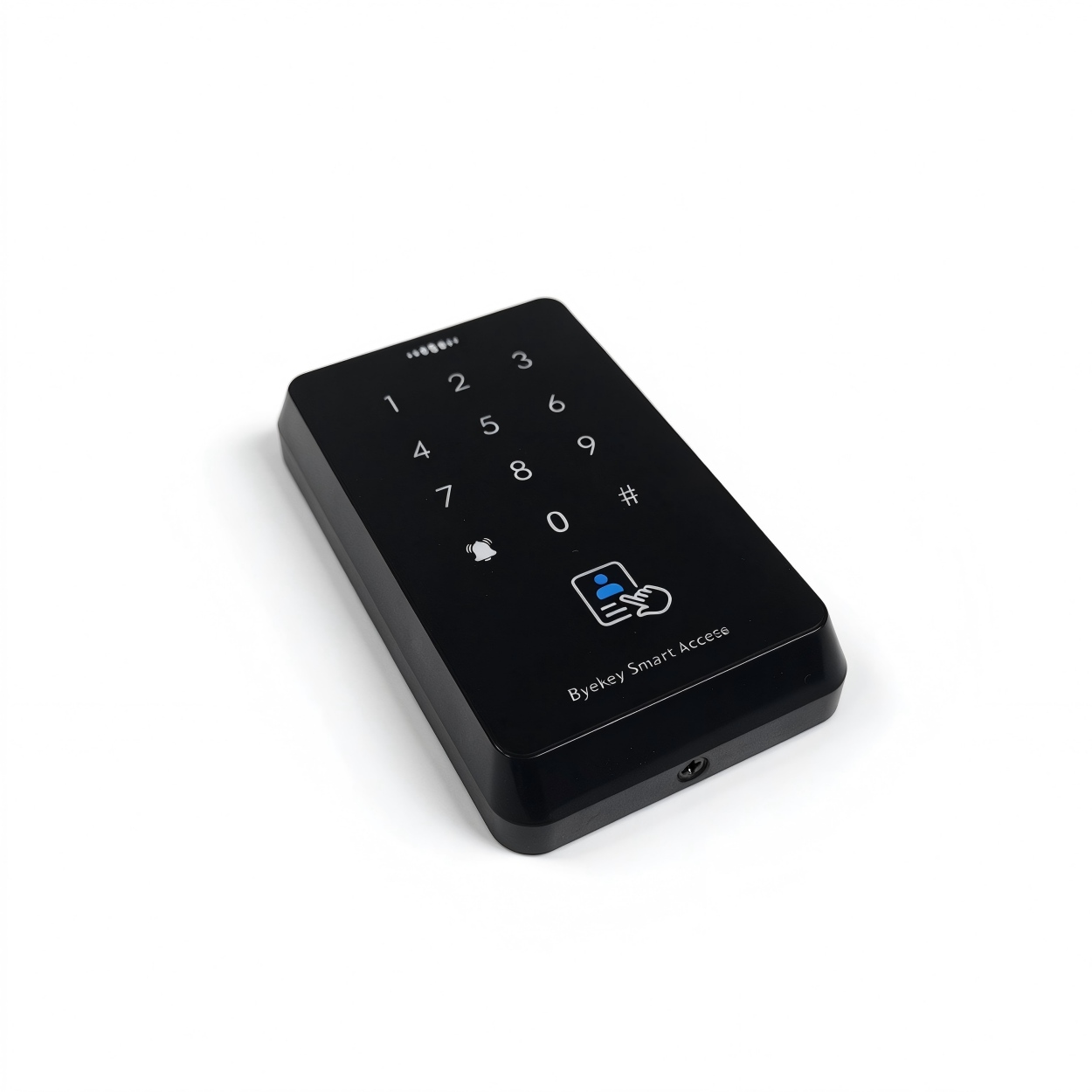
개요 및 사양
목적 및 의도된 사용자+
이 운영 매뉴얼은 AC-R2L-MD 액세스 컨트롤러의 설치, 시운전, 연결, 프로그래밍, 초기화 및 독립 사용에 대해 설명합니다. 이 매뉴얼은 설치자, 시운전 담당자, 시스템 관리자 및 일상 사용자를 대상으로 합니다.
원래 설명서 · 1 ↗기기 및 문서 정보+
기기 모델: AC-R2L-MD. 문서 버전: V1.0. 발매일: 2025년 4월 11일 관리: 위챗 미니 프로그램 / 키패드 공장 프로그래밍 암호: 123456.
원래 설명서 · 1 ↗기술 사양+
작동 전압: DC 12 V ±10%. 기온: 0°C–60°C. 카드 타입: ID + IC 듀얼 주파수 카드. 사용자 수용량: 1000 장; 100 개의 지문. 치수: 117 × 70 × 20 mm. 사양 표에 나열된 잠금 해제 방법: 지문, IC 카드, 암호 또는 휴대전화. 관리: 위챗 미니 프로그램 카드 판독 거리: 1–10cm.
원본 매뉴얼 · 2 ↗시스템 관리자 및 운영자 사용자+
시스템 관리자: WeChat 미니 프로그램에서 기기를 처음으로 연결한 사용자이며, 가장 높은 관리 권한을 보유합니다. 운영자 사용자: 시스템 관리자가 키패드를 통해 프로그래밍 작업을 수행할 권한을 부여한 사용자입니다.
원래 설명서 · 1 ↗암호 프로그래밍+
기기를 공식적으로 사용하기 전에 공장 프로그래밍 암호를 즉시 변경하십시오(출처 페이지 6).
프로그래밍 모드로 진입하는 데 사용되는 암호입니다. 기본값은 123456입니다. 시스템 관리자는 미니 프로그램 연결 후 이를 변경할 수 있습니다. 독립형 암호 변경은 별도로 설명됩니다.
원래 설명서 · 1 ↗설치 및 안전
설치 환경+
건조하고 통풍이 잘되는 곳에서 강력한 전자기 간섭이 없는 상태에서 설치하십시오. DC 12 V ±10% 전원을 사용하십시오. 작동 환경은 0°C~60°C 범위 내에서 유지하십시오.
원래 설명서 · 3 ↗전원 켜기 전에 점검하기+
배선 작업을 마친 후 모든 연결부가 안전하게 되어 있는지, 단락이 없는지 확인하십시오. 전원을 켜기 전에 공급 전압이 DC 12 V ±10%인지 확인하십시오.
원래 설명서 · 3 ↗안전 수칙+
전원을 켜기 전에 올바른 배선 및 공급 전압을 확인하십시오. 초기화에 사용되는 OPEN/GND 단락을 만들거나 제거하기 전에 전원을 분리하십시오. 시스템 관리자 계정을 보호하고 관련 없는 직원에게 접근 권한을 부여하지 마십시오. 공장 프로그래밍 암호를 즉시 변경하십시오. 장치를 깨끗하게 유지하고 물이나 먼지가 들어오지 않도록 방지하십시오. 표시된 판독 거리 내에서 약 1~10cm 거리에 있는 카드를 제시하십시오.
원본 매뉴얼 · 6 ↗작업 모드
공장 경험 모드+
Experience Mode는 등록된 사용자에 한정된 잠금 해제 기능을 제한하지 않습니다. 등록된 사용자에 대한 액세스를 사용하기 전에 기기가 이 모드를 해제했는지 확인하십시오.
에코시스템 모드는 기본 설정입니다. 이 모드에서는 모든 카드, 비밀번호 또는 지문으로 문을 직접 열 수 있습니다.
원래 설명서 · 3 ↗정상 작동에 진입+
첫 번째 사용자를 추가하면 Experience 모드가 자동으로 종료되고 일반 작동 모드가 시작됩니다. 모든 사용자를 모두 삭제하면 장치가 다시 Experience 모드로 돌아갑니다.
원래 설명서 · 3 ↗위챗의 결합 및 관리
관리자 소유+
WeChat 미니 프로그램에서 액세스 컨트롤러를 제어하는 첫 번째 사용자는 시스템 관리자가 됩니다. 이 역할은 사용자 관리, 기기 설정 및 권한 할당을 제어합니다.
원래 설명서 · 3 ↗결합하기 전에+
전화의 블루투스 및 위치 서비스를 켜십시오. 블루투스 검색 범위는 약 10m입니다. 더 짧은 거리에서는 더 강한 신호를 얻을 수 있습니다. 공장 설정 암호는 123456입니다.
원래 설명서 · 3 ↗제어기를 고정하세요+
소스에 명시된 대로 기기 QR 코드를 사용하거나 “Anan Open Door”라는 미니 프로그램을 사용하십시오. 원래의 바인딩 QR 코드는 PDF 페이지 4에 있습니다.
단계
- 장치 QR 코드를 스캔하거나 WeChat에서 “Anan Open Door”를 검색해서 열어보세요.
- 위쪽 왼쪽 모서리에서 +를 누르고 “Bluetooth 액세스 컨트롤러 추가”를 선택하세요.
- 발견된 기기 목록에서 해당 컨트롤러를 선택하세요.
- 결합을 완료하기 위해 Mini Program의 안내에 따라 진행하세요.
- 바인딩 후에는 컨트롤러를 터치하여 관리 인터페이스로 들어갑니다.
키패드 프로그래밍 허용+
그 소스는 이어 “# Programming Password #”로 시작하는 시퀀스를 나열하지만, 해당 시퀀스와 연산자 검증이 어떻게 조합되는지를 구체적으로 명시하지 않는다. 두 요건 모두 유지됩니다. 기기의 정확한 인증 흐름을 확인하세요.
챕터 7 키패드 기능을 수행하기 전에 미니 프로그램에서 운영자를 추가하세요. 이 챕터에서는 운영자가 잠금 해제 비밀번호, 유효한 카드 또는 지문으로 확인을 거쳐 프로그래밍 모드로 진입해야 한다고 명시되어 있습니다.
원본 매뉴얼 · 4 ↗키패드 프로그래밍
11사용자 카드를 추가하기+
키패드 시퀀스: 암호 # 프로그램 # 11 카드 읽기 # 다수의 사용자 카드를 추가하려면 카드들을 연속해서 읽어보세요.
원본 매뉴얼 · 4 ↗12지문 추가하기+
키패드 시퀀스: 암호 # 프로그램 # 12 동일한 지문을 5번 누르기 같은 지문을 연속으로 다섯 번 누릅니다.
원본 매뉴얼 · 4 ↗21공개 암호를 추가하거나 수정하세요+
키패드 시퀀스: # 프로그래밍 암호 # 21 6자리 암호 # 재입력 6자리 암호 # 비밀번호는 6자리 숫자로 되어야 합니다.
원본 매뉴얼 · 4 ↗41단일 사용자를 삭제하기+
키패드 시퀀스: 암호 # 프로그램 # 41 카드 읽기/지문 누름 # 다수의 사용자 카드를 삭제하려면 카드를 연속해서 읽어주세요.
원본 매뉴얼 · 4 ↗40모든 사용자를 삭제합니다.+
이 작업은 모든 사용자 기록을 제거합니다. 매뉴얼에 따르면 모든 사용자를 지우면 기기가 경험 모드로 돌아가 모든 카드, 비밀번호 또는 지문으로 잠금을 해제할 수 있게 됩니다(3페이지).
키패드 시퀀스: 암호 # 프로그램 # 40 0000 # 이는 운영자 사용자 포함 모든 사용자를 삭제합니다.
원본 매뉴얼 · 4 ↗5릴레이 잠금 해제 시간 설정+
소스에서는 시간 단위 또는 기본 리레일 잠금 해제 시간을 명시하지 않습니다. 초를 가정하기보다는 단위에 대해 확인하십시오.
RANGE01–99
키패드 시퀀스: 암호 # 프로그램 # 5 xx # xx는 01부터 99까지의 숫자입니다.
원본 매뉴얼 · 4 ↗8공장 설정 복원+
소스에서는 이 키패드 재설정 작업이 사용자 기록이나 미니 프로그램 바인딩을 유지하는지 여부를 명시하지 않습니다. 별도의 OPEN/GND 초기화 절차와 동일한 효과가 있는 것으로 간주해서는 안 됩니다.
키패드 시퀀스: 암호 # 프로그램 # 8 99 # 소스에 따르면 모든 디바이스 파라미터가 공장 초기 설정으로 복원됩니다.
원본 매뉴얼 · 4 ↗장치 초기화
OPEN 및 GND를 사용하여 초기화합니다.+
단락을 발생시키기 전에 전원을 차단하십시오. 초기화는 기존 Mini Program 바인딩을 지웁니다. 또한 프로그래밍 암호를 재설정합니다.
OPEN는 노란색 잠금 해제 컨트롤 와이어이고, GND는 검은색 접지 와이어입니다. 아래에 설명된 2단 정전기 방지 절차를 사용하십시오.
단계
- 장치의 전원을 분리합니다. 단락이 된 OPEN (노란색) 및 GND (검은색)를 확인한 후 다시 전원을 켜십시오. 녹색 표시등이 깜박이고 지속적으로 비프음이 울립니다.
- 전원을 다시 연결합니다. OPEN/GND 단락을 제거한 다음 다시 전원을 켜십시오. 초기화가 완료되었습니다.
인시레이션 후 상태+
제한된 WeChat 미니 프로그램이 삭제되고 기기가 보류 중인 연결 상태로 돌아갑니다. 프로그래밍 비밀번호는 123456으로 재설정됩니다. 기존 사용자 정보(카드, 지문 및 비밀번호)는 지워지지 않습니다.
원래 설명서 · 5 ↗독립 운영
미니 프로그램 바인딩 없이 사용하기+
이 장치는 WeChat 미니 프로그램에 연결하지 않고도 독립적으로 작동할 수 있습니다. 기타 프로그래밍 작업은 소스 매뉴얼의 제7장에서 설명되어 있습니다.
원래 설명서 · 5 ↗프로그래밍 비밀번호 변경하기+
소스에서는 새로운 프로그래밍 비밀번호의 길이를 구체적으로 밝히지 않았습니다. 여기서는 6자리 사용자/공개 비밀번호 요건이 적용된다고 가정하지 마십시오.
명령: # 프로그래밍 비밀번호 # 0. 새로운 프로그래밍 비밀번호 # 반복. 새로운 비밀번호 #
원래 설명서 · 5 ↗사용자 카드를 교체하기+
인증 후 현재 유효한 카드를 사용하여 카드를 교체하십시오.
단계
- 유효한 카드를 이용해 문을 열어주세요.
- 약 5초 # 동안 유지하세요.
- 녹색 표시등이 빠르게 깜박이면 1을 누릅니다.
- 새 카드를 스와이프하여 교체를 완료하세요.
사용자 지문 교체하기+
인증 후 현재 유효한 지문으로 지문을 대체합니다.
단계
- 유효한 지문으로 문을 잠금 해제하세요.
- 약 5초 # 동안 유지하세요.
- 녹색 표시등이 빠르게 깜빡이면 2를 누릅니다.
- 새로운 지문 정보를 등록하려면 동일한 지문을 5회 연속으로 누르십시오.
사용자 암호 변경하기+
현재 유효한 비밀번호로 잠금을 해제한 후 비밀번호를 변경하세요.
단계
- 유효한 비밀번호를 사용하여 문을 잠금 해제하세요.
- 약 5초 # 동안 유지하세요.
- 녹색 표시등이 빠르게 깜박이면 4를 누릅니다.
- 새로운 6자리 암호를 입력하고 다시 입력한 다음 확인을 # 눌러주세요.
배선도
전원 및 제어 배선+
아래 도면에서는 검은색 접지선이 “GDD”라고 표기되어 있으며, 텍스트 및 전원 공급 장치 도면에서는 “GND”라고 표기되어 있습니다. 갈색, 주황색, 분홍색 선들은 색상만으로 명명되었으며, 그들의 릴레이 접점 배치는 명시되어 있지 않습니다. 연결하기 전에 보드/선 표기 및 접점 배치를 확인하십시오. 색상만으로 NO/NC/COM를 추론하지 마십시오.
PDF 페이지 2의 그림 1을 참조하십시오. 소스에서는 공급 전압을 DC 12 V로, 노란색 잠금 해제 컨트롤 와이어를 OPEN으로, GND를 검정색 접지 와이어로 표시했습니다. 이 도면에는 액세스 제어 전원 공급 단자, 출구 버튼, 도어벨, Wiegand 출력 및 외부 릴레이 신호 배선도 표시되어 있습니다.
원본 매뉴얼 · 2 ↗그림 1, 원본 PDF 페이지 2. 공급: DC 12 V ±10%. OPEN는 노란색이고 GND는 검정색입니다. 소스 다이어그램에는 검정 접지 단자에 “GDD”가 출력되며, 브라운/오렌지/핑크 릴레이 와이어의 NO/NC/COM 설정은 명시되어 있지 않습니다. 장치 공급업체에 확인하십시오.
일치하는 항목이 없습니다.