









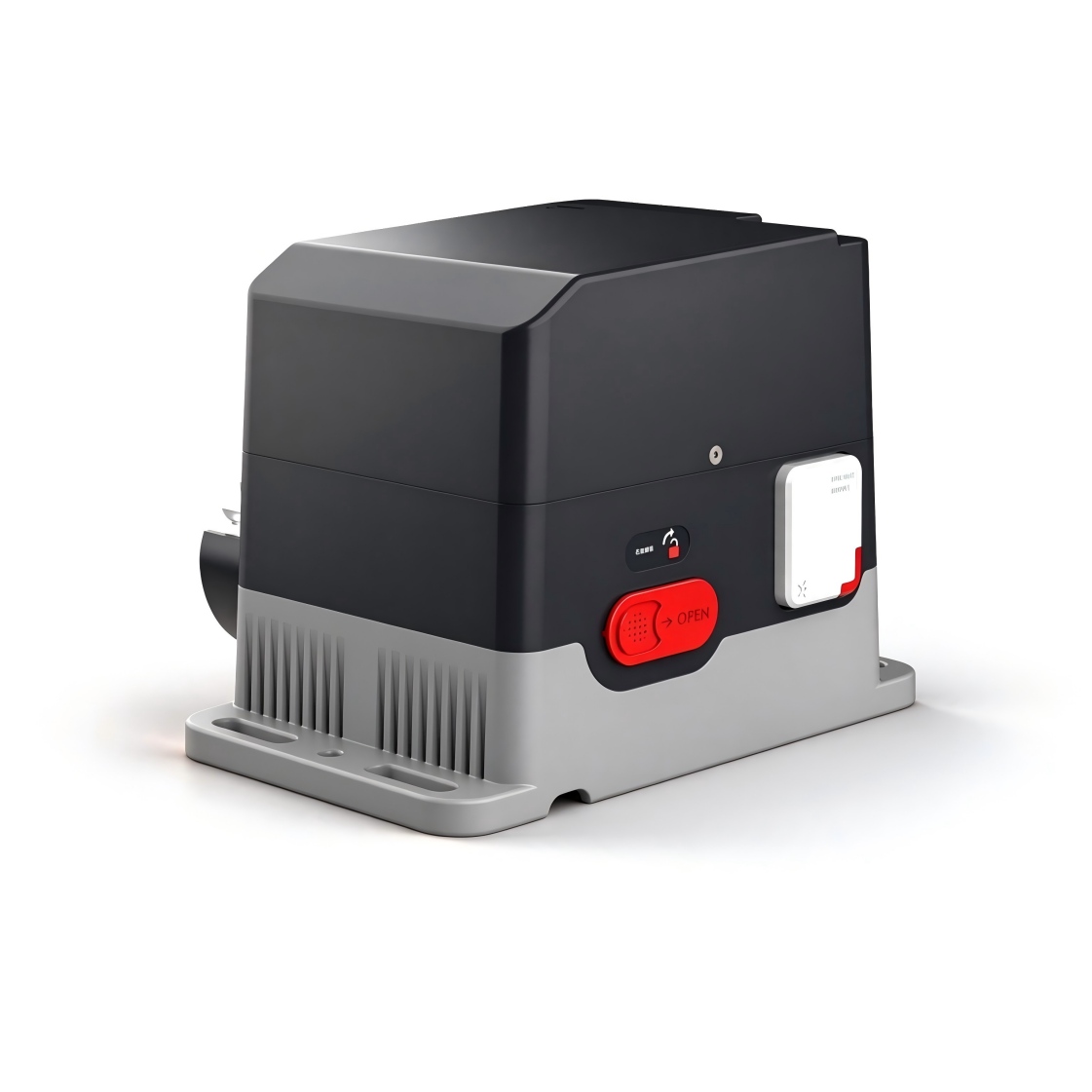
คู่มือการใช้งานควบคุมความเร็ว Qucik Start
เลือกตัวควบคุม
CTM-Sliding Door Operator Controller
คู่มือการใช้งาน พารามิเตอร์การตั้งค่า รหัสข้อผิดพลาด และการเดินสายไฟสำหรับตัวควบคุมการเปิด-ปิดประตูบานเลื่อน.
เวอร์ชั่นมือถือ 1.5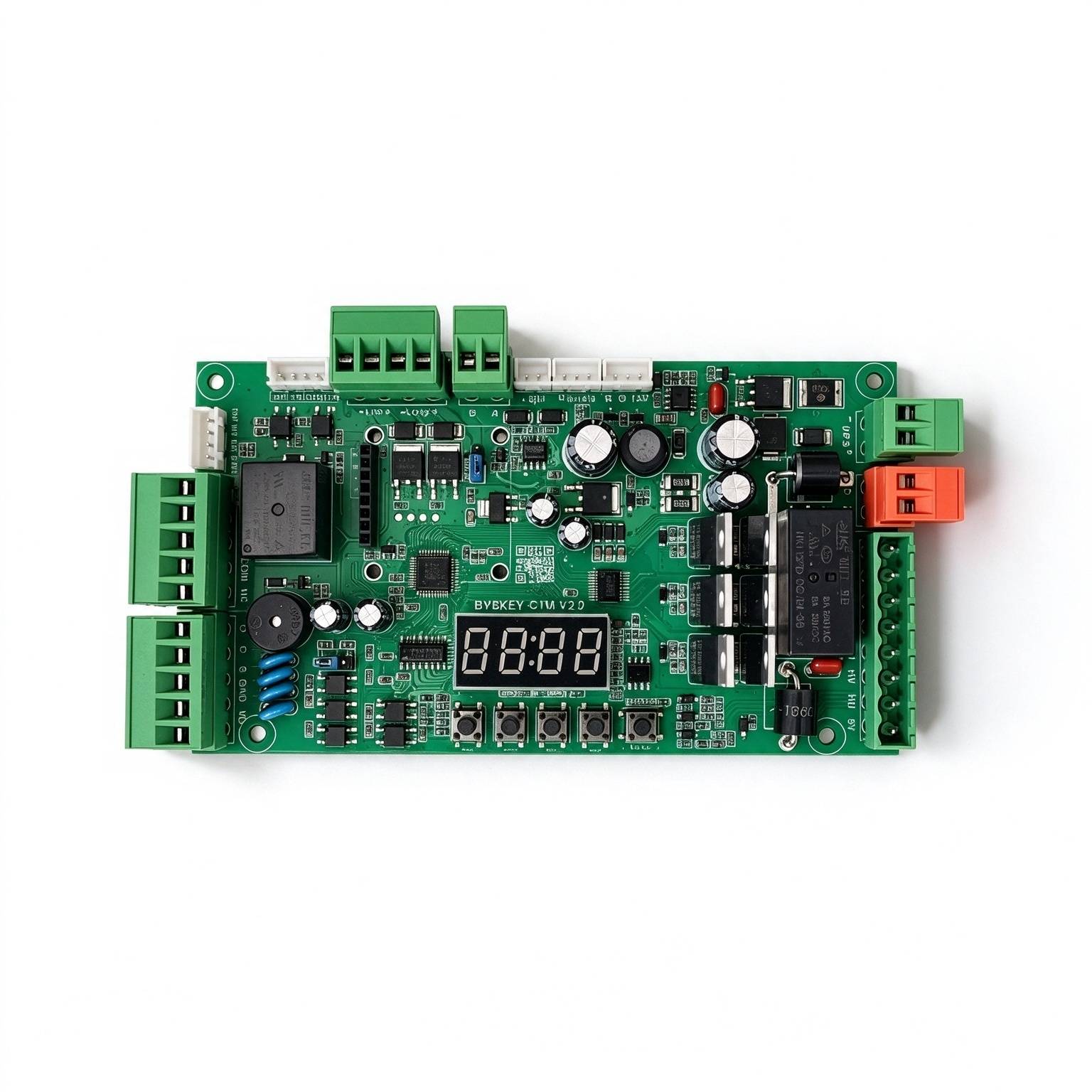
ใช้ในผลิตภัณฑ์เหล่านี้
ความปลอดภัยและคุณสมบัติ
ข้อกำหนดด้านสภาพแวดล้อมการทำงาน+
. ควรจัดเก็บและใช้เครื่องมือนี้ในช่วงอุณหภูมิและความชื้นที่กำหนดไว้ ห้ามปล่อยให้ของเหลวไหลเข้าไปในเครื่อง ติดตั้งอุปกรณ์ในสถานที่ที่มีอากาศถ่ายเทได้ดี และห้ามปิดกั้นช่องระบายอากาศ ห้ามใช้แรงกดหนัก หรือทำแรงสั่นสะเทือนมาก หรือนำอุปกรณ์ไปแช่น้ำ เมื่อนำอุปกรณ์ไปใช้ควรใช้บรรจุภัณฑ์ต้นฉบับของโรงงานหรือบรรจุภัณฑ์ที่มีคุณภาพเทียบเท่า แนะนำให้เชื่อมต่อรูต่อสายดินที่อุปกรณ์เข้ากับดินเพื่อเพิ่มความน่าเชื่อถือ.
คู่มือฉบับดั้งเดิม · 2 ↗การดำเนินงานและการบำรุงรักษา+
ห้ามถอดประกอบอุปกรณ์โดยไม่ได้รับอนุญาต ใช้อุปกรณ์เสริมหรือชิ้นส่วนที่ระบุโดยผู้ผลิต และให้ผู้เชี่ยวชาญในการติดตั้งและซ่อมแซมดำเนินการ.
คู่มือฉบับดั้งเดิม · 2 ↗คุณสมบัติของผลิตภัณฑ์+
ความปลอดภัย: ใช้แหล่งจ่ายไฟ 24V DC ประหยัดพลังงาน: กำลังไฟฟ้าคงที่น้อยกว่า 2 วัตต์ สามารถขับมอเตอร์ได้สูงสุด 250 วัตต์ ความเร็วปรับได้: ความเร็วในการเปิดและปิดสามารถปรับได้แยกต่างหาก การทำงานที่ราบรื่น: การออกแบบความเร็วหลายระดับเพื่อประสิทธิภาพการทำงานที่มั่นคงและราบรื่น เงียบ:เสียงรบกวนขณะทำงานต่ำกว่า 50dB การป้องกันหลายระดับ: ป้องกันกระแสไฟเกิน ป้องกันการโอเวอร์โหลด และการลัดวงจรของมอเตอร์ และการตรวจจับความผิดปกติของมอเตอร์ การป้องกันและป้องกันการพลิกกลับของขั้วไฟฟ้า รองรับการรับสัญญาณจากรีโมทคอนโทรลภายนอก รองรับการป้องกันการแข็งตัวของน้ำแข็ง ป้องกันสนิม และฟังก์ชันอื่นๆ รองรับโหมดเอาต์พุตรีเลย์หลายแบบ.
คู่มือฉบับดั้งเดิม · 2 ↗ข้อมูลจำเพาะ+
แหล่งจ่ายไฟ: DC 24 V ±10%, 10 A กำลังมอเตอร์: สูงสุด 250 วัตต์ กำลังไฟฟ้าคงที่: น้อยกว่า 2 วัตต์ ความเร็วในการเปิด/ปิด: ปรับได้ตั้งแต่ 1%–100% อุณหภูมิแวดล้อมในการใช้งาน: -35°C ถึง 75°C ความชื้นในสภาพแวดล้อมในการใช้งาน: 30%–80%, ไม่เกิดคราบน้ำแข็ง.
คู่มือฉบับดั้งเดิม · 2 ↗ปุ่มและวิธีการตั้งค่า
ปุ่ม OPEN / ++
ในสถานะการทำงานปกติ เมื่อกดปุ่มนี้จะเปิดประตู หลังจากเข้าสู่สถานะการตั้งค่า ให้ใช้ปุ่มนี้เพื่อเพิ่มรายการเมนูและปรับค่าตั้งค่าขึ้นไป ในสถานะการตั้งค่าพารามิเตอร์ การกดปุ่มแต่ละครั้งจะเพิ่มขึ้นหนึ่งครั้ง การกดปุ่มนานจะเพิ่มขึ้นอย่างต่อเนื่องไปจนถึงค่าสูงสุด จากนั้นจะเริ่มเพิ่มขึ้นอีกครั้งที่ระดับต่ำสุด หากการกดปุ่มนานขึ้น อัตราการเพิ่มขึ้นจะเพิ่มขึ้นเรื่อยๆ.
คู่มือฉบับดั้งเดิม · 4 ↗ปุ่ม CLOSE / −+
ในสถานะการทำงานปกติ เมื่อกดปุ่มนี้จะปิดประตู หลังจากเข้าสู่สถานะการตั้งค่า ให้ใช้ปุ่มนี้เพื่อลดรายการเมนูและปรับค่าตั้งค่าลง โดยในสถานะการตั้งค่าพารามิเตอร์ การกดปุ่มแต่ละครั้งจะลดลงหนึ่งระดับ การกดปุ่มนานจะลดลงอย่างต่อเนื่องจนถึงค่าต่ำสุด จากนั้นจะเริ่มลดลงอีกครั้งที่ระดับสูงสุด หากการกดปุ่มนานขึ้น จะทำให้การลดลงเร่งขึ้น.
คู่มือฉบับดั้งเดิม · 4 ↗ปุ่มเมนู+
ปุ่มนี้มีฟังก์ชัน 3 ประการคือ: 1. ในโหมดการทำงานปกติ ให้กดและค้างปุ่มนี้เป็นเวลา 3 วินาที เพื่อเข้าสู่สถานะการเลือกเมนู จอแสดงผล LED จะแสดงข้อความ “P-XX” ในขณะนี้ ให้กด “Open/+” หรือ “Close/-” เพื่อเลือกเมนูรายการ 2. ในสถานะการเลือกเมนู ให้กดค้างที่ “เมนู” เพื่อเข้าสู่สถานะการตั้งค่าพารามิเตอร์ 3. หลังจากตั้งค่าพารามิเตอร์แล้ว ให้กดค้างเพื่อบันทึกและออกจากโปรแกรม.
คู่มือฉบับดั้งเดิม · 4 ↗ฟังก์ชันหยุด/ยกเลิก+
ในโหมดการทำงานปกติ ปุ่มนี้จะทำหน้าที่เป็นฟังก์ชันหยุดทำงาน ในโหมดการเลือกเมนู ปุ่มนี้จะออกจากโหมดการตั้งค่ากลับสู่โหมดการเลือกเมนู โดยการกดปุ่มนี้จะออกจากโหมดนั้นและกลับสู่โหมดการเลือกเมนูเดิม นั่นคือการกลับไปยังเมนูก่อนหน้า และค่าที่ตั้งไว้จะกลายเป็นค่าที่ไม่ถูกต้อง หากไม่มีการกดปุ่มใดๆ ในโหมดการเลือกเมนูหรือโหมดการตั้งค่าเมนูภายในระยะเวลา 60 วินาที บลูทูธจะส่งเสียงสัญญาณเตือนด้วยเสียงดังยาวและตัวควบคุมจะกลับสู่โหมดการทำงานปกติ.
คู่มือฉบับดั้งเดิม · 4 ↗ปุ่มลัดแบบร้อน+
การตั้งค่าทางลัด 10 วินาทีจะคืนค่ากลับสู่ค่าโรงงาน ไม่ควรกดค้างนานกว่าระยะเวลาที่ตั้งไว้.
ในสถานะการทำงานปกติ การกดและกดปุ่มนี้จะทำให้หน้าจอแสดงผลนับเป็นวินาที การปล่อยปุ่มจะเรียกใช้ฟังก์ชัน HOT-KEY ที่เกี่ยวข้อง 1. ปล่อยมือหลังจากจับไว้ 3 วินาทีเพื่อเปลี่ยนทิศทางของมอเตอร์โดยอัตโนมัติ 2. ปล่อยตัวหลังจากจับไว้ 6 วินาที เพื่อให้สามารถเรียนรู้การควบคุมด้วยรีโมทได้อย่างรวดเร็ว 3. กดไว้ 10 วินาทีเพื่อคืนค่าโรงงาน.
คู่มือฉบับดั้งเดิม · 4 ↗จอแสดงผล LED และการประหยัดพลังงาน+
แผงควบคุมมีจอแสดงผล LED 4 หลัก เพื่อแสดงสถานะการทำงานของประตู พารามิเตอร์ เมนู และข้อมูลอื่นๆ หลังจากเปิดเครื่องแล้วจะทำงานในโหมดประหยัดพลังงาน และความสว่างของ LED จะลดลง เมื่อกดปุ่มใดๆ ก็จะเปลี่ยนโหมดแสดงผลเป็นโหมดทำงานปกติที่มีความสว่างสูง หากไม่กดปุ่มใดๆ ก็จะเข้าสู่โหมดประหยัดพลังงานหลังจากผ่านไป 60 วินาที และ LED จะสลัวลงเพื่อลดการใช้พลังงาน หากไม่กดปุ่มใดๆ หลังจากผ่านไป 2 นาที LED จะดับและเข้าสู่โหมดพลังงานต่ำสุด.
คู่มือฉบับดั้งเดิม · 4 ↗วิธีการตั้งค่าพารามิเตอร์+
กดปุ่ม “เมนู” ค้างไว้ 3 วินาทีเพื่อเข้าสู่สถานะการตั้งค่าพารามิเตอร์; ไฟ LED จะแสดง “P-XX” ใช้ปุ่ม “Open/+” และ “Close/-” โดยการกดค้างหรือกดยาวเพื่อเลือกเมนูรายการต่างๆ โดยการกดค้างแต่ละครั้งจะเพิ่มหรือลบหนึ่งรายการ และการกดยาวจะปรับการตั้งค่าอย่างต่อเนื่อง กด “เมนู” อีกครั้งเพื่อเข้าสู่การตั้งค่าของรายการที่เลือก; กด “หยุด/ยกเลิก” เพื่อกลับสู่ระดับก่อนหน้า หรือออกจากการตั้งค่า หลังจากตั้งค่าพารามิเตอร์แล้ว ต้องยืนยันด้วยการกด “เมนู” เพื่อให้มีผลบังคับใช้ หากไม่กดปุ่มใดๆ ภายใน 60 วินาที พัดลมเตือนบนแผงควบคุมจะส่งเสียงสัญญาณเตือนเสียงดังยาวออกไป และออกจากสถานะการตั้งค่า และกลับสู่สถานะการทำงานปกติ.
ขั้นตอน
- กดปุ่มเมนูไว้ 3 วินาทีเพื่อแสดง P-XX.
- ใช้ปุ่ม Open/+ หรือ Close/− เพื่อเลือกเมนูรายการ.
- กดเมนูเพื่อเข้าสู่การตั้งค่า.
- ปรับค่าด้วยปุ่ม Open/+ หรือ Close/−.
- กดเมนูเพื่อยืนยัน การหยุดหรือยกเลิกจะลบการเปลี่ยนแปลงที่กำลังดำเนินการอยู่.
โหมดการใช้งานที่รวดเร็ว
โหมดเปิดได้ตามปกติ+
เมื่อประตูเปิดเต็มที่ ให้กดปุ่ม Stop บนรีโมทคอนโทรลเป็นเวลา 5 วินาทีเพื่อเข้าสู่โหมดเปิดตามปกติ กดปุ่ม Close เพื่อยกเลิกการเปิด.
คู่มือฉบับดั้งเดิม · 5 ↗โหมดเปิดบางส่วนระยะไกล+
เมื่อปิดสนิท หรือขณะปิดที่ต่ำกว่าตำแหน่งเปิดบางส่วน ให้กดปุ่ม Open บนรีโมทเป็นเวลา 2 วินาที ประตูจะเปิดเพียงในตำแหน่งเปิดบางส่วนที่ตั้งไว้โดย P-88 เท่านั้น.
คู่มือฉบับดั้งเดิม · 5 ↗ปิดการเปิดด้วยการตรวจจับการเคลื่อนไหว+
เมื่อประตูปิดสนิทแล้ว ให้กดปุ่ม Close บนรีโมทเป็นเวลา 5 วินาทีเพื่อปิดฟังก์ชันการเปิดประตูโดยใช้การตรวจจับการเคลื่อนไหว.
คู่มือฉบับดั้งเดิม · 5 ↗เปิดใช้งานการเปิดประตูโดยใช้การตรวจจับการเคลื่อนไหว+
เมื่อประตูเปิดเต็มที่ ให้กดปุ่ม Open บนรีโมตเป็นเวลา 5 วินาทีเพื่อเปิดประตูโดยใช้การตรวจจับการเคลื่อนไหว.
คู่มือฉบับดั้งเดิม · 5 ↗การตั้งค่า Jumper
แรงดันไฟฟ้าสำหรับล็อคแม่เหล็ก+
ขั้วต่อ 12 V / 24 V จะเลือกแรงดันไฟฟ้าที่ใช้จ่ายเลือกตามข้อมูลจำเพาะของกำลังไฟของล็อคแม่เหล็กที่ใช้ โดยใช้ฉลากที่ติดอยู่บนแผงวงจรเพื่อระบุตำแหน่งของขั้วต่อ.
คู่มือฉบับดั้งเดิม · 5 ↗ประเภทสัญญาณของตัวควบคุมการเข้าถึง+
เลือกสัญญาณรีเลย์หรือสัญญาณแรงดันตามสัญญาณที่ออกจากตัวควบคุมการเข้าถึง สำหรับสัญญาณเปิดรีเลย์ ให้เลือกเปิดรีเลย์ สัญญาณแรงดันเป็นสัญญาณเอาต์พุต 5–24 V จากตัวควบคุมการเข้าถึง.
คู่มือฉบับดั้งเดิม · 5 ↗ฟังก์ชันทั่วไป
P-00ความเร็วในการเปิดประตู+
ค่าเริ่มต้น80
RANGE10-100
ยิ่งค่าใหญ่เท่าใด ความเร็วก็ยิ่งเร็วขึ้น; ยิ่งค่าเล็กเท่าใด ความเร็วก็ยิ่งช้าลง.
คู่มือฉบับดั้งเดิม · 5 ↗P-01ความเร็วในการปิด+
ค่าเริ่มต้น80
RANGE10-100
ยิ่งค่าใหญ่เท่าใด ความเร็วก็ยิ่งเร็วขึ้น; ยิ่งค่าเล็กเท่าใด ความเร็วก็ยิ่งช้าลง.
คู่มือฉบับดั้งเดิม · 5 ↗P-06ความเร็วในการเปิดตัวในขั้นสุดท้าย+
ค่าเริ่มต้น25
RANGE1-80
ปิดประตูด้วยความเร็วนี้ ค่าที่สูงขึ้นจะทำให้ความเร็วเพิ่มขึ้น หากความเร็วสูงเกินไป ประตูอาจสั่นขณะปิดในตอนท้ายของกระบวนการนี้ ในกรณีนี้ให้ลดค่านี้ลง.
คู่มือฉบับดั้งเดิม · 5 ↗P-07ความเร็วในการปิดการใช้งานในขั้นสุดท้าย+
ค่าเริ่มต้น25
RANGE1-80
ปิดประตูด้วยความเร็วนี้ หากค่าสูงมาก ความเร็วจะเร็วขึ้น หากความเร็วสูงเกินไป ประตูอาจชนกรอบขณะปิดประตู ในกรณีนี้ให้ลดค่านี้ลง หากประตูปิดไม่สนิทให้เพิ่มค่านี้ขึ้น.
คู่มือฉบับดั้งเดิม · 5 ↗P-08ตำแหน่งการลดความเร็วในระยะสุดท้ายของการเปิดตัว+
ค่าเริ่มต้น90
RANGE45-90
เมื่อเปิดประตูครั้งแรก ประตูจะเร่งความเร็วไปที่ P-00 ก่อน จากนั้นจะเริ่มลดความเร็วที่ P-02; ในตัวเลือกนี้ ประตูจะหยุดลดความเร็วและเข้าสู่การเคลื่อนที่ด้วยความเร็วคงที่จนกว่าจะเปิดประตูเสร็จสิ้น.
คู่มือฉบับดั้งเดิม · 5 ↗P-09ตำแหน่งการลดความเร็วในขั้นสุดท้าย+
ค่าเริ่มต้น2
RANGE0-45
เมื่อปิดประตู ด่านแรกจะเร่งความเร็วไปที่ P-01 จากนั้นจะเริ่มลดความเร็วที่ P-03; ในตัวเลือกนี้จะหยุดการลดความเร็วและเข้าสู่การเคลื่อนที่ด้วยความเร็วคงที่จนกว่าจะปิดประตู.
คู่มือฉบับดั้งเดิม · 5 ↗P-13รีโมทคอนโทรลการเรียนรู้+
ค่าเริ่มต้น0
RANGE0-60
การเรียนรู้รีโมทคอนโทรล: เมื่อเข้าสู่หน้า P-13 จะแสดงจำนวนรีโมทคอนโทรลที่บันทึกไว้ปัจจุบัน จากนั้นกดปุ่มเปิด/หยุด/ปิดของรีโมทคอนโทรลตามลำดับเพื่อเรียนรู้ จากนั้นกดปุ่มต่อไปจนกว่าหน้าจอจะแจ้งเสียงดัง 1 ครั้ง แล้วปล่อยปุ่มและกดปุ่มถัดไป เมื่อหน้าจอแจ้งเสียงดังยาวหรือจำนวนที่แสดงบนหน้าจอเพิ่มขึ้นหนึ่งตำแหน่ง แสดงว่าการเรียนรู้เสร็จสิ้น คุณสามารถเรียนรู้รีโมทคอนโทรลถัดไปได้ หรือกดปุ่มยกเลิกเพื่อกลับไปที่หน้าเดิม.
ขั้นตอน
- ป้อน P-13 เพื่อแสดงจำนวนรีโมทคอนโทรลที่บันทึกไว้.
- กดเปิด, กดหยุด, และกดปิดบนรีโมทคอนโทรล ค้างที่แต่ละปุ่มจนกว่าแผงควบคุมจะส่งเสียงสัญญาณ 1 ครั้ง จากนั้นปล่อยแล้วกดปุ่มต่อไป.
- เสียงสัญญาณเตือนที่ดังขึ้นเป็นระยะ หรือการเพิ่มจำนวนที่แสดงในหน้าจอจะยืนยันว่าการเรียนรู้ได้สำเร็จ.
- เรียนรู้การควบคุมระยะไกลครั้งต่อไป หรือกดยกเลิกเพื่อกลับไปที่เดิม.
P-14เวลาปิดอัตโนมัติ+
ค่าเริ่มต้น0
RANGE0-255
เมื่อประตูเปิดเต็มที่แล้ว หากไม่มีสัญญาณตรวจจับพื้นหรือสัญญาณไมโครเวฟใดๆ เกิดขึ้นภายในระยะเวลาที่กำหนด ประตูจะปิดลงโดยอัตโนมัติ หากตั้งค่าเป็น 0 ประตูจะไม่ปิดลงโดยอัตโนมัติ.
คู่มือฉบับดั้งเดิม · 6 ↗P-23ทิศทางของการเปิดประตู+
ค่าเริ่มต้น0
RANGE0-1
ช่วงค่า: 0-1, ค่าเริ่มต้น: 0. 0 เป็นการเปิดด้านซ้าย ส่วน 1 เป็นการเปิดด้านขวา.
คู่มือฉบับดั้งเดิม · 6 ↗P-27คืนค่าการตั้งค่าโรงงาน+
ค่าเริ่มต้น0
RANGE0-255
ตัวเลือกนี้มีฟังก์ชันสามอย่าง ได้แก่ การล้างรีโมทคอนโทรล, การคืนค่ากลับสู่ค่าโรงงานบางส่วน และการคืนค่ากลับสู่ค่าโรงงานอย่างสมบูรณ์ เพื่อป้องกันการใช้งานโดยไม่ได้ตั้งใจ ให้ตั้งค่าค่าที่เฉพาะเจาะจงแล้วกด “เมนู” เพื่อดำเนินการต่อ 5: ล้างรีโมทคอนโทรล; 10: คืนค่าโรงงานกลับสู่ค่าเดิม (รีโมทคอนโทรลและประเภทมอเตอร์จะไม่ถูกคืนค่ากลับสู่ค่าเดิม); 15: คืนค่าโรงงานกลับสู่ค่าเดิมอย่างสมบูรณ์.
คู่มือฉบับดั้งเดิม · 6 ↗P-31การตั้งค่าฟังก์ชันอินเทอร์เฟซเซนเซอร์+
ค่าเริ่มต้น2
RANGE0-7
ช่วง: 0-7, ค่าเริ่มต้น: 2 พารามิเตอร์นี้สำหรับพอร์ตรับสัญญาณเคลื่อนที่ IN1; ค่าต่างๆ จะให้ฟังก์ชันที่แตกต่างกัน 0: ปิดใช้งาน; 1: ฟังก์ชันรับสัญญาณเคลื่อนที่ จะปิดทันทีหลังจากไม่มีบุคคลใดถูกตรวจพบ; 2: ฟังก์ชันรับสัญญาณเคลื่อนที่ จะปิดหลังจากเวลาปิดช้าของ P87 หลังจากไม่มีบุคคลใดถูกตรวจพบ; 3: รับสัญญาณจากภายนอกได้เฉพาะเมื่อปิดสนิทแล้วเท่านั้น ไม่สามารถตรวจพบได้ในระหว่างการปิด; 4: ฟังก์ชันเปิดบางส่วน “Access +” และ “Access -” มีผลบังคับใช้; 5: ฟังก์ชันเปิดบางส่วน “Access +” และ “Access -” ไม่สามารถบังคับใช้ได้; 6: ปิด; 7: หยุด;
คู่มือฉบับดั้งเดิม · 6 ↗P-32การตั้งค่าฟังก์ชันอินเทอร์เฟซโหมดเปิดบางส่วน+
ค่าเริ่มต้น2
RANGE0-7
ช่วงการทำงาน: 0-7, ค่าเริ่มต้น: 2. พารามิเตอร์นี้สำหรับพอร์ตรับสัญญาณเคลื่อนที่ IN2; ค่าต่างๆ จะให้ฟังก์ชันที่แตกต่างกัน 0: ปิดใช้งาน; 1: ฟังก์ชันรับสัญญาณเคลื่อนที่, ปิดทันทีหลังจากไม่มีบุคคลใดถูกตรวจพบ; 2: ฟังก์ชันรับสัญญาณเคลื่อนที่, ปิดทันทีหลังจากเวลาปิดช้าของ P87 หลังจากไม่มีบุคคลใดถูกตรวจพบ; 3: รับสัญญาณจากภายนอกได้เฉพาะเมื่อปิดสนิทแล้วเท่านั้น ไม่สามารถตรวจพบได้ในระหว่างการปิด; 4: ฟังก์ชันเปิดบางส่วน, อินเทอร์เฟซ “Access +” และ “Access -” มีผล; 5: ฟังก์ชันเปิดบางส่วน, “Access +” และ “Access -” ไม่มีความสามารถในการทำงาน; 6: ปิด; 7: หยุด; หาก P-31 หรือ P-32 ถูกตั้งค่าให้ทำให้ฟังก์ชัน “Access +” และ “Access -” ไม่สามารถใช้งานได้ทั้งสองอินเทอร์เฟซจะถูกปิดใช้งาน.
คู่มือฉบับดั้งเดิม · 7 ↗P-34ฟังก์ชันการนับ+
ค่าเริ่มต้น1
RANGE0-4
0: ไม่นับการเปิดประตู เมื่อผ่านไปแล้วจะปิดเอง 1: นับสัญญาณการเปิดประตูด้วยจำนวนสูงสุด 1 ครั้ง จำนวนจะถูกลดลงเมื่อมีการตรวจจับการเคลื่อนไหว และประตูจะปิดเมื่อการตรวจจับการเคลื่อนไหวสิ้นสุดลงและจำนวนเป็น 0 2-3: นับจำนวนที่ 2-3 4: นับสัญญาณการเปิดประตูด้วยจำนวนสูงสุด 255 ครั้ง จำนวนจะถูกลดลงเมื่อมีการตรวจจับการเคลื่อนไหว และประตูจะปิดเมื่อการตรวจจับการเคลื่อนไหวสิ้นสุดลงและจำนวนเป็น 0.
คู่มือฉบับดั้งเดิม · 7 ↗P-64ประเภทประตูเลื่อน+
คอลัมน์ช่วงความยาวระบุว่า 0–6; รายละเอียดระบุว่า 0–4 แต่ระบุว่า 5 และ 6 ตัวเลือกที่ 3 และ 4 ไม่มีการอธิบาย.
ค่าเริ่มต้น0
RANGE0-6
ช่วงการทำงาน: 0-4, ค่าเริ่มต้น: 0 ซึ่งมีดังนี้: 0: ประตูเดียว; 1: แผ่นประตูหลักของประตูคู่ ส่วนอีกแผ่นต้องตั้งค่าเป็น 2; 2: แผ่นรองประตูของประตูคู่ ส่วนอีกแผ่นต้องตั้งค่าเป็น 1; 5: แผ่นประตูหลักของประตูล็อค ส่วนอีกแผ่นต้องตั้งค่าเป็น 6; 6: แผ่นรองประตูของประตูล็อค ส่วนอีกแผ่นต้องตั้งค่าเป็น 5;
คู่มือฉบับดั้งเดิม · 7 ↗P-71ฟังก์ชันสวิตช์วงจรแบบคีย์เดียว+
ค่าเริ่มต้น0
RANGE0-2
0: ไม่มีการใช้งานซ้ำ; 1: การใช้งานซ้ำในฐานะฟังก์ชัน PUSH; การเปิดที่ถูกกระตุ้นโดยพอร์ตนี้จะส่งสัญญาณเปิดไปยังอุปกรณ์โดยอัตโนมัติด้วย ID อุปกรณ์ RS-485 2 และสัญญาณปิดทั้งหมดของอุปกรณ์ก็จะถูกส่งไปยังอุปกรณ์โดยอัตโนมัติด้วย ID อุปกรณ์ 2 เช่นกัน; 2: การใช้งานซ้ำในฐานะฟังก์ชัน PUSH; สัญญาณจะถูกเปลี่ยนเป็นสัญญาณการกระตุ้นแบบขาลง หรือจะถูกกระตุ้นเมื่อโปรแกรมสัญญาณดำเนินไปได้ 3 วินาที; เมื่อการเปิดถูกกระตุ้นโดยการกดนาน 3 วินาที สัญญาณเปิดจะถูกส่งไปยังอุปกรณ์โดยอัตโนมัติด้วย ID อุปกรณ์ RS-485 2 และสัญญาณปิดทั้งหมดของอุปกรณ์ก็จะถูกส่งไปยังอุปกรณ์โดยอัตโนมัติด้วย ID อุปกรณ์ 2 เช่นกัน (คำอธิบายอินเตอร์เฟส PUSH: เมื่อตัวควบคุมเปิดอยู่เต็มที่ การกระตุ้น PUSH จะปิดประตู; เมื่อตัวควบคุมอยู่ในสถานะอื่น การกระตุ้น PUSH จะเปิดประตู)
คู่มือฉบับดั้งเดิม · 7 ↗P-73โหมดการทำงานของไฟเตือน+
ค่าเริ่มต้น3
RANGE0-3
0: ไฟเตือนดับ; 1: แวบไฟเมื่อเปิดประตู; 2: แวบไฟเมื่อปิดประตู; 3: แวบไฟทั้งตอนเปิดและปิดประตู.
คู่มือฉบับดั้งเดิม · 8 ↗P-74ความถี่การกระพริบไฟเตือน+
ค่าเริ่มต้น1
RANGE0-2
0: แดงสลับกันที่ 2 เฮิร์ตซ์; 1: แดงสลับกันที่ 1 เฮิร์ตซ์; 2: แดงสลับกันที่ 0.5 เฮิร์ตซ์.
คู่มือฉบับดั้งเดิม · 8 ↗P-75ฟังก์ชันเปิดสัญญาณเตือนผิดกฎหมาย+
P-76โหมดไฟจราจร+
คู่มือการใช้งานประตูบานเลื่อนใช้คำศัพท์เกี่ยวกับมุมและองศาที่นี่ คำบรรยายนี้ยังคงใช้ได้ โดยให้ตรวจสอบว่าค่าตำแหน่งสัมพันธ์กับระยะการเคลื่อนที่บนตัวควบคุมของคุณอย่างไร.
ค่าเริ่มต้น0
RANGE0-3
0: โหมดไฟจราจร 1: ไฟเขียวเมื่อมุมเปิดกว้างกว่า 60° ไฟแดงเมื่อเริ่มปิด; 1: โหมดไฟจราจร 2: ไฟเขียวเมื่อเปิดเต็มที่ ไฟแดงในสถานะอื่น ๆ; 2: เอาต์พุตสถานะตำแหน่ง: ไฟเขียวเมื่อเปิดเต็มที่ ไฟแดงเมื่อปิดเต็มที่ ทั้งสองไฟดับในสถานะอื่น ๆ; 3: เอาต์พุตสัญญาณชีพจร: ไฟเขียวเป็นเวลา 1 วินาทีเมื่อเปิดเต็มที่ ไฟแดงเป็นเวลา 1 วินาทีเมื่อปิดเต็มที่.
คู่มือฉบับดั้งเดิม · 8 ↗P-78ฟังก์ชันการเปิดด้วยการกด+
ค่าเริ่มต้น0
RANGE0-10
0-0 ปิดการใช้งานฟังก์ชันการเปิดด้วยการกด; 1-10 เปิดใช้งานฟังก์ชันการเปิดด้วยการกด ซึ่งจะเริ่มทำงานหลังจากประตูปิดสนิท; ยิ่งค่าต่ำลงเท่าใดก็ยิ่งไวต่อการกดมากขึ้น 1-(เมื่อฟังก์ชันนี้ใช้งานได้ ฟังก์ชันการปิดอัตโนมัติด้วยการกดด้วยมือของ P58 จะไม่สามารถใช้งานได้)
คู่มือฉบับดั้งเดิม · 8 ↗P-80โหมดเอาต์พุตรีเลย์+
ค่าเริ่มต้น0
RANGE0-4
0: ปิดเมื่อเปิดเริ่ม, เปิดเมื่อปิดเริ่ม; 1: ปิดเมื่อเปิดเต็มที่, เปิดเมื่อปิดเต็มที่; 2: ปิดเมื่อเปิดเต็มที่, เปิดในสถานะอื่น; 3: ปิดเมื่อเปิดเต็มที่ในระยะเวลา 1 วินาที; 4: ปิดเมื่อเปิดเต็มที่ในระยะเวลา 1 วินาที;
คู่มือฉบับดั้งเดิม · 8 ↗P-81โหมดการเรียนรู้ที่จำกัด+
ค่าเริ่มต้น0
RANGE0-3
0-ใช้ขีดจำกัดเซนเซอร์ภายนอก; 1-ค้นหาด้วยตนเองโดยอัตโนมัติตามขีดจำกัดทางกล; 2-ค้นหาเฉพาะขีดจำกัดการเปิด (ทั้งขีดจำกัดทางกลและเซนเซอร์มีผลบังคับใช้); 3-ค้นหาเฉพาะขีดจำกัดการปิด (ทั้งขีดจำกัดทางกลและเซนเซอร์มีผลบังคับใช้);
คู่มือฉบับดั้งเดิม · 9 ↗P-82การเรียนรู้ด้วยตนเองเกี่ยวกับตำแหน่งการปิด+
การดำเนินการเรียนรู้นี้จะทำให้ประตูเปิด-ปิดอัตโนมัติ ตามข้อกำหนด P-81 และขั้นตอนเดิม.
เมื่อเข้าสู่โหมดการตั้งค่า จะแสดง L-00 โดยอัตโนมัติ เปิดประตูเพื่อตรวจสอบขีดจำกัดการเปิด และหยุดเมื่ออยู่ในตำแหน่งที่ตั้งไว้ และจะแสดง L-01 ขึ้นมา ผู้ใช้สามารถกดปุ่ม “เปิด/ปิด” ด้วยตนเองเพื่อควบคุมตำแหน่งของประตูเพื่อเข้าสู่ตำแหน่งที่ปิดสนิท จากนั้นจึงกดปุ่ม “เมนู” เพื่อยืนยันและบันทึกข้อมูล (ใช้ได้เมื่อ P-81 อยู่ที่ระดับ 2)
ขั้นตอน
- ใช้ขั้นตอนนี้เฉพาะเมื่อ P-81 ถูกตั้งค่าเป็น 2.
- ป้อน P-82 จอแสดงผลจะแสดง L-00 และประตูจะเปิดออกโดยอัตโนมัติเพื่อค้นหาขีดจำกัดการเปิด.
- เมื่อมันหยุดที่ขีดจำกัด L-01 ก็ปรากฏขึ้น.
- ใช้ปุ่มเปิด/ปิดเพื่อค้นหาตำแหน่งที่ปิดสนิท.
- กดเมนูเพื่อยืนยันและบันทึก.
P-83การเรียนรู้ด้วยตนเองเกี่ยวกับตำแหน่งเปิดประตู+
การดำเนินการเรียนรู้นี้จะทำให้ประตูเปิด-ปิดอัตโนมัติ ตามข้อกำหนด P-81 และขั้นตอนเดิม.
เมื่อเข้าสู่โหมดการตั้งค่าจะแสดง L-00 โดยอัตโนมัติ ปิดประตูเพื่อค้นหาขีดจำกัดการปิด และหยุดเมื่ออยู่ในตำแหน่งที่ตั้งไว้ และแสดง L-01 ผู้ใช้สามารถกดปุ่ม “เปิด/ปิด” ด้วยตนเองเพื่อควบคุมตำแหน่งของประตูเพื่อค้นหาตำแหน่งที่เปิดเต็มที่ จากนั้นกด “เมนู” เพื่อยืนยันและบันทึกข้อมูล (มีผลเมื่อ P-81 อยู่ที่ระดับ 3)
ขั้นตอน
- ใช้ขั้นตอนนี้เฉพาะเมื่อ P-81 ถูกตั้งค่าเป็น 3.
- ป้อน P-83 จอแสดงผลจะแสดง L-00 และประตูจะปิดลงโดยอัตโนมัติเพื่อกำหนดขีดจำกัดการปิด.
- เมื่อมันหยุดที่ขีดจำกัด L-01 ก็ปรากฏขึ้น.
- ใช้ปุ่มเปิด/ปิดเพื่อค้นหาตำแหน่งที่เปิดเต็มที่.
- กดเมนูเพื่อยืนยันและบันทึก.
P-87เซนเซอร์ช้าในการปิดเวลา+
แหล่งข้อมูลไม่ได้ระบุหน่วยเวลาสำหรับพารามิเตอร์นี้ โปรดอย่าพิจารณาจากหน่วยที่ระบุในแบบจำลองอื่น.
ค่าเริ่มต้น2
RANGE0-255
หลังจากสัญญาณไมโครเวฟหรือสัญญาณตรวจจับพื้นดินหายไปนานแค่ไหนจึงเริ่มปิดประตู.
คู่มือฉบับดั้งเดิม · 9 ↗P-88ตำแหน่งเปิดประตูบางส่วน+
ค่าเริ่มต้น50
RANGE10-80
การตั้งค่าตำแหน่งเปิดประตูบางส่วน หน่วย: เปอร์เซ็นต์ของตำแหน่งเปิดเต็มที่.
คู่มือฉบับดั้งเดิม · 9 ↗P-89แสดงอุณหภูมิโดยรอบ+
ตัวเลือกนี้ใช้เพื่อแสดงอุณหภูมิโดยรอบปัจจุบันบนหน้าจอ.
คู่มือฉบับดั้งเดิม · 9 ↗P-90เกณฑ์อุณหภูมิป้องกันการแข็งตัวของน้ำแข็ง+
แหล่งข้อมูลพิมพ์ผลลัพธ์เป็น “-40-40” โดยยังคงใช้รูปแบบเดิม คอนเฟิร์มช่วงและหน่วยวัดอุณหภูมิ.
ค่าเริ่มต้น5
RANGE-40-40
ในกรณีที่อุณหภูมิต่ำ เพื่อป้องกันไม่ให้เครื่องเย็นตัว หลังจากเปิดใช้งานฟังก์ชันนี้ เมื่อประตูปิดสนิทและอุณหภูมิต่ำกว่าค่าที่ตั้งไว้ตามตัวเลือกนี้ หากประตูยังไม่เคลื่อนที่ภายในระยะเวลาที่กำหนดไว้ใน P-92 ระบบจะรีบูตกลับสู่ตำแหน่ง P-91 และปิดประตูอีกครั้ง.
คู่มือฉบับดั้งเดิม · 9 ↗P-91ระยะห่างในการเปิดใช้งานระบบป้องกันการละลายน้ำแข็ง+
คู่มือการใช้งานประตูบานเลื่อนใช้คำศัพท์เกี่ยวกับมุมและองศาที่นี่ คำบรรยายนี้ยังคงใช้ได้ โดยให้ตรวจสอบว่าค่าตำแหน่งสัมพันธ์กับระยะการเคลื่อนที่บนตัวควบคุมของคุณอย่างไร.
ค่าเริ่มต้น5
RANGE0-45
เปอร์เซ็นต์ตำแหน่งเปิดประตูสำหรับระบบป้องกันน้ำค้างแข็ง เมื่ออุณหภูมิภายนอกลดลงถึงอุณหภูมิที่ตั้งไว้โดย P-90 และเวลาเปิดประตูถึงระยะเวลาที่ตั้งไว้โดยคำสั่ง P-92 ระบบป้องกันน้ำค้างแข็งจะเปิดประตูตามมุมที่ตั้งไว้โดยพารามิเตอร์นี้ และจะปิดประตูโดยอัตโนมัติ หากพารามิเตอร์นี้เป็น 0 ฟังก์ชันป้องกันน้ำค้างแข็งจะถูกปิดใช้งานเท่านั้น และจะเปิดใช้งานได้เฉพาะเมื่อทั้ง P-91 และ P-92 ไม่เป็น 0 เท่านั้น.
คู่มือฉบับดั้งเดิม · 9 ↗P-92ระยะเวลาการทำงานของระบบป้องกันน้ำแข็ง+
ค่าเริ่มต้น0
RANGE0-255
เมื่ออุณหภูมิภายนอกต่ำกว่าอุณหภูมิที่ตั้งไว้ การทำงานจะเริ่มขึ้น หากประตูไม่มีการเคลื่อนที่ใดๆ ในช่วงเวลาที่กำหนด เมื่อเวลาที่ตั้งไว้โดยคำสั่งนี้ถึงกำหนดแล้ว ประตูจะเปิดออกตามมุมที่ตั้งไว้โดย P-91 และจะปิดลงโดยอัตโนมัติ หากตั้งค่าพารามิเตอร์นี้ที่ 0 ฟังก์ชันป้องกันน้ำแข็งจะถูกปิดใช้งาน
คู่มือฉบับดั้งเดิม · 9 ↗ฟังก์ชันขั้นสูง
P-02ตำแหน่งการลดความเร็วช่วงกลางเปิดตัว+
คู่มือการใช้งานประตูบานเลื่อนใช้คำศัพท์เกี่ยวกับมุมและองศาที่นี่ คำบรรยายนี้ยังคงใช้ได้ โดยให้ตรวจสอบว่าค่าตำแหน่งสัมพันธ์กับระยะการเคลื่อนที่บนตัวควบคุมของคุณอย่างไร.
ค่าเริ่มต้น75
RANGE10-90
ใช้เพื่อกำหนดตำแหน่งที่การลดความเร็วจะเริ่มขึ้นในระหว่างการเปิด ประการนี้แสดงเป็นองศา: 0° เมื่อประตูปิด และ 90° เมื่อเปิดเต็มที่ พารามิเตอร์นี้หมายความว่าประตูจะเริ่มลดความเร็วเมื่อเปิดออกในมุมนี้.
คู่มือฉบับดั้งเดิม · 10 ↗P-03ตำแหน่งการลดความเร็วในช่วงกลางการปิดการซื้อขาย+
คู่มือการใช้งานประตูบานเลื่อนใช้คำศัพท์เกี่ยวกับมุมและองศาที่นี่ คำบรรยายนี้ยังคงใช้ได้ โดยให้ตรวจสอบว่าค่าตำแหน่งสัมพันธ์กับระยะการเคลื่อนที่บนตัวควบคุมของคุณอย่างไร.
ค่าเริ่มต้น20
RANGE0-80
ใช้เพื่อกำหนดตำแหน่งที่การลดความเร็วจะเริ่มขึ้นในระหว่างการปิด ประการนี้แสดงเป็นองศา: 0° เมื่อปิดประตู, 90° เมื่อเปิดเต็มที่ พารามิเตอร์นี้หมายความว่าประตูจะเริ่มลดความเร็วเมื่อปิดไปที่มุมนี้.
คู่มือฉบับดั้งเดิม · 10 ↗P-04เวลาการเร่งความเร็วตอนเปิด+
ค่าเริ่มต้น100
RANGE0-255
ระยะเวลาที่ใช้ในการเร่งความเร็วให้ถึงความเร็วเปิดตัวที่ตั้งไว้โดย P-00 เมื่อเปิดตัว (ยิ่งค่าสูงยิ่งใช้เวลานาน) (หน่วย: 0.01 วินาที)
คู่มือฉบับดั้งเดิม · 10 ↗P-05เวลาเร่งความเร็วในการปิด+
ค่าเริ่มต้น100
RANGE0-255
เวลาที่ใช้ในการเร่งความเร็วให้ถึงความเร็วสูงสุดที่ตั้งไว้โดย P-01 เมื่อเริ่มการปิด (ยิ่งค่าสูงยิ่งใช้เวลานาน) (หน่วย: 0.01 วินาที)
คู่มือฉบับดั้งเดิม · 10 ↗P-10ตำแหน่งเบรกปิด+
ค่าเริ่มต้น0
RANGE0-30
เริ่มปิดประตูที่ความเร็วปิดประตูขั้นสุดท้ายจากตำแหน่งนี้ หากการสั่นของประตูมีขนาดใหญ่ ให้ลดค่านี้ หากเป็น 0 จะไม่มีการเบรก.
คู่มือฉบับดั้งเดิม · 10 ↗P-11ระยะเวลาเบรกปิด+
ค่าเริ่มต้น0
RANGE0-255
เวลาเบรกเมื่อปิดประตู หน่วย: 0.01 วินาที จุดเบรกจะตั้งไว้ที่มุมการเบรกเมื่อปิดประตู หากการสั่นสะเทือนขณะปิดประตูยังคงมีขนาดใหญ่หลังจากปรับความเร็วการปิดและตำแหน่งเริ่มต้นของแผ่นกันสะเทือนให้เข้าสู่ขีดจำกัดแล้ว สาเหตุส่วนใหญ่มักเป็นเพราะแรงต้านของประตูมีขนาดใหญ่; สามารถตั้งเวลาเบรกได้ โดยค่าเริ่มต้นคือ 0 ซึ่งหมายความว่าไม่มีการเบรก.
คู่มือฉบับดั้งเดิม · 10 ↗P-12การตั้งค่าความเร็วเปิด/ปิดเริ่มต้น+
ค่าเริ่มต้น80
RANGE10-80
เมื่อแผงควบคุมเปิดเครื่องแล้ว ต้องหาตำแหน่งที่มาของสัญญาณด้วยความเร็วที่กำหนด หากความเร็วหลังจากเปิดเครื่องสูงหรือต่ำเกินไป ให้ตั้งค่าผ่านพารามิเตอร์นี้ ตัวเลขที่สูงขึ้นหมายถึงความเร็วที่สูงขึ้น.
คู่มือฉบับดั้งเดิม · 10 ↗P-15สัญญาณเข้าช้าเปิดเวลาเปิดทำการ+
คอลัมน์ช่วงคือ 0–100 แต่คำอธิบายระบุว่า 1–100 ตรวจสอบค่าขั้นต่ำที่รองรับ.
ค่าเริ่มต้น1
RANGE0-100
ช่วงเวลาทำงาน 1-100 หน่วย: 0.1 วินาที ค่าเริ่มต้นคือ 1 เวลาที่ล็อคแม่เหล็กต้องปล่อยตัว.
คู่มือฉบับดั้งเดิม · 10 ↗P-17การยืนยันการปิดการซื้อขายแบบระดับที่สอง+
ค่าเริ่มต้น0
RANGE0-60
วัตถุประสงค์หลักของพารามิเตอร์นี้คือการใช้แรงอีกครั้งเพื่อยืนยันการปิดประตูหลังจากที่ปิดสนิทอย่างสมบูรณ์ เพื่อให้ล็อคแม่เหล็กสามารถล็อคได้ 0: หยุดทันทีหลังจากที่ประตูปิดสนิทและเข้าสู่สถานะที่ปิดสนิทอย่างสมบูรณ์; มากกว่า 0: หลังจากที่ประตูเข้าสู่ตำแหน่งที่ปิดสนิทอย่างสมบูรณ์ ให้ยังคงใช้แรงในการปิดเพื่อยืนยันการปิดเพิ่มเติม ค่าที่สูงขึ้นจะยิ่งมีแรงยืนยันการปิดเพิ่มเติมมากขึ้น เมื่อล็อคไม่สามารถล็อคได้ ให้เพิ่มค่านี้.
คู่มือฉบับดั้งเดิม · 10 ↗P-18ความไวต่อการกลับมาของอุปสรรค+
ค่าเริ่มต้น5
RANGE1-40
ระยะเวลาที่สิ่งกีดขวางต้องถูกตรวจพบจึงจะถือว่าเป็นสิ่งกีดขวาง (หน่วย: 0.05 วินาที)
คู่มือฉบับดั้งเดิม · 11 ↗P-19แรงย้อนกลับจากการอุดกั้น+
ค่าเริ่มต้น60
RANGE1-100
เมื่อใดที่ความต้านทานถือว่าเป็นอุปสรรค? เงื่อนไขการรีบาวด์คือ: ความต้านทานที่ตั้งไว้โดย P-19 ถูกตรวจจับและคงอยู่ตามเวลาที่ตั้งไว้โดย P-18 จากนั้นประตูจะกลับด้านและเปิดออก.
คู่มือฉบับดั้งเดิม · 11 ↗P-20ตำแหน่งการปิดกั้นการกลับมาใช้งานได้อีกครั้ง+
คู่มือการใช้งานประตูบานเลื่อนใช้คำศัพท์เกี่ยวกับมุมและองศาที่นี่ คำบรรยายนี้ยังคงใช้ได้ โดยให้ตรวจสอบว่าค่าตำแหน่งสัมพันธ์กับระยะการเคลื่อนที่บนตัวควบคุมของคุณอย่างไร.
ค่าเริ่มต้น10
RANGE0-90
เมื่อมุมปิดแคบกว่ามุมของตัวเลือกนี้ จะไม่ทำการรีบาวด์การขัดขวางใดๆ 0 จะปิดใช้งานฟังก์ชันนี้.
คู่มือฉบับดั้งเดิม · 11 ↗P-21โหมดเปิดได้ตามปกติ+
ค่าเริ่มต้น0
RANGE0-3
0: โหมดรีโมทคอนโทรลปกติ (การเข้าสู่โหมดเปิดตามปกติชั่วคราวในโหมดรีโมทคอนโทรลปกติ: เมื่อค่าเป็น 0 หลังจากประตูบานเลื่อนเปิดเต็มที่ ให้กดและจับที่ปุ่มหยุดของรีโมทคอนโทรลเป็นเวลามากกว่า 5 วินาทีเพื่อเข้าสู่โหมดเปิดตามปกติชั่วคราว; เสียงสัญญาณเตือนจะดังเป็นระยะเวลา 2 วินาที กดปิดเพื่อออกจากโหมดเปิดตามปกติ และประตูจะปิดลง); 1: การกดปุ่ม “เปิด” บนรีโมทคอนโทรลจะเข้าสู่โหมดเปิดตามปกติ; สัญญาณการตรวจจับการเคลื่อนที่จะไม่ถูกประมวลผลจนกว่าจะกดปิดด้วยตนเอง และประตูจะยังคงเปิดอยู่; 2: โหมดเปิดตามปกติ การเปิดใช้งานการเคลื่อนที่ทั้งหมดของรีโมทคอนโทรลจะเข้าสู่โหมดเปิดตามปกติ และการตรวจจับการเคลื่อนที่จะไม่ปิดประตู; 3: โหมดเปิดตามปกติถูกปิดใช้งาน.
คู่มือฉบับดั้งเดิม · 11 ↗P-22ประเภทมอเตอร์+
คอลัมน์เริ่มต้นระบุเป็น 0 แต่คำอธิบายระบุเป็นค่าเริ่มต้นคือ 1 ตรวจสอบการตั้งค่ามอเตอร์ที่ถูกต้องสำหรับฮาร์ดแวร์นี้.
ค่าเริ่มต้น0
RANGE0-3
ช่วงค่า: 0-3; ค่าเริ่มต้น: 1 เนื่องจากขั้วไฟฟ้าของมอเตอร์แตกต่างกัน อัตราส่วนการลดของกลไกประตูเลื่อน และทิศทางเปิดของประตูเลื่อนแตกต่างกันไปตามตำแหน่งนี้ จึงใช้ค่านี้เพื่อให้เข้ากันได้กับมอเตอร์และประเภทประตูต่างๆ.
คู่มือฉบับดั้งเดิม · 11 ↗P-24เปิด/ปิดเวลาบูสเตอร์+
ค่าเริ่มต้น60
RANGE10-255
เวลาในการตั้งค่าเมื่อเปลี่ยนจากเปิดไปปิด และจากปิดไปเปิด หากเวลาสั้นเกินไปกระแสที่ไหลผ่านอาจจะสูงเกินไป; เวลาที่ยาวขึ้นเล็กน้อยจะทำให้การเปลี่ยนไปสู่การเปิดปิดเป็นไปอย่างราบรื่นยิ่งขึ้น (หน่วย: 0.01 วินาที)
คู่มือฉบับดั้งเดิม · 11 ↗P-25หยุดเวลาการอัดเสียง+
ค่าเริ่มต้น60
RANGE10-255
ระยะเวลาที่มอเตอร์ต้องใช้ในการเปลี่ยนจากทำงานเป็นหยุดเมื่อกดปุ่มหยุดขณะเปิดหรือปิด หากระยะเวลามากเกินไป การหยุดจะช้าและไม่เสถียร หากระยะเวลาสั้นเกินไปกระแสที่ไหลผ่านอาจสูงเกินไป (หน่วย: 0.01 วินาที)
คู่มือฉบับดั้งเดิม · 11 ↗P-26วิธีการเพิ่มรีโมทคอนโทรล+
ช่วงที่ระบุคือ 0–4 แต่มีเพียงตัวเลือก 0 และ 1 เท่านั้นที่อธิบายไว้ โปรดยืนยันก่อนใช้ค่าที่ไม่ระบุไว้.
ค่าเริ่มต้น0
RANGE0-4
0: เรียนรู้โดยการกดเปิด/หยุด/ปิดตามลำดับ; 1: การเรียนรู้จะเสร็จสมบูรณ์เมื่อกดปุ่มใดปุ่มหนึ่ง;
คู่มือฉบับดั้งเดิม · 11 ↗P-28แรงล็อคมอเตอร์+
ช่วงที่ระบุคือ 0–30 แต่ค่าเริ่มต้นและค่าการปรับตัวอัตโนมัติคือ 255 ตรวจสอบค่าที่รองรับ.
ค่าเริ่มต้น255
RANGE0-30
เมื่อมอเตอร์หยุดทำงานก่อนที่จะเข้าสู่พื้นที่ที่เปิดเต็มหรือปิดเต็มตัว คอนโทรลเลอร์จะส่งสัญญาณล็อคเพื่อล็อคประตู ซึ่งอาจทำให้มอเตอร์และแผงวงจรร้อนขึ้นได้ แนะนำให้ตั้งค่าตามสถานการณ์จริงและไม่ควรตั้งค่าสูงเกินไป เมื่อตั้งค่าที่ 255 พลังการล็อคจะถูกปรับให้เหมาะสมโดยอัตโนมัติ.
คู่มือเดิม · 12 ↗P-29เวลาล็อคมอเตอร์เปิดเต็มที่+
ค่าเริ่มต้น0
RANGE0-255
ระยะเวลาที่มอเตอร์จะล็อคหลังจากที่ประตูบานเลื่อนเปิดเต็มที่ (หน่วย: วินาที) เมื่อตั้งค่าที่ 255 มอเตอร์จะยังคงล็อคอยู่แม้จะเปิดเต็มที่โดยไม่มีการตั้งเวลา.
คู่มือเดิม · 12 ↗P-30เวลาล็อคมอเตอร์แบบปิดสนิท+
ค่าเริ่มต้น0
RANGE0-255
ระยะเวลาที่มอเตอร์จะล็อคหลังจากที่ประตูบานเลื่อนปิดสนิท (หน่วย: วินาที) เมื่อตั้งค่าที่ 255 มอเตอร์จะยังคงล็อคอยู่แม้จะปิดสนิทโดยไม่มีการตั้งเวลา.
คู่มือเดิม · 12 ↗P-33ฟังก์ชันทดสอบอัตโนมัติ+
ช่วงที่ระบุคือ 2–255 ในขณะที่ค่าเริ่มต้นและค่าที่ปิดใช้งานคือ 0 ยกเว้นกรณีที่มีการเก็บค่าไว้จากต้นฉบับ.
ค่าเริ่มต้น0
RANGE2-255
ระยะเวลาการทดสอบอัตโนมัติ: 0 หมายถึงการปิดการทดสอบอัตโนมัติ ใช้สำหรับทดสอบอัตโนมัติและทดสอบอายุการใช้งาน หลังจากทดสอบเสร็จสิ้น ให้ตั้งค่าพารามิเตอร์นี้เป็น 0 เพื่อยกเลิกการทดสอบอัตโนมัติ กดปุ่ม “เปิด” เพื่อเริ่มการทดสอบ.
คู่มือเดิม · 12 ↗P-35ตำแหน่งการละเว้นสัญญาณเซนเซอร์เมื่อปิดเครื่อง+
คู่มือการใช้งานประตูบานเลื่อนใช้คำศัพท์เกี่ยวกับมุมและองศาที่นี่ คำบรรยายนี้ยังคงใช้ได้ โดยให้ตรวจสอบว่าค่าตำแหน่งสัมพันธ์กับระยะการเคลื่อนที่บนตัวควบคุมของคุณอย่างไร.
ค่าเริ่มต้น5
RANGE0-45
เมื่อมุมปิดประตูต่ำกว่าค่านี้ สัญญาณตรวจจับการเคลื่อนที่จะไม่ถูกประมวลผล และประตูจะปิดลงโดยตรง.
คู่มือเดิม · 12 ↗P-36ตำแหน่งการละเว้นสัญญาณเปิดเซนเซอร์+
คู่มือการใช้งานประตูบานเลื่อนใช้คำศัพท์เกี่ยวกับมุมและองศาที่นี่ คำบรรยายนี้ยังคงใช้ได้ โดยให้ตรวจสอบว่าค่าตำแหน่งสัมพันธ์กับระยะการเคลื่อนที่บนตัวควบคุมของคุณอย่างไร.
ค่าเริ่มต้น85
RANGE0-85
ในระหว่างการเปิดเครื่อง เมื่อการตรวจจับการเคลื่อนไหวมีค่าต่ำกว่ามุมที่ตั้งไว้ ตัวกระตุ้นการตรวจจับการเคลื่อนไหวจะไม่มีผล.
คู่มือเดิม · 12 ↗P-37ความถี่สัญญาณเตือนของเซนเซอร์+
ค่าเริ่มต้น4
RANGE0-10
ความถี่ของเสียงเตือนเมื่อตรวจจับการเคลื่อนไหว: 0: ปิดใช้งาน; 1: เสียงเตือนสั้นครั้งเดียว; 2-10: เสียงเตือนต่อเนื่องที่ความถี่ที่กำหนด จำนวนยิ่งมากเสียงเตือนยิ่งดังขึ้น.
คู่มือเดิม · 12 ↗P-38เวลาที่สัญญาณเข้าถูกต้อง+
ค่าเริ่มต้น10
RANGE1-255
ระยะเวลาที่สัญญาณเปิด, ปิด, หยุด, เข้าถึง และการตรวจจับการเคลื่อนไหวต้องมีผลบังคับใช้จึงจะถือว่าเป็นสัญญาณที่ถูกต้อง (หน่วย: 0.01 วินาที).
คู่มือเดิม · 12 ↗P-39ประเภทล็อคไฟฟ้า+
ค่าเริ่มต้น0
RANGE0-3
ช่วงการทำงาน: 0-3, ค่าเริ่มต้น: 0 ค่าต่างๆนี้สัมพันธ์กับประเภทของกุญแจล็อคที่แตกต่างกัน 0: กุญแจไฟฟ้าแม่เหล็กที่เปิดใช้งานแล้วเพื่อล็อค และปิดใช้งานแล้วเพื่อปลดล็อค; 1: กุญแจไฟฟ้าแบบสไลด์ที่เปิดใช้งานแล้วเพื่อปลดล็อค และปิดใช้งานแล้วเพื่อล็อค; 2: กุญแจควบคุมไฟฟ้าที่เปิดใช้งานแล้วเพื่อปลดล็อค และไม่เคลื่อนที่เมื่อปิดใช้งาน; กุญแจล็อคจะล็อคอัตโนมัติหลังจากล็อคอย่างเต็มที่; 3: กุญแจแบบกลไกที่เปิดใช้งานแล้วเพื่อปลดล็อค โดยการปิดจะใช้แรงต้านทานของประตูเพื่อผลักดันเข้าสู่กุญแจ ซึ่งคล้ายกับกุญแจล็อคแบบฝังในผนังบ้าน;
คู่มือเดิม · 12 ↗P-40อัตรา Baud ของ RS-485+
ค่าเริ่มต้น4
RANGE0-4
ตั้งค่าอัตราการส่งข้อมูลของแผงควบคุม: 0:9600;1:19200;2:38400;3:57600;4:115200.
คู่มือเดิม · 12 ↗P-41ID อุปกรณ์ RS-485+
P-42โหมด RS-485 แบบ Master/Slave+
ค่าเริ่มต้น0
RANGE0-1
ตั้งโหมดหลัก/รองของแผงควบคุม: 0: โหมดสลีบ; 1: โหมดหลัก.
คู่มือฉบับต้นฉบับ · 13 ↗P-43RS-485 การส่งข้อมูลสถานะแบบแอคทีฟ+
ค่าเริ่มต้น0
RANGE0-1
เมื่อตั้งค่าเป็น 1 เมื่อประตูเปิดหรือปิด การสั่งการสถานะประตูจะถูกส่งโดยอัตโนมัติ.
คู่มือฉบับต้นฉบับ · 13 ↗P-44ลำดับความสำคัญของการเปิดสัญญาณ+
ค่าเริ่มต้น0
RANGE0-80
0: สัญญาณควบคุมทั้งหมดมีลำดับความสำคัญเท่ากันในทุกสถานะ; 1: การเปิดประตูมีลำดับความสำคัญสูงสุด สัญญาณอื่นๆ ไม่มีความสำคัญในการเปิดประตู; 2: ในระหว่างการเปิดประตู หากรถยนต์ผ่านเซนเซอร์พื้นดินไปแล้ว การปิดประตูจะเริ่มทันทีโดยไม่ต้องรอจนกว่าจะเปิดประตูอย่างสมบูรณ์ 50-80: ในระหว่างการเปิดประตู หากรถยนต์ผ่านเซนเซอร์พื้นดินไปก่อนที่จะเปิดประตูอย่างสมบูรณ์ การปิดประตูจะเริ่มทันทีเมื่อประตูเปิดสู่ตำแหน่งที่ตั้งไว้.
คู่มือฉบับต้นฉบับ · 13 ↗P-45ความเข้มของแสงโดยรอบ+
ค่าเริ่มต้น0
RANGE0-0
ความเข้มของแสงในสภาพแวดล้อมขณะนี้: ยิ่งค่าต่ำยิ่งสว่าง.
คู่มือฉบับต้นฉบับ · 13 ↗P-46เกณฑ์ความเข้มของแสง+
ค่าเริ่มต้น30
RANGE0-255
เมื่อความเข้มของแสงโดยรอบสูงกว่าค่านี้ สัญญาณอินเทอร์เฟซของแถบไฟจะถูกส่งออก.
คู่มือฉบับต้นฉบับ · 13 ↗P-47การเปิดไฟล่าช้า+
ค่าเริ่มต้น10
RANGE0-255
ระยะเวลาที่สัญญาณไฟเลี้ยวล่าช้าก่อนที่จะส่งสัญญาณเมื่อความเข้มของแสงมากกว่า P-46 (หน่วย: วินาที)
คู่มือฉบับต้นฉบับ · 13 ↗P-48การปิดไฟล่าช้า+
ค่าเริ่มต้น250
RANGE0-255
ระยะเวลาที่ไฟส่องสว่างช้าลงก่อนที่จะดับเมื่อความเข้มของแสงโดยรอบต่ำกว่า P-46 (หน่วย: วินาที)
คู่มือฉบับต้นฉบับ · 13 ↗P-49เวลาเปิด/ปิด+
ค่าเริ่มต้น60
RANGE6-120
ตั้งค่าเวลาการปิด/เปิดประตู หากประตูไม่เข้าสู่ตำแหน่งที่กำหนดภายในระยะเวลาที่ตั้งไว้ระหว่างการเปิดหรือปิด ประตูเลื่อนจะหยุดทำงานโดยอัตโนมัติ และจะแจ้งเตือนการปิดประตูที่กำหนดเวลา (Err5) หรือการเปิดประตูที่กำหนดเวลา (Err6) (หน่วย: วินาที)
คู่มือฉบับต้นฉบับ · 13 ↗P-54การตั้งค่าบลูทูธ+
แหล่งข้อมูลมีค่าเริ่มต้นและช่วงค่า แต่ไม่มีคำอธิบายการใช้งาน ต้องยืนยันฟังก์ชันก่อนที่จะเปลี่ยน.
ค่าเริ่มต้น0
RANGE0-255
ไม่มีคำอธิบายใดปรากฏในคู่มือต้นฉบับ.
คู่มือฉบับต้นฉบับ · 13 ↗P-55แรงดันในการทำงานอัตโนมัติเมื่อปิดเครื่อง+
ข้อความเกี่ยวกับการตั้งค่าแรงกระตุ้นยังไม่ชัดเจน (รวมถึง “1: 21”) และแหล่งข้อมูลแนะนำให้ตั้งค่าที่ 20 ตรวจสอบการตีความเกณฑ์สำหรับเฟิร์มแวร์นี้.
ค่าเริ่มต้น0
RANGE0-30
0: ปิด; 1: 21 จะทำให้แรงดันเปิด/ปิดอัตโนมัติทำงาน; ฟังก์ชันนี้ต้องใช้แหล่งจ่ายไฟสำรอง และต้องใช้ร่วมกับ P-56; แนะนำให้ตั้งค่าที่ 20.
คู่มือฉบับต้นฉบับ · 13 ↗P-56โหมดการทำงานอัตโนมัติเมื่อปิดเครื่อง+
ช่วงค่าคือ 0–4 แต่จะอธิบายเฉพาะค่า 0, 1 และ 2 เท่านั้น โปรดยืนยันก่อนใช้โหมดที่ไม่ได้รับการอธิบายไว้.
ค่าเริ่มต้น1
RANGE0-4
ตั้งค่าตัวเลือกการทำงานอัตโนมัติเมื่อปิดเครื่อง เมื่อ P-55 ไม่เป็น 0 เมื่อตรวจพบว่าแรงดันไฟฟ้าต่ำกว่าค่าที่ตั้งไว้โดย P-55 วิธีการจัดการประตูเลื่อน: 0: ไม่ดำเนินการ; 1: เปิดอัตโนมัติ; 2: ปิดอัตโนมัติ;
คู่มือฉบับต้นฉบับ · 13 ↗P-57โหมดการแสดงผล+
ค่าเริ่มต้น2
RANGE0-2
0: แสดงสถานะของประตู; 1: ในระหว่างการเปิดและปิดประตู จอแสดงผลจะแสดงแรงดันขับ (หน่วย: V) หรือกระแสขับ (หน่วย: A); ในโหมดการทำงาน ให้กดปุ่ม “เมนู” ค้างไว้เพื่อเปลี่ยนระหว่างการแสดงผลของกระแสและแรงดัน; 2: แสดงตำแหน่งของมอเตอร์.
คู่มือฉบับต้นฉบับ · 13 ↗P-58การนับจำนวนการปิดอัตโนมัติแบบกดผิดกฎหมาย+
ค่าเริ่มต้น255
RANGE0-255
เมื่อปิดสนิทแล้ว หากประตูถูกผลักออกไปจากตำแหน่งที่ตั้งไว้โดย P-86 ด้วยตนเอง เครื่องจะทำการปิดประตูโดยอัตโนมัติ เมื่อจำนวนการผลักออกด้วยตนเองและอัตโนมัติเกินค่าดังกล่าวแล้ว จะไม่ทำการปิดประตูอีกต่อไป การเปิด/ปิดปกติแต่ละครั้งจะล้างจำนวนการปิดอัตโนมัติที่สะสมไว้ หากตั้งค่าเป็น 255 จะไม่มีการนับจำนวน และฟังก์ชันนี้จะใช้งานได้ตลอดเวลา.
คู่มือฉบับดั้งเดิม · 14 ↗P-59ค่าป้องกันกระแสไฟเกินของมอเตอร์+
ค่าเริ่มต้น120
RANGE20-180
ค่าป้องกันกระแสเกิน เมื่อกระแสไหลของประตูเลื่อนเกินค่านี้ ประตูเลื่อนจะหยุดทำงานโดยอัตโนมัติ หากเกิดการป้องกันกระแสเกินขณะปิด ประตูเลื่อนจะถูกนับเป็นผลกระทบจากการขัดขวาง
คู่มือฉบับดั้งเดิม · 14 ↗P-62ขีดจำกัดกำลังขับที่ปล่อยออกมา+
ค่าเริ่มต้น80
RANGE20-100
ขณะใช้งานประตู แรงดันไฟฟ้าสูงสุดที่จำกัดในการใช้งาน % (ควรใช้ด้วยความระมัดระวังหากไม่ใช่ผู้เชี่ยวชาญ)
คู่มือฉบับดั้งเดิม · 14 ↗P-67ตำแหน่งล็อคไฟฟ้าที่เปิดใช้งาน+
คู่มือการใช้งานประตูบานเลื่อนใช้คำศัพท์เกี่ยวกับมุมและองศาที่นี่ คำบรรยายนี้ยังคงใช้ได้ โดยให้ตรวจสอบว่าค่าตำแหน่งสัมพันธ์กับระยะการเคลื่อนที่บนตัวควบคุมของคุณอย่างไร.
ค่าเริ่มต้น20
RANGE0-30
มุมที่ล็อคเกลียวแม่เหล็กจะเริ่มล็อคเมื่อปิด.
คู่มือฉบับดั้งเดิม · 14 ↗P-68ค่าป้องกันการเปิดประตูอุดกั้น+
ค่าเริ่มต้น60
RANGE0-255
กำลังที่ใช้ในการพิจารณาการกีดขวางระหว่างการเปิดประชุม.
คู่มือฉบับดั้งเดิม · 14 ↗P-72โหมดการแสดงผลแสง+
P-77เพิ่มความไวต่อการตอบสนองเมื่อเกิดการอุดตัน+
ค่าเริ่มต้น0
RANGE0-1
เพิ่มระดับความไวของเกณฑ์การกระตุ้นขั้นต่ำของแรงกระแทกกลับของอุปสรรค P19 ให้สูงขึ้น 0-ปิด, 1-เปิด. ค่านี้จะปรากฏที่หน้า 8 ด้วยเช่นกัน โดยจะแสดงที่นี่ภายใต้ฟังก์ชันขั้นสูง หลังจากที่เข้าสู่เมนูแล้ว.
คู่มือฉบับดั้งเดิม · 14 ↗P-79ฟังก์ชันเปิดกลับ+
ค่าเริ่มต้น0
RANGE0-1
เมื่อเปิดประตูเมื่อกดปุ่มที่ตำแหน่งปิดสนิท ประตูจะหมุนกลับไปในทิศทางปิดเป็นระยะเวลาสั้นๆ ก่อนที่จะเปิดออกได้ โดยสามารถใช้เพื่อแก้ปัญหาการเปิดประตูที่เกิดจากล็อคประตูติดอยู่เมื่อเปิดประตูโดยตรง.
คู่มือฉบับดั้งเดิม · 14 ↗P-84การปรับตำแหน่งปลายเปิด+
ค่าเริ่มต้น15
RANGE0-255
ระยะห่างระหว่างตำแหน่งเปิดเต็มที่และขีดจำกัดการเปิด (มีผลเมื่อ P-81 เป็น 1 หรือ P-81 เป็น 2 และไม่มีเซนเซอร์ขีดจำกัดการเปิดติดตั้ง)
คู่มือฉบับดั้งเดิม · 14 ↗P-85ปรับแต่งตำแหน่งปลายปิด+
ค่าเริ่มต้น15
RANGE0-255
ระยะห่างระหว่างตำแหน่งที่ปิดสนิทและขีดจำกัดการปิด (มีผลเมื่อ P-81 เป็น 1 หรือ P-81 เป็น 3 และไม่มีเซ็นเซอร์ขีดจำกัดการปิดติดตั้ง)
คู่มือฉบับดั้งเดิม · 14 ↗P-86ความไวในการตรวจจับการผลักดันที่ไม่ถูกต้อง+
ค่าเริ่มต้น5
RANGE3-255
เมื่อประตูปิดสนิทแล้ว การเปลี่ยนแปลงตำแหน่งที่ทำให้ประตูปิดอัตโนมัติเมื่อตรวจพบว่ามีผู้คนผลักประตูเปิด จะถูกดำเนินการ โดยค่าที่ยิ่งใหญ่ยิ่งขึ้นจะทำให้การเคลื่อนที่ที่อนุญาตยิ่งใหญ่ขึ้น ส่วนค่าที่เล็กกว่าจะทำให้การกระทำดังกล่าวทำได้ง่ายขึ้น.
คู่มือฉบับดั้งเดิม · 14 ↗รหัสข้อผิดพลาด
Err0การยืนยันการรีเซ็ตหรือการลบจากระยะไกลที่ไม่ถูกต้อง+
เมื่อล้างรีโมทคอนโทรลหรือคืนค่าโรงงาน การตั้งค่าที่ผิดพลาดจะส่งผลให้เกิด Err0.
คู่มือฉบับต้นฉบับ · 15 ↗Err1ยังไม่ระบุ+
แหล่งข้อมูลระบุว่ามี “/”; ไม่มีการระบุสาเหตุหรือการกระทำใดๆ.
คู่มือฉบับต้นฉบับ · 15 ↗Err2แรงดันไฟฟ้าแบบกลับ EMF สูงเกินไป+
แหล่งข้อมูลแนะนำให้ลดความเร็วในการทำงาน.
คู่มือฉบับต้นฉบับ · 15 ↗Err3การเปิดร้านขายของ+
สาเหตุที่อาจเกิดขึ้นได้คือความเร็วในการเปิดหรือความเร็วในการเปิดในขั้นสุดท้ายต่ำเกินไป แหล่งข้อมูลแนะนำให้เพิ่มความเร็วในการเปิดและความเร็วในการเปิดในขั้นสุดท้าย.
คู่มือฉบับต้นฉบับ · 15 ↗Err4ปิดช่องขายสินค้า+
สาเหตุที่อาจเกิดขึ้นได้คือความเร็วในการปิดหรือความเร็วในการปิดในขั้นสุดท้ายต่ำเกินไป แหล่งข้อมูลแนะนำให้เพิ่มความเร็วในการปิดและความเร็วในการปิดในขั้นสุดท้าย.
คู่มือฉบับต้นฉบับ · 15 ↗Err5เวลาพักเปิดเกม+
เวลาเปิดประตูเกิน P-49 แหล่งข้อมูลแนะนำให้เพิ่มความเร็วในการเปิดประตูและความเร็วในการเปิดประตูในขั้นสุดท้าย.
คู่มือฉบับต้นฉบับ · 15 ↗Err6เวลาพักการแข่งขัน+
เวลาปิดประตูเกิน P-49 แหล่งข้อมูลแนะนำให้เพิ่มความเร็วในการปิดประตูและความเร็วในการปิดประตูในขั้นสุดท้าย.
คู่มือฉบับต้นฉบับ · 15 ↗Err7ผิดประเภทมอเตอร์+
เปลี่ยนประเภทมอเตอร์เป็นประเภทที่ถูกต้องโดยใช้ P-22.
คู่มือฉบับต้นฉบับ · 15 ↗Err8ยังไม่ระบุ+
แหล่งข้อมูลระบุว่ามี “/”; ไม่มีการระบุสาเหตุหรือการกระทำใดๆ.
คู่มือฉบับต้นฉบับ · 15 ↗แสดงข้อความ
IDLEIDLE+
มอเตอร์ไม่เชื่อมต่อ หรือเกิดปัญหา Hall Fault ของมอเตอร์ อาจเป็นเพราะสายไฟขาด.
คู่มือฉบับต้นฉบับ · 15 ↗STOPหยุด+
ประตูเลื่อนปิดสนิท.
คู่มือฉบับต้นฉบับ · 15 ↗CLOSCLOS+
ประตูเลื่อนปิดลง.
คู่มือฉบับต้นฉบับ · 15 ↗OPENเปิด+
ประตูเลื่อนเปิดได้.
คู่มือฉบับต้นฉบับ · 15 ↗HOLDHOLD+
ประตูบานเลื่อนเปิดออกเต็มที่.
คู่มือฉบับต้นฉบับ · 15 ↗LOCKล็อค+
ประตูบานเลื่อนล็อคแล้ว.
คู่มือฉบับต้นฉบับ · 15 ↗FLETFLET+
โหมดเปิดได้ตามปกติ.
คู่มือฉบับต้นฉบับ · 15 ↗แผนผังสายไฟ
ภาพรวมของขั้วต่อคอนโทรลเลอร์+
ใช้แผนผังหน้า 16 ต้นฉบับสำหรับการเชื่อมต่อสายไฟที่ติดป้ายชื่อ, มอเตอร์, อินพุต, เซนเซอร์, จำกัด, รีเลย์, ล็อค, RS-485, รีโมท-รีเซิร์ฟเวอร์, ไฟ และแหล่งจ่ายไฟสำรอง โดยภาพการเดินสายแยกต่างหากที่มาพร้อมกับไฟล์นำเข้านี้เป็นภาพจำลองของแผนผังต้นฉบับนั้น.
คู่มือฉบับดั้งเดิม · 16 ↗แหล่งข้อมูล: User-manual-sliding-gate-opener.pdf หน้า 16. ใช้ฉลากบนแผงควบคุมและแผนภาพต้นฉบับเท่านั้น ความเข้ากันได้ของผลิตภัณฑ์และหมายเลขรุ่นของตัวควบคุมนั้นไม่ได้ระบุในเอกสาร.
ไม่มีรายการที่ตรงกัน.
D6 DC Brushless Barrier Gate Controller
Setup, parameters, relay modes, fault codes and wiring for the D6 barrier gate controller.
Manual version 3.51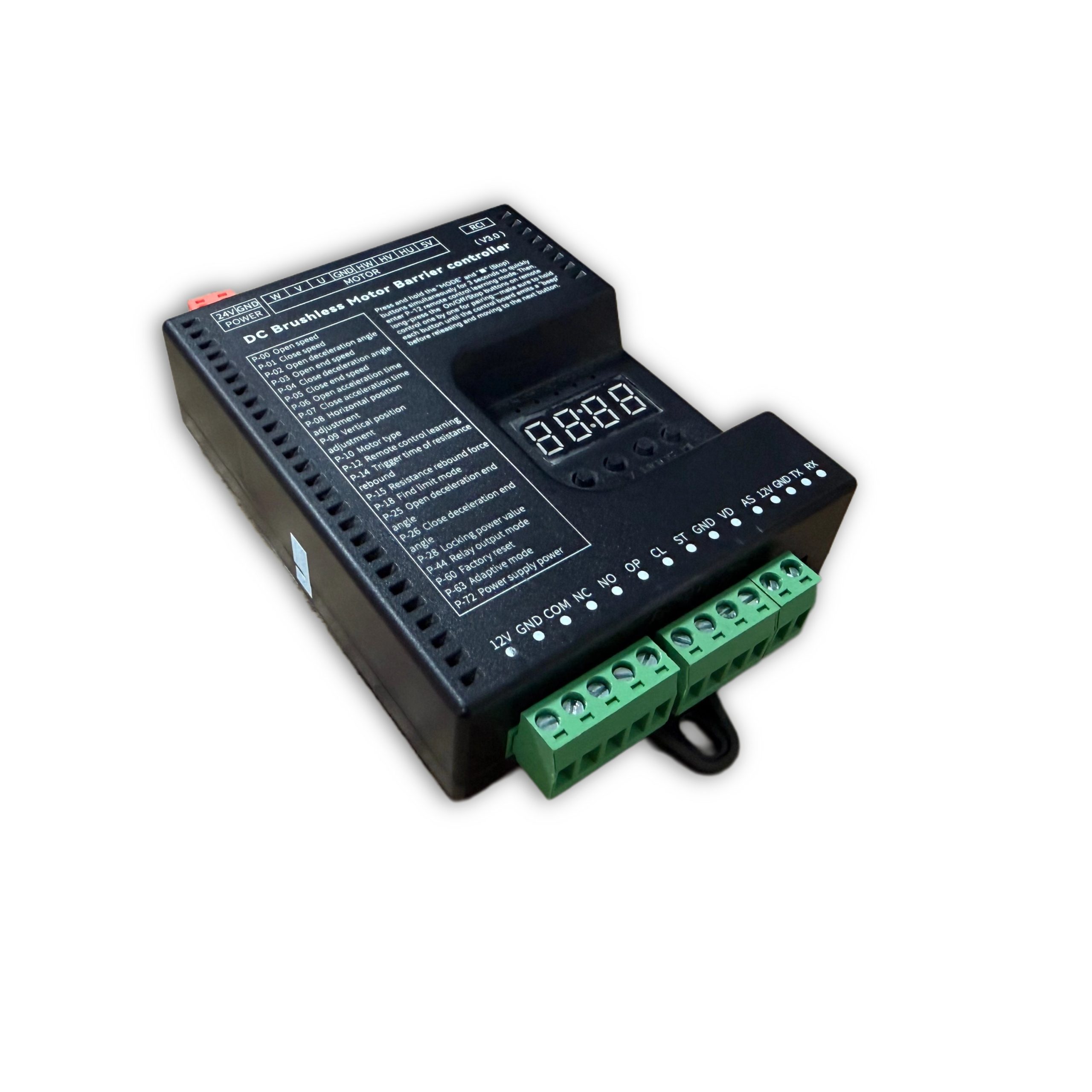
ความปลอดภัยและคุณสมบัติ
Installation, operation and maintenance+
Read the manual before use and keep it for reference. Transport, use and store within the permitted temperature and humidity. Keep liquid out, provide ventilation and do not block vents. Avoid heavy pressure, severe vibration and immersion. Transport in original packaging or equivalent protection. Grounding through the grounding hole is recommended. Do not disassemble without authorization. Use manufacturer-specified accessories, installed and serviced by qualified personnel. Do not extend, shorten or add weight to the boom without authorization.
คู่มือฉบับดั้งเดิม · 2 ↗คุณสมบัติทางเทคนิค+
Power Supply: DC 24V +/-10% Motor Power: Max 200W Static Power: <2W Boom Raise/Lower Speed: 1%-100% adjustable Operating Temperature: -35℃ ~ 75℃ Operating Humidity: 30% ~ 80% (no condensation)
คู่มือฉบับดั้งเดิม · 2 ↗คุณสมบัติของผลิตภัณฑ์+
DC 24 V supply; static power below 2 W; maximum motor power 200 W; independent raise/lower speed adjustment; multistage speed control; working noise below 50 dB. Motor overcurrent, overload, short-circuit, motor fault and reverse-polarity protection. External remote-control input, configurable parameters, windproof, anti-freeze, anti-rust and relay output modes.
คู่มือฉบับดั้งเดิม · 2 ↗Before changing parameters+
Some preset default values may differ from the defaults printed in the parameter table. Use the entries for this controller model and manual version. Original inconsistencies are noted beside the affected entries.
คู่มือฉบับดั้งเดิม · 6 ↗ปุ่มและวิธีการตั้งค่า
Buttons: Open / Close / Menu / Stop+
I. Button Description The controller has 4 buttons. From left to right, they are "Open/+", "Close/-", "Menu", and "Stop/Cancel". Various parameters of the controller can be set through these 4 buttons. "Open/+": In normal working mode, pressing this button raises the boom. After entering settings mode, this button can be used to increase menu items and adjust values upward. In parameter setting mode, each short press increases by one. Long press continuously increases to the maximum value, then restarts from the minimum. If long-pressed for an extended period, the continuous increase speed will accelerate. "Close/-": In normal working mode, pressing this button lowers the boom. After entering settings mode, this button can be used to decrease menu items and adjust values downward. In parameter setting mode, each short press decreases by one. Long press continuously decreases to the minimum value, then restarts from the maximum. If long-pressed for an extended period, the continuous decrease speed will accelerate. "Menu": This button has 3 functions: 1. In normal working mode, long-press this button for 3 seconds to enter menu item selection mode. The LED displays "P-XX", then you can press "Open/+" or "Close/-" to select menu items; 2. In menu item selection mode, short-press "Menu" to enter parameter setting mode; 3. After parameter setting is complete, short-press to save and exit. "Stop/Cancel": In normal working mode, this button functions as stop. In menu item selection mode, it exits the setting mode. In parameter setting mode, pressing this button exits the current state and returns to the menu selection state (i.e., returns to the previous menu level), and the set value is invalid. If no button is pressed within 60 seconds in menu selection mode and parameter setting mode, the buzzer will sound a long beep and the controller will return to normal working mode.
คู่มือฉบับดั้งเดิม · 5 ↗LED display and power saving+
The control board has a 4-digit LED display that can show barrier gate working status, parameters, menu items, and other information. After power-on, it runs in low-power mode, where the LED display brightness is dim. Pressing any button will switch the LED display to normal working mode with high brightness. If no button is pressed, after 60 seconds it enters low-power mode with dim LED brightness to reduce power consumption. After 2 minutes without button press, the LED display will turn off, entering the lowest power consumption state.
คู่มือฉบับดั้งเดิม · 5 ↗Set and save a parameter+
III. Parameter Settings You can enter the parameter setting mode by long-pressing the "Menu" button for 3 seconds. The LED will display "P-XX". Use short press or long press of "Open/+" and "Close/-" buttons to select menu items. Short press increases or decreases by one; long press continuously increases or decreases. Press "Menu" again to enter the setting for the specified item. Press "Stop/Cancel" to return to the previous level or exit settings. After completing the parameter setting, you must press "Menu" to confirm for it to take effect. Parameters set by pressing "Stop/Cancel" will not take effect. If no button is pressed within 60 seconds, the buzzer on the control board will sound a long beep, exit the setting mode, and return to normal working mode.
ขั้นตอน
- Hold Menu for 3 seconds.
- Select P-XX with Open/+ or Close/-.
- Press Menu to enter the setting and adjust the value.
- Press Menu to save. Stop/Cancel discards the current change.
- Settings time out after 60 seconds without a button press.
Motion & limits
P-00Boom Raise Speed+
ค่าเริ่มต้น80
RANGE10-200
The larger the value, the faster the speed; the smaller the value, the slower the speed. When adjusted to 200 and still unable to reach the required speed, increase P-72. (When P-63 is 0 or 1, values exceeding 100 are treated as 100; when P-63 is set to 2, values exceeding 100 are valid)
คู่มือฉบับดั้งเดิม · 6 ↗P-01Boom Lower Speed+
P-02Boom Raise Deceleration Angle+
ค่าเริ่มต้น45
RANGE10-90
Used to set the position where deceleration starts during boom raising. Measured in degrees, 0 degrees represents the horizontal position and 90 degrees represents the vertical position. This parameter indicates the angle at which the boom starts to decelerate during raising.
คู่มือฉบับดั้งเดิม · 6 ↗P-03Boom Raise End Speed+
ค่าเริ่มต้น10
RANGE1-80
The boom raising ends at this speed. Too low will cause incomplete opening; too high will cause oscillation.
คู่มือฉบับดั้งเดิม · 6 ↗P-04Boom Lower Deceleration Angle+
ค่าเริ่มต้น55
RANGE0-80
Used to set the position where deceleration starts during boom lowering. Measured in degrees, 0 degrees represents the horizontal position and 90 degrees represents the vertical position. This parameter indicates the angle at which the boom starts to decelerate during lowering.
คู่มือฉบับดั้งเดิม · 6 ↗P-05Boom Lower End Speed+
ค่าเริ่มต้น5
RANGE1-80
The boom lowering ends at this speed. Too low will cause incomplete closing; too high will cause oscillation. If the P-26 command has set a boom lower low-speed angle and it is within the valid range, it will run at this speed in the low-speed uniform zone.
คู่มือฉบับดั้งเดิม · 6 ↗P-06Boom Raise Acceleration Time+
ค่าเริ่มต้น60
RANGE0-255
Time required to accelerate from start to the boom raise speed set by P-00 (larger value means longer time). (Unit: 0.01 seconds)
คู่มือฉบับดั้งเดิม · 6 ↗P-07Boom Lower Acceleration Time+
ค่าเริ่มต้น50
RANGE0-255
Time required to accelerate from start to the boom lower speed set by P-01 (larger value means longer time). (Unit: 0.01 seconds)
คู่มือฉบับดั้งเดิม · 6 ↗P-08Horizontal Position Fine-tuning+
ค่าเริ่มต้น15
RANGE0-255
Distance of the boom horizontal position from the horizontal mechanical limit. Larger value means farther, and vice versa. When the barrier gate completes self-check and is in the closed- in-place state, modifying this parameter will cause the barrier gate horizontal angle to update in real-time according to the set value. (This parameter should not be set too small, otherwise the connecting rod may hit the mechanical limit when closed in place, posing a risk of damaging the mechanism and mainboard)
คู่มือฉบับดั้งเดิม · 6 ↗P-09Vertical Position Fine-tuning+
ค่าเริ่มต้น15
RANGE0-255
Distance of the boom vertical position from the vertical mechanical limit. Larger value means farther, and vice versa. When the barrier gate completes self-check and is in the open-in-place state, modifying this parameter will cause the barrier gate vertical angle to update in real-time according to the set value. (This parameter should not be set too small, otherwise the connecting rod may hit the mechanical limit when open in place, posing a risk of damaging the mechanism and mainboard)
คู่มือฉบับดั้งเดิม · 6 ↗P-10ประเภทมอเตอร์+
Source inconsistency: the default column says 0, but the description says default 1. Confirm the correct motor type for this hardware.
ค่าเริ่มต้น0
RANGE0-3
Value range: 0-3; Default: 1. Due to different Hall polarities of motors, different reduction ratios of barrier gate mechanisms, and left/right boom output configurations, this parameter is used to be compatible with various types of motors and barrier gates. 0: Motor positive polarity, reducer positive polarity; 1: Motor positive polarity, reducer negative polarity; 2: Motor negative polarity, reducer positive polarity; 3: Motor negative polarity, reducer negative polarity
คู่มือฉบับดั้งเดิม · 6 ↗P-17Limit Learning Speed+
ค่าเริ่มต้น40
RANGE10-80
Set different speeds for finding upper limit and lower limit. After entering the menu, the first setting is the speed for finding the upper limit. The digital tube displays "1-XX", where XX represents the speed for finding the upper limit. You can adjust the speed by pressing "Open/+" and "Close/-". After setting the upper limit speed, press "Menu" and the digital tube displays "2-XX", where XX represents the speed for finding the lower limit. Similarly, adjust the speed by pressing "Open/+" and "Close/-". After both upper and lower limit speeds are set, press "Menu" to save. If "Stop/Cancel" is pressed during setting, the parameters will be invalid.
คู่มือฉบับดั้งเดิม · 7 ↗P-18Limit Search Mode+
ค่าเริ่มต้น0
RANGE0-2
0: Search for both limits. 1: Search for upper limit. 2: Search for lower limit.
คู่มือฉบับดั้งเดิม · 7 ↗P-19Manual Upper Limit Learning+
After entering this setting, the digital tube displays L-00. The boom automatically raises to position and stops, displaying L-01. The operation is the same as P-21, finding vertical and horizontal limits. After learning the horizontal limit, it automatically returns to the setting page, indicating success. Then set P-18 to 1 to use.
คู่มือฉบับดั้งเดิม · 7 ↗P-20Manual Lower Limit Learning+
Same as P-19 but reversed. After entering the setting, it displays L-00 and automatically finds the lower limit. When in position, it stops and displays L-01. The user manually finds the horizontal and vertical positions. The first confirmation is the horizontal position, displaying L-02. The second is the vertical position, and it returns to the setting page. Then set P-18 to 2 to use.
คู่มือฉบับดั้งเดิม · 7 ↗P-21Manual Upper/Lower Limit Learning+
After entering this setting, the digital tube displays L-00. The barrier gate first automatically lowers the boom. When in position, it displays L-01, then automatically raises the boom. When in position, it stops and displays L-02. At this point, holding the raise or lower button will raise or lower the boom, and releasing will stop. It will alarm when reaching the mechanical limit. The user can adjust the position manually. Once determined, press Menu to learn one limit. The first Menu press is for the vertical limit, displaying L-03. The second is for the horizontal limit. After the second press, it automatically returns to the setting page, indicating learning is successful. After setting this function, P-18 must be set to 0.
คู่มือฉบับดั้งเดิม · 8 ↗P-22Boom Raise Reverse Buffer Time+
ค่าเริ่มต้น80
RANGE10-255
Buffer time from boom raise to boom lower. Too short a time may cause excessive instantaneous current. (Unit: 0.01 seconds)
คู่มือฉบับดั้งเดิม · 8 ↗P-23Boom Lower Reverse Buffer Time+
ค่าเริ่มต้น100
RANGE10-255
Buffer time from boom lower to boom raise. Too short a time may cause excessive instantaneous current. (Unit: 0.01 seconds)
คู่มือฉบับดั้งเดิม · 8 ↗P-24หยุดเวลาการอัดเสียง+
ค่าเริ่มต้น100
RANGE10-255
Time required for the motor to stop from running when Stop is pressed during boom raise or lower. Too large will cause slow and stable stopping. Too short may cause excessive instantaneous current. (Unit: 0.01 seconds)
คู่มือฉบับดั้งเดิม · 8 ↗P-25Boom Raise Deceleration End Angle+
ค่าเริ่มต้น90
RANGE45-90
During boom raising, the boom first accelerates to P-00, then starts decelerating at P-02. At this option, it stops decelerating and enters uniform motion until boom raising ends.
คู่มือฉบับดั้งเดิม · 8 ↗P-26Boom Lower Deceleration End Angle+
ค่าเริ่มต้น10
RANGE0-45
During boom lowering, the boom first accelerates to P-01, then starts decelerating at P-04. At this option, it stops decelerating and enters uniform motion until boom lowering ends.
คู่มือฉบับดั้งเดิม · 8 ↗รีโมทคอนโทรล
P-11Remote Control Learning Mode+
ค่าเริ่มต้น0
RANGE0-1
0: Press Open, Close, Stop in sequence to complete learning; 1: Press any one button to complete learning
คู่มือฉบับดั้งเดิม · 7 ↗P-12Remote Control Learning+
ค่าเริ่มต้น0
RANGE0-50
Remote control learning: Entering P-12 will display the current number of saved remote controls. At this point, press the remote control buttons Open, Close, Stop in sequence to learn. Keep pressing until the control board beeps once, then release and press the next button. Continue until the control board gives a long beep or the number displayed on the digital tube increases by one, indicating learning is complete. You can continue learning the next remote or press Cancel to return. Remote control deletion: In this menu, press "+" or "-" to modify the learned remote control count, then press "Menu" to confirm. This will delete all learned remote controls after that count.
คู่มือฉบับดั้งเดิม · 7 ↗P-13Remote Convoy Mode+
ค่าเริ่มต้น0
RANGE0-3
0: Normal remote control mode. (Temporary convoy mode entry method: After the barrier gate is fully opened, long-press the remote control Open button for more than 5 seconds to temporarily enter convoy mode. The buzzer will sound for 2 seconds. Press Close to exit convoy mode and close the barrier gate.) 1: Remote "Open" enters convoy mode. Loop detector signals will not be processed until manual boom lowering. The boom stays raised. 2: Manual mode. All opening actions of the barrier gate will enter convoy mode, and loop detector trigger will not lower the boom. 3: Disable convoy mode.
คู่มือฉบับดั้งเดิม · 7 ↗P-82Bluetooth Connection+
When the mini program connects to the mainboard via Bluetooth for the first time, please enter the P-82 menu, then connect to the mainboard Bluetooth. After the mini program has the mainboard connection data, there is no need to enter the P-82 menu. You can directly connect via Bluetooth.
คู่มือฉบับต้นฉบับ · 13 ↗Detection & automatic closing
P-14Reverse-on- Obstacle Trigger Time+
ค่าเริ่มต้น2
RANGE1-40
How long an obstacle must be encountered before it is judged as reverse-on-obstacle. (Unit: 0.05 seconds)
คู่มือฉบับดั้งเดิม · 7 ↗P-15Reverse-on- Obstacle Force+
ค่าเริ่มต้น45
RANGE1-100
How much resistance is considered as an obstacle. The reverse condition is that the resistance set by P-15 is encountered and persists for the time set by P-14, then the boom reverses.
คู่มือฉบับดั้งเดิม · 7 ↗P-16Reverse-on- Obstacle Angle+
ค่าเริ่มต้น5
RANGE0-90
When the boom is below this angle, reverse-on- obstacle will not occur. 0 disables this function.
คู่มือฉบับดั้งเดิม · 7 ↗P-27Anti-crash Function+
ค่าเริ่มต้น1
RANGE0-8
Whether the anti-crash port signal is valid. 0: Invalid, triggering anti-crash signal does not raise the boom. 1: Valid, triggering anti-crash signal during boom lowering raises the boom. 2: Anti-crash port repurposed as "Open" port function. 3: Anti-crash port repurposed as "Close" port function. 4: Anti-crash port repurposed as loop detector port function. (After repurposing the anti-crash port, the original function port becomes invalid.) 5: Anti-crash terminal connected to radar for pedestrian anti- crash. (Valid during lowering, resumes lowering after target disappears, i.e., does not change the original raise/lower state, only used for anti- crash for pedestrians/vehicles.) 6: Anti-crash port repurposed as "Open" port function while keeping the original "Open" port valid. 7: Anti- crash port repurposed as "Fire Emergency port". When triggered, raises the boom and automatically enters convoy mode. 8: Anti-crash port repurposed as Open, Stop port repurposed as loop detector. (Original Open and loop detector ports become invalid.)
คู่มือฉบับดั้งเดิม · 8 ↗P-28Lock Power Value+
ค่าเริ่มต้น255
RANGE0-21, 255
When the motor stops in a non-mechanical lock zone, since there is no mechanical lock, the spring tension will pull the boom up. This function uses controller output control for locking, which will cause the motor and board to heat up. It is recommended to set according to actual conditions and not too high. When set to 255, it is auto-adaptive lock power.
คู่มือฉบับดั้งเดิม · 8 ↗P-29Open-in-place Lock Time+
ค่าเริ่มต้น0
RANGE0-255
How long the lock remains active after the boom reaches the open position. (Unit: seconds) When set to 255, the lock is always maintained when open in place, without timing.
คู่มือฉบับดั้งเดิม · 8 ↗P-30Close-in-place Lock Time+
ค่าเริ่มต้น0
RANGE0-255
How long the lock remains active after the boom reaches the close position. (Unit: seconds) When set to 255, the lock is always maintained when closed in place, without timing.
คู่มือฉบับดั้งเดิม · 8 ↗P-31Reverse Lock Turns+
ค่าเริ่มต้น0
RANGE0-20
During boom raising, if the motor reverses for various reasons, how many turns before locking.
คู่มือฉบับดั้งเดิม · 9 ↗P-32Auto Lower Time Without Loop Detector+
ค่าเริ่มต้น0
RANGE0-255
Time for the boom to automatically lower without loop detector trigger. Setting to 0 means no auto-lowering without loop detector. (Unit: seconds)
คู่มือฉบับดั้งเดิม · 9 ↗P-33Vehicle Pass Delay Lower Time+
ค่าเริ่มต้น2
RANGE0-255
How long after the loop detector signal disappears before starting to lower the boom. Default 0.2 seconds. (Unit: 0.1 seconds)
คู่มือฉบับดั้งเดิม · 9 ↗P-34Loop Detector Counting+
ค่าเริ่มต้น1
RANGE0-4
0: No raise counting, lower after vehicle passes. 1: Count raise signals, max count is 1. Decrement count when loop detector is triggered. Lower when loop detector disappears and count is 0. 2: Count raise signals, max count is 2. Decrement count when loop detector is triggered. Lower when loop detector disappears and count is 0. 3: Count raise signals, max count is 3. Decrement count when loop detector is triggered. Lower when loop detector disappears and count is 0. 4: Count raise signals, max count is 255. Decrement count when loop detector is triggered. Lower when loop detector disappears and count is 0.
คู่มือฉบับดั้งเดิม · 9 ↗P-35Loop Detector Non- detection Angle+
ค่าเริ่มต้น10
RANGE0-45
When the boom angle is below this value, loop detector signals will not be processed, and the boom lowers directly.
คู่มือฉบับดั้งเดิม · 9 ↗P-36Loop Detector Trigger Buzzer Frequency+
ค่าเริ่มต้น4
RANGE0-20
Buzzer frequency when loop detector is triggered. 0 disables. Larger number means faster beeping.
คู่มือฉบับดั้งเดิม · 9 ↗P-37Loop Detector Signal Trigger Judgment Time+
ค่าเริ่มต้น4
RANGE1-255
How long the signal must be maintained to be considered a loop detector trigger. (Unit: 0.01 seconds)
คู่มือฉบับดั้งเดิม · 9 ↗P-38Loop Detector Signal Valid Judgment Time+
ค่าเริ่มต้น4
RANGE1-255
When the loop detector is triggered, how long it must remain triggered to be considered a real loop detector signal (i.e., a vehicle is present). (Unit: 0.01 seconds)
คู่มือฉบับดั้งเดิม · 9 ↗P-42Boom Raise Priority+
ค่าเริ่มต้น1
RANGE0-2, 50-80
0: All control signals have the same priority in any state. 1: Boom raise has the highest priority. Other signals are ineffective during raising. 2: During boom raising, if the vehicle has already passed the loop detector, immediately start lowering without waiting for the barrier gate to fully open. 50-80: During boom raising, if the vehicle has passed the loop detector before fully open, the barrier gate starts lowering when it reaches the angle set by this value.
คู่มือฉบับดั้งเดิม · 9 ↗P-43Boom Raise Signal Judgment Time+
ค่าเริ่มต้น8
RANGE1-255
How long the raise signal must persist to be considered a valid raise signal. (Unit: 0.01 seconds)
คู่มือฉบับดั้งเดิม · 9 ↗P-58Auto Close Count After Manual Raise+
ค่าเริ่มต้น0
RANGE0-255
When closed in place, if the boom is manually lifted more than 10 degrees, the machine will automatically lower. This parameter is how many times it lowers. When the manual lift and lower count exceeds this value, it will no longer trigger lowering. Each normal raise-lower cycle resets the accumulated auto-lower count. If set to 255, no counting is performed and this function is always active.
คู่มือฉบับดั้งเดิม · 11 ↗P-68Pause on Loop Trigger During Lowering+
ค่าเริ่มต้น0
RANGE0-1
0: When loop detector is triggered during lowering, the barrier gate automatically raises. 1: When loop detector is triggered during lowering, the barrier gate stops at the current position (can serve as a certain degree of anti- toll-evasion function).
คู่มือเดิม · 12 ↗P-73Auto Lower Speed Without Loop Detector+
ค่าเริ่มต้น40
RANGE0-80
Auto lower speed without loop detector. When set to 0, it is invalid. Auto-lowering without loop detector uses P-01 (boom lower speed) as the running speed. When set to non-zero, this parameter replaces P-01 (boom lower speed) as the running speed. This function solves the problem of auto-lowering without loop detector being too fast and potentially hitting pedestrians. A relatively smaller auto-lower speed parameter can be set to prevent auto- lowering from hitting pedestrians.
คู่มือเดิม · 12 ↗P-83Boom Raise Loop Non-detection Angle+
ค่าเริ่มต้น20
RANGE0-80
During boom raising, when the loop detector is below the set angle, loop detector trigger is invalid.
คู่มือฉบับต้นฉบับ · 13 ↗P-89Loop Detector Tailgating Auto Lower Time+
ค่าเริ่มต้น0
RANGE0-255
Used to solve the problem where the front vehicle has not left the loop detector, the rear vehicle gives an open signal, and the vehicles are too close together causing both to press the loop detector. When the front vehicle leaves and the loop detector signal does not disappear, the boom does not lower. The set value is the lower time for this situation, in units of 10 seconds. Setting to 0 disables this function.
คู่มือฉบับดั้งเดิม · 14 ↗System & other parameters
P-39Undocumented menu slot+
The original manual marks this menu slot with “/” and provides no setting instructions.
คู่มือฉบับดั้งเดิม · 9 ↗P-40Undocumented menu slot+
The original manual marks this menu slot with “/” and provides no setting instructions.
คู่มือฉบับดั้งเดิม · 9 ↗P-41Light Sensor Off Threshold+
This entry refers to P-46, but the D6 manual marks P-46 as undocumented. Confirm whether this function is supported on the installed hardware.
ค่าเริ่มต้น0
RANGE0-50
0 -- This parameter is invalid. The light sensor is fully controlled by the P-46 photosensitive threshold. Other -- Light sensor off threshold. When ambient light intensity falls below this value, the light sensor turns off after a delay. (P-41 works with P-46. P-46 sets the light-on threshold, and P-41 sets the light-off threshold. By setting P-41 to a value smaller than P-46, you can solve the problem of the light box control being unstable due to the light box illuminating the photosensitive receiver.)
คู่มือฉบับดั้งเดิม · 9 ↗P-44โหมดเอาต์พุตรีเลย์+
ค่าเริ่มต้น4
RANGE0-7
0: Traffic light mode: Relay closes when open in place, relay opens when closed in place. 1: / 2: Loop detector mode: Closes when boom starts raising, relay opens when closed in place. 3: Traffic light mode 1: Normally closed connects to red light, normally open connects to green light. Relay closes and green light turns on after barrier gate opens in place; otherwise relay opens and red light turns on. 4: Traffic light mode 2: Normally closed connects to red light, normally open connects to green light. Relay closes and green light turns on when barrier gate angle exceeds 60 degrees; otherwise relay opens and red light turns on. 5: Traffic light mode 3: Relay closes during boom raising, opens during boom lowering. 6: Manual lift alarm: Relay closes when boom is manually lifted more than 5 degrees after closing in place. Can be used to connect an alarm. 7: Pulse mode: Relay closes for 1 second when closed in place, then opens.
คู่มือฉบับดั้งเดิม · 9 ↗P-45Undocumented menu slot+
The original manual marks this menu slot with “/” and provides no setting instructions.
คู่มือฉบับดั้งเดิม · 11 ↗P-46Undocumented menu slot+
The original manual marks this menu slot with “/” and provides no setting instructions.
คู่มือฉบับดั้งเดิม · 11 ↗P-47Undocumented menu slot+
The original manual marks this menu slot with “/” and provides no setting instructions.
คู่มือฉบับดั้งเดิม · 11 ↗P-48Undocumented menu slot+
The original manual marks this menu slot with “/” and provides no setting instructions.
คู่มือฉบับดั้งเดิม · 11 ↗P-49Ambient Temperature+
This option is used to display the current ambient temperature on the digital tube.
คู่มือฉบับดั้งเดิม · 11 ↗P-50Anti-freeze Temperature Threshold+
ค่าเริ่มต้น0
RANGE-40-0
At low temperatures, to prevent the machine from freezing, when this function is enabled and the temperature falls below the set value, if the barrier gate has not moved within the P-52 time interval, it will automatically run to the P-51 angle and then close.
คู่มือฉบับดั้งเดิม · 11 ↗P-51Anti-freeze Boom Raise Angle+
ค่าเริ่มต้น0
RANGE0-45
Range: 0-45, Default: 0. Anti-freeze opening angle. When the ambient temperature drops to the P-50 set temperature and the P-52 anti- freeze time interval has elapsed, the barrier gate will open to the angle set by this parameter, then automatically close. If this parameter is 0, the anti-freeze function is disabled. Both P-51 and P-52 must be non-zero to enable the anti- freeze function.
คู่มือฉบับดั้งเดิม · 11 ↗P-52Anti-freeze Boom Raise Time Interval+
ค่าเริ่มต้น0
RANGE0-255
When the ambient temperature is below the set temperature, timing starts. If the barrier gate has no movement within the timing period, it will open to the P-51 set angle after the time interval set by this command, then automatically close. Setting this parameter to 0 disables the anti- freeze function. (Unit: minutes)
คู่มือฉบับดั้งเดิม · 11 ↗P-53Anti-rust Open Angle+
ค่าเริ่มต้น0
RANGE0-45
The angle for anti-rust boom raising. If this parameter is non-zero, after the time interval specified by the P-54 command, the controller will open to the angle specified by this parameter, then automatically close. During normal operation, the boom raising and lowering of the barrier gate will reset the time interval and restart timing. If this parameter is 0, the anti-rust function is disabled.
คู่มือฉบับดั้งเดิม · 11 ↗P-54Anti-rust Boom Raise Time Interval+
ค่าเริ่มต้น0
RANGE0-255
If the barrier gate is installed at a site and left unused for a long time, it may rust. You can enable this parameter to make the barrier gate open once after a certain time interval. The opening angle is set by the P-53 command. If this parameter is 0, the anti-rust function is disabled. Both P-53 and P-54 must be non-zero to enable the anti-rust function. (Unit: hours)
คู่มือฉบับดั้งเดิม · 11 ↗P-55Set 485 Baud Rate+
ค่าเริ่มต้น4
RANGE0-4
Set the baud rate of the control board. Settings: 0: 9600; 1: 19200; 2: 38400; 3: 57600; 4: 115200
คู่มือฉบับดั้งเดิม · 11 ↗P-56Set 485 Address+
P-57Controller Master/Slave Mode+
ค่าเริ่มต้น0
RANGE0-1
Set the master/slave mode of the control board. 0: Slave mode. 1: Master mode.
คู่มือฉบับดั้งเดิม · 11 ↗P-59Auto Test+
ค่าเริ่มต้น0
RANGE0-255
Auto test time interval. When set to 0, auto test is disabled. Used for auto testing and aging testing. After testing is complete, set this parameter to 0 to cancel auto test. Short press "Open" button to start open/close-in-place auto test. Long press "Open" button to start simulated lowering to middle position then raising auto test. (Unit: seconds)
คู่มือฉบับดั้งเดิม · 11 ↗P-60Restore Default Settings+
ค่าเริ่มต้น0
RANGE0-255
This option has three functions: clear remote controls, partial factory reset, and full factory reset. To prevent misoperation, specific values must be set before pressing "Menu" to complete the operation. 5: Clear remote controls. 10: Factory reset (remote controls and motor type are not restored). 15: Full factory reset.
คู่มือฉบับดั้งเดิม · 11 ↗P-61Undocumented menu slot+
The original manual marks this menu slot with “/” and provides no setting instructions.
คู่มือเดิม · 12 ↗P-62Undocumented menu slot+
The original manual marks this menu slot with “/” and provides no setting instructions.
คู่มือเดิม · 12 ↗P-63Adaptive Mode+
Source inconsistency: the default is 3, but the listed range is 0–2 and only modes 0–2 are explained. Do not infer mode 3 from another model.
ค่าเริ่มต้น3
RANGE0-2
0: Conventional mode. 1: Use adaptive mode for limit initialization. 2: Use adaptive mode for both limit initialization and boom raise/lower.
คู่มือเดิม · 12 ↗P-64Boom Raise/Lower Timeout+
The parameter table gives an adjustable timeout of 6–40 seconds (default 30), while the Err5/Err6 descriptions say 15 seconds. The source is inconsistent; confirm the firmware behavior.
ค่าเริ่มต้น30
RANGE6-40
Set the boom raise/lower timeout. If the boom raise/lower exceeds the set time without reaching position, the barrier gate will automatically pause and report a raise timeout warning (Err5) or lower timeout warning (Err6). (Unit: seconds)
คู่มือเดิม · 12 ↗P-65Power-off Auto Raise/Lower Voltage+
ค่าเริ่มต้น0
RANGE0-21
0: Disabled. 1-21: Trigger auto raise/lower voltage. This function requires a backup power supply and must be configured with the P-69 setting. Recommended to set to 20.
คู่มือเดิม · 12 ↗P-66Brake Reverse Voltage Warning Threshold+
The range column lists 30–100 V, while the description also specifies 0 to disable the warning. This source exception is retained.
ค่าเริ่มต้น55
RANGE30-100
For situations where the barrier gate spring is poorly matched, when the motor decelerates and generates excessive reverse voltage, a warning is issued. The warning sound is 5 quick buzzer beeps, and the digital tube displays ERR2. This warning will not interrupt barrier gate operation. The reverse voltage effect can be reduced by lowering the barrier gate running speed or matching the spring and boom balance. (Unit: V). Setting to 0 disables this warning.
คู่มือเดิม · 12 ↗P-67Display Drive Voltage and Current+
ค่าเริ่มต้น1
RANGE0-1
0: Do not display voltage and current data. 1: During boom raising and lowering, the digital tube displays drive voltage (Unit: V) or drive current (Unit: A). In working mode, you can switch between displaying current and voltage by short-pressing the "Menu" button.
คู่มือเดิม · 12 ↗P-69Power-off Auto Run Function+
ค่าเริ่มต้น1
RANGE0-4
Set the power-off auto run option. When P-65 is set to non-zero and the supply voltage is detected to be below the P-65 set value, the barrier gate handling method: 0: No action. 1: Auto raise boom. 2: Auto lower boom. 3: No action when in open/close-in-place position; auto raise when in middle position. 4: No action when in open/close-in-place position; auto low- speed lower when in middle position.
คู่มือเดิม · 12 ↗P-70Custom Parameter Settings+
Currently no function
คู่มือเดิม · 12 ↗P-71Overcurrent Protection Value+
ค่าเริ่มต้น120
RANGE20-160
Overcurrent protection value. When the barrier gate running current exceeds this value, the barrier gate automatically stops running. If overcurrent protection occurs during lowering, the barrier gate will treat it as reverse-on- obstacle. (Unit: 0.1A)
คู่มือเดิม · 12 ↗P-72Power Output+
ค่าเริ่มต้น80
RANGE20-100
Maximum limited output power % during barrier gate operation. (Non-professionals should operate with caution)
คู่มือเดิม · 12 ↗P-74Undocumented menu slot+
The original manual marks this menu slot with “/” and provides no setting instructions.
คู่มือเดิม · 12 ↗P-75Undocumented menu slot+
The original manual marks this menu slot with “/” and provides no setting instructions.
คู่มือเดิม · 12 ↗P-76Undocumented menu slot+
The original manual marks this menu slot with “/” and provides no setting instructions.
คู่มือเดิม · 12 ↗P-77Undocumented menu slot+
The original manual marks this menu slot with “/” and provides no setting instructions.
คู่มือเดิม · 12 ↗P-78Auto Send Barrier Status Data+
ค่าเริ่มต้น0
RANGE0-1
When set to 1, when the barrier gate triggers a raise/lower action, it automatically sends barrier gate status commands.
คู่มือฉบับต้นฉบับ · 13 ↗P-79Undocumented menu slot+
The original manual marks this menu slot with “/” and provides no setting instructions.
คู่มือฉบับต้นฉบับ · 13 ↗P-80Adaptive Control Coefficient+
ค่าเริ่มต้น4
RANGE0-9
Adaptive control parameter. Used for optimizing the effect on some special barrier gates. (Not recommended for non-professionals to adjust this parameter)
คู่มือฉบับต้นฉบับ · 13 ↗P-81Adaptive Mode Limit Learning Power+
ค่าเริ่มต้น40
RANGE10-80
In adaptive mode, set the maximum power for limit learning. For some lower-power power supplies, if power overcurrent protection occurs during limit learning, this parameter can be reduced. For poorly matched spring counterweights where the motor torque is insufficient during limit learning raise/lower, this parameter can be increased.
คู่มือฉบับต้นฉบับ · 13 ↗P-84Expansion Port Mode+
ค่าเริ่มต้น0
RANGE0-5
0: 485 mode. 1-3: TX pin repurposed as colored light strip flashing mode. Larger value means higher light strip brightness. When P-44 is set to 3, RX pin is repurposed as close-in- place status output (if the built-in relay is normally open, it becomes open-in-place status output). 4: Colored light strip flashing mode 2. 5: Colored light strip flashing mode 3.
คู่มือฉบับต้นฉบับ · 13 ↗P-85Undocumented menu slot+
The original manual marks this menu slot with “/” and provides no setting instructions.
คู่มือฉบับดั้งเดิม · 14 ↗P-86Undocumented menu slot+
The original manual marks this menu slot with “/” and provides no setting instructions.
คู่มือฉบับดั้งเดิม · 14 ↗P-87Undocumented menu slot+
The original manual marks this menu slot with “/” and provides no setting instructions.
คู่มือฉบับดั้งเดิม · 14 ↗P-88Control Interface Disable+
ค่าเริ่มต้น0
RANGE0-3
0 - All enabled. 0x01 - Disable Open/Close/Stop ports. 0x02 - Disable remote control interface. 0x03 - Disable Open/Close/Stop and remote control.
คู่มือฉบับดั้งเดิม · 14 ↗P-90Barrier Limit Verification+
ค่าเริ่มต้น1
RANGE0-1
0 - Disable. 1 - Enable. Enabling this function can optimize the issue of some barrier gates with poorly matched parameters, where self- check easily misjudges the limit, causing incorrect self-check angles and incomplete opening/closing.
คู่มือฉบับดั้งเดิม · 14 ↗Relay output modes
P-440: Traffic Light Mode+
Relay closes when open in place, relay opens when closed in place
คู่มือฉบับดั้งเดิม · 10 ↗P-441: /+
P-442: Loop Detector Mode+
Closes when boom starts raising, relay opens when closed in place
คู่มือฉบับดั้งเดิม · 10 ↗P-443: Traffic Light Mode 1+
Normally closed connects to red light, normally open connects to green light. Relay closes and green light turns on after barrier gate opens in place; otherwise relay opens and red light turns on
คู่มือฉบับดั้งเดิม · 10 ↗P-444: Traffic Light Mode 2+
Normally closed connects to red light, normally open connects to green light. Relay closes and green light turns on when barrier gate angle exceeds 60 degrees; otherwise relay opens and red light turns on
คู่มือฉบับดั้งเดิม · 10 ↗P-445: Traffic Light Mode 3+
Relay closes during boom raising, opens during boom lowering
คู่มือฉบับดั้งเดิม · 10 ↗P-446: Manual Lift Alarm+
Relay closes when boom is manually lifted more than 5 degrees after closing in place. Can be used to connect an alarm
คู่มือฉบับดั้งเดิม · 10 ↗P-447: Pulse Mode+
Relay closes for 1 second when closed in place, then opens
คู่มือฉบับดั้งเดิม · 10 ↗รหัสข้อผิดพลาด
Err0Erro0+
When clearing remote controls and restoring factory settings, the correct confirmation value must be set. An incorrect confirmation value will prompt an Err0 error.
คู่มือฉบับดั้งเดิม · 14 ↗Err1Err1+
มีสิทธิ์เลือก.
คู่มือฉบับดั้งเดิม · 14 ↗Err2Err2+
Brake reverse voltage too high warning. Generally caused by poorly matched springs and excessive speed. Can be resolved by matching the spring and boom balance and reducing running speed. You can also increase the P-66 setting value to increase the trigger threshold.
คู่มือฉบับดั้งเดิม · 14 ↗Err3Err3+
Boom raise stall. Possible causes: broken barrier gate spring, boom raise speed too low, boom raise end speed too low. Can increase boom raise speed and boom raise end speed.
คู่มือฉบับดั้งเดิม · 14 ↗Err4Err4+
Boom lower stall. Possible causes: barrier gate spring too tight, boom not attached, boom lower speed or boom lower end speed too low. Check if the spring is too tight, whether the boom is attached, and increase boom lower speed or boom lower end speed.
คู่มือฉบับดั้งเดิม · 14 ↗Err5Err5+
The parameter table gives an adjustable timeout of 6–40 seconds (default 30), while the Err5/Err6 descriptions say 15 seconds. The source is inconsistent; confirm the firmware behavior.
Boom raise timeout. The cause is that the raise time exceeds 15 seconds. Can increase boom raise speed and boom raise end speed.
คู่มือฉบับดั้งเดิม · 14 ↗Err6Err6+
The parameter table gives an adjustable timeout of 6–40 seconds (default 30), while the Err5/Err6 descriptions say 15 seconds. The source is inconsistent; confirm the firmware behavior.
Boom lower timeout. The cause is that the lower time exceeds 15 seconds. Can increase boom lower speed and boom lower end speed.
คู่มือฉบับดั้งเดิม · 14 ↗Err7เออร์7+
Motor type selection error. Can be corrected by changing P-10 to the correct type.
คู่มือฉบับดั้งเดิม · 14 ↗Err8Er8+
มีสิทธิ์เลือก.
คู่มือฉบับดั้งเดิม · 14 ↗Err9Err9+
During boom raising, the motor reverses due to situations such as a broken spring.
คู่มือฉบับดั้งเดิม · 14 ↗แสดงข้อความ
IDLEIDLE+
Motor wiring not connected (or loose), or motor Hall sensor fault. By pressing buttons to enter the menu settings, find P-59, then enter the value setting interface. At this point, the 3 LED status lights on the right will become 3 Hall sensor level indicators, used to assist in diagnosing Hall detection issues.
คู่มือฉบับต้นฉบับ · 15 ↗STOPหยุด+
Barrier gate closed in place
คู่มือฉบับต้นฉบับ · 15 ↗CLOSCLOS+
Barrier gate is closing
คู่มือฉบับต้นฉบับ · 15 ↗OPENเปิด+
Barrier gate is opening
คู่มือฉบับต้นฉบับ · 15 ↗HOLDHOLD+
Barrier gate opened in place
คู่มือฉบับต้นฉบับ · 15 ↗LOCKล็อค+
Barrier gate locked
คู่มือฉบับต้นฉบับ · 15 ↗FLETFLET+
Convoy mode
คู่มือฉบับต้นฉบับ · 15 ↗Diagrams & revisions
Horizontal and vertical position adjustment+
Original diagram for P-08 / P-09. Open the source PDF page to view the diagram.
คู่มือฉบับดั้งเดิม · 16 ↗Raising without a low-speed zone+
P-25 >= 90. Open the source PDF page to view the speed/position diagram.
คู่มือฉบับดั้งเดิม · 16 ↗Raising with a low-speed zone+
P-25 < 90 and P-25 > P-02. Open the source PDF page to view the diagram.
Original manual · 17 ↗Lowering without a low-speed zone+
P-26 = 0. Open the source PDF page to view the diagram.
Original manual · 17 ↗Lowering with a low-speed zone+
P-26 != 0 and P-26 < P-04. Open the source PDF page to view the diagram.
Original manual · 18 ↗Mounting hole dimensions+
Refer to the original dimensioned drawing on PDF page 21.
Original manual · 21 ↗V2.1 · 2023-10-26+
Initial draft
Original manual · 22 ↗V3.0 · 2024-03-30+
Added plug-in traffic light interface
Original manual · 22 ↗V3.1 · 2025-03-25+
Added menu function P-84: Expansion port mode
Original manual · 22 ↗V3.2 · 2025-04-16+
Menu function P-84 added item 4 and item 5
Original manual · 22 ↗V3.3 · 2025-05-30+
Added menu function P-41: Light sensor off threshold
Original manual · 22 ↗V3.4 · 2025-06-17+
Added menu function P-90: Barrier limit verification
Original manual · 22 ↗V3.5 · 2025-08-21+
Menu function P-27 added item 8
Original manual · 22 ↗V3.51 · 2026-05-29+
Menu function P-27 modified item 5
Original manual · 22 ↗Wiring diagrams
Mainboard terminals+
The supplied wiring image reproduces the original controller terminal diagram. Match the terminal labels and hardware variant to the original drawing.
Original manual · 19 ↗Variant with plug-in traffic light port+
The second drawing in the supplied image is the original plug-in traffic light port variant. Use the diagram that matches your hardware.
Original manual · 20 ↗Traffic light wiring+
Refer to the original P-44 traffic light wiring drawing. The source describes common-anode LED strips and says to reverse the power supply 12 V / GND connections for common-cathode strips.
คู่มือฉบับดั้งเดิม · 10 ↗Original PDF page(s): 19, 20. Additional lighting diagrams are linked through their source-page entries. Product compatibility is not inferred.
ไม่มีรายการที่ตรงกัน.
D8 DC Brushless Barrier Gate Controller
Setup, parameters, relay modes, fault codes and wiring for the D8 barrier gate controller.
Manual version 3.81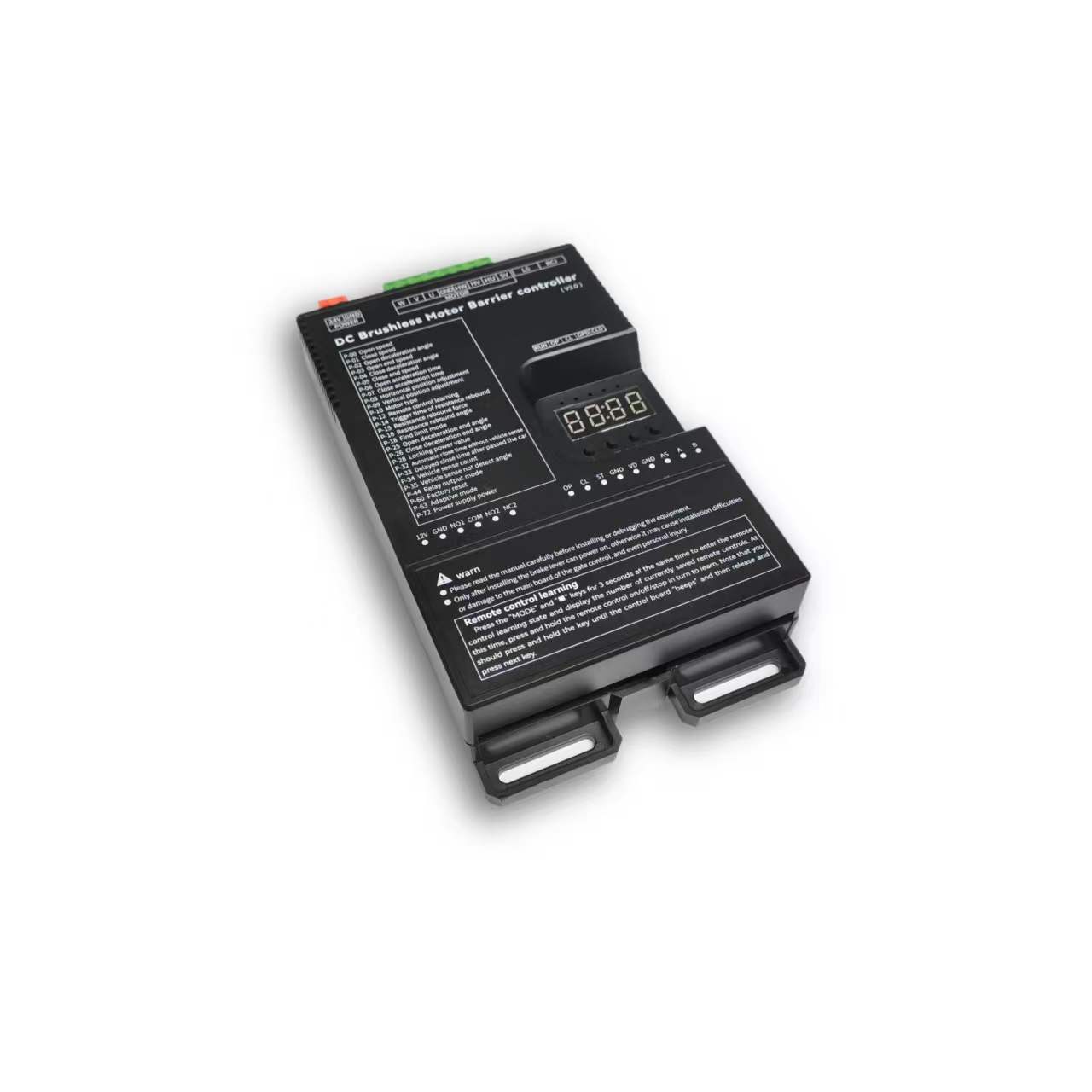
ความปลอดภัยและคุณสมบัติ
Installation, operation and maintenance+
Read the manual before use and keep it for reference. Transport, use and store within the permitted temperature and humidity. Keep liquid out, provide ventilation and do not block vents. Avoid heavy pressure, severe vibration and immersion. Transport in original packaging or equivalent protection. Grounding through the grounding hole is recommended. Do not disassemble without authorization. Use manufacturer-specified accessories, installed and serviced by qualified personnel. Do not extend, shorten or add weight to the boom without authorization.
คู่มือฉบับดั้งเดิม · 2 ↗คุณสมบัติทางเทคนิค+
Power Supply: DC 24V +/-10% 10A Motor Power: Max 250W Static Power: <2W Boom Raise/Lower Speed: 1%-100% adjustable Operating Temperature: -40℃ ~ 75℃ Operating Humidity: 30%~80% (no condensation)
คู่มือฉบับดั้งเดิม · 2 ↗คุณสมบัติของผลิตภัณฑ์+
DC 24 V supply; static power below 2 W; maximum motor power 250 W; independent raise/lower speed adjustment; multistage speed control; working noise below 50 dB. Motor overcurrent, overload, short-circuit, motor fault and reverse-polarity protection. External remote-control input, configurable parameters, windproof, anti-freeze, anti-rust and relay output modes. Light-sensor control for advertising lighting.
คู่มือฉบับดั้งเดิม · 2 ↗Before changing parameters+
Some preset default values may differ from the defaults printed in the parameter table. Use the entries for this controller model and manual version. Original inconsistencies are noted beside the affected entries.
คู่มือฉบับดั้งเดิม · 6 ↗ปุ่มและวิธีการตั้งค่า
Buttons: Open / Close / Menu / Stop+
1. Button Description The controller has 4 buttons. From left to right, they are "Open/+", "Close/-", "Menu", and "Stop/Cancel". Various parameters of the controller can be set through these 4 buttons. "Open/+": In normal working state, pressing this button raises the boom. After entering the setting state, this button can be used to increase menu items and adjust setting values upward. In the parameter setting state, short press increments by 1 each time. Long press continuously increases to the maximum value, then starts from the minimum value. If long pressed for a longer time, the continuous increment will speed up. "Close/-": In normal working state, pressing this button lowers the boom. After entering the setting state, this button can be used to decrease menu items and adjust setting values downward. In the parameter setting state, short press decrements by 1 each time. Long press continuously decreases to the minimum value, then starts from the maximum value. If long pressed for a longer time, the continuous decrement will speed up. "Menu": This key has 3 functions: 1. In normal working mode, long press this key for 3 seconds to enter the menu item selection state. The LED displays "P-XX", then you can press "Open/+" and "Close/-" buttons to select menu items; 2. In the menu item selection state, short press "Menu" to enter the parameter setting state; 3. After parameter setting is complete, short press to save and exit. "Stop/Cancel": In normal working mode, this button functions as stop. In the menu item selection state, it exits the setting state. In the parameter setting state, pressing this key will exit the current state and return to the menu selection state (i.e., return to the previous menu level), and the set value will be invalid. If there is no button operation for 60 seconds in the menu selection state and parameter setting state, the buzzer will sound a long beep and the controller will return to normal working state.
คู่มือฉบับดั้งเดิม · 5 ↗LED display and power saving+
The control board has a four-digit LED display that can show barrier gate working status, parameters, menu items, and other information. After power-on, it runs in low-power mode, during which the LED display brightness is dim. Pressing any button will make the LED display enter normal working mode with high brightness. If there is no button press, after 60 seconds it enters low-power mode and the LED brightness dims to reduce power consumption. After 2 minutes without button operation, the LED display will turn off, entering the lowest energy consumption state.
คู่มือฉบับดั้งเดิม · 5 ↗Set and save a parameter+
3. Parameter Settings You can enter the parameter setting state by long pressing the "Menu" button for 3 seconds. The LED will display "P-XX". Select menu items by short or long pressing the "Open/+" and "Close/-" buttons. Short press increments or decrements by 1, long press continuously increases or decreases. Press "Menu" again to enter the setting of the specified item. Press "Stop/Cancel" to return to the previous level or exit settings. After setting a specified parameter, you must press the "Menu" key to confirm for it to take effect. Pressing "Stop/Cancel" will not save the set parameters. If there is no button operation for 60 seconds, the buzzer on the control board will sound a long beep, exit the setting state, and return to normal working state.
ขั้นตอน
- Hold Menu for 3 seconds.
- Select P-XX with Open/+ or Close/-.
- Press Menu to enter the setting and adjust the value.
- Press Menu to save. Stop/Cancel discards the current change.
- Settings time out after 60 seconds without a button press.
Motion & limits
P-00Boom raising speed+
ค่าเริ่มต้น80
RANGE10-200
The larger the value, the faster the speed; the smaller the value, the slower the speed. When the value reaches 200 and the required speed is still not achieved, increase P-72. (When P-63 is 0 or 1, values exceeding 100 are treated as 100; when P-63 is set to 2, values exceeding 100 are effective)
คู่มือฉบับดั้งเดิม · 6 ↗P-01Boom lowering speed+
P-02Boom raising deceleration angle+
ค่าเริ่มต้น45
RANGE10-90
Used to set the position where deceleration begins during boom raising. Measured in degrees, 0 degrees represents the horizontal position and 90 degrees represents the vertical position. This parameter indicates the angle at which the boom starts to decelerate during raising.
คู่มือฉบับดั้งเดิม · 6 ↗P-03Boom raising end speed+
ค่าเริ่มต้น10
RANGE1-80
The speed at which boom raising ends. Too small a value will result in incomplete opening; too large a value will cause shaking.
คู่มือฉบับดั้งเดิม · 6 ↗P-04Boom lowering deceleration angle+
ค่าเริ่มต้น55
RANGE0-80
Used to set the position where deceleration begins during boom lowering. Measured in degrees, 0 degrees represents the horizontal position and 90 degrees represents the vertical position. This parameter indicates the angle at which the boom starts to decelerate during lowering.
คู่มือฉบับดั้งเดิม · 6 ↗P-05Boom lowering end speed+
ค่าเริ่มต้น5
RANGE1-80
The speed at which boom lowering ends. Too small a value will result in incomplete closing; too large a value will cause shaking. If P-26 sets a boom lowering low-speed angle within a valid range, the boom will run at this speed in the low- speed uniform zone.
คู่มือฉบับดั้งเดิม · 6 ↗P-06Boom raising acceleration time+
ค่าเริ่มต้น60
RANGE0-255
Time required to accelerate from start of boom raising to the speed set by P-00 (larger value means longer time). (Unit: 0.01 seconds)
คู่มือฉบับดั้งเดิม · 6 ↗P-07Boom lowering acceleration time+
ค่าเริ่มต้น50
RANGE0-255
Time required to accelerate from start of boom lowering to the speed set by P-01 (larger value means longer time). (Unit: 0.01 seconds)
คู่มือฉบับดั้งเดิม · 6 ↗P-08Horizontal position fine- tuning+
ค่าเริ่มต้น15
RANGE0-255
Distance from the boom horizontal position to the horizontal mechanical limit. The larger the value, the farther the distance, and vice versa. When the barrier gate completes self-check and is in the set position state, this parameter can be modified in real time by manually turning. This parameter cannot be too small, otherwise the connecting rod will hit the mechanical limit when fully closed, risking damage to the mechanism and mainboard.
คู่มือฉบับดั้งเดิม · 6 ↗P-09Vertical position fine- tuning+
ค่าเริ่มต้น15
RANGE0-255
Distance from the boom vertical position to the vertical mechanical limit. The larger the value, the farther the distance, and vice versa. When the barrier gate completes self-check and is in the set position state, this parameter can be modified in real time by manually turning. This parameter cannot be too small, otherwise the connecting rod will hit the mechanical limit when fully open, risking damage to the mechanism and mainboard.
คู่มือฉบับดั้งเดิม · 6 ↗P-10Motor type+
ค่าเริ่มต้น0
RANGE0-3
Due to different motor Hall polarity, barrier gate mechanism gear reduction ratios, and left/right boom orientations, this parameter is used to be compatible with various types of motors and barrier gates. 0: Motor positive polarity, gear reducer positive polarity; 1: Motor positive polarity, gear reducer negative polarity; 2: Motor negative polarity, gear reducer positive polarity; 3: Motor negative polarity, gear reducer negative polarity
คู่มือฉบับดั้งเดิม · 6 ↗P-17Limit position learning speed+
ค่าเริ่มต้น40
RANGE10-80
Set different speeds for finding upper and lower limit positions. After entering the menu, the first setting is the speed for finding the upper limit. The display shows "1-XX", where XX represents the speed for finding the upper limit. Adjust the speed by pressing "Open/+" and "Close/-". After setting the upper limit speed, press "Menu" and the display shows "2-XX", where XX represents the speed for finding the lower limit. Adjust the speed the same way. After both speeds are set, press "Menu" to save. If "Stop/Cancel" is pressed during the process, the settings will be invalid.
คู่มือฉบับดั้งเดิม · 7 ↗P-18Limit position search mode+
ค่าเริ่มต้น0
RANGE0-2
0: Search for both limits. 1: Search for upper limit. 2: Search for lower limit.
คู่มือฉบับดั้งเดิม · 7 ↗P-19Manual learn upper limit+
After entering this setting, the display shows L-00. The boom automatically raises to the limit and stops, showing L-01. The operation is the same as P-21, searching for vertical and horizontal limits. After learning the horizontal position, it automatically returns to the setting page, indicating success. Then set P-18 to 1 to use.
คู่มือฉบับดั้งเดิม · 7 ↗P-20Manual learn lower limit+
Same as P-19 but reversed. After entering, the display shows L-00. It automatically finds the lower limit. When reached, it stops and shows L-01. The user manually finds the horizontal and vertical positions. The first confirmation is the horizontal position, showing L-02. The second is the vertical position, then it returns to the setting page. Set P-18 to 2 to use.
คู่มือฉบับดั้งเดิม · 7 ↗P-21Manual learn upper and lower limits+
After entering this setting, the display shows L-00. The barrier gate first automatically lowers the boom. When in position, it shows L-01, then automatically raises until reaching the limit and stops, showing L-02. At this point, pressing raise or lower will raise or lower the boom, and releasing will stop. The mechanical limit will trigger an alarm. The user can adjust the position manually. Press Menu to learn one limit position. The first press of Menu sets the vertical limit, showing L-03. The second press sets the horizontal limit. After the second press, it automatically returns to the setting page, indicating successful learning. After this function is set, P-18 must also be set to 0.
คู่มือฉบับดั้งเดิม · 7 ↗P-22Boom raising rebound buffer time+
ค่าเริ่มต้น80
RANGE10-255
Buffer time from boom raising to lowering. Too short a time may cause excessive instantaneous current. (Unit: 0.01 seconds)
คู่มือฉบับดั้งเดิม · 8 ↗P-23Boom lowering rebound buffer time+
ค่าเริ่มต้น50
RANGE10-255
Buffer time from boom lowering to raising. Too short a time may cause excessive instantaneous current. (Unit: 0.01 seconds)
คู่มือฉบับดั้งเดิม · 8 ↗P-24Stop buffer time+
ค่าเริ่มต้น60
RANGE10-255
Time required for the motor to stop from running when Stop is pressed during boom raising or lowering. Too large a value will result in very slow and stable stopping. Too short a time may cause excessive instantaneous current. (Unit: 0.01 seconds)
คู่มือฉบับดั้งเดิม · 8 ↗P-25Boom raising deceleration end angle+
ค่าเริ่มต้น90
RANGE45-90
During boom raising, the boom first accelerates to P-00, then starts decelerating at P-02. At this option, deceleration stops and uniform motion begins until boom raising is complete.
คู่มือฉบับดั้งเดิม · 8 ↗P-26Boom lowering deceleration end angle+
ค่าเริ่มต้น10
RANGE0-45
During boom lowering, the boom first accelerates to P-01, then starts decelerating at P-04. At this option, deceleration stops and uniform motion begins until boom lowering is complete.
คู่มือฉบับดั้งเดิม · 8 ↗รีโมทคอนโทรล
P-11Remote control learning method+
The range is 0–4, but only modes 0, 1 and 4 are explained. Modes 2 and 3 are not documented.
ค่าเริ่มต้น0
RANGE0-4
0: Learn by sequentially pressing Open/Close/Stop; 1: Learn by pressing any one key; 4: One-key learning of specified type remote control (up to 200 remote controls can be learned in this mode, not compatible with non-original remote controls). Note: When the original setting is not 4, setting this parameter to 4 will automatically clear learned remote controls; when the original setting is 4, setting other values will also automatically clear learned remote controls.
คู่มือฉบับดั้งเดิม · 7 ↗P-12Remote control learning+
ค่าเริ่มต้น0
RANGE0-50
Remote control learning: Entering P-12 will show the current number of saved remote controls. Press the remote control's Open/Close/Stop in sequence to learn. Keep pressing until the control board beeps once, then release and press the next button. When the control board beeps a long beep or the displayed number increments by 1, learning is complete. You can continue learning the next one or press Cancel to return. Remote control deletion: In this menu, press "+" or "-" to modify the number of learned remote controls, press "Menu" to confirm, and delete the learned remote controls after that number.
คู่มือฉบับดั้งเดิม · 7 ↗P-13Remote control convoy mode+
ค่าเริ่มต้น0
RANGE0-3
0: Normal remote control mode; (Temporary convoy mode entry: After the barrier gate is fully open, long press the remote control Open button for more than 5 seconds to temporarily enter convoy mode. The buzzer will sound for 2 seconds. Press Close to exit convoy mode and the barrier gate will close.) 1: Remote control "Open" enters convoy mode. Before manually lowering the boom, ground sensor signals will not be processed, and the boom stays raised; 2: Manual mode. All boom opening actions will enter convoy mode, and ground sensor triggers will not lower the boom. 3: Disable convoy mode.
คู่มือฉบับดั้งเดิม · 7 ↗P-82Bluetooth connection type+
ค่าเริ่มต้น1
RANGE0-3
Bluetooth verification permission: When the mini program first connects to the mainboard via Bluetooth, in normal working state, long press "Pause" for 3 seconds. The buzzer will sound a long beep and display -LY-, opening Bluetooth verification permission for 30 minutes. Then perform the Bluetooth connection operation. Once the mini program has the mainboard connection data, subsequent connections to this mainboard can be verified directly. 0: Allow verified phones to connect directly; 1: Do not allow verified phones to connect directly. Each connection requires long pressing "Pause" to open Bluetooth verification permission; 2: Automatically start 30-minute Bluetooth connection verification permission on each power- on; 3: Disable Bluetooth mini program connection.
คู่มือฉบับดั้งเดิม · 14 ↗Detection & automatic closing
P-14Obstacle rebound trigger time+
ค่าเริ่มต้น5
RANGE1-40
How long an obstacle must be encountered before it is judged as an obstacle. (Unit: 0.05 seconds)
คู่มือฉบับดั้งเดิม · 7 ↗P-15Obstacle rebound force+
ค่าเริ่มต้น65
RANGE1-100
How much resistance is considered an obstacle. The rebound condition is: the resistance set by P-15 is encountered and lasts for the time set by P-14.
คู่มือฉบับดั้งเดิม · 7 ↗P-16Obstacle rebound angle+
ค่าเริ่มต้น10
RANGE0-90
When the boom angle is below this value, obstacle rebound will not occur. 0 disables this function.
คู่มือฉบับดั้งเดิม · 7 ↗P-27Anti-smash function+
ค่าเริ่มต้น1
RANGE0-9
Whether the anti-smash port signal is valid; 0: Invalid, triggering anti-smash signal does not raise the boom. 1: Valid, triggering anti-smash signal during boom lowering raises the boom. 2: Anti-smash interface multiplexed as "Open" interface function. 3: Anti-smash interface multiplexed as "Close" interface function. 4: Anti-smash interface multiplexed as ground sensor interface function. (After multiplexing, the original function's interface becomes invalid.) 5: Anti-smash terminal connected to radar for pedestrian anti-smash. (Valid during boom lowering, resumes lowering after target disappears, i.e., does not change the original raise/lower state, only for anti-smash of people/vehicles.) 6: Anti-smash interface multiplexed as "Open" interface function, while keeping the original "Open" interface valid. 7: Anti-smash interface multiplexed as "Fire interface". When triggered, raises the boom and automatically enters convoy mode. 8: Anti-smash interface multiplexed as Open, Stop interface multiplexed as ground sensor. (Original Open and ground sensor interfaces become invalid.) 9: Anti-smash interface multiplexed as ground sensor interface, original ground sensor interface remains valid.
คู่มือฉบับดั้งเดิม · 8 ↗P-28Lock power+
ค่าเริ่มต้น255
RANGE0-255
When the motor stops in a non-mechanical lock zone, since there is no mechanical lock, the spring force will pull the boom up. This function uses controller output control for locking, which may cause the motor and board to heat up. It is recommended to set according to actual conditions and not set too high. When the value is 255, the lock power is auto-adaptive.
คู่มือฉบับดั้งเดิม · 8 ↗P-29Lock time at fully open position+
ค่าเริ่มต้น0
RANGE0-255
How long to maintain locking after the boom reaches the fully open position before releasing the lock. (Unit: seconds) When set to 255, the lock is maintained at fully open position without timing.
คู่มือฉบับดั้งเดิม · 8 ↗P-30Lock time at fully closed position+
ค่าเริ่มต้น0
RANGE0-255
How long to maintain locking after the boom reaches the fully closed position before releasing the lock. (Unit: seconds) When set to 255, the lock is maintained at fully closed position without timing.
คู่มือฉบับดั้งเดิม · 8 ↗P-31Reverse lock turns+
ค่าเริ่มต้น0
RANGE0-20
If the motor reverses for various reasons during boom raising, how many turns before locking.
คู่มือฉบับดั้งเดิม · 9 ↗P-32Auto lowering time without ground sensor+
ค่าเริ่มต้น0
RANGE0-255
Time for the boom to automatically lower without ground sensor trigger. Set to 0 means no auto lowering without ground sensor. (Unit: seconds)
คู่มือฉบับดั้งเดิม · 9 ↗P-33Vehicle passing delayed lowering time+
ค่าเริ่มต้น2
RANGE0-255
How long after the ground sensor signal disappears before lowering begins. Default 0.2 seconds. (Unit: 0.1 seconds)
คู่มือฉบับดั้งเดิม · 9 ↗P-34Ground sensor count+
ค่าเริ่มต้น1
RANGE0-4
0: No boom raising count, vehicle passing lowers boom. 1: Counts boom raising signals, max count is 1. When ground sensor is triggered, the count is decremented. When ground sensor disappears and count is 0, lower the boom. 2: Counts boom raising signals, max count is 2. When ground sensor is triggered, the count is decremented. When ground sensor disappears and count is 0, lower the boom. 3: Counts boom raising signals, max count is 3. When ground sensor is triggered, the count is decremented. When ground sensor disappears and count is 0, lower the boom. 4: Counts boom raising signals, max count is 255. When ground sensor is triggered, the count is decremented. When ground sensor disappears and count is 0, lower the boom.
คู่มือฉบับดั้งเดิม · 9 ↗P-35Ground sensor no- detection angle+
ค่าเริ่มต้น10
RANGE0-45
When the boom angle is below this value, ground sensor signals will not be processed and the boom lowers directly.
คู่มือฉบับดั้งเดิม · 9 ↗P-36Ground sensor trigger buzzer frequency+
ค่าเริ่มต้น4
RANGE0-20
Buzzer frequency when ground sensor is triggered. 0 disables the buzzer. The larger the number, the faster the buzzer speed.
คู่มือฉบับดั้งเดิม · 9 ↗P-37Ground sensor signal trigger judgment time+
ค่าเริ่มต้น4
RANGE1-255
How long the signal must be maintained to be considered a ground sensor trigger. (Unit: 0.01 seconds)
คู่มือฉบับดั้งเดิม · 9 ↗P-38Ground sensor signal valid judgment time+
ค่าเริ่มต้น4
RANGE1-255
When the ground sensor is triggered, how long the signal must be continuously maintained to be considered a valid ground sensor signal (i.e., a vehicle is present). (Unit: 0.01 seconds)
คู่มือฉบับดั้งเดิม · 9 ↗P-42Boom raising priority+
The range column lists 0–2, but the description also lists 50–80. Confirm support for those additional angle values.
ค่าเริ่มต้น1
RANGE0-2
0: In all states, all control signals have the same priority. 1: Boom raising has the highest priority. During boom raising, other signals are invalid. 2: During boom raising, if the vehicle has already passed the ground sensor, boom lowering starts immediately without waiting for the barrier gate to fully open. 50-80: During boom raising, if the vehicle has already passed the ground sensor before the gate is fully open, the barrier gate starts lowering at the angle set by this value.
คู่มือฉบับดั้งเดิม · 9 ↗P-43Boom raising signal judgment time+
ค่าเริ่มต้น5
RANGE1-255
How long the boom raising signal must be maintained to be considered a valid boom raising signal. (Unit: 0.01 seconds)
คู่มือฉบับดั้งเดิม · 9 ↗P-58Auto close count after manual boom raising+
ค่าเริ่มต้น0
RANGE0-255
When the boom is at fully closed position and manually raised beyond 10 degrees, the machine will automatically lower the boom. This parameter sets how many times to lower. When the manual boom raising and lowering count exceeds this value, it will not trigger lowering again. Each normal raise/lower cycle resets the auto lowering count to zero. If set to 255, counting is not performed and this function is always active.
คู่มือฉบับต้นฉบับ · 13 ↗P-68Ground sensor pause during boom lowering+
ค่าเริ่มต้น0
RANGE0-1
0: When ground sensor is triggered during boom lowering, the barrier gate automatically raises the boom; 1: When ground sensor is triggered during boom lowering, the barrier gate stops at the current position (can partially serve as an anti-toll-evasion function).
คู่มือฉบับต้นฉบับ · 13 ↗P-73Auto lowering speed without ground sensor+
ค่าเริ่มต้น40
RANGE0-80
Auto lowering speed without ground sensor. When set to 0, it is invalid. Auto lowering without ground sensor uses P-01 (boom lowering speed) as the lowering speed. When set to a non-zero value, this parameter replaces P-01 (boom lowering speed) as the lowering speed. This function addresses the issue where auto lowering without ground sensor may be too fast and hit pedestrians. A relatively small auto lowering speed parameter can be set to prevent auto lowering from hitting pedestrians.
คู่มือฉบับดั้งเดิม · 14 ↗P-83Boom raising ground sensor no-detection angle+
ค่าเริ่มต้น20
RANGE0-80
During boom raising, when the boom angle is below the set value, ground sensor triggers are invalid.
คู่มือฉบับดั้งเดิม · 14 ↗P-89Ground sensor following car auto lowering time+
ค่าเริ่มต้น0
RANGE0-255
Used to solve the problem where the front car has not left the ground sensor when the rear car gives an open signal and follows too closely, causing the front car to leave the ground sensor but the signal does not disappear and the boom does not lower. The set value is the lowering time for this situation, in units of 10 seconds. Setting to 0 disables this function. (30 means 300 seconds)
คู่มือฉบับต้นฉบับ · 15 ↗System & other parameters
P-39Undocumented menu slot+
The original manual marks this menu slot with “/” and provides no setting instructions.
คู่มือฉบับดั้งเดิม · 9 ↗P-40Undocumented menu slot+
The original manual marks this menu slot with “/” and provides no setting instructions.
คู่มือฉบับดั้งเดิม · 9 ↗P-41Light sensor lamp off threshold+
ค่าเริ่มต้น0
RANGE0-50
0: This parameter is invalid. The light sensor lamp is fully controlled by P-46. Other: Light sensor lamp off threshold. When the ambient light intensity falls below this value, the light sensor lamp starts delayed turn-off. (P-41 works with P-46. P-46 sets the turn-on threshold, P-41 sets the turn-off threshold. By setting P-41 to a value smaller than P-46, you can solve the problem where the light box illumination affects the light sensor receiver, causing unstable light box control.)
คู่มือฉบับดั้งเดิม · 9 ↗P-44Relay output mode+
ค่าเริ่มต้น3
RANGE0-19
Default: 3. The controller has two relays. The relay output can be set through output modes to meet different application requirements. 0: Traffic light mode 1: Advertising light mode 2: Ground sensor mode 3: Traffic light mode 1 4: Traffic light mode 2 5: Pulse mode 6: Traffic light mode 3 7: Traffic light mode 4 8: Barrier gate working status mode 9: Traffic light mode 5 10: / 11: / 12: Barrier gate working status 2 13: Ground sensor, Open signal passthrough 14: Open signal passthrough + Traffic light 15: Open-in-position pulse + Traffic light 16: Barrier gate working status 3 17: Barrier gate position pulse output 18: Large vehicle gate opening ground sensor signal sync + Traffic light 19: Advertising light + Large vehicle gate opening ground sensor signal sync See the "Relay Mode Output and Relay Switch Closure Self-Check Relationship Table" below for details.
คู่มือฉบับดั้งเดิม · 9 ↗P-45Light sensor value+
Current ambient light intensity. The smaller the value, the brighter the environment.
คู่มือเดิม · 12 ↗P-46Light sensor threshold+
ค่าเริ่มต้น30
RANGE0-200
When the current ambient light intensity exceeds this value and P-44 related settings are configured, a relay signal will be output.
คู่มือเดิม · 12 ↗P-47Delayed open+
ค่าเริ่มต้น10
RANGE0-255
How long to delay outputting relay signal when current light exceeds P-46. (Unit: seconds)
คู่มือเดิม · 12 ↗P-48Delayed close+
ค่าเริ่มต้น250
RANGE0-255
How long to delay turning off relay output when current ambient light is below P-46. (Unit: seconds)
คู่มือเดิม · 12 ↗P-49Ambient temperature+
This option displays the current ambient temperature on the LED display.
คู่มือเดิม · 12 ↗P-50Antifreeze temperature threshold+
ค่าเริ่มต้น0
RANGE-40-0
At low temperatures, to prevent the machine from freezing, when this function is enabled and the temperature falls below the set value, if the barrier gate has not moved within the P-52 time interval, it will automatically run to the P-51 angle and then close.
คู่มือเดิม · 12 ↗P-51Antifreeze boom raising angle+
ค่าเริ่มต้น0
RANGE0-45
Range: 0-45, default: 0. Antifreeze activation angle. When the ambient temperature drops to the P-50 setting, after the P-52 time interval expires, the barrier gate will open to the angle set by this parameter, then automatically close. If this parameter is 0, the antifreeze function is disabled. Only when both P-51 and P-52 are non-zero is the antifreeze function enabled. When the ambient temperature falls below the set value, timing begins. If the barrier gate does not move during the timing period, when the time interval set by this command is reached, the barrier gate opens to the P-51 set angle, then automatically closes.
คู่มือเดิม · 12 ↗P-52Antifreeze boom raising time interval+
ค่าเริ่มต้น0
RANGE0-255
When the ambient temperature drops below the set value, timing begins. If the barrier gate has no movement during the timing period, after the time interval set by this command, the barrier gate opens to the angle set by P-51, then automatically closes. If this parameter is set to 0, the antifreeze function is disabled. (Unit: minutes)
คู่มือเดิม · 12 ↗P-53Antirust open angle+
ค่าเริ่มต้น0
RANGE0-45
Antirust boom raising angle. If this parameter is not 0, after the time interval specified by P-54, the controller will open to the angle specified by this parameter, then automatically close. During normal operation, boom raising and lowering will reset the time interval and restart timing. If this parameter is 0, the antirust function is disabled.
คู่มือเดิม · 12 ↗P-54Antirust boom raising time interval+
ค่าเริ่มต้น0
RANGE0-255
If the barrier gate is installed at a site and not used for a long time, it may rust. You can enable this parameter to make the barrier gate open once after a certain time interval. The opening angle is set by P-53. If this parameter is 0, the antirust function is disabled. Both P-53 and P-54 must be non-zero to enable the antirust function. (Unit: hours)
คู่มือฉบับต้นฉบับ · 13 ↗P-55Set 485 baud rate+
ค่าเริ่มต้น4
RANGE0-4
Set the control board baud rate. 0: 9600; 1: 19200; 2: 38400; 3: 57600; 4: 115200
คู่มือฉบับต้นฉบับ · 13 ↗P-56Set 485 address+
P-57Controller master/slave mode+
ค่าเริ่มต้น0
RANGE0-1
Set the control board master/slave mode. 0: Slave mode. 1: Master mode.
คู่มือฉบับต้นฉบับ · 13 ↗P-59Auto test+
ค่าเริ่มต้น0
RANGE0-255
Auto test time interval. 0 means auto test is disabled. Used for auto testing and aging tests. Set this parameter to 0 after testing to cancel auto test. Short press "Open" to start open/close position auto test. Long press "Open" to start simulated boom lowering to middle position then raising auto test.
คู่มือฉบับต้นฉบับ · 13 ↗P-60Restore default settings+
ค่าเริ่มต้น0
RANGE0-255
This option has three functions: clear remote controls, partial factory reset, full factory reset. To prevent misoperation, a specific value must be set before pressing "Menu" to complete the operation. 5: Clear remote controls 10: Factory reset (remote controls and motor type are not restored) 15: Full factory reset
คู่มือฉบับต้นฉบับ · 13 ↗P-61Undocumented menu slot+
The original manual marks this menu slot with “/” and provides no setting instructions.
คู่มือฉบับต้นฉบับ · 13 ↗P-62Undocumented menu slot+
The original manual marks this menu slot with “/” and provides no setting instructions.
คู่มือฉบับต้นฉบับ · 13 ↗P-63Adaptive mode+
ค่าเริ่มต้น2
RANGE0-3
0: Normal mode; 1: Use adaptive mode for limit initialization; 2: Use adaptive mode for both limit initialization and boom raising/lowering; 3: Fast gate mode.
คู่มือฉบับต้นฉบับ · 13 ↗P-64Barrier gate boom raising/lowering timeout+
The parameter table gives an adjustable timeout of 6–40 seconds (default 30), while the Err5/Err6 descriptions say 15 seconds. The source is inconsistent; confirm the firmware behavior.
ค่าเริ่มต้น30
RANGE6-40
Set the barrier gate boom raising/lowering timeout. If the barrier gate boom raising/lowering exceeds the set time without reaching position, the barrier gate will automatically pause and report a boom raising timeout warning (Err5) or boom lowering timeout warning (Err6). (Unit: seconds)
คู่มือฉบับต้นฉบับ · 13 ↗P-65Power-off auto raise/lower voltage+
ค่าเริ่มต้น0
RANGE0-21
0: Disabled; 1-21: Trigger auto raise/lower voltage. This function requires a backup power supply and must be configured with P-69. Recommended setting: 20.
คู่มือฉบับต้นฉบับ · 13 ↗P-66Brake reverse voltage warning threshold+
The range column lists 30–100 V, while the description also specifies 0 to disable the warning. This source exception is retained.
ค่าเริ่มต้น55
RANGE30-100
For situations where the barrier gate spring is poorly matched, warns when the motor deceleration produces excessive reverse voltage. The warning sound is 5 fast buzzer beeps, and the display shows ERR2. This warning does not interrupt barrier gate operation. It can be mitigated by reducing the barrier gate running speed or matching the spring and boom balance. (Unit: V). Setting to 0 disables this warning.
คู่มือฉบับต้นฉบับ · 13 ↗P-67LED display drive voltage and current+
ค่าเริ่มต้น1
RANGE0-1
0: Do not display voltage and current data. 1: During boom raising and lowering, the LED displays drive voltage (Unit: V) or drive current (Unit: A). In working mode, short press "Menu" to toggle between current and voltage display.
คู่มือฉบับต้นฉบับ · 13 ↗P-69Power-off auto run function+
ค่าเริ่มต้น1
RANGE0-4
Set the power-off auto run option. When P-65 is not 0 and the supply voltage is detected to be below the P-65 set value, the barrier gate's handling method: 0: No action; 1: Auto raise boom; 2: Auto lower boom; 3: No action when at open/close position; auto raise boom when in middle position; 4: No action when at open/close position; auto lower boom at low speed when in middle position.
คู่มือฉบับต้นฉบับ · 13 ↗P-70Custom parameter settings+
No operating description is provided in the source manual.
คู่มือฉบับดั้งเดิม · 14 ↗P-71Overcurrent protection value+
ค่าเริ่มต้น140
RANGE20-160
Overcurrent protection value. When the barrier gate running current exceeds this value, the barrier gate automatically stops. If overcurrent protection occurs during boom lowering, the barrier gate treats it as obstacle rebound. (Unit: 0.1A)
คู่มือฉบับดั้งเดิม · 14 ↗P-72Power output+
ค่าเริ่มต้น90
RANGE20-100
Maximum output power percentage during barrier gate operation. (Non-professionals should operate with caution)
คู่มือฉบับดั้งเดิม · 14 ↗P-74Undocumented menu slot+
The original manual marks this menu slot with “/” and provides no setting instructions.
คู่มือฉบับดั้งเดิม · 14 ↗P-75Undocumented menu slot+
The original manual marks this menu slot with “/” and provides no setting instructions.
คู่มือฉบับดั้งเดิม · 14 ↗P-76Undocumented menu slot+
The original manual marks this menu slot with “/” and provides no setting instructions.
คู่มือฉบับดั้งเดิม · 14 ↗P-77Undocumented menu slot+
The original manual marks this menu slot with “/” and provides no setting instructions.
คู่มือฉบับดั้งเดิม · 14 ↗P-78Auto send barrier gate status data+
ค่าเริ่มต้น0
RANGE0-1
When set to 1, the barrier gate automatically sends status commands when triggering raise/lower actions.
คู่มือฉบับดั้งเดิม · 14 ↗P-79Undocumented menu slot+
The original manual marks this menu slot with “/” and provides no setting instructions.
คู่มือฉบับดั้งเดิม · 14 ↗P-80Undocumented menu slot+
The original manual marks this menu slot with “/” and provides no setting instructions.
คู่มือฉบับดั้งเดิม · 14 ↗P-81Adaptive mode limit learning power+
ค่าเริ่มต้น50
RANGE10-80
In adaptive mode, the maximum power for learning limit positions. For some power supplies with lower power, if overcurrent protection occurs during limit learning, this parameter can be reduced. For poorly matched spring counterweights where the motor torque is insufficient during limit learning boom raising/lowering, increase this parameter.
คู่มือฉบับดั้งเดิม · 14 ↗P-84Expansion port mode+
ค่าเริ่มต้น0
RANGE0-5
0: 485 mode 1-3: TX pin multiplexed as colored light strip flash mode 1. The larger the value, the higher the light strip brightness. 4: Colored light strip flash mode 2 5: Colored light strip flash mode 3
คู่มือฉบับดั้งเดิม · 14 ↗P-85Undocumented menu slot+
The original manual marks this menu slot with “/” and provides no setting instructions.
คู่มือฉบับต้นฉบับ · 15 ↗P-86Undocumented menu slot+
The original manual marks this menu slot with “/” and provides no setting instructions.
คู่มือฉบับต้นฉบับ · 15 ↗P-87Undocumented menu slot+
The original manual marks this menu slot with “/” and provides no setting instructions.
คู่มือฉบับต้นฉบับ · 15 ↗P-88Control interface disable+
ค่าเริ่มต้น0
RANGE0-3
0: All enabled; 0x01: Disable Open/Close/Stop port; 0x02: Disable remote control interface; 0x03: Disable both Open/Close/Stop and remote control.
คู่มือฉบับต้นฉบับ · 15 ↗P-90Barrier gate limit verification+
ค่าเริ่มต้น0
RANGE0-1
0: Off; 1: On. Enabling this function can optimize the issue where some barrier gate parameters are poorly matched, and during self-check, limit positions are easily misjudged, causing incorrect self-check angles and the switch not being in position.
คู่มือฉบับต้นฉบับ · 15 ↗Relay output modes
P-440: Traffic light mode+
Relay 1: Opens at fully open, closes at fully closed Relay 2: Closes at fully open, opens at fully closed
คู่มือฉบับดั้งเดิม · 10 ↗P-441: Advertising light mode+
Relay 1: Used for advertising barrier gates. Opens/closes advertising gate lights based on external light sensor Relay 2: Closes after boom reaches fully closed position and manually raised beyond 5 degrees Can be used to connect an alarm
คู่มือฉบับดั้งเดิม · 10 ↗P-442: Ground sensor mode+
Relay 1: Closes when boom raising starts Opens at fully closed position Relay 2: Not used
คู่มือฉบับดั้งเดิม · 10 ↗P-443: Traffic light mode 1+
Relay 1: Same as the advertising light mode, used for advertising barrier gates. The light of the advertising barrier gate is turned on/off according to the externally connected light sensor. Relay 2: Normally closed contact connects to the red light, normally open contact connects to the green light.When the barrier gate is fully opened, the relay closes and the green light turns on; otherwise, the relay disconnects and the red light turns on.
คู่มือฉบับดั้งเดิม · 10 ↗P-444: Traffic light mode 2+
Relay 1: Connected to the red light: the relay closes when the barrier gate starts closing, and disconnects after the barrier gate is fully opened. Relay 2: Connected to the green light: the relay closes after the barrier gate is fully opened, and disconnects when the barrier gate starts closing.
คู่มือฉบับดั้งเดิม · 10 ↗P-445: Pulse mode+
Relay 1: When the barrier gate is fully closed, the relay closes for 1 second and then disconnects. Relay 2: The relay closes after the barrier gate is fully closed, and the relay disconnects after the barrier gate is fully opened.
คู่มือฉบับดั้งเดิม · 10 ↗P-446: Traffic light mode 3+
Relay 1: Same as advertising light mode.Used for advertising barrier gates. Opens/closes advertising gate lights based on external light sensor. Relay 2: Normally closed connects red light, normally open connects green light. Relay closes and green light turns on when barrier gate angle is greater than 60 degrees.Otherwise relay opens and red light turns on.
คู่มือฉบับดั้งเดิม · 10 ↗P-447: Traffic light mode 4+
Relay 1: Opens during boom raising. Closes during boom lowering. Relay 2: Closes during boom raising. Opens during boom lowering.
คู่มือฉบับดั้งเดิม · 10 ↗P-448: Barrier gate working status mode+
Relay 1: The relay closes when the barrier gate is fully closed, and disconnects while the barrier gate is running or in a paused state at an intermediate position. Relay 2: The relay closes when the barrier gate is fully opened, and disconnects while the barrier gate is running or in a paused state at an intermediate position.
คู่มือฉบับดั้งเดิม · 10 ↗P-449: Traffic light mode 5+
Relay 1: Turn on/off the light of the advertising barrier gate according to the externally connected light sensor. Relay 2: The relay closes when the barrier gate is fully closed, and disconnects in all other states.
คู่มือฉบับดั้งเดิม · 10 ↗P-4410: /+
Relay 1: / Relay 2: /
คู่มือฉบับดั้งเดิม · 10 ↗P-4411: /+
Relay 1: / Relay 2: /
คู่มือฉบับดั้งเดิม · 10 ↗P-4412: Barrier gate working status 2+
Relay 1: The relay closes while the boom is rising and while the boom is falling, and disconnects in all other states. Relay 2: The relay closes when the barrier gate is fully opened, and disconnects in all other states.
คู่มือฉบับดั้งเดิม · 10 ↗P-4413: Ground sensor, Open signal passthrough+
Relay 1: Consistent with the "loop detector" signal input status. Relay 2: Consistent with the "open" signal input status.
คู่มือฉบับดั้งเดิม · 10 ↗P-4414: Open signal passthrough + Traffic light+
Relay 1: Consistent with the "open" signal input status. Relay 2: Normally closed contact connects to the red light, normally open contact connects to the green light. The relay closes when the barrier gate is fully opened and the green light turns on; in all other states, the red light turns on.
คู่มือฉบับดั้งเดิม · 10 ↗P-4415: Open-in- position pulse + Traffic light+
Relay 1: When the barrier gate is fully opened, the relay closes for 1 second and then disconnects. Relay 2: Normally closed contact connects to the red light, normally open contact connects to the green light. The relay closes when the barrier gate is fully opened and the green light turns on; in all other states, the red light turns on.
คู่มือฉบับดั้งเดิม · 11 ↗P-4416: Barrier gate working status 3+
Relay 1: The relay closes while the boom is falling, and disconnects in all other states. Relay 2: The relay closes while the boom is rising, and disconnects in all other states.
คู่มือฉบับดั้งเดิม · 11 ↗P-4417: Barrier gate position pulse output+
Relay 1: When the barrier gate is fully opened, the relay closes for 1 second and then disconnects. Relay 2: When the barrier gate is fully closed, the relay closes for 1 second and then disconnects.
คู่มือฉบับดั้งเดิม · 11 ↗P-4418: Large vehicle gate opening ground sensor signal sync + Traffic light+
Relay 1: When a large vehicle triggers the gate opening, the loop detector output is synchronized (an open port trigger duration exceeding 1.5 seconds is identified as a large vehicle gate-opening signal). Relay 2: Normally closed contact connects to the red light, normally open contact connects to the green light. The relay closes when the barrier gate is fully opened and the green light turns on; in all other states, the red light turns on.
คู่มือฉบับดั้งเดิม · 11 ↗P-4419: Advertising light + Large vehicle gate opening ground sensor signal sync+
Relay 1: Same as the advertising light mode. Relay 2: When a large vehicle triggers the gate opening, the normally open contact synchronizes the loop detector output (an open port trigger duration exceeding 1.5 seconds is identified as a large vehicle gate-opening signal; a setting of 2 seconds is recommended).
คู่มือฉบับดั้งเดิม · 11 ↗รหัสข้อผิดพลาด
Err0Erro0+
When clearing remote controls and restoring factory settings, the correct confirmation value must be set. An incorrect confirmation value will prompt the Err0 error.
คู่มือฉบับดั้งเดิม · 16 ↗Err1Err1+
มีสิทธิ์เลือก.
คู่มือฉบับดั้งเดิม · 16 ↗Err2Err2+
Brake reverse voltage too high warning. Generally caused by poor spring matching and excessive speed. Can be resolved by matching the spring and boom balance and reducing running speed. You can also increase the P-66 setting value to raise the trigger threshold.
คู่มือฉบับดั้งเดิม · 16 ↗Err3Err3+
Boom raising stall. Possible causes: barrier gate spring is broken, boom raising speed is too low, boom raising end speed is too low. Increase the boom raising speed and boom raising end speed.
คู่มือฉบับดั้งเดิม · 16 ↗Err4Err4+
Boom lowering stall. Possible causes: barrier gate spring is too tight, boom is not attached, boom lowering speed or boom lowering end speed is too low. Check if the spring is too tight, whether the boom is attached, and increase the boom lowering speed or boom lowering end speed.
คู่มือฉบับดั้งเดิม · 16 ↗Err5Err5+
The parameter table gives an adjustable timeout of 6–40 seconds (default 30), while the Err5/Err6 descriptions say 15 seconds. The source is inconsistent; confirm the firmware behavior.
Boom raising timeout. Cause: boom raising time exceeds 15 seconds. Increase the boom raising speed and boom raising end speed.
คู่มือฉบับดั้งเดิม · 16 ↗Err6Err6+
The parameter table gives an adjustable timeout of 6–40 seconds (default 30), while the Err5/Err6 descriptions say 15 seconds. The source is inconsistent; confirm the firmware behavior.
Boom lowering timeout. Cause: boom lowering time exceeds 15 seconds. Increase the boom lowering speed and boom lowering end speed.
คู่มือฉบับดั้งเดิม · 16 ↗Err7เออร์7+
Motor type selection error. Change to the correct type through P-10.
คู่มือฉบับดั้งเดิม · 16 ↗Err8Er8+
มีสิทธิ์เลือก.
คู่มือฉบับดั้งเดิม · 16 ↗Err9Err9+
During boom raising, motor reversal occurs due to broken spring or similar conditions.
คู่มือฉบับดั้งเดิม · 16 ↗แสดงข้อความ
IDLEIDLE+
Motor not connected, or motor Hall fault. Possible cause: loose wiring. Through button entry into menu settings, find P-59, then enter the value setting interface. The 3 LED status indicators on the right will become 3 Hall sensor level indicators to assist in diagnosing Hall detection issues.
คู่มือฉบับดั้งเดิม · 16 ↗STOPหยุด+
Barrier gate fully closed
คู่มือฉบับดั้งเดิม · 16 ↗CLOSCLOS+
Barrier gate is closing
คู่มือฉบับดั้งเดิม · 16 ↗OPENเปิด+
Barrier gate is opening
คู่มือฉบับดั้งเดิม · 16 ↗HOLDHOLD+
Barrier gate fully open
คู่มือฉบับดั้งเดิม · 16 ↗LOCKล็อค+
Barrier gate locked
คู่มือฉบับดั้งเดิม · 16 ↗FLETFLET+
Convoy mode
คู่มือฉบับดั้งเดิม · 16 ↗Diagrams & revisions
Horizontal and vertical position adjustment+
Original diagram for P-08 / P-09. Open the source PDF page to view the diagram.
Original manual · 17 ↗Raising without a low-speed zone+
P-25 >= 90. Open the source PDF page to view the speed/position diagram.
Original manual · 17 ↗Raising with a low-speed zone+
P-25 < 90 and P-25 > P-02. Open the source PDF page to view the diagram.
Original manual · 18 ↗Lowering without a low-speed zone+
P-26 = 0. Open the source PDF page to view the diagram.
Original manual · 18 ↗Lowering with a low-speed zone+
P-26 != 0 and P-26 < P-04. Open the source PDF page to view the diagram.
Original manual · 19 ↗Mounting hole dimensions+
Refer to the original dimensioned drawing on PDF page 21.
Original manual · 21 ↗V1.0 · 2023-04-24+
Initial draft
Original manual · 22 ↗V2.0 · 2023-09-26+
Menu function P-27 added item 5: Anti-smash terminal connected to radar to distinguish people and vehicles
Original manual · 22 ↗/ · 2024-05-07+
Menu function P-27 added item 6: Anti-smash interface multiplexed as "Open" interface function
Original manual · 22 ↗/ · 2024-06-24+
Menu function P-13 added item 2: Manual mode
Original manual · 22 ↗/ · 2024-07-15+
Menu function P-13 added item 3: Disable convoy mode
Original manual · 22 ↗V3.0 · 2024-12-02+
Menu function P-11 added item 4: One-key learning of specified type remote control; Menu functions P-88, P-89 added
Original manual · 22 ↗V3.1 · 2025-01-07+
Menu function P-44 added items 12, 13, 14, 15, 16
Original manual · 22 ↗V3.2 · 2025-03-25+
Menu function P-27 added item 7: Anti-smash interface multiplexed as "Fire interface", raises boom and automatically enters convoy mode when triggered; New menu function P-84: Expansion port mode
Original manual · 22 ↗V3.3 · 2025-04-17+
Menu function P-84 added items 4, 5; Menu function P-44 added item 17
Original manual · 22 ↗V3.4 · 2025-05-30+
New menu function P-41: Light sensor lamp off threshold
Original manual · 22 ↗V3.5 · 2025-08-21+
Menu function P-27 added item 8; New menu function P-90: Barrier gate limit verification
Original manual · 22 ↗V3.6 · 2025-09-10+
Menu function P-27 added item 9; Menu function P-44 added items 18, 19
Original manual · 22 ↗V3.7 · 2025-11-21+
Menu function P-63 added item 3
Original manual · 22 ↗V3.8 · 2026-01-16+
Menu function P-82 added Bluetooth connection type
Original manual · 22 ↗V3.81 · 2026-05-26+
Menu function P-27 modified item 5
Original manual · 22 ↗Wiring diagrams
Mainboard terminals+
The supplied wiring image reproduces the original controller terminal diagram. Match the terminal labels and hardware variant to the original drawing.
Original manual · 20 ↗Traffic light wiring+
Refer to the original P-44 traffic light wiring drawing. The source describes common-anode LED strips and says to reverse the power supply 12 V / GND connections for common-cathode strips.
คู่มือเดิม · 12 ↗Advertising light wiring+
Refer to the original advertising light wiring diagram and P-44 relay modes.
คู่มือฉบับดั้งเดิม · 11 ↗Original PDF page(s): 20. Additional lighting diagrams are linked through their source-page entries. Product compatibility is not inferred.
ไม่มีรายการที่ตรงกัน.
K2 Swing Gate Controller User Manual
ค้นหาการตั้งค่าตัวควบคุม การเชื่อมต่อสายไฟ และข้อความแสดงผล.
เวอร์ชั่นมือถือ 2.1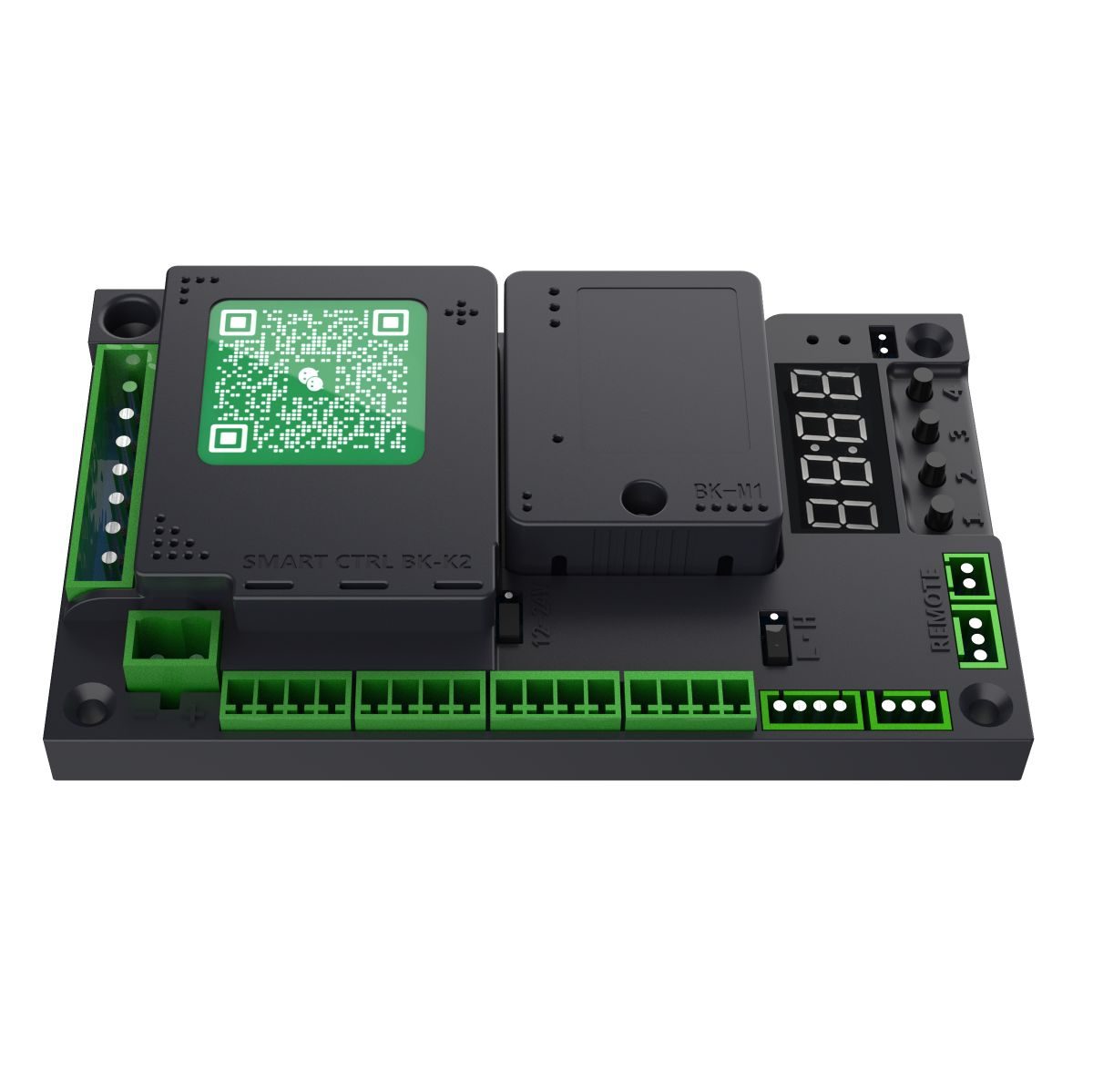
ใช้ในผลิตภัณฑ์เหล่านี้
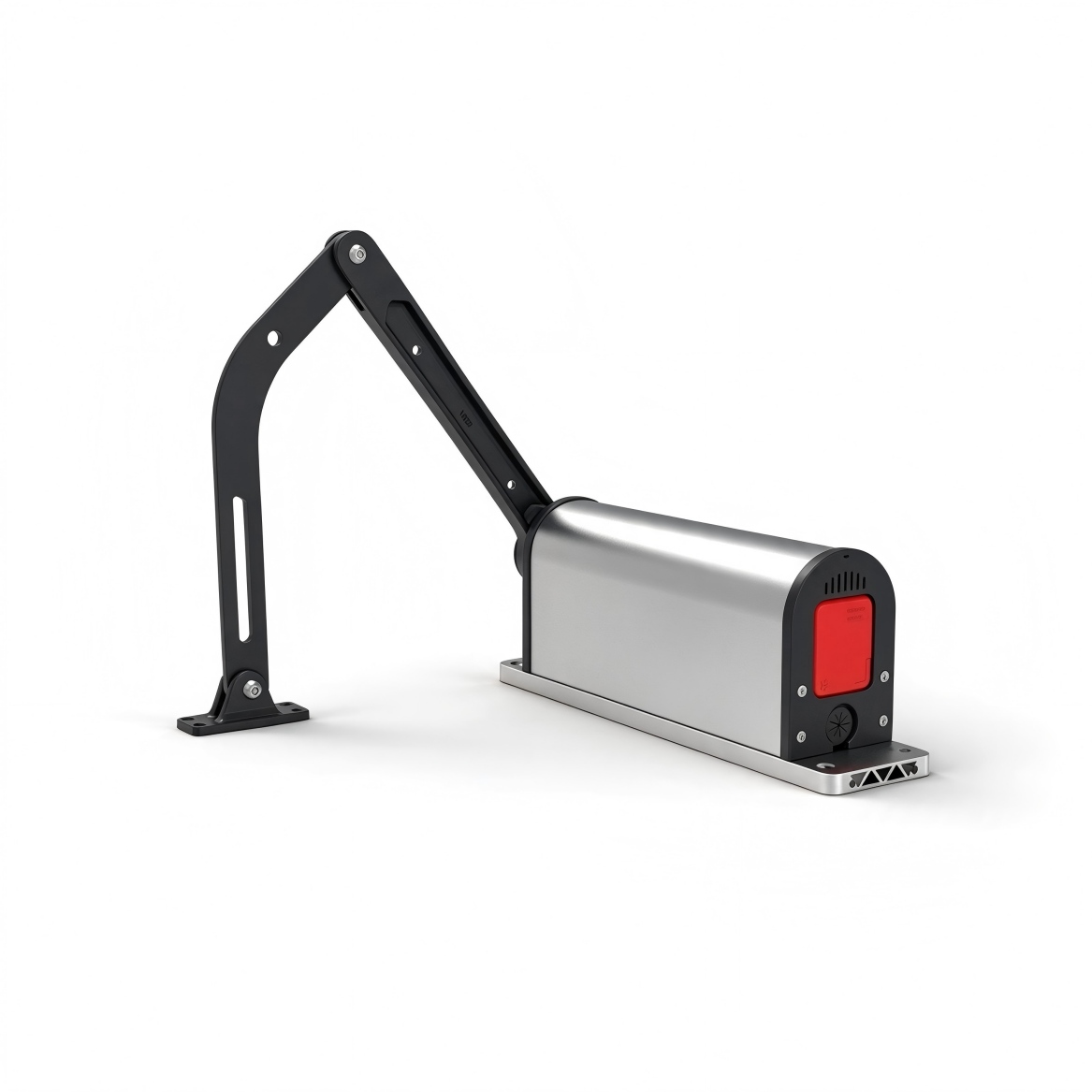
H3 Swing Gates Series
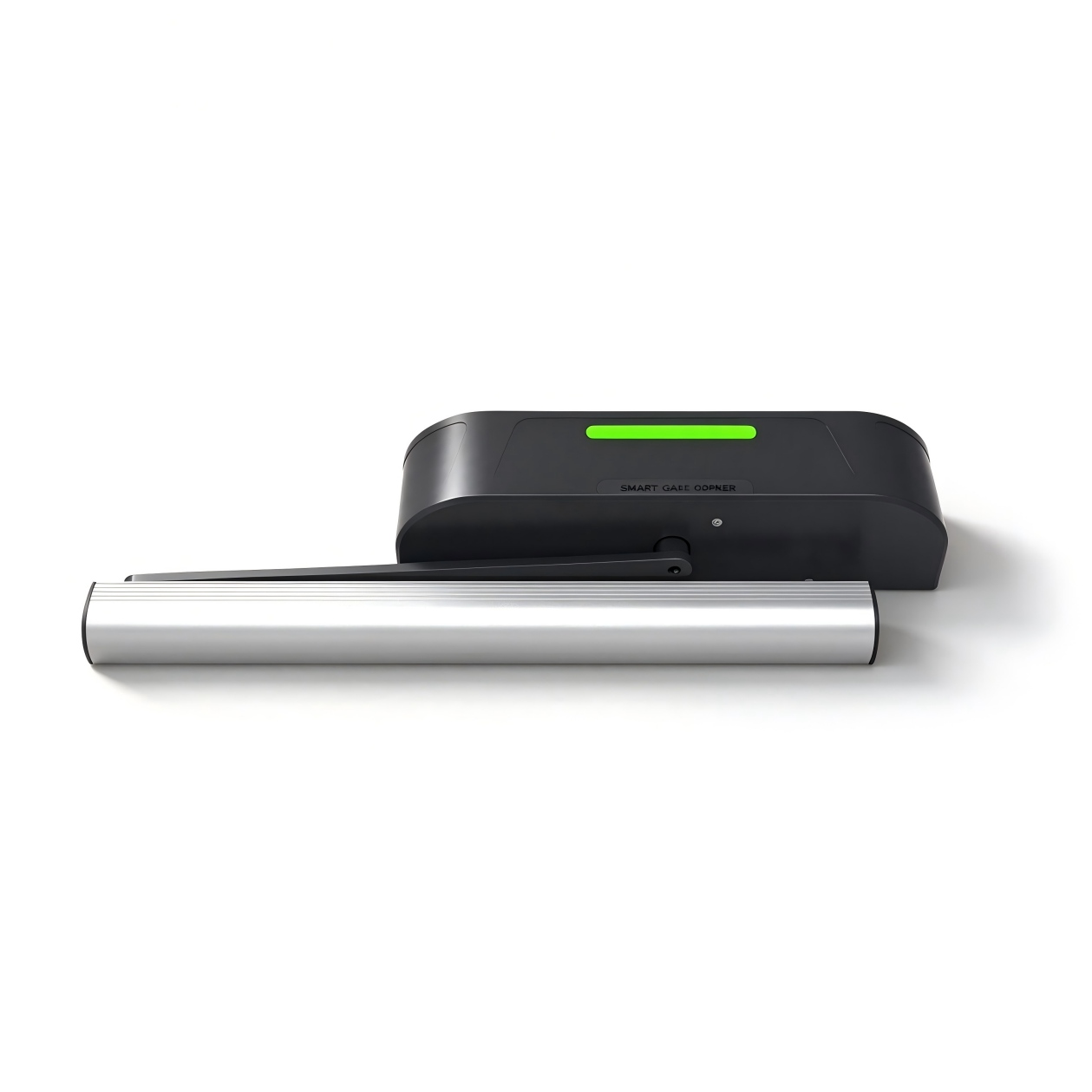
H5 Swing Gates Series
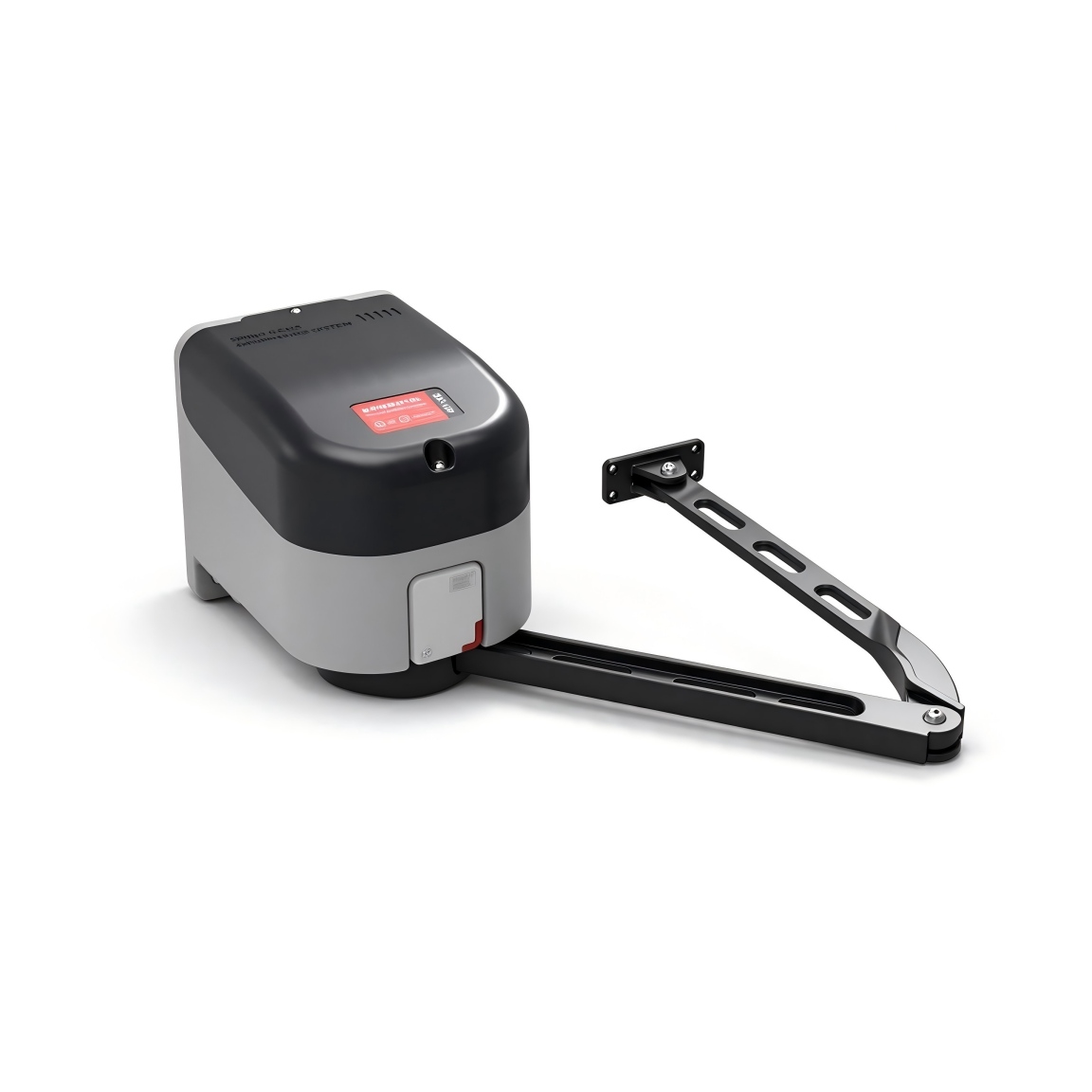
H9 Swing Gates Series
รหัสข้อผิดพลาด
Err0Erro0+
เมื่อล้างรีโมทหรือคืนค่าเริ่มต้นจากโรงงาน ต้องตั้งค่าค่าการยืนยันที่ถูกต้อง หากค่าการยืนยันไม่ถูกต้อง จะแสดงข้อผิดพลาด Err0.
คู่มือฉบับต้นฉบับ · 15 ↗Err1Err1+
มีสิทธิ์เลือก.
คู่มือฉบับต้นฉบับ · 15 ↗Err2Err2+
การเตือนเมื่อแรงดันไฟฟ้า EMF ในช่วงเบรกสูงเกินไป สามารถแก้ไขได้โดยลดความเร็วในการทำงาน.
คู่มือฉบับต้นฉบับ · 15 ↗Err3Err3+
การเปิดช่องขายสินค้า อาจเกิดจากสาเหตุดังต่อไปนี้: ความเร็วในการเปิดสินค้าต่ำเกินไป หรือความเร็วในการเปิดช่องขายสินค้าที่ปลายช่องขายสินค้าต่ำเกินไป เพิ่มความเร็วในการเปิดและความเร็วในการเปิดช่องขายสินค้า.
คู่มือฉบับต้นฉบับ · 15 ↗Err4Err4+
การปิดช่องเก็บสินค้า สาเหตุที่อาจเกิดขึ้นได้: ความเร็วในการปิดหรือความเร็วในการปิดปลายช่องเก็บสินค้าต่ำเกินไป เพิ่มความเร็วในการปิดหรือความเร็วในการปิดปลายช่องเก็บสินค้า.
คู่มือฉบับต้นฉบับ · 15 ↗Err5Err5+
เวลาเปิดเกม – เวลาเปิดเกมเกิน P-49 เพิ่มความเร็วในการเปิดเกมและความเร็วในการปิดเกม.
คู่มือฉบับต้นฉบับ · 15 ↗Err6Err6+
เวลาปิดการใช้งาน – เวลาปิดการใช้งานเกิน P-49 เพิ่มความเร็วในการปิดและการปิดสิ้นสุดการใช้งาน.
คู่มือฉบับต้นฉบับ · 15 ↗Err7เออร์7+
การเลือกประเภทมอเตอร์ไม่ถูกต้อง; เปลี่ยนเป็นประเภทที่ถูกต้องผ่าน P-22.
คู่มือฉบับต้นฉบับ · 15 ↗Err8Er8+
มีสิทธิ์เลือก.
คู่มือฉบับต้นฉบับ · 15 ↗ฟังก์ชันทั่วไป
P-00ความเร็วในการเปิดประตูการเคลื่อนที่และความเร็ว+
ค่าเริ่มต้น35
RANGE10-100
ยิ่งค่าใหญ่เท่าใด ความเร็วก็ยิ่งเร็วขึ้น; ยิ่งค่าเล็กเท่าใด ความเร็วก็ยิ่งช้าลง.
คู่มือฉบับดั้งเดิม · 6 ↗P-01ความเร็วในการปิดการเคลื่อนที่และความเร็ว+
P-06ความเร็วเมื่อเปิดประตูการเคลื่อนที่และความเร็ว+
ค่าเริ่มต้น15
RANGE1-80
การเปิดประตูจะสิ้นสุดที่ความเร็วนี้ขึ้นอยู่กับค่าของความเร็ว หากค่าสูงมากประตูอาจสั่นขณะที่การเปิดประตูสิ้นสุดลง ดังนั้นควรลดค่าความเร็วลงในกรณีนี้.
คู่มือฉบับดั้งเดิม · 6 ↗P-07ความเร็วในการปิดท้ายการเคลื่อนที่และความเร็ว+
ค่าเริ่มต้น15
RANGE1-80
การปิดประตูจะทำได้ด้วยความเร็วนี้ขึ้นไป หากค่าสูงมาก ความเร็วจะเพิ่มขึ้นอย่างรวดเร็ว หากความเร็วสูงเกินไป ประตูอาจชนกันระหว่างการปิด หากต้องการให้ประตูปิดสนิทมากขึ้น ให้ลดค่าลง หากประตูไม่สามารถปิดสนิทได้ ให้เพิ่มค่าขึ้นไป.
คู่มือฉบับดั้งเดิม · 6 ↗P-08มุมการลดความเร็วเมื่อปิดประตูการเคลื่อนที่และความเร็ว+
ข้อมูลการใช้งานที่ละเอียดครบถ้วนยังขาดหายไป ต้องตรวจสอบกับผู้จำหน่ายก่อนเปลี่ยน.
ค่าเริ่มต้นNot specified
RANGENot specified
ปรากฏอยู่ในดัชนีโดยไม่มีคำแนะนำโดยละเอียดในฉบับนี้.
คู่มือฉบับดั้งเดิม · 3 ↗P-09มุมการลดความเร็วเมื่อปิดประตูการเคลื่อนที่และความเร็ว+
ข้อมูลการใช้งานที่ละเอียดครบถ้วนยังขาดหายไป ต้องตรวจสอบกับผู้จำหน่ายก่อนเปลี่ยน.
ค่าเริ่มต้นNot specified
RANGENot specified
ปรากฏอยู่ในดัชนีโดยไม่มีคำแนะนำโดยละเอียดในฉบับนี้.
คู่มือฉบับดั้งเดิม · 3 ↗P-13การเรียนการสอนทางไกลรีโมทและวิธีการเข้าถึง+
ค่าเริ่มต้น0
RANGE0-60
การเรียนรู้จากระยะไกล: เมื่อเข้าสู่หน้า P-13 จะแสดงจำนวนรีโมทที่เก็บไว้ในขณะนี้ กดปุ่ม OPEN, CLOSE และ STOP บนรีโมทตามลำดับเพื่อการเรียนรู้ กดปุ่มแต่ละปุ่มต่อไปจนกว่าหน้าจอควบคุมจะบี๊บ 1 ครั้ง จากนั้นปล่อยและกดปุ่มต่อไป เมื่อการเรียนรู้เสร็จสิ้น หน้าจอควบคุมจะส่งเสียงบี๊บยาว 1 ครั้ง หรือจำนวนที่แสดงบนหน้าจอจะเพิ่มขึ้นหนึ่งตัว จากนั้นคุณสามารถเรียนรู้รีโมทต่อไปหรือกด CANCEL เพื่อออกจากระบบ.
ขั้นตอน
- ป้อน P-13 เพื่อดูจำนวนรีโมทที่บันทึกไว้.
- กดปุ่มเปิด ปิด และหยุดบนรีโมทตามลำดับ กดปุ่มแต่ละปุ่มจนเสียงสัญญาณเตือนดังขึ้นหนึ่งครั้ง แล้วปล่อย.
- เสียงสัญญาณเตือนแบบยาวหรือจำนวนการนับรีโมทที่เพิ่มขึ้นจะยืนยันว่าการเรียนรู้เสร็จสมบูรณ์แล้ว.
- เรียนรู้วิธีการควบคุมระยะไกลอีกวิธีหนึ่ง หรือกดปุ่ม CANCEL เพื่อออกจากระบบ.
P-14การเลื่อนเวลาการปิดอัตโนมัติรีโมทและวิธีการเข้าถึง+
ค่าเริ่มต้น5
RANGE0-255
เมื่อประตูเปิดขึ้น ก็จะปิดลงโดยอัตโนมัติหลังจากเวลาที่กำหนด หากตั้งค่าเป็น 0 ประตูจะไม่ปิดลงโดยอัตโนมัติ หน่วย: 1 วินาที.
คู่มือฉบับดั้งเดิม · 6 ↗P-16เรียนรู้ตำแหน่งเปิดมอเตอร์และระบบ+
ค่าเริ่มต้น0
RANGE0-0
เมื่อเข้าสู่โหมดการตั้งค่า จะแสดง L-00 ตัวควบคุมจะค้นหาตำแหน่งจำกัดการปิดโดยอัตโนมัติและหยุดเมื่อถึงตำแหน่งนั้น จากนั้นจะแสดง L-01 โดยกดปุ่ม “OPEN/CLOSE” ด้วยตนเองเพื่อค้นหาตำแหน่งที่เปิดเต็มที่ จากนั้นกดปุ่ม “CONFIRM” เพื่อบันทึกตำแหน่งที่เปิด.
ขั้นตอน
- ป้อน P-16 L-00 จะปรากฏขึ้น และประตูจะค้นหาขีดจำกัดการปิดโดยอัตโนมัติ.
- เมื่อประตูหยุดที่ขีดจำกัดการปิดล๊อค L-01 ก็ปรากฏขึ้น.
- ใช้คำสั่ง OPEN/CLOSE เพื่อค้นหาตำแหน่งที่เปิดอยู่เต็มที่.
- กดปุ่มยืนยันเพื่อบันทึกตำแหน่งที่เปิดอยู่.
P-18ความไวต่อการยกเลิกการอุดกั้นเซนเซอร์และระบบป้องกัน+
ค่าเริ่มต้น5
RANGE1-40
ระยะเวลาที่สิ่งกีดขวางต้องอยู่ระหว่างตัวเครื่องกับตัวควบคุมก่อนที่มันจะถูกมองว่าเป็นสิ่งกีดขวาง (หน่วย: 0.05 s)
คู่มือฉบับดั้งเดิม · 6 ↗P-19แรงผลักดันในการยกกลับเซนเซอร์และระบบป้องกัน+
ค่าเริ่มต้น30
RANGE1-100
ขนาดความต้านทานที่ถูกระบุว่าเป็นอุปสรรค เงื่อนไขการกลับตัวคือ: ความต้านทานถึงค่า P-19 และคงอยู่ต่อไปอีก 18 วินาที จากนั้นประตูจะกลับมาเปิด (เปิด).
คู่มือฉบับดั้งเดิม · 7 ↗P-20มุมการกลับทิศของอุปสรรคเซนเซอร์และระบบป้องกัน+
ค่าเริ่มต้น10
RANGE0-90
เมื่อมุมปิดแคบกว่ามุมของตัวเลือกนี้ จะไม่เกิดการเปลี่ยนทิศทางของสิ่งกีดขวางใดๆ 0 จะปิดใช้งานฟังก์ชันนี้.
คู่มือฉบับดั้งเดิม · 7 ↗P-23ทิศทางของการเปิดประตูมอเตอร์และระบบ+
ค่าเริ่มต้น0
RANGE0-1
ช่วงการทำงาน: 0-1, ค่าเริ่มต้น: 0. 0 = ประตูเปิดทางด้านซ้าย, 1 = ประตูเปิดทางด้านขวา.
คู่มือฉบับดั้งเดิม · 7 ↗P-27การรีเซ็ตโรงงานมอเตอร์และระบบ+
ค่าเริ่มต้น0
RANGE0-255
ตัวเลือกนี้มีฟังก์ชันสามอย่าง ได้แก่ ล้างรีโมท, การรีเซ็ตโรงงานบางส่วน และการรีเซ็ตโรงงานแบบเต็มรูปแบบ เพื่อป้องกันการใช้งานโดยไม่ได้ตั้งใจ ต้องตั้งค่าค่าที่เฉพาะเจาะจงก่อนจึงกดปุ่ม “MENU” เพื่อดำเนินการให้เสร็จสิ้น 5: ล้างรีโมท; 10: รีเซ็ตโรงงาน (รีโมทและประเภทมอเตอร์จะไม่ถูกรีเซ็ต); 15: รีเซ็ตโรงงานแบบเต็มรูปแบบ.
คู่มือฉบับดั้งเดิม · 7 ↗P-31การตั้งค่าฟังก์ชันพอร์ตเซนเซอร์ 1เซนเซอร์และระบบป้องกัน+
ค่าเริ่มต้น2
RANGE0-7
ช่วงการทำงาน: 0-7, ค่าเริ่มต้น: 2 พารามิเตอร์นี้ใช้กับพอร์ตเซนเซอร์ตรวจจับการเคลื่อนไหว IN1 เท่านั้น ค่าต่างๆ จะมีฟังก์ชันที่แตกต่างกันไป 0: ปิดใช้งาน; 1: การตรวจจับการเคลื่อนไหว – ปิดทันทีเมื่อไม่มีบุคคลใดถูกตรวจจับ; 2: การตรวจจับการเคลื่อนไหว – ปิดทันทีหลังจากเวลาเปิดปิดผ่านไปเมื่อไม่มีบุคคลใดถูกตรวจจับ; 3: การรับสัญญาณจากภายนอกจะถูกยอมรับได้เฉพาะเมื่อปิดสนิทแล้วเท่านั้น ไม่ถูกตรวจจับในระหว่างการปิด; 4: ฟังก์ชันเปิด – ขั้วต่อ “ACCESS+” และ “ACCESS” ทำงาน; 5: เปิด – ฟังก์ชัน – ขั้วต่อ “ACCESS+” และ “ACCESS” ไม่ทำงาน; 6: ปิด; 7: หยุด.
คู่มือฉบับดั้งเดิม · 7 ↗P-32การตั้งค่าฟังก์ชันพอร์ตเซนเซอร์ 2เซนเซอร์และระบบป้องกัน+
ช่วงความยาวระบุว่า 0–7 แต่ตัวเลือกที่ 8 ก็มีรายละเอียดไว้ด้วย คุณควรตรวจสอบกับผู้จำหน่ายว่ามีตัวเลือกใดบ้างที่รองรับ.
ค่าเริ่มต้น2
RANGE0-7
ช่วงการทำงาน: 0-7, ค่าเริ่มต้น: 2 พารามิเตอร์นี้ใช้กับพอร์ตเซนเซอร์ตรวจจับการเคลื่อนไหว IN2 เท่านั้น ค่าต่างๆ จะมีฟังก์ชันที่แตกต่างกันไป 0: ปิดใช้งาน; 1: การตรวจจับการเคลื่อนไหว – ปิดทันทีเมื่อไม่พบบุคคลใดๆ; 2: การตรวจจับการเคลื่อนไหว – ปิดทันทีหลังจากเวลาเปิดปิดผ่านไปเมื่อไม่พบบุคคลใดๆ; 3: การรับสัญญาณจากภายนอกจะถูกยอมรับเฉพาะเมื่อปิดสนิทแล้วเท่านั้น; ไม่ถูกตรวจจับขณะปิด; 4: ฟังก์ชันเปิด – ขาเชื่อมต่อ “ACCESS+” และ “ACCESS” ทำงาน; 5: เปิด – ฟังก์ชัน “ACCESS+” และ “ACCESS” ทำงานไม่ได้; 6: ปิด; 7: โหมดการควบคุมด้วย Hall Limit จากภายนอก.
คู่มือฉบับดั้งเดิม · 7 ↗P-39ประเภทล็อคไฟฟ้าล็อคและประตูคู่+
ค่าเริ่มต้น0
RANGE0-3
ช่วงการทำงาน: 0-3, ค่าเริ่มต้น: 0. ค่าต่างๆ มีความหมายแตกต่างกันตามประเภทของล็อค 0: ล็อคแบบแม่เหล็กไฟฟ้า – จะล็อคเมื่อเปิดเครื่อง และจะปลดล็อคเมื่อตัดกระแสไฟฟ้า 1: ล็อคแบบสลักไฟฟ้า – จะปลดล็อคเมื่อเปิดเครื่อง และจะล็อคเมื่อตัดกระแสไฟฟ้า 2: ล็อคควบคุมไฟฟ้า – จะปลดล็อคเมื่อเปิดเครื่อง ไม่มีปฏิกิริยาใดๆ เมื่อตัดกระแสไฟฟ้า และจะล็อคโดยอัตโนมัติเมื่อล็อคอยู่ในตำแหน่ง 3: ล็อคแบบกลไก – จะปลดล็อคเมื่อเปิดเครื่อง โดยประตูจะใช้แรงต้านทานของมันในการล็อคขณะปิดประตู.
คู่มือฉบับดั้งเดิม · 8 ↗P-64ประเภทประตูคู่ล็อคและประตูคู่+
คอลัมน์ช่วงบอกว่า 0–6; รายละเอียดบอกว่า 0–4 แต่รวมตัวเลือก 5 และ 6 ด้วย ตรวจสอบโหมดที่รองรับ.
ค่าเริ่มต้น0
RANGE0-6
ช่วงการทำงาน: 0-4, ค่าเริ่มต้น: 0, ซึ่ง: 0: ประตูเดียว; 1: แผ่นหลักของประตูสองบาน – แผ่นอื่นต้องตั้งค่าเป็น 2; 2: แผ่นรองของประตูสองบาน – แผ่นอื่นต้องตั้งค่าเป็น 1; 3: แผ่นหลักของประตูสองบาน – แผ่นอื่นต้องตั้งค่าเป็น 4; 4: แผ่นรองของประตูสองบาน – แผ่นอื่นต้องตั้งค่าเป็น 3; 5: แผ่นหลักของประตูล็อค – แผ่นอื่นต้องตั้งค่าเป็น 6; 6: แผ่นรองของประตูล็อค – แผ่นอื่นต้องตั้งค่าเป็น 5. ประตูสองบาน, ประตูสองแผ่น และประตูล็อคใช้คู่กัน: แผ่นหลักเป็นแผ่นหลัก ส่วนอีกแผ่นเป็นแผ่นรอง.
คู่มือฉบับดั้งเดิม · 8 ↗P-65ความล่าช้าในการเปิดประตูแบบ Unequal-Leafล็อคและประตูคู่+
ค่าเริ่มต้น10
RANGE0-100
ช่วงการทำงาน: 0-100, ค่าเริ่มต้น: 10 หน่วย: 0.1 วินาที พารามิเตอร์นี้มีผลเฉพาะเมื่อตั้ง P-64 ไว้ที่ 3 (ใบหลักของประตูแบบมีหลายใบ) ในระหว่างการเปิดประตู ใบหลักจะเปิดก่อน และใบรองจะเปิดหลังจากระยะเวลาที่ตั้งไว้; ในระหว่างการปิดประตู ใบหลักจะปิดก่อน และใบรองจะปิดหลังจากระยะเวลาที่ตั้งไว้.
คู่มือฉบับดั้งเดิม · 8 ↗P-66มุมรอประตูแบบ Unequal-Leafล็อคและประตูคู่+
ค่าเริ่มต้น15
RANGE0-90
ในระหว่างการค้นหาขีดจำกัดครั้งแรกหลังเปิดเครื่อง ตัวควบคุมหลักและตัวควบคุมรองจะเปิดออกก่อนตามมุมที่ตั้งไว้โดย P-66 จากนั้นจึงเริ่มปิดเพื่อค้นหาขีดจำกัด สำหรับตัวควบคุมหลักของประตูแบบมีหลายใบ ตัวควบคุมหลักจะเริ่มปิดเพียงเมื่อตัวควบคุมรองปิดอย่างสมบูรณ์ ตัวควบคุมหลักจะหยุดและรอจนกว่าตัวควบคุมรองจะปิดอย่างสมบูรณ์ หลังจากนั้นตัวควบคุมหลักจะปิดอีกครั้ง.
คู่มือฉบับดั้งเดิม · 8 ↗P-71ฟังก์ชันการสลับด้วยปุ่มเดียวรีโมทและวิธีการเข้าถึง+
แผนผังสายไฟระบุ P71:3 แต่ตารางพารามิเตอร์ระบุ 0–2 โปรดอย่าใช้ค่าจากแผนผังจนกว่าจะได้รับการยืนยัน.
ค่าเริ่มต้น2
RANGE0-2
0: ไม่มีการ multiplexing 1: ถูก multiplexing ตามฟังก์ชัน PUSH โดยเปิดสัญญาณเปิดของพอร์ตนี้จะประสานกับสัญญาณเปิดของอุปกรณ์ RS-485 ที่ ID 2 และสัญญาณปิดทั้งหมดก็จะถูกประสานกับอุปกรณ์ RS-485 ที่ ID 2 ด้วยเช่นกัน 2: ถูก multiplexing ตามฟังก์ชัน PUSH โดยสัญญาณจะถูกเปลี่ยนเป็นสัญญาณที่กระตุ้นด้วยขอบตกหรือสัญญาณที่ถูกเก็บไว้เป็นเวลา 3 วินาทีจะกระตุ้นสัญญาณเปิดขึ้น เมื่อการกดค้างนาน 3 วินาทีทำให้เกิดการเปิดขึ้น สัญญาณเปิดจะถูกประสานกับอุปกรณ์ RS-485 ที่ ID 2 ของตัวควบคุม และสัญญาณปิดทั้งหมดก็จะถูกประสานกับอุปกรณ์ RS-485 ที่ ID 2 ของตัวควบคุมเช่นกัน (คำอธิบายอินเตอร์เฟส PUSH: เมื่อแผงควบคุมอยู่ในสถานะเปิดเต็มที่ การกระตุ้น PUSH จะปิดประตู; เมื่อแผงควบคุมอยู่ในสถานะอื่นใด การกระตุ้น PUSH จะเปิดประตู)
คู่มือฉบับดั้งเดิม · 8 ↗P-78ฟังก์ชันการเปิดด้วยการกดรีโมทและวิธีการเข้าถึง+
ค่าเริ่มต้น0
RANGE0-10
0: ปิดการใช้งานฟังก์ชันการเปิดด้วยการกด 1-10: เปิดใช้งานฟังก์ชันการเปิดด้วยการกด ซึ่งจะเริ่มทำงานหลังจากประตูปิดสนิท ยิ่งค่าต่ำลงเท่าใด ก็ยิ่งไวต่อการเปลี่ยนแปลงมากขึ้นเท่านั้น (เมื่อเปิดใช้งานฟังก์ชันนี้ ฟังก์ชันการปิดอัตโนมัติแบบเปิดด้วยตนเองของ P-58 จะถูกปิดใช้งาน)
คู่มือฉบับดั้งเดิม · 9 ↗P-79แรงผลักกลับเมื่อเปิดประตูล็อคและประตูคู่+
ค่าเริ่มต้น0
RANGE0-60
เมื่อเปิดประตูเมื่อปิดสนิทแล้ว ประตูจะเบี่ยงกลับในทิศทางปิดก่อน จากนั้นจึงเปิด ประโยชน์ของการทำงานนี้คือช่วยแก้ไขปัญหาที่ล็อคบางตัวล็อคติดเมื่อเปิดโดยตรง ซึ่งอาจทำให้การเปิดประตูล้มเหลวได้ 0: ฟังก์ชันปิดใช้งาน; ค่าอื่นๆ: แรงเบี่ยงกลับยิ่งใหญ่เท่าไร แรงก็ยิ่งยิ่งใหญ่ขึ้นเท่านั้น.
คู่มือฉบับดั้งเดิม · 9 ↗P-85ฟังก์ชันโมดูลส่งสัญญาณรีเลย์ไฟและอุปกรณ์จ่ายไฟ+
ค่าเริ่มต้น0
RANGE0-3
0: ฟังก์ชันถูกปิดใช้งาน; 1: เอาต์พุตปิดตามปกติเมื่อเปิด/ปิดเต็มที่; 2: เอาต์พุตแบบพัลส์เมื่อเปิด/ปิดเต็มที่; 3: เอาต์พุตสถานะการเปิด/ปิด.
คู่มือฉบับดั้งเดิม · 9 ↗การตั้งค่าขั้นสูง
P-02มุมการลดความเร็วช่วงกลางเปิดตัวการเคลื่อนที่และความเร็ว+
ค่าเริ่มต้น60
RANGE10-90
ตั้งค่าตำแหน่งที่การลดความเร็วจะเริ่มขึ้นในระหว่างการเปิด ประการนี้แสดงเป็นองศา: เมื่อประตูปิดสนิทเต็มที่จะเป็น 0° และเปิดเต็มที่จะเป็น 90° พารามิเตอร์นี้ระบุมุมที่ประตูเริ่มลดความเร็วในระหว่างการเปิด.
คู่มือฉบับดั้งเดิม · 9 ↗P-03มุมการลดความเร็วในช่วงกลางการปิดการเคลื่อนที่และความเร็ว+
ค่าเริ่มต้น40
RANGE0-80
ตั้งค่าตำแหน่งที่การลดความเร็วจะเริ่มขึ้นขณะปิดประตู โดยแสดงเป็นองศา: เมื่อประตูปิดสนิทจะอยู่ที่ 0° และเปิดเต็มที่อยู่ที่ 90° พารามิเตอร์นี้ระบุมุมที่ประตูเริ่มลดความเร็วขณะปิดประตู.
คู่มือฉบับดั้งเดิม · 10 ↗P-04เวลาการเร่งความเร็วตอนเปิดการเคลื่อนที่และความเร็ว+
ค่าเริ่มต้น100
RANGE0-255
เวลาที่ใช้ในการเร่งความเร็วจากตำแหน่งหยุดนิ่งไปยังความเร็วเปิดตัวที่ตั้งไว้โดย P-00 (ยิ่งค่าสูงยิ่งใช้เวลานาน) (หน่วย: 0.01 s)
คู่มือฉบับดั้งเดิม · 10 ↗P-05เวลาเร่งความเร็วในการปิดการเคลื่อนที่และความเร็ว+
ค่าเริ่มต้น100
RANGE0-255
เวลาที่ใช้ในการเร่งความเร็วจากจุดหยุดนิ่งไปสู่ความเร็วสูงสุดที่ตั้งไว้โดย P-01 (ยิ่งค่าสูงยิ่งใช้เวลานาน) (หน่วย: 0.01 s)
คู่มือฉบับดั้งเดิม · 10 ↗P-10มุมเบรกปิดการเคลื่อนที่และความเร็ว+
ค่าเริ่มต้น0
RANGE0-30
จากตำแหน่งนี้ การปิดจะดำเนินต่อไปที่ความเร็วปลายการปิด หากการสั่นของปลายการปิดมีขนาดใหญ่ ให้ลดค่านี้ลง 0 จะปิดการเบรก.
คู่มือฉบับดั้งเดิม · 10 ↗P-11ระยะเวลาเบรกปิดการเคลื่อนที่และความเร็ว+
ค่าเริ่มต้น0
RANGE0-255
เวลาเบรกขณะปิดประตู. หน่วย: 0.01 วินาที จุดเบรกจะตั้งไว้ที่มุมเบรกขณะปิดประตู หากการสั่นสะเทือนขณะปิดประตูยังคงมีขนาดใหญ่ แม้ว่าความเร็วปลายประตูและตำแหน่งเริ่มต้นของแผ่นเบรกป้องกันการปิดประตูจะถูกปรับให้เข้าสู่ขีดจำกัดก็ตาม ประตูมักจะมีแรงต้านทานที่ค่อนข้างมาก ดังนั้นจึงสามารถตั้งเวลาเบรกได้ โดยค่าเริ่มต้นคือ 0 ซึ่งหมายความว่าไม่มีการเบรก.
คู่มือฉบับดั้งเดิม · 10 ↗P-12การตั้งค่าความเร็วเปิด/ปิดเริ่มต้นการเคลื่อนที่และความเร็ว+
ค่าเริ่มต้น35
RANGE10-80
เมื่อเปิดใช้งานแผงควบคุมแล้ว จะต้องกำหนดความเร็วเพื่อค้นหาตำแหน่งบ้าน หากความเร็วหลังเปิดเครื่องสูงเกินไปหรือต่ำเกินไป สามารถตั้งค่าได้ด้วยพารามิเตอร์นี้ ค่าที่สูงขึ้นจะทำให้ความเร็วเพิ่มขึ้น.
คู่มือฉบับดั้งเดิม · 10 ↗P-15ความล่าช้าในการเปิดสัญญาณการเข้าถึงรีโมทและวิธีการเข้าถึง+
คอลัมน์ช่วงเริ่มต้นที่ 0 ในขณะที่คำอธิบายเริ่มต้นที่ 1 ตรวจสอบค่าขั้นต่ำที่รองรับ.
ค่าเริ่มต้น1
RANGE0-100
ช่วงเวลา 1-100 หน่วย: 0.1 วินาที ค่าเริ่มต้น: 1 เวลาที่ต้องรอให้ล็อคแม่เหล็กปลดล็อค.
คู่มือฉบับดั้งเดิม · 10 ↗P-17ฟังก์ชันการปิดการทำงานแบบสองครั้งล็อคและประตูคู่+
ค่าเริ่มต้น20
RANGE0-60
วัตถุประสงค์หลักของพารามิเตอร์นี้คือการใช้แรงเพิ่มเติมเพื่อยืนยันการปิดประตูหลังจากที่ประตูปิดสนิทอย่างสมบูรณ์ เพื่อให้ล็อคแม่เหล็กสามารถล็อคได้ >0: ปิดทันทีหลังจากปิดสนิทและเข้าสู่สถานะที่ปิดสนิทอย่างสมบูรณ์ >0: หลังจากปิดประตูจนถึงตำแหน่งที่ปิดสนิทแล้ว จะยังคงใช้แรงปิดเพื่อยืนยันการปิดอีกครั้ง ค่าที่สูงขึ้นจะทำให้แรงปิดเพิ่มขึ้นสำหรับการยืนยันการปิดครั้งที่สอง หากประตูไม่สามารถล็อคได้ ให้เพิ่มค่านี้ขึ้น.
คู่มือฉบับดั้งเดิม · 10 ↗P-21โหมด Hold-Openรีโมทและวิธีการเข้าถึง+
ค่าเริ่มต้น0
RANGE0-3
0: โหมดรีโมทแบบปกติ (ในการเข้าสู่โหมดรีโมทแบบคงเปิดชั่วคราวในโหมดรีโมทแบบปกติ ให้เมื่อค่าตั้งไว้เป็น 0 หลังจากประตูเปิดเต็มที่ ให้กดและกดปุ่ม STOP ของรีโมทไว้เป็นเวลามากกว่า 5 วินาทีเพื่อเข้าสู่โหมดรีโมทแบบคงเปิดชั่วคราว; จะมีเสียงสัญญาณเตือนจากเครื่องส่งสัญญาณ 2 วินาที กด CLOSE เพื่อออกจากโหมดรีโมทแบบคงเปิด และปิดประตู) 1: โหมดรีโมท “OPEN” เข้าสู่โหมดรีโมทแบบคงเปิด; สัญญาณเซนเซอร์ความเคลื่อนไหวจะไม่ถูกประมวลผลจนกว่าจะกด “CLOSE” ด้วยตนเอง และประตูจะยังคงเปิดอยู่ 2: โหมดการเปิดด้วยตนเอง – การเปิดประตูทั้งหมดของแผงควบคุมจะเข้าสู่โหมดรีโมทแบบคงเปิด; การตรวจจับการเคลื่อนไหวจะไม่ปิดประตู 3: ปิดโหมดรีโมทแบบคงเปิด.
คู่มือฉบับดั้งเดิม · 10 ↗P-22ประเภทมอเตอร์มอเตอร์และระบบ+
ค่าเริ่มต้น0
RANGE0-3
ช่วงการทำงาน: 0-3 เนื่องจากโพลาร์ิตี้ของมอเตอร์ Hall, อัตราส่วนการลดของกลไกประตู และการตั้งค่าการเปิดด้านซ้าย/ขวาของประตูมีความแตกต่างกัน จึงใช้พารามิเตอร์นี้เพื่อรองรับมอเตอร์และประตูประเภทต่างๆ 1: ตัวควบคุมประตูแบบติดข้าง (H3L, H9); 2: ตัวควบคุมประตูแบบติดแนวนอน (H5L).
คู่มือฉบับดั้งเดิม · 11 ↗P-24เปิด/ปิดเวลาบูสเตอร์การเคลื่อนที่และความเร็ว+
ค่าเริ่มต้น60
RANGE10-255
ระยะเวลาพักระหว่างการเปิดและปิด และระหว่างการปิดและเปิด หากระยะเวลาสั้นเกินไป กระแสที่ไหลผ่านอาจมากเกินไป; ระยะเวลาที่ยาวขึ้นจะทำให้การเปลี่ยนผ่านราบรื่นกว่า (หน่วย: 0.01 s)
คู่มือฉบับดั้งเดิม · 11 ↗P-25หยุดเวลาการอัดเสียงการเคลื่อนที่และความเร็ว+
ค่าเริ่มต้น60
RANGE10-255
ระยะเวลาที่มอเตอร์ต้องใช้ในการเปลี่ยนจากตำแหน่งเคลื่อนที่เป็นตำแหน่งหยุดเมื่อกดปุ่ม STOP ในระหว่างการเปิดหรือปิด หากระยะเวลามากเกินไป ประตูจะหยุดช้ามากแต่ราบรื่น หากระยะเวลาสั้นเกินไปกระแสไฟฟ้าคงที่อาจมากเกินไป (หน่วย: 0.01 s)
คู่มือฉบับดั้งเดิม · 11 ↗P-26วิธีการเพิ่มระยะไกลรีโมทและวิธีการเข้าถึง+
ค่าเริ่มต้น0
RANGE0-4
0: กดเปิด ปิด และหยุดอย่างต่อเนื่องเพื่อจบการเรียนรู้; 1: กดหนึ่งในนั้นเพื่อจบการเรียนรู้.
คู่มือฉบับดั้งเดิม · 11 ↗P-28แรงยึดมอเตอร์มอเตอร์และระบบ+
ช่วงค่าที่ระบุคือ 0–30 แต่โหมดเริ่มต้นและโหมดอัตโนมัติคือ 255 ตรวจสอบการตั้งค่าที่รองรับ.
ค่าเริ่มต้น255
RANGE0-30
เมื่อมอเตอร์หยุดทำงานนอกบริเวณที่กำหนดการเปิด/ปิดแล้ว ตัวควบคุมจะส่งสัญญาณควบคุมเพื่อล็อคประตู ซึ่งอาจทำให้มอเตอร์และแผงควบคุมร้อนเกินไป ควรตั้งค่าค่านี้ตามสภาพจริงและไม่ควรตั้งค่าสูงเกินไป เมื่อตั้งค่าที่ 255 พลังการล็อคจะถูกปรับให้เหมาะสมโดยอัตโนมัติ.
คู่มือฉบับดั้งเดิม · 11 ↗P-29เวลาล็อคมอเตอร์เมื่อเปิดเต็มที่มอเตอร์และระบบ+
ค่าเริ่มต้น0
RANGE0-255
ระยะเวลาที่มอเตอร์ยังคงทำงานอยู่หลังจากประตูเปิดเต็มที่ (หน่วย: วินาที) เมื่อตั้งค่าเป็น 255 มอเตอร์จะยังคงทำงานอย่างต่อเนื่องหลังจากเปิดเต็มที่โดยไม่มีการกำหนดเวลา.
คู่มือฉบับดั้งเดิม · 11 ↗P-30เวลาการล็อคมอเตอร์เมื่อปิดสนิทมอเตอร์และระบบ+
ค่าเริ่มต้น0
RANGE0-255
ระยะเวลาที่มอเตอร์ยังคงทำงานหลังจากที่ประตูปิดสนิท (หน่วย: วินาที) เมื่อตั้งค่าที่ 255 มอเตอร์จะยังคงทำงานต่อเนื่องหลังจากปิดสนิทโดยไม่มีการกำหนดเวลา.
คู่มือเดิม · 12 ↗P-33ฟังก์ชันการทดสอบอัตโนมัติมอเตอร์และระบบ+
ค่าเริ่มต้น0
RANGE2-255
ระยะเวลาการทดสอบอัตโนมัติ: 0 ปิดการใช้งานการทดสอบอัตโนมัติ โดยจะใช้สำหรับการทดสอบแบบอัตโนมัติและการทดสอบการเผาอินทรีย์ หลังจากเสร็จสิ้นการทดสอบ ให้ตั้งค่าพารามิเตอร์นี้เป็น 0 เพื่อยกเลิกการทดสอบอัตโนมัติ โดยกดปุ่ม “OPEN” ค้างไว้เพื่อเริ่มการทดสอบ.
คู่มือเดิม · 12 ↗P-34โหมดการนับเซนเซอร์และระบบป้องกัน+
ค่าเริ่มต้น1
RANGE0-4
0: ไม่นับสัญญาณการเปิดประตู; ปิดเมื่อมีผู้ผ่านไป 1-3: นับสัญญาณการเปิดประตูสูงสุดได้ถึง 1-3; จำนวนจะถูกลดลงเมื่อมีการเปิดประตู และประตูจะปิดเมื่อไม่มีผู้ผ่านไปอีก และจำนวนจะกลับสู่ 0 เมื่อไม่มีผู้ผ่านไปอีก.
คู่มือเดิม · 12 ↗P-35ปิดการละเว้นตำแหน่งเซนเซอร์เซนเซอร์และระบบป้องกัน+
ค่าเริ่มต้น10
RANGE0-45
เมื่อมุมปิดต่างจากค่านี้ สัญญาณเซนเซอร์จับความเคลื่อนไหวจะไม่ถูกประมวลผล และประตูจะปิดโดยตรง.
คู่มือเดิม · 12 ↗P-36เปิดใช้งานเซนเซอร์ตำแหน่งการละเลยเซนเซอร์และระบบป้องกัน+
ค่าเริ่มต้น20
RANGE0-80
ในระหว่างการเปิดประตู การกระตุ้นการเคลื่อนที่จะไม่ถูกต้องเมื่อมุมของประตูแคบกว่ามุมที่ตั้งไว้.
คู่มือเดิม · 12 ↗P-37ความถี่สัญญาณเตือนของเซนเซอร์เซนเซอร์และระบบป้องกัน+
ค่าเริ่มต้น1
RANGE0-10
ความถี่การเตือนเมื่อมีการเปิดใช้งานระบบแจ้งเตือน: 0: ปิด; 1: เสียงเตือนสั้น 1 ครั้ง; 2-10: เสียงเตือนอย่างต่อเนื่องที่ความถี่ที่กำหนด; จำนวนที่สูงขึ้นจะทำให้เสียงเตือนดังขึ้น.
คู่มือเดิม · 12 ↗P-38เวลาที่สัญญาณเข้าถูกต้องรีโมทและวิธีการเข้าถึง+
ค่าเริ่มต้น10
RANGE1-255
ระยะเวลาที่สัญญาณเปิด ปิด หยุด การควบคุมการเข้าออก และสัญญาณการอยู่ใกล้จะถือว่าถูกต้อง (หน่วย: 0.01 s)
คู่มือเดิม · 12 ↗P-40อัตรา Baud ของ RS-485การสื่อสารและการแสดงผล+
ค่าเริ่มต้น4
RANGE0-4
ตั้งค่าอัตราการส่งข้อมูลของแผงควบคุม: 0: 9600; 1: 19200; 2: 38400; 3: 57600; 4: 115200.
คู่มือเดิม · 12 ↗P-41ID อุปกรณ์ RS-485การสื่อสารและการแสดงผล+
P-42โหมด RS-485 แบบ Master/Slaveการสื่อสารและการแสดงผล+
P-43RS-485 การส่งข้อมูลสถานะแบบแอคทีฟการสื่อสารและการแสดงผล+
ค่าเริ่มต้น0
RANGE0-1
เมื่อตั้งค่าเป็น 1 เมื่อประตูเปิด/ปิด (ยก/ลดระดับ) ตัวควบคุมจะส่งคำสั่งสถานะประตูโดยอัตโนมัติ.
คู่มือเดิม · 12 ↗P-44การเปิดใช้งานก่อนใครรีโมทและวิธีการเข้าถึง+
ค่าเริ่มต้น0
RANGE0-80
0: สัญญาณควบคุมทุกตัวมีลำดับความสำคัญเท่ากันในทุกสถานะ; 1: การเปิดมีลำดับความสำคัญสูงสุด เมื่อเปิดสัญญาณอื่น ๆ จะไม่มีผลใดๆ.
คู่มือฉบับต้นฉบับ · 13 ↗P-45ความเข้มของแสงโดยรอบไฟและอุปกรณ์จ่ายไฟ+
P-46เกณฑ์ความเข้มของแสงไฟและอุปกรณ์จ่ายไฟ+
ค่าเริ่มต้น30
RANGE0-255
เมื่อความเข้มของแสงโดยรอบสูงกว่าค่านี้ เทอร์มินัลสัญญาณของแถบไฟจะถูกส่งออก.
คู่มือฉบับต้นฉบับ · 13 ↗P-47การเปิดไฟล่าช้าไฟและอุปกรณ์จ่ายไฟ+
ค่าเริ่มต้น10
RANGE0-255
ระยะเวลาที่ใช้ในการส่งสัญญาณแถบไฟเมื่อแสงโดยรอบมากกว่า P-46 (หน่วย: วินาที)
คู่มือฉบับต้นฉบับ · 13 ↗P-48การปิดไฟล่าช้าไฟและอุปกรณ์จ่ายไฟ+
ค่าเริ่มต้น250
RANGE0-255
ระยะเวลาที่ต้องรอก่อนที่จะปิดการส่งสัญญาณไฟส่องสว่างเมื่อแสงโดยรอบต่ำกว่า P-46 (หน่วย: วินาที)
คู่มือฉบับต้นฉบับ · 13 ↗P-49เวลาเปิด/ปิดการเคลื่อนที่และความเร็ว+
ค่าเริ่มต้น30
RANGE6-40
ตั้งค่าระยะเวลาการปิด/เปิดประตู หากประตูไม่เข้าสู่ตำแหน่งที่กำหนดภายในระยะเวลาที่ตั้งไว้ จะหยุดทำงานโดยอัตโนมัติ และจะแจ้งเตือนการปิดประตูโดยอัตโนมัติ (Err5) หรือการปิดประตูโดยอัตโนมัติ (Err6) (หน่วย: วินาที)
คู่มือฉบับต้นฉบับ · 13 ↗P-54การตั้งค่าบลูทูธการสื่อสารและการแสดงผล+
P-55แรงดันทำงานอัตโนมัติเมื่อไฟฟ้าดับมอเตอร์และระบบ+
คำอธิบายผสมผสานการทำงานของตัวจับสัญญาณ 21 V กับขีดจำกัดที่ปรับได้ และแนะนำให้ใช้ค่า 20 สำหรับการทำงานของเฟิร์มแวร์ของคุณ.
ค่าเริ่มต้น0
RANGE0-30
0: ปิดใช้งาน; 1: 21 V ทำหน้าที่เปิด/ปิดอัตโนมัติ ฟังก์ชันนี้ต้องใช้แหล่งจ่ายไฟสำรอง และใช้ร่วมกับค่า P-56 เป็นที่แนะนำให้ตั้งค่าเป็น 20.
คู่มือฉบับต้นฉบับ · 13 ↗P-56โหมดการทำงานอัตโนมัติเมื่อไฟฟ้าดับมอเตอร์และระบบ+
ค่าเริ่มต้น1
RANGE0-4
ตั้งค่าตัวเลือกการทำงานอัตโนมัติเมื่อมีการสูญเสียพลังงาน เมื่อ P-55 ไม่เป็น 0 ตัวเลือกนี้จะกำหนดว่าประตูจะตอบสนองอย่างไรเมื่อแรงดันไฟฟ้าลดลงต่ำกว่าค่า P-55: 0: ไม่มีการดำเนินการ; 1: เปิดโดยอัตโนมัติ; 2: ปิดโดยอัตโนมัติ.
คู่มือฉบับต้นฉบับ · 13 ↗P-57โหมดจอแสดงผลแบบดิจิทัลการสื่อสารและการแสดงผล+
ค่าเริ่มต้น2
RANGE0-2
0: แสดงสถานะประตู 1: ในระหว่างการเปิด/ปิด หน้าจอดิจิทัลแสดงแรงดันขับ (หน่วย V) หรือกระแสขับ (หน่วย A); ในโหมดการใช้งาน ให้กดปุ่ม “MENU” ค้างไว้เพื่อเปลี่ยนระหว่างการแสดงค่ากระแสและแรงดัน.
คู่มือฉบับต้นฉบับ · 13 ↗P-58จำนวนการเปิดปิดโดยบังคับเซนเซอร์และระบบป้องกัน+
ค่าเริ่มต้น255
RANGE0-255
เมื่อปิดสนิทแล้ว หากผู้ใช้ผลักประตูออกไปเกิน 10° ตัวควบคุมจะทำการปิดประตูโดยอัตโนมัติ หลังจากที่จำนวนการผลัก/ปิดด้วยตนเองเกินค่านี้ ตัวควบคุมจะไม่ทำการปิดประตูอีกต่อไป หลังจากนั้นแต่ละรอบการเปิด/ปิดปกติจะรีเซ็ตจำนวนการปิดอัตโนมัติที่สะสมไว้ เมื่อตั้งค่าเป็น 255 จะไม่มีการนับจำนวน และฟังก์ชันนี้จะยังคงทำงานอยู่ตลอดเวลา.
คู่มือฉบับต้นฉบับ · 13 ↗P-59ค่าป้องกันกระแสไฟเกินของมอเตอร์เซนเซอร์และระบบป้องกัน+
ค่าเริ่มต้น70
RANGE20-180
ค่าการป้องกันกระแสเกิน เมื่อกระแสที่เปิดใช้งานของประตูเกินค่านี้ ประตูจะหยุดทำงานโดยอัตโนมัติ หากเกิดการป้องกันกระแสเกินระหว่างการปิด ประตูจะถูกนับว่าเป็นสัญญาณการเปลี่ยนทิศทางของอุปสรรค
คู่มือฉบับดั้งเดิม · 14 ↗P-62ขีดจำกัดกำลังขับที่ปล่อยออกมามอเตอร์และระบบ+
ค่าเริ่มต้น100
RANGE20-100
กำลังขับสูงสุดที่จำกัด (%) ในระหว่างการทำงานของประตู (สำหรับผู้ที่ไม่ใช่ผู้เชี่ยวชาญควรดำเนินการด้วยความระมัดระวัง)
คู่มือฉบับดั้งเดิม · 14 ↗P-67มุมการเปิดล็อคด้วยไฟฟ้าล็อคและประตูคู่+
P-68ค่าป้องกันการเปิดประตูอุดกั้นเซนเซอร์และระบบป้องกัน+
P-72โหมดการส่งออกแถบไฟไฟและอุปกรณ์จ่ายไฟ+
P-73โหมดการทำงานของไฟเตือนไฟและอุปกรณ์จ่ายไฟ+
ค่าเริ่มต้น0
RANGE0-3
0: ไฟเตือนดับ; 1: แวบไฟขณะเปิด; 2: แวบไฟขณะปิด; 3: แวบไฟทั้งขณะเปิดและขณะปิด.
คู่มือฉบับดั้งเดิม · 14 ↗P-74ความถี่การกระพริบไฟเตือนไฟและอุปกรณ์จ่ายไฟ+
ค่าเริ่มต้น0
RANGE0-2
0: 2 Hz สลับเปิด/ปิด; 1: 1 Hz สลับเปิด/ปิด; 2: 0.5 Hz สลับเปิด/ปิด.
คู่มือฉบับดั้งเดิม · 14 ↗P-75ฟังก์ชันการแจ้งเตือนด้วยการเปิดด้วยตนเองเซนเซอร์และระบบป้องกัน+
P-76โหมดไฟจราจรไฟและอุปกรณ์จ่ายไฟ+
ค่าเริ่มต้น0
RANGE0-3
0: โหมดไฟจราจร 1 – สีเขียวเมื่อมุมเปิดกว้างกว่า 60°; สีแดงเมื่อการปิดประตูเริ่มขึ้น 1: โหมดไฟจราจร 2 – สีเขียวเมื่อเปิดเต็มที่; สีแดงในทุกสถานะอื่น ๆ 2: เอาต์พุตสถานะตำแหน่ง – สีเขียวเมื่อเปิดเต็มที่; สีแดงเมื่อปิดประตูเต็มที่; ทั้งสองไฟดับในสถานะอื่น ๆ 3: เอาต์พุตสัญญาณชีพจร – สีเขียวเป็นเวลา 1 วินาทีเมื่อเปิดเต็มที่; สีแดงเป็นเวลา 1 วินาทีเมื่อปิดประตูเต็มที่.
คู่มือฉบับดั้งเดิม · 14 ↗P-77ความไวในการยกเลิกการอุดตันที่เพิ่มขึ้นเซนเซอร์และระบบป้องกัน+
ค่าเริ่มต้น0
RANGE0-1
ทำให้เกณฑ์การกระตุ้นขั้นต่ำของแรงพลิกกลับการติดขัด P-19 มีความไวมากขึ้น 0: ปิดใช้งาน; 1: เปิดใช้งาน.
คู่มือฉบับดั้งเดิม · 14 ↗แสดงข้อความ
IDLEIDLE+
มอเตอร์ไม่เชื่อมต่อ หรือเกิดปัญหา Hall Fault ของมอเตอร์ สาเหตุที่อาจเกิดขึ้น: สายไฟหลวม.
คู่มือฉบับต้นฉบับ · 15 ↗STOPหยุด+
ประตูอัตโนมัติปิดสนิทแล้ว.
คู่มือฉบับต้นฉบับ · 15 ↗CLOSCLOS+
การปิดประตูด้วยมอเตอร์.
คู่มือฉบับต้นฉบับ · 15 ↗OPENเปิด+
การเปิดประตูอัตโนมัติ.
คู่มือฉบับต้นฉบับ · 15 ↗HOLDHOLD+
ประตูอัตโนมัติเปิดเต็มที่.
คู่มือฉบับต้นฉบับ · 15 ↗LOCKล็อค+
ประตูอัตโนมัติล็อคแล้ว.
คู่มือฉบับต้นฉบับ · 15 ↗FLETFLET+
โหมดการล็อคเปิด.
คู่มือฉบับต้นฉบับ · 15 ↗แผนผังสายไฟ
แผนภูมิระบุ P71:3 ในขณะที่ตารางพารามิเตอร์ระบุ 0–2 ให้ยืนยันค่าที่ถูกต้องกับผู้จัดจำหน่ายของคุณ.
ไม่มีรายการที่ตรงกัน.
Microwave Sensor User Manual
Installation, wiring, sensitivity adjustment, technical specifications and troubleshooting for an automatic-door microwave motion sensor.
เวอร์ชั่นมือถือ V1.2
Safety & detection
Moving-object detection only+
This sensor detects moving objects. An object that remains stationary for longer than the approximately 1.5-second hold time may no longer be detected even while inside the sensing area. Detection distance varies with movement, conductivity and object size.
คู่มือฉบับดั้งเดิม · 1 ↗Mounting height and coverage+
Do not mount above 3.5 m: sensitivity may be insufficient to detect children. Ensure the detection width exceeds the passage width. If one sensor cannot cover the entire passage, install multiple sensors to provide coverage.
คู่มือฉบับดั้งเดิม · 1 ↗Mounting position+
Mount the sensor level and securely on the automatic door crossbeam. Read the original instructions before installation.
คู่มือฉบับดั้งเดิม · 1 ↗Installation
Install and test the sensor+
Follow the original installation sequence and terminal labels.
ขั้นตอน
- Install at a height not exceeding 3.5 m.
- Connect the cable to the corresponding automatic-door terminals: 1–2 signal output; 3–4 power input.
- Remove the cover and secure the sensor base with screws.
- Plug the cable connector into the sensor.
- Apply power; the indicator flashes five times.
- Adjust the sensing angle (factory setting 40°–50°) and sensitivity (factory position between 3 and 5).
- Refit the cover and test detection.
Angle & sensitivity
Sensing angle+
The adjustable tilt range is 0°–90°. Factory sensing angle: 40°–50°. Adjust the sensing direction to suit the installation.
คู่มือฉบับดั้งเดิม · 1 ↗Sensitivity adjustment+
Turn the sensitivity potentiometer clockwise to increase detection distance and counterclockwise to decrease it. Use the lowest sensitivity that provides the required detection. Excessive sensitivity can reduce stability and interference resistance. The factory setting is between positions 3 and 5.
คู่มือฉบับดั้งเดิม · 1 ↗Maximum-sensitivity indication+
At the maximum sensing-distance setting, the indicator flashes twice quickly before each illumination.
คู่มือฉบับดั้งเดิม · 1 ↗Power-up and detection indicator+
The indicator flashes five times at power-up. When a moving object is detected, the indicator lights in synchrony with the signal output.
คู่มือฉบับดั้งเดิม · 1 ↗คุณสมบัติทางเทคนิค
ขนาด+
116 mm (length) × 70 mm (width) × 48 mm (height).
คู่มือฉบับดั้งเดิม · 1 ↗Operating frequency+
24.125 GHz.
คู่มือฉบับดั้งเดิม · 2 ↗Transmitted density+
Less than 5 mW/cm², as specified in the original technical table.
คู่มือฉบับดั้งเดิม · 2 ↗Maximum mounting height+
3.5 m maximum.
คู่มือฉบับดั้งเดิม · 2 ↗Power supply+
12–24 V AC or DC; power input is non-polarized.
คู่มือฉบับดั้งเดิม · 2 ↗Adjustable tilt+
0°–90°.
คู่มือฉบับดั้งเดิม · 2 ↗Operating current+
Standby: less than 8 mA. Detection output active: less than 15 mA.
คู่มือฉบับดั้งเดิม · 2 ↗Detection area+
Approximately 4 m wide × 2 m deep at an installation height of 2.6 m.
คู่มือฉบับดั้งเดิม · 2 ↗Operating temperature+
−20°C to +65°C.
คู่มือฉบับดั้งเดิม · 2 ↗Output hold time+
1.5 seconds.
คู่มือฉบับดั้งเดิม · 2 ↗IP rating+
IP54.
คู่มือฉบับดั้งเดิม · 2 ↗Signal output+
COM / NO switch output, non-polarized. Maximum permitted current: 50 mA.
คู่มือฉบับดั้งเดิม · 1 ↗Troubleshooting
Indicator on, door does not move+
Possible cause: poor signal cable contact or incorrect door-controller configuration. Check wiring and connectors for loose connections. Ensure the door controller is configured for switch-trigger operation.
คู่มือฉบับดั้งเดิม · 2 ↗Red indicator off: low voltage+
Check the supply and adjust it to 12–24 V AC/DC.
คู่มือฉบับดั้งเดิม · 2 ↗Red indicator off: wiring or power+
Check for incorrect wiring or a missing power supply.
คู่มือฉบับดั้งเดิม · 2 ↗Abnormal operation: dirty cover+
Clean dirt from the inside and outside surfaces of the cover.
คู่มือฉบับดั้งเดิม · 2 ↗Abnormal operation: door movement or vibration+
The sensor may detect the moving door, or door closing may cause vibration. Adjust the antenna direction upward, make sure the sensor is secured without looseness, and reduce sensitivity.
คู่มือฉบับดั้งเดิม · 2 ↗Repeated activation: moving objects+
Remove moving objects from the detection area, such as oscillating fans, plants or hanging baskets that sway in air currents.
คู่มือฉบับดั้งเดิม · 2 ↗Repeated activation: water droplets+
Wipe water droplets off the cover and use rain-protection accessories.
คู่มือฉบับดั้งเดิม · 2 ↗Repeated activation: sensor vibration+
Tighten the bracket and base mounting bolts. Avoid mounting the sensor on the automatic-door operator housing where possible.
คู่มือฉบับดั้งเดิม · 2 ↗Repeated activation: detection area includes door+
Adjust the sensor angle to avoid detecting the movement of the automatic door.
คู่มือฉบับดั้งเดิม · 2 ↗Wiring & parts
Terminals 1–2: signal output+
COM / NO switch output. Non-polarized; maximum permitted current 50 mA. Connect to the corresponding signal terminals of the automatic door controller.
คู่มือฉบับดั้งเดิม · 1 ↗Terminals 3–4: power input+
12–24 V AC or DC. Non-polarized. The power and signal terminal pairs have different functions; follow the original connector labels.
คู่มือฉบับดั้งเดิม · 1 ↗Parts and connector reference+
The original page identifies the indicator, sensitivity potentiometer, cable connector and 24.125 GHz microwave sensing element. The supplied image preserves the original Chinese labels; English explanations are provided in these entries.
คู่มือฉบับดั้งเดิม · 1 ↗Original Chinese manual, page 1. Terminals 1–2: COM/NO signal output, maximum 50 mA. Terminals 3–4: 12–24 V AC/DC power. No specific product model or manual version is stated.
ไม่มีรายการที่ตรงกัน.
RFID Access Controller User Manual
การติดตั้ง การผูกโปรแกรม WeChat Mini การตั้งค่าแป้นพิมพ์ การเริ่มต้นใช้งานและการใช้งานแบบสแตนด์อโลน แหล่งข้อมูลคู่มือการใช้งานเผยแพร่เมื่อวันที่ 11 เมษายน 2025.
เวอร์ชั่นมือถือ V1.0
ภาพรวมและข้อมูลจำเพาะ
วัตถุประสงค์และผู้ใช้ที่ตั้งใจใช้+
คู่มือการใช้งานฉบับนี้ครอบคลุมถึงการติดตั้ง การทดสอบการทำงาน การเชื่อมต่อ การตั้งค่า การเริ่มต้นใช้งาน และการใช้งานแบบสแตนด์อโลนของตัวควบคุมการเข้าถึง AC-R2L-MD โดยมีวัตถุประสงค์เพื่อใช้โดยผู้ติดตั้ง ผู้ควบคุมการทดสอบ ระบบ และผู้ใช้งานทั่วไป.
คู่มือฉบับดั้งเดิม · 1 ↗ข้อมูลอุปกรณ์และเอกสาร+
รุ่นอุปกรณ์: AC-R2L-MD เวอร์ชันเอกสาร: V1.0 วันที่วางจำหน่าย: 11 เมษายน 2025 การจัดการ: โปรแกรม WeChat Mini / คีย์บอร์ด รหัสผ่านการตั้งค่าจากโรงงาน: 123456.
คู่มือฉบับดั้งเดิม · 1 ↗คุณสมบัติทางเทคนิค+
แรงดันไฟฟ้าใช้งาน: DC 12 V ±10% อุณหภูมิแวดล้อม: 0°C–60°C ประเภทบัตร: บัตร ID + IC แบบสองความถี่ ความจุผู้ใช้: 1000 ใบ; 100 ลายนิ้วมือ ขนาด: 117 × 70 × 20 มม. วิธีการปลดล็อคที่ระบุไว้ในตารางข้อกำหนด: ลายนิ้วมือ บัตร IC รหัสผ่าน หรือโทรศัพท์มือถือ การจัดการ: WeChat Mini Program ระยะการอ่านบัตร: 1–10 ซม.
คู่มือฉบับดั้งเดิม · 2 ↗ผู้ดูแลระบบและผู้ใช้ผู้ปฏิบัติงาน+
ผู้ดูแลระบบ: ผู้ใช้รายแรกที่สามารถเชื่อมต่ออุปกรณ์เข้ากับ WeChat Mini Program โดยมีอำนาจในการจัดการสูงสุด ผู้ใช้ผู้ปฏิบัติงาน: ผู้ใช้ที่ได้รับอนุญาตจากผู้ดูแลระบบเพื่อดำเนินการการตั้งค่าโปรแกรมผ่านปุ่มกด.
คู่มือฉบับดั้งเดิม · 1 ↗การตั้งรหัสผ่านในการเขียนโปรแกรม+
เมื่อนำอุปกรณ์เข้าสู่การใช้งานอย่างเป็นทางการ ให้เปลี่ยนรหัสผ่านการตั้งค่าจากโรงงานทันที (หน้าแหล่งข้อมูล 6).
รหัสผ่านที่ใช้ในการเข้าสู่โหมดการเขียนโปรแกรม ค่าเริ่มต้นคือ 123456 ผู้ดูแลระบบสามารถเปลี่ยนได้หลังจากการผูกมินิโปรแกรม; การเปลี่ยนรหัสผ่านแบบสแตนด์อโลนจะอธิบายแยกต่างหาก.
คู่มือฉบับดั้งเดิม · 1 ↗การติดตั้งและความปลอดภัย
สภาพแวดล้อมในการติดตั้ง+
ติดตั้งในที่แห้งและมีการระบายอากาศที่ดี โดยไม่มีสัญญาณรบกวนทางไฟฟ้าแม่เหล็กอย่างรุนแรง ใช้เพียงกระแสไฟ DC 12 V ±10% เท่านั้น ควรเก็บรักษาสภาพแวดล้อมในการใช้งานให้อยู่ในช่วง 0°C–60°C.
คู่มือฉบับดั้งเดิม · 3 ↗การตรวจสอบก่อนเปิดเครื่อง+
หลังจากเดินสายไฟแล้ว ให้ตรวจสอบว่าการเชื่อมต่อทุกจุดมีความปลอดภัยและไม่มีการลัดวงจร หากต้องการเปิดเครื่องให้ตรวจสอบว่าแหล่งจ่ายไฟมีแรงดัน DC 12 V ±10% ก่อน.
คู่มือฉบับดั้งเดิม · 3 ↗ข้อควรระวังด้านความปลอดภัย+
ตรวจสอบการต่อสายไฟและแรงดันไฟฟ้าให้ถูกต้องก่อนเปิดเครื่อง ควรถอดปลั๊กไฟออกก่อนที่จะทำการต่อหรือตัดวงจรลัดทางเปิด/GND ซึ่งใช้สำหรับการเริ่มต้นใช้งาน ปกป้องบัญชีผู้ดูแลระบบ และไม่ให้ผู้ที่ไม่เกี่ยวข้องเข้าถึง เปลี่ยนรหัสผ่านการตั้งค่าจากโรงงานทันที ควรทำความสะอาดอุปกรณ์และป้องกันไม่ให้มีน้ำหรือฝุ่นเข้าสู่ภายใน มอบบัตรให้ในระยะการอ่านที่กำหนดไว้ประมาณ 1–10 ซม.
คู่มือฉบับดั้งเดิม · 6 ↗โหมดการทำงาน
โหมดประสบการณ์การทำงานในโรงงาน+
โหมดประสบการณ์ไม่จำกัดการปลดล็อคสำหรับผู้ใช้ที่ลงทะเบียนไว้ ตรวจสอบให้แน่ใจว่าอุปกรณ์ได้ออกจากโหมดนี้ก่อนที่จะพึ่งพาการเข้าถึงจากผู้ใช้ที่ลงทะเบียนไว้.
โหมดประสบการณ์เป็นสถานะเริ่มต้นของโรงงาน ทุกบัตร รหัสผ่าน หรือลายนิ้วมือสามารถปลดล็อคประตูได้โดยตรงในโหมดนี้.
คู่มือฉบับดั้งเดิม · 3 ↗เข้าสู่การทำงานปกติ+
การเพิ่มผู้ใช้รายแรกจะออกจากโหมดประสบการณ์โดยอัตโนมัติ และเข้าสู่การทำงานปกติ การล้างผู้ใช้ทั้งหมดจะทำให้อุปกรณ์กลับสู่โหมดประสบการณ์โดยอัตโนมัติ.
คู่มือฉบับดั้งเดิม · 3 ↗การผูกมัดและการจัดการ WeChat
กรรมสิทธิ์ของผู้ดูแล+
บุคคลแรกที่กำหนดค่าควบคุมการเข้าถึงใน WeChat Mini Program จะเป็นผู้ดูแลระบบของระบบนี้ โดยบทบาทนี้จะควบคุมการจัดการผู้ใช้ การตั้งค่าอุปกรณ์ และการกำหนดสิทธิ์.
คู่มือฉบับดั้งเดิม · 3 ↗ก่อนที่จะทำการยึดติด+
เปิดใช้งานบริการบลูทูธและตำแหน่งของโทรศัพท์ Bluetooth สามารถค้นหาได้ในระยะประมาณ 10 เมตร ระยะทางที่ใกล้กว่าจะส่งสัญญาณได้ดีกว่า.
คู่มือฉบับดั้งเดิม · 3 ↗รัดสายควบคุม+
ใช้รหัส QR ของอุปกรณ์หรือโปรแกรม Mini Program ชื่อ “Anan Open Door” ตามที่ระบุไว้ในแหล่งข้อมูล รหัส QR บรรจุต้นฉบับมีอยู่ในหน้า PDF เล่มที่ 4.
ขั้นตอน
- สแกนรหัส QR ของอุปกรณ์ หรือค้นหา “Anan Open Door” ใน WeChat แล้วเปิดแอป.
- แตะ + ที่มุมบนซ้ายและเลือก “เพิ่มตัวควบคุมการเข้าถึงบลูทูธ”.
- เลือกตัวควบคุมที่ตรงกันจากรายการอุปกรณ์ที่พบ.
- ทำตามคำแนะนำในโปรแกรม Mini เพื่อดำเนินการผูกพัน.
- หลังจากเชื่อมต่อแล้ว ให้แตะที่ตัวควบคุมเพื่อเข้าสู่หน้าต่างการจัดการ.
อนุมัติการเขียนโปรแกรมบนแป้นพิมพ์+
จากนั้นแหล่งข้อมูลระบุลำดับการทำงานที่เริ่มต้นด้วย “# Programming Password #” แต่ไม่ได้ระบุว่าการตรวจสอบผู้ใช้งานจะถูกผสานรวมเข้ากับลำดับดังกล่าวได้อย่างไร ทั้งสองข้อกำหนดยังคงมีผลอยู่ ทั้งนี้ให้ตรวจสอบลำดับการอนุญาตที่แน่นอนสำหรับอุปกรณ์ของคุณ.
เพิ่มผู้ใช้ผู้ควบคุมในโปรแกรมขนาดเล็กก่อนที่จะดำเนินการกับปุ่มควบคุมในบทที่ 7 บทที่นี้ระบุว่าผู้ควบคุมต้องตรวจสอบด้วยรหัสล็อคเปิดเครื่อง บัตรที่ยังใช้งานได้ หรือลายนิ้วมือเพื่อเข้าสู่โหมดการตั้งโปรแกรม.
คู่มือฉบับดั้งเดิม · 4 ↗การเขียนโปรแกรมด้วยแป้นพิมพ์
11เพิ่มบัตรผู้ใช้+
ลำดับปุ่มกด: การ # ตั้งค่ารหัสผ่าน # 11 การอ่านบัตร # เพื่อเพิ่มบัตรผู้ใช้หลายใบ ให้อ่านบัตรตามลำดับ.
คู่มือฉบับดั้งเดิม · 4 ↗12เพิ่มลายนิ้วมือ+
ลำดับปุ่มกด: การ # ตั้งรหัสผ่าน # 12 กดปุ่มเดียวกัน 5 ครั้ง กดปุ่มสแกนลายนิ้วมือแบบเดียวกัน 5 ครั้งติดต่อกัน.
คู่มือฉบับดั้งเดิม · 4 ↗21เพิ่มหรือแก้ไขรหัสผ่านสาธารณะ+
ลำดับปุ่มกด: การ # ตั้งค่ารหัสผ่าน # 21 รหัสผ่าน 6 หลัก # ย้อนกลับการตั้งค่ารหัสผ่าน 6 หลัก # รหัสผ่านต้องมีเลข 6 หลัก.
คู่มือฉบับดั้งเดิม · 4 ↗41ลบผู้ใช้รายเดียว+
ลำดับปุ่มกด: การ # ตั้งค่ารหัสผ่าน # 41 อ่านบัตร / กดลายนิ้วมือ # เพื่อลบบัตรผู้ใช้หลายใบ ให้อ่านบัตรตามลำดับ.
คู่มือฉบับดั้งเดิม · 4 ↗40ลบผู้ใช้ทั้งหมด+
การดำเนินการนี้จะลบข้อมูลผู้ใช้ทั้งหมด รายละเอียดในคู่มือระบุว่าการล้างข้อมูลผู้ใช้ทั้งหมดจะทำให้อุปกรณ์กลับสู่โหมดประสบการณ์ ซึ่งในโหมดนี้บัตร การเข้าสู่ระบบด้วยรหัสผ่าน หรือลายนิ้วมือใดๆ ก็สามารถปลดล็อคได้ (หน้า 3).
ลำดับปุ่มกด: การ # ตั้งค่ารหัสผ่าน # 40 0000 # นี่จะลบผู้ใช้ทั้งหมด รวมถึงผู้ใช้ที่เป็นผู้ดูแลระบบ.
คู่มือฉบับดั้งเดิม · 4 ↗5ตั้งเวลาปลดล็อครีเลย์+
แหล่งข้อมูลดังกล่าวไม่ได้ระบุหน่วยเวลาหรือเวลาเปิดล็อครีเลย์เริ่มต้นไว้ ดังนั้นควรตรวจสอบหน่วยเวลาเป็นหลัก โดยไม่ควรสันนิษฐานว่าใช้เวลาเพียง 1 วินาที.
RANGE01–99
ลำดับปุ่มกด: การ # ตั้งค่ารหัสผ่าน # 5 xx # xx เป็นตัวเลขตั้งแต่ 01 ถึง 99.
คู่มือฉบับดั้งเดิม · 4 ↗8คืนค่าการตั้งค่าโรงงาน+
แหล่งข้อมูลไม่ได้ระบุว่าการรีเซ็ตปุ่มกดนี้จะรักษาข้อมูลของผู้ใช้หรือการผูกมินิโปรแกรมไว้หรือไม่ โปรดอย่าคิดว่ามันมีผลเหมือนกับขั้นตอนการเริ่มต้นการทำงานของ OPEN/GND ที่แยกต่างหาก.
ลำดับปุ่มกด: การ # ตั้งค่ารหัสผ่าน # 8 99 # แหล่งข่าวระบุว่า พารามิเตอร์ของอุปกรณ์ทั้งหมดจะถูกคืนค่ากลับสู่ค่าเริ่มต้นจากโรงงาน.
คู่มือฉบับดั้งเดิม · 4 ↗การเริ่มต้นการทำงานของอุปกรณ์
เริ่มต้นการทำงานโดยใช้คำสั่ง OPEN และ GND+
ถอดปลั๊กไฟออกก่อนที่จะทำการเชื่อมต่อและถอดปลั๊กไฟที่เกิดไฟฟ้าลัดวงจร การเริ่มต้นใหม่จะล้างการผูกมิตรก่อนหน้านี้ของ Mini Program และรีเซ็ตรหัสผ่านการเขียนโปรแกรม.
OPEN คือสายควบคุมปลดล็อคสีเหลือง ส่วน GND คือสายดินสีดำ ใช้ขั้นตอนการปิดเครื่องแบบสองขั้นตอนที่อธิบายไว้ด้านล่าง.
ขั้นตอน
- ถอดปลั๊กเครื่องออก ปิดวงจรขัดข้อง (สีเหลือง) และ GND (สีดำ) แล้วเปิดเครื่องอีกครั้ง ตัวบ่งชี้สีเขียวจะกะพริบและมีเสียงบี๊บดังต่อเนื่อง.
- ถอดปลั๊กไฟออกอีกครั้ง ถอดการเชื่อมต่อแบบเปิด/GND ออก แล้วเปิดเครื่องอีกครั้ง การเริ่มต้นการทำงานเสร็จสิ้นแล้ว.
สถานะหลังการเริ่มต้นการทำงาน+
โปรแกรม WeChat Mini ที่ถูกผูกไว้จะถูกล้าง และอุปกรณ์จะกลับสู่สถานะการผูกไว้ที่กำลังดำเนินการอยู่ รหัสผ่านการตั้งค่าโปรแกรมถูกรีเซ็ตเป็น 123456 ข้อมูลผู้ใช้ที่มีอยู่ เช่น บัตร การสแกนลายนิ้วมือ และรหัสผ่าน จะไม่ถูกล้างออก.
คู่มือฉบับดั้งเดิม · 5 ↗การทำงานแบบแยกต่างหาก
ใช้โดยไม่ผูกมัดกับโปรแกรม Mini+
อุปกรณ์นี้สามารถทำงานได้โดยอิสระโดยไม่จำเป็นต้องเชื่อมต่อกับ WeChat Mini Program การดำเนินการด้านการเขียนโปรแกรมอื่นๆ สามารถทำได้ตามบทที่ 7 ของคู่มือแหล่งข้อมูล.
คู่มือฉบับดั้งเดิม · 5 ↗เปลี่ยนรหัสผ่านการตั้งโปรแกรม+
แหล่งข้อมูลดังกล่าวไม่ได้ระบุระยะเวลาของรหัสผ่านการตั้งค่าใหม่ ไม่ควรสันนิษฐานว่าข้อกำหนดการตั้งค่ารหัสผ่านผู้ใช้/สาธารณะ 6 หลักนี้มีผลบังคับใช้ในกรณีนี้.
คำสั่ง: # การตั้งค่ารหัสผ่าน # 0 การตั้งค่ารหัสผ่านใหม่ การตั้งค่ารหัสผ่านใหม่ซ # ้ำ #
คู่มือฉบับดั้งเดิม · 5 ↗เปลี่ยนบัตรผู้ใช้+
หลังจากตรวจสอบเสร็จแล้ว ให้เปลี่ยนบัตรที่ใช้แล้วกับบัตรที่ยังใช้งานได้อยู่.
ขั้นตอน
- ปลดล็อคประตูด้วยบัตรที่ถูกต้อง.
- จับ # ไว้ประมาณ 5 วินาที.
- เมื่อไฟสีเขียวกะพริบเร็ว ให้กด 1.
- เลื่อนการ์ดใหม่เพื่อดำเนินการเปลี่ยนใหม่.
เปลี่ยนรหัสลายนิ้วมือของผู้ใช้+
แทนที่ลายนิ้วมือหลังจากยืนยันด้วยลายนิ้วมือที่ยังคงใช้งานอยู่ปัจจุบัน.
ขั้นตอน
- ปลดล็อคประตูด้วยลายนิ้วมือที่ถูกต้อง.
- จับ # ไว้ประมาณ 5 วินาที.
- เมื่อไฟสีเขียวกะพริบเร็ว ให้กด 2.
- กดปุ่มลายนิ้วมือใหม่นี้อีกครั้ง 5 ครั้งติดต่อกันเพื่อลงทะเบียน.
เปลี่ยนรหัสผ่านผู้ใช้+
เปลี่ยนรหัสผ่านหลังจากปลดล็อคด้วยรหัสผ่านที่ยังคงใช้งานได้อยู่.
ขั้นตอน
- ปลดล็อคประตูด้วยรหัสผ่านที่ถูกต้อง.
- จับ # ไว้ประมาณ 5 วินาที.
- เมื่อไฟสีเขียวกะพริบเร็ว ให้กด 4.
- ป้อนรหัสผ่านใหม่ 6 หลัก ใส่ซ้ำแล้วกด # เพื่อยืนยัน.
แผนผังสายไฟ
สายไฟสำหรับควบคุมและจ่ายไฟ+
แผนภาพด้านล่างระบุสายดินสีดำว่า “GDD” ในขณะที่แผนภาพข้อความและสายไฟใช้ “GND” สายสีน้ำตาล สีส้ม และสีชมพูมีชื่อเพียงตามสีของสายเท่านั้น ไม่มีระบุการจัดตำแหน่งขั้วต่อรีเลย์ของสายเหล่านี้ โปรดตรวจสอบชื่อและตำแหน่งการจัดวางของสายและขั้วต่อก่อนการต่อสาย ไม่ควรสรุปว่า NO/NC/COM เป็นแบบไม่มีการตอบสนองเพียงจากสีของสายเท่านั้น.
ตามรูปที่ 1 ในหน้า PDF เล่มที่ 2 แหล่งจ่ายไฟระบุว่าเป็น DC 12 V, OPEN เป็นสายควบคุมเปิด-ปิดสีเหลือง และ GND เป็นสายดินสีดำ แผนภาพยังแสดงขั้วต่อแหล่งจ่ายไฟควบคุมการเข้าออก ปุ่มออก, ลูกบิดปลุก, เอาต์พุต Wiegand และสายสัญญาณรีเลย์ภายนอก.
คู่มือฉบับดั้งเดิม · 2 ↗รูปที่ 1 หน้า PDF ต้นฉบับ 2. แหล่งจ่ายไฟ: DC 12 V ±10%. เปิดอยู่สีเหลือง; GND เป็นสีดำ แผนภาพแหล่งจ่ายไฟพิมพ์ “GDD” สำหรับขั้วต่อดินสีดำ และไม่ได้ระบุการกำหนดค่า NO/NC/COM ของสายรีเลย์สีน้ำตาล/สีส้ม/สีชมพู; โปรดตรวจสอบกับผู้จัดจำหน่ายอุปกรณ์.
ไม่มีรายการที่ตรงกัน.