









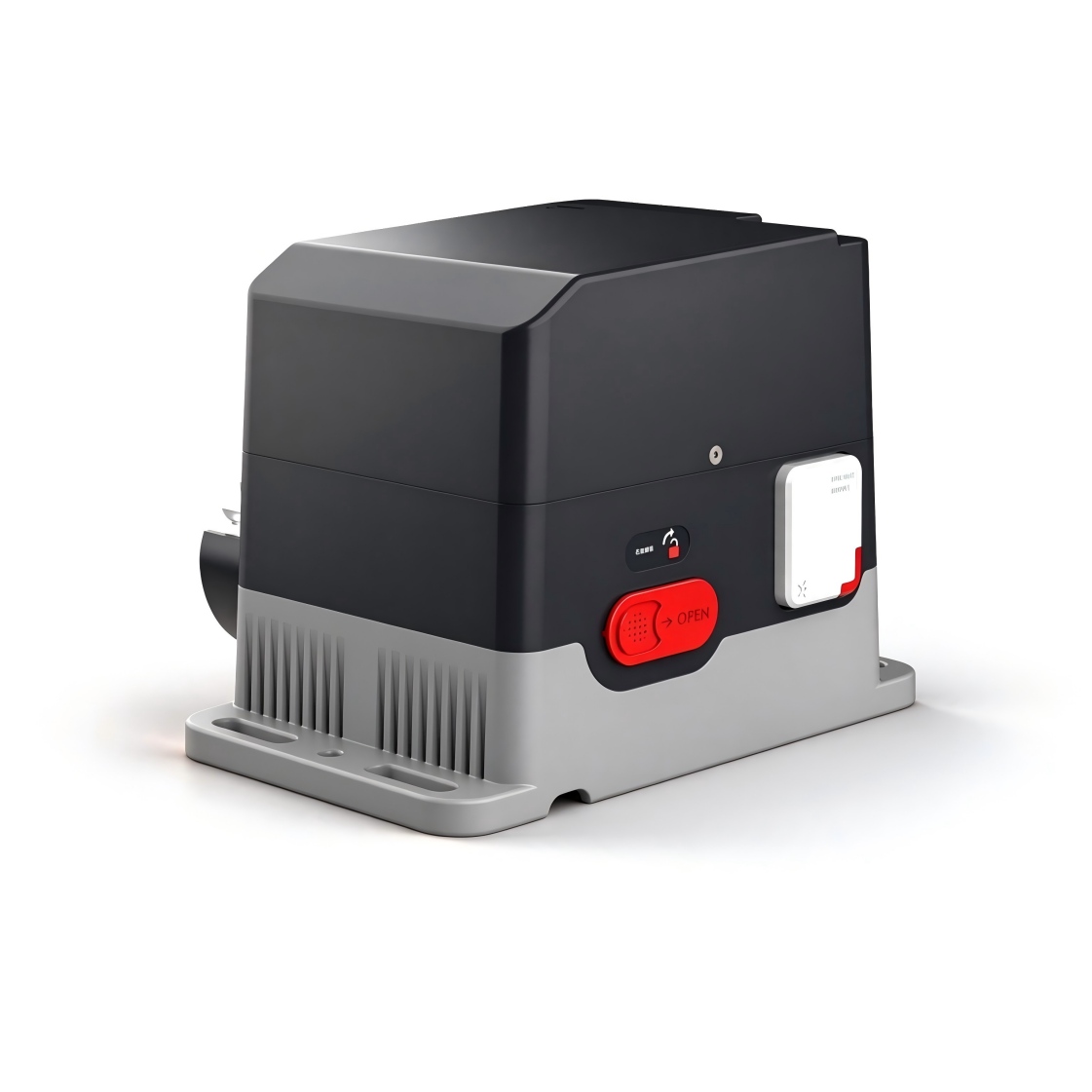
Controller Qucik Start Guide
Select controller
CTM-Sliding Door Operator Controller
Operating instructions, setup parameters, fault codes and wiring for the sliding-door operator controller.
Manual version 1.5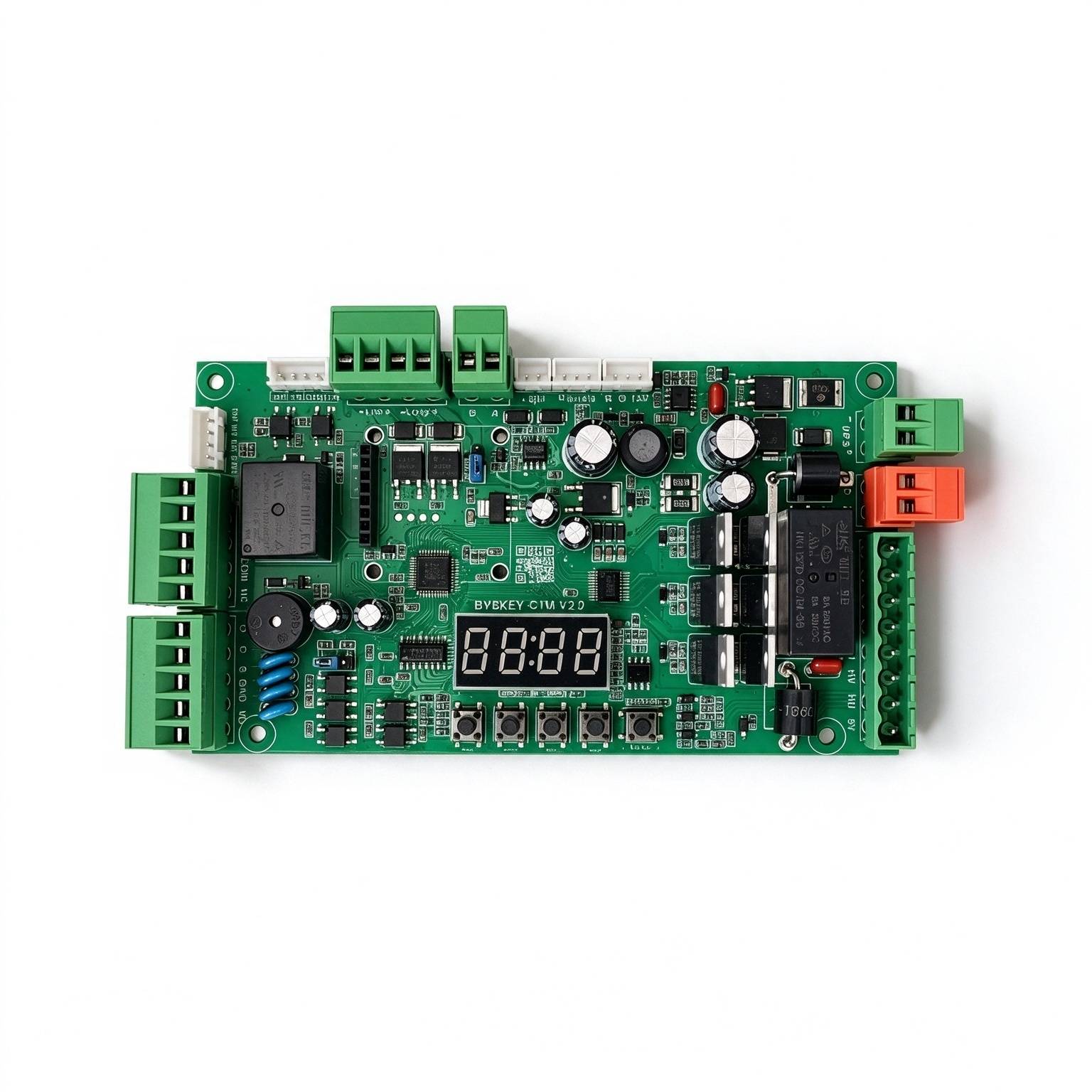
Used in these products
Safety & specifications
Operating environment requirements+
. Transport, use and store the device within the permitted humidity and temperature ranges. . Do not allow any liquid to flow into the device. . Install the device in a well-ventilated location and do not block the ventilation openings. . Do not apply heavy pressure, violent vibration, or immerse the device. . When transporting the device, use the original factory packaging or packaging of equivalent quality. . It is recommended to connect the grounding hole on the device to ground to improve reliability.
Original manual · 2 ↗Operation and maintenance+
Do not disassemble the device without authorization. Use accessories or parts specified by the manufacturer, and have installation and repair carried out by professional service personnel.
Original manual · 2 ↗Product features+
Safety: powered by 24V DC power supply; Energy saving: static power less than 2W, can drive motors up to 250W; Adjustable speed: opening and closing speeds are adjusted independently. Smooth operation: multi-stage speed design for stable and smooth working performance. Quiet: operating noise below 50dB; Multiple protection: motor over-current, overload and short-circuit protection, motor fault protection, and reverse-polarity protection; Supports external Remote controller input; Supports anti-freezing, anti-rust and other functions; Supports multiple relay output modes.
Original manual · 2 ↗Specifications+
Power supply: DC 24 V ±10%, 10 A. Motor power: maximum 250 W. Static power: less than 2 W. Opening/closing speed: adjustable 1%–100%. Operating ambient temperature: −35°C to 75°C. Operating ambient humidity: 30%–80%, no condensation.
Original manual · 2 ↗Buttons & setup
OPEN / + button+
In normal working state, pressing this button opens the door. After entering the setting state, use this button to increase menu items and adjust the set value upward. In the parameter setting state, each short press increases by one. A long press continuously increases to the maximum value, then starts increasing again from the minimum. If the long press lasts longer, the increment speeds up.
Original manual · 4 ↗CLOSE / − button+
In normal working state, pressing this button closes the door. After entering the setting state, use this button to decrease menu items and adjust the set value downward. In the parameter setting state, each short press decreases by one. A long press continuously decreases to the minimum value, then starts decreasing again from the maximum. If the long press lasts longer, the decrement speeds up.
Original manual · 4 ↗MENU button+
This button has 3 functions: 1. In normal working mode, press and hold this button for 3 seconds to enter the menu item selection state. The LED displays “P-XX”. At this time, press “Open/+ ” or “Close/- ” to select the menu item; 2. In the menu item selection state, short-press “Menu” to enter the parameter setting state; 3. After the parameter is set, short-press to save and exit.
Original manual · 4 ↗STOP / CANCEL button+
In normal working, this button provides the stop function. In the menu item selection state, it exits the setting state. In the parameter setting state, pressing this button exits that state and returns to the menu selection state, i.e. returns to the previous menu, and the set value becomes invalid. If no button is operated within 60 seconds in the menu selection or parameter setting state, the buzzer sounds a long beep and the controller returns to the normal working state.
Original manual · 4 ↗HOT-KEY shortcuts+
The 10-second shortcut restores factory settings. Do not hold beyond the intended shortcut duration.
In normal working state, pressing and holding this button makes the display count in seconds; releasing it triggers the corresponding HOT-KEY function. 1. Release after holding for 3 seconds to automatically switch the motor direction; 2. Release after holding for 6 seconds to quickly learn the Remote controller; 3. Hold for 10 seconds to restore factory settings.
Original manual · 4 ↗LED display and power-saving behavior+
The control board has a 4-digit LED display, used to show the working status of the gate, parameters, menu items and other information. After power-on, it runs in low-power mode and the LED brightness is dim. Pressing any button switches the LED display to the normal working mode with high brightness. If no button is pressed, it enters low-power mode after 60 seconds and the LED dims to reduce power consumption. If no button is pressed after 2 minutes, the LED display turns off and enters the lowest energy state.
Original manual · 4 ↗How to set a parameter+
Press and hold the “Menu” button for 3 seconds to enter the parameter setting state; the LED displays “P-XX”. Use the “Open/+ ” and “Close/- ” buttons, by short or long press, to select a menu item: each short press adds or subtracts one, and a long press adjusts continuously. Press “Menu” again to enter the setting of the selected item; press “Stop/Cancel” to return to the previous level or exit the setting. After a parameter is set, it must be confirmed by pressing “Menu” to take effect. Parameters set while pressing “Stop/Cancel” will not take effect. If no button is pressed within 60 seconds, the buzzer on the control board sounds a long beep, exits the setting state and returns to the normal working state.
Steps
- Hold Menu for 3 seconds to display P-XX.
- Use Open/+ or Close/− to select the menu item.
- Press Menu to enter its setting.
- Adjust the value with Open/+ or Close/−.
- Press Menu to confirm. Stop/Cancel discards the current change.
Quick operating modes
Normally-open mode+
After the door is fully open, hold Stop on the remote controller for 5 seconds to enter normally-open mode. Press Close to cancel.
Original manual · 5 ↗Remote partial-open mode+
When fully closed, or while closing below the partial-open position, hold Open on the remote for 2 seconds. The door opens only to the partial-open position set by P-88.
Original manual · 5 ↗Disable motion-sensing opening+
After the door is fully closed, hold Close on the remote for 5 seconds to disable motion-sensing opening.
Original manual · 5 ↗Enable motion-sensing opening+
After the door is fully open, hold Open on the remote for 5 seconds to enable motion-sensing opening.
Original manual · 5 ↗Jumper settings
Magnetic-lock supply voltage+
The 12 V / 24 V jumper selects the supply voltage. Select according to the power specification of the magnetic lock in use. Use the labels on the board to identify the jumper.
Original manual · 5 ↗Access-controller signal type+
Select relay signal or voltage signal according to the access controller output. For a relay opening signal, select relay opening. A voltage signal is a 5–24 V output from the access controller.
Original manual · 5 ↗Common functions
P-00Opening Speed+
DEFAULT80
RANGE10-100
The larger the value, the faster the speed; the smaller the value, the slower the speed.
Original manual · 5 ↗P-01Closing Speed+
DEFAULT80
RANGE10-100
The larger the value, the faster the speed; the smaller the value, the slower the speed.
Original manual · 5 ↗P-06Final-Stage Opening Speed+
DEFAULT25
RANGE1-80
Finish the opening at this speed. The larger the value, the faster the speed. If the speed is too high, the door may shake at the end of opening; in this case reduce this value.
Original manual · 5 ↗P-07Final-Stage Closing Speed+
DEFAULT25
RANGE1-80
Finish the closing at this speed. The larger the value, the faster the speed. If the speed is too high, the door may hit the frame during closing; in this case reduce this value. If the door cannot close fully, increase this value.
Original manual · 5 ↗P-08Final-Stage Opening Deceleration Position+
DEFAULT90
RANGE45-90
When opening, the door first accelerates to P-00, then begins to decelerate at P-02; at this option it stops decelerating and enters low-speed uniform motion until opening is finished.
Original manual · 5 ↗P-09Final-Stage Closing Deceleration Position+
DEFAULT2
RANGE0-45
When closing, the door first accelerates to P-01, then begins to decelerate at P-03; at this option it stops decelerating and enters low-speed uniform motion until closing is finished.
Original manual · 5 ↗P-13Remote controller Learning+
DEFAULT0
RANGE0-60
Remote controller learning: Entering P-13 displays the current number of saved Remote controllers. Then press the Open/Stop/Close buttons of the Remote controller in sequence to learn. Keep pressing until the control board beeps once, then release and press the next button. When the control board gives a long beep, or the number on the display increases by one, learning is complete. You may learn the next one or press Cancel to return. Remote controller deletion: Under this menu, press “+” or “-” to modify the value of a learned Remote controller, press “Menu” to confirm, and delete the learned Remote controller corresponding to that value.
Steps
- Enter P-13 to display the number of saved remote controllers.
- Press Open, then Stop, then Close on the remote controller. Hold each button until the control board beeps once, then release it before pressing the next button.
- A long beep or an increase in the displayed count confirms learning.
- Learn the next remote or press Cancel to return.
P-14Auto-Close Time+
DEFAULT0
RANGE0-255
After the door is fully open, if no ground-sensing/microwave signal is triggered within the specified time, the door closes automatically. If set to 0, the door does not close automatically. Unit: 1 second.
Original manual · 6 ↗P-23Opening Direction+
DEFAULT0
RANGE0-1
Value range: 0-1, default: 0. 0 is left-opening, 1 is right-opening.
Original manual · 6 ↗P-27Restore Factory Settings+
DEFAULT0
RANGE0-255
This option has three functions: clearing Remote controllers, partially restoring factory settings, and fully restoring factory settings. To prevent accidental operation, a specific value must be set, then press “Menu” to complete the operation. 5: clear Remote controllers; 10: restore factory settings (Remote controllers and motor type are not restored); 15: fully restore factory settings.
Original manual · 6 ↗P-31Sensor Interface Function Setting+
DEFAULT2
RANGE0-7
Range: 0-7, default: 2. This parameter is for the motion-sensing port IN1; different values provide different functions. 0: disabled; 1: motion-sensing function, closes immediately after no person is detected; 2: motion-sensing function, closes after the delayed closing time of P87 after no person is detected; 3: only receives external signal input after fully closed, does not detect during closing; 4: Partial-Open function, “Access + ” and “Access - ” interfaces are effective; 5: Partial-Open function, “Access + ” and “Access - ” interfaces are ineffective; 6: close; 7: stop;
Original manual · 6 ↗P-32Partial-Open Mode Interface Function Setting+
DEFAULT2
RANGE0-7
Range: 0-7, default: 2. This parameter is for the motion-sensing port IN2; different values provide different functions. 0: disabled; 1: motion-sensing function, closes immediately after no person is detected; 2: motion-sensing function, closes after the delayed closing time of P87 after no person is detected; 3: only receives external signal input after fully closed, does not detect during closing; 4: Partial-Open function, “Access + ” and “Access - ” interfaces are effective; 5: Partial-Open function, “Access + ” and “Access - ” interfaces are ineffective; 6: close; 7: stop; If either P-31 or P-32 is set to make the “Access + ” and “Access - ” interfaces ineffective, then both interfaces are disabled.
Original manual · 7 ↗P-34Counting Function+
DEFAULT1
RANGE0-4
0: no counting of opening actions, closes after passage; 1: count the opening signals with a maximum count of 1; the count is decremented when motion sensing is triggered, and the door closes when motion sensing disappears and the count is 0; 2-3: count value of 2-3; 4: count the opening signals with a maximum count of 255; the count is decremented when motion sensing is triggered, and the door closes when motion sensing disappears and the count is 0.
Original manual · 7 ↗P-64Sliding Door Type+
The range column says 0–6; the description says 0–4 but lists 5 and 6. Options 3 and 4 are not explained. Confirm supported door modes.
DEFAULT0
RANGE0-6
Range: 0-4, default: 0, of which: 0: single door; 1: main leaf of a double door, the other leaf must be set to 2; 2: slave leaf of a double door, the other leaf must be set to 1; 5: main leaf of an interlock door, the other leaf must be set to 6; 6: slave leaf of an interlock door, the other leaf must be set to 5;
Original manual · 7 ↗P-71Single-Key Cycle Switch Function+
DEFAULT0
RANGE0-2
0: not reused; 1: reused as the PUSH function; the opening triggered by this port synchronously sends the open signal to the slave with RS-485 device ID 2, and all closing signals of the device are also synchronized to the slave with device ID 2; 2: reused as the PUSH function; the signal is changed to falling-edge triggering, or triggered when the signal program lasts for 3 seconds; when opening is triggered by a 3-second long press, the open signal is synchronized to the slave with RS-485 device ID 2, and all closing signals of the device are also synchronized to the slave with device ID 2 (PUSH interface description: when the Controller is fully open, triggering PUSH closes the door; when the Controller is in other states, triggering PUSH opens the door)
Original manual · 7 ↗P-73Alarm Light Working Mode+
DEFAULT3
RANGE0-3
0: alarm light off; 1: flashing during opening; 2: flashing during closing; 3: flashing during both opening and closing.
Original manual · 8 ↗P-74Alarm Light Flash Frequency+
DEFAULT1
RANGE0-2
0: flashing alternately at 2Hz; 1: flashing alternately at 1Hz; 2: flashing alternately at 0.5Hz.
Original manual · 8 ↗P-75Illegal Opening Alarm Function+
P-76Traffic Light Mode+
The sliding-door manual uses angle/degrees terminology here. This wording is retained; confirm how the position value maps to travel on your controller.
DEFAULT0
RANGE0-3
0: traffic-light mode 1: green light when the opening angle is greater than 60°, red light when closing starts; 1: traffic-light mode 2: green light when fully open, red light in other states; 2: position-state output: green light when fully open, red light when fully closed, both lights off in other states; 3: position-pulse output: green light for 1 second when fully open, red light for 1 second when fully closed.
Original manual · 8 ↗P-78Push-to-Open Function+
DEFAULT0
RANGE0-10
0-0-disable push-to-open; 1-10 enable the push-to-open function, which takes effect after the door is fully closed; the smaller the value, the more sensitive. 1-(When this function is effective, the P58 manual-push auto-close function is invalid)
Original manual · 8 ↗P-80Relay Output Mode+
DEFAULT0
RANGE0-4
0: close when opening starts, open when closing starts; 1: closed when fully open, open when fully closed; 2: closed when fully closed, open in other states; 3: closed for a 1-second pulse when fully open; 4: closed for a 1-second pulse when fully closed;
Original manual · 8 ↗P-81Limit Learning Mode+
DEFAULT0
RANGE0-3
0-Use external sensor limit; 1-Auto-find mechanical limit; 2-Only find the opening limit (both mechanical limit and sensor limit are valid); 3-Only find the closing limit (both mechanical limit and sensor limit are valid);
Original manual · 9 ↗P-82Manual Learning of Closing Position+
This learning operation causes automatic door movement. Follow the specified P-81 prerequisite and the original procedure.
Entering the setting displays L-00, automatically opens the door to find the opening limit, stops when in position and displays L-01. The user manually presses the “Open/Close” button to control the door position to find the fully-closed position, then presses “Menu” to confirm and save.(Valid when P-81 is 2)
Steps
- Use this procedure only when P-81 is set to 2.
- Enter P-82. The display shows L-00 and the door automatically opens to find the opening limit.
- After it stops at the limit, L-01 appears.
- Use Open/Close to find the fully-closed position.
- Press Menu to confirm and save.
P-83Manual Learning of Opening Position+
This learning operation causes automatic door movement. Follow the specified P-81 prerequisite and the original procedure.
Entering the setting displays L-00, automatically closes the door to find the closing limit, stops when in position and displays L-01. The user manually presses the “Open/Close” button to control the door position to find the fully-open position, then presses “Menu” to confirm and save.(Valid when P-81 is 3)
Steps
- Use this procedure only when P-81 is set to 3.
- Enter P-83. The display shows L-00 and the door automatically closes to find the closing limit.
- After it stops at the limit, L-01 appears.
- Use Open/Close to find the fully-open position.
- Press Menu to confirm and save.
P-87Sensor Delayed Closing Time+
The source does not specify the time unit for this parameter. Do not assume the unit from another model.
DEFAULT2
RANGE0-255
How long after the microwave/ground-sensing signal disappears before closing starts.
Original manual · 9 ↗P-88Door Partial-Open Position+
DEFAULT50
RANGE10-80
Door Partial-Open position setting, unit: percentage of the fully-open position.
Original manual · 9 ↗P-89Display Ambient Temperature+
This option is used to display the current ambient temperature on the display.
Original manual · 9 ↗P-90Anti-Freeze Temperature Threshold+
The source prints the range as “-40-40”; retained verbatim. Confirm the range and temperature unit.
DEFAULT5
RANGE-40-40
At low temperature, to prevent the machine from freezing, after this function is enabled, when the door is fully closed and the temperature is lower than the value set by this option, if the door has not moved within the time of P-92, it automatically runs to the position of P-91 and then closes again.
Original manual · 9 ↗P-91Anti-Freeze Actuation Distance+
The sliding-door manual uses angle/degrees terminology here. This wording is retained; confirm how the position value maps to travel on your controller.
DEFAULT5
RANGE0-45
Opening position percentage for anti-freeze. When the ambient temperature drops to the temperature set by P-90, and the timing time set by the P-92 anti-freeze interval command is reached, the door opens to the angle set by this parameter and then automatically closes. If this parameter is 0, the anti-freeze function is disabled. Only when both P-91 and P-92 are not 0 is the anti-freeze function enabled.
Original manual · 9 ↗P-92Anti-Freeze Actuation Interval+
DEFAULT0
RANGE0-255
When the ambient temperature is lower than the set temperature, timing starts. If the gate has no running action within the timing period, when the time interval set by this command is reached, the gate opens to the angle set by P-91 and then automatically closes. If this parameter is set to 0, the anti-freeze function is disabled.(Unit: minute)
Original manual · 9 ↗Advanced functions
P-02Mid-Opening Deceleration Position+
The sliding-door manual uses angle/degrees terminology here. This wording is retained; confirm how the position value maps to travel on your controller.
DEFAULT75
RANGE10-90
Used to set the position where deceleration begins during opening. Expressed in degrees: 0° when the door is closed, 90° when fully open. This parameter means the door starts to decelerate when it opens to this angle.
Original manual · 10 ↗P-03Mid-Closing Deceleration Position+
The sliding-door manual uses angle/degrees terminology here. This wording is retained; confirm how the position value maps to travel on your controller.
DEFAULT20
RANGE0-80
Used to set the position where deceleration begins during closing. Expressed in degrees: 0° when the door is closed, 90° when fully open. This parameter means the door starts to decelerate when it closes to this angle.
Original manual · 10 ↗P-04Opening Acceleration Time+
DEFAULT100
RANGE0-255
The time required to accelerate to the opening speed set by P-00 when opening starts (the larger the value, the longer the time). (Unit: 0.01 second)
Original manual · 10 ↗P-05Closing Acceleration Time+
DEFAULT100
RANGE0-255
The time required to accelerate to the closing speed set by P-01 when closing starts (the larger the value, the longer the time). (Unit: 0.01 second)
Original manual · 10 ↗P-10Closing Brake Position+
DEFAULT0
RANGE0-30
Start closing at the final-stage closing speed from this position. If the closing vibration is large, reduce this value. If it is 0, no braking.
Original manual · 10 ↗P-11Closing Brake Duration+
DEFAULT0
RANGE0-255
Braking time when closing, unit: 0.01 second. A brake point is set at the closing brake angle. If the closing vibration is still large after both the closing stop speed and the closing buffer start position are adjusted to the limits, this is generally because the door inertia is large; a braking time can be set. The default is 0, i.e. no braking.
Original manual · 10 ↗P-12Initial Open/Close Speed Setting+
DEFAULT80
RANGE10-80
After the control board is powered on, it needs to find the origin position at a certain speed. If the speed after power-on is too high or too low, set it through this parameter. The larger the number, the higher the speed.
Original manual · 10 ↗P-15Access Signal Delayed Opening Time+
The range column is 0–100, but the description says 1–100. Confirm the supported minimum value.
DEFAULT1
RANGE0-100
Range 1-100, unit: 0.1 second, default 1. Waiting time for the magnetic lock to release.
Original manual · 10 ↗P-17Secondary Closing Confirmation+
DEFAULT0
RANGE0-60
The main purpose of this parameter is to apply force again to confirm the closing after the door is fully closed, ensuring that the magnetic lock can lock. 0: stop directly after the door is fully closed and enter the fully-closed state; greater than 0: after the door reaches the fully-closed position, continue to apply closing force for secondary closing confirmation. The larger the value, the greater the secondary closing confirmation force. When the lock cannot lock, increase this value.
Original manual · 10 ↗P-18Obstruction Rebound Sensitivity+
DEFAULT5
RANGE1-40
How long an obstruction must be detected to be judged as obstruction. (Unit: 0.05 second)
Original manual · 11 ↗P-19Obstruction Rebound Force+
DEFAULT60
RANGE1-100
How much resistance is considered an obstruction. The rebound condition is: the resistance set by P-19 is detected and lasts for the time set by P-18, then the door reverses and opens.
Original manual · 11 ↗P-20Obstruction Rebound Disable Position+
The sliding-door manual uses angle/degrees terminology here. This wording is retained; confirm how the position value maps to travel on your controller.
DEFAULT10
RANGE0-90
When the closing angle is less than the angle of this option, no obstruction rebound is performed. 0 disables this function.
Original manual · 11 ↗P-21Normally-open mode+
DEFAULT0
RANGE0-3
0: normal remote-control mode (temporary entry into normally-open mode in normal remote-control mode: when the value is 0, after the sliding door is fully open, press and hold the Stop button of the Remote controller for more than 5 seconds to temporarily enter normally-open mode; the buzzer gives a long beep for 2 seconds. Press Close to exit normally-open mode and the gate closes); 1: pressing remote-control “Open” enters normally-open mode; motion-sensing signals are not processed until Close is manually pressed, and the door stays open; 2: manual mode, all opening actions of the Controller enter normally-open mode, and triggering motion sensing does not close the door; 3: normally-open mode disabled.
Original manual · 11 ↗P-22Motor Type+
The default column says 0, but the description says default 1. Confirm the correct motor setting for this hardware.
DEFAULT0
RANGE0-3
Value range: 0-3; default: 1. Because the Hall polarity of the motor, the reduction ratio of the sliding door mechanism and the left/right opening direction of the sliding door differ, this parameter is used to be compatible with various motor and door types.
Original manual · 11 ↗P-24Open/Close Buffer Time+
DEFAULT60
RANGE10-255
Buffer time when switching from opening to closing and from closing to opening. If the time is too short, instantaneous current may be too high; a slightly longer time gives a smoother transition. (Unit: 0.01 second)
Original manual · 11 ↗P-25Stop Buffer Time+
DEFAULT60
RANGE10-255
The time required for the motor to go from running to stop when Stop is pressed during opening or closing. If too large, the stop is very slow and stable; if too short, instantaneous current may be too high. (Unit: 0.01 second)
Original manual · 11 ↗P-26Remote controller Adding Method+
The listed range is 0–4, but only options 0 and 1 are described. Confirm before using undocumented values.
DEFAULT0
RANGE0-4
0: learn by pressing Open/Stop/Close in sequence; 1: learning is complete after pressing any one button;
Original manual · 11 ↗P-28Motor Locking Force+
The listed range is 0–30, but the default and automatic-adaptation value are 255. Confirm supported values.
DEFAULT255
RANGE0-30
When the motor stops before reaching the fully-open/fully-closed area, the controller outputs a locking control to lock the door, which can cause the motor and board to heat up. It is recommended to set it according to the actual situation and not too large. When set to 255, the locking power is automatically adapted.
Original manual · 12 ↗P-29Fully-Open Motor Locking Time+
DEFAULT0
RANGE0-255
How long the motor is locked after the sliding door is fully open. (Unit: second) When set to 255, the motor is kept locked when fully open without timing.
Original manual · 12 ↗P-30Fully-Closed Motor Locking Time+
DEFAULT0
RANGE0-255
How long the motor is locked after the sliding door is fully closed. (Unit: second) When set to 255, the motor is kept locked when fully closed without timing.
Original manual · 12 ↗P-33Auto Test Function+
The listed range is 2–255, while the default and disabled setting are 0. The exception is preserved from the source.
DEFAULT0
RANGE2-255
Auto-test time interval. 0 means auto test is disabled; used for auto test and aging test. After the test is complete, set this parameter to 0 to release auto test. Short-press the “Open” button to start.
Original manual · 12 ↗P-35Closing Sensor Signal Ignore Position+
The sliding-door manual uses angle/degrees terminology here. This wording is retained; confirm how the position value maps to travel on your controller.
DEFAULT5
RANGE0-45
When the closing angle is lower than this value, the motion-sensing signal will not be processed and the door closes directly.
Original manual · 12 ↗P-36Opening Sensor Signal Ignore Position+
The sliding-door manual uses angle/degrees terminology here. This wording is retained; confirm how the position value maps to travel on your controller.
DEFAULT85
RANGE0-85
During opening, when motion sensing is less than the set angle, the motion-sensing trigger is invalid.
Original manual · 12 ↗P-37Sensor Signal Buzzer Frequency+
DEFAULT4
RANGE0-10
Buzzer frequency when motion sensing is triggered. 0: disabled; 1: short beep once; 2-10: beep continuously at the specified frequency, the larger the number the faster the beeping.
Original manual · 12 ↗P-38Access Signal Valid Time+
DEFAULT10
RANGE1-255
How long the open, close, stop, access and motion-sensing signals must last to be considered a valid signal. (Unit: 0.01 second).
Original manual · 12 ↗P-39Electric Lock Type+
DEFAULT0
RANGE0-3
Range: 0-3, default: 0. Different values correspond to different lock types. 0: electromagnetic lock, energized to lock, de-energized to unlock; 1: electric strike lock, energized to unlock, de-energized to lock; 2: electric control lock, energized to unlock, no action when de-energized, locks automatically after fully locked; 3: mechanical lock, energized to unlock, closing relies on the door inertia to push in, similar to a domestic mortise lock;
Original manual · 12 ↗P-40RS-485 Baud Rate+
DEFAULT4
RANGE0-4
Sets the baud rate of the control board: 0:9600;1:19200;2:38400;3:57600;4:115200.
Original manual · 12 ↗P-41RS-485 Device ID+
P-42RS-485 Master/Slave Mode+
DEFAULT0
RANGE0-1
Sets the master/slave mode of the control board: 0: slave mode; 1: master mode.
Original manual · 13 ↗P-43RS-485 Active Status Transmission+
DEFAULT0
RANGE0-1
When set to 1, when the gate starts an opening/closing action, the gate status command is automatically sent.
Original manual · 13 ↗P-44Opening Signal Priority+
DEFAULT0
RANGE0-80
0: all control signals have the same priority in any state; 1: opening has the highest priority, other signals are useless during opening; 2: during opening, if the vehicle has passed the ground sensor, closing starts immediately without waiting until fully open. 50-80: during opening, if the vehicle has passed the ground sensor before fully open, closing starts immediately when the door opens to the position of this set value.
Original manual · 13 ↗P-45Ambient Light Intensity+
DEFAULT0
RANGE0-0
The current light intensity of the environment; the smaller the value, the brighter.
Original manual · 13 ↗P-46Light Intensity Threshold+
DEFAULT30
RANGE0-255
When the ambient light intensity is greater than this value, the light-strip interface signal is output.
Original manual · 13 ↗P-47Delayed Light-On+
DEFAULT10
RANGE0-255
How long the light-strip signal is delayed before output when the current light intensity is greater than P-46. (Unit: second)
Original manual · 13 ↗P-48Delayed Light-Off+
DEFAULT250
RANGE0-255
How long the light-strip output is delayed before turning off when the ambient light intensity is lower than P-46. (Unit: second)
Original manual · 13 ↗P-49Open/Close Timeout Time+
DEFAULT60
RANGE6-120
Sets the opening/closing timeout time. If the door does not reach position within the set time during opening or closing, the sliding door pauses automatically and reports an opening timeout warning (Err5) or closing timeout warning (Err6). (Unit: second)
Original manual · 13 ↗P-54Bluetooth Setting+
The source provides a default and range but no operating description. Confirm the function before changing it.
DEFAULT0
RANGE0-255
No description is provided in the source manual.
Original manual · 13 ↗P-55Power-Off Auto-Run Voltage+
The trigger-voltage wording is unclear (including “1: 21”) and the source recommends 20. Confirm the threshold interpretation for this firmware.
DEFAULT0
RANGE0-30
0: off; 1: 21 triggers the automatic open/close voltage; this function requires a backup power supply and must be used together with P-56; it is recommended to set it to 20.
Original manual · 13 ↗P-56Power-Off Auto-Run Mode+
The range is 0–4, but only values 0, 1 and 2 are explained. Confirm before using undocumented modes.
DEFAULT1
RANGE0-4
Sets the power-off auto-run option. When P-55 is not 0, when the supply voltage is detected to be lower than the value set by P-55, the handling method for the sliding door:0: no action; 1: auto-open; 2: auto-close;
Original manual · 13 ↗P-57Display Mode+
DEFAULT2
RANGE0-2
0: display the gate status; 1: during gate opening and closing, the display shows the driving voltage (unit: V) or driving current (unit: A); in working mode, short-press the “Menu” button to switch between displaying current and voltage; 2: display the motor position.
Original manual · 13 ↗P-58Illegal Push Auto-Close Count+
DEFAULT255
RANGE0-255
When fully closed, if the door is manually pushed beyond the position set by P-86, the machine automatically triggers closing. When the number of manual pushes and auto-closes exceeds this value, it no longer triggers closing. Each normal open/close cycle clears the accumulated auto-close count. If set to 255, no counting is performed and the function is always effective.
Original manual · 14 ↗P-59Motor Overcurrent Protection Value+
DEFAULT120
RANGE20-180
Overcurrent protection value. When the running current of the sliding door exceeds this value, the sliding door stops automatically. If overcurrent protection occurs during closing, the sliding door is treated as obstruction rebound. (Unit: 0.1A)
Original manual · 14 ↗P-62Output Power Limit+
DEFAULT80
RANGE20-100
During operation of the gate, the maximum limited output power in % (operate with caution if not a professional)
Original manual · 14 ↗P-67Electric Lock Energized Position+
The sliding-door manual uses angle/degrees terminology here. This wording is retained; confirm how the position value maps to travel on your controller.
DEFAULT20
RANGE0-30
The angle at which the magnetic lock starts to lock when closing.
Original manual · 14 ↗P-68Opening Obstruction Protection Value+
P-72Light Output Mode+
P-77Obstruction Rebound Sensitivity Boost+
DEFAULT0
RANGE0-1
Make the minimum trigger threshold of the obstruction rebound force of P19 more sensitive. 0-off, 1-on. This entry also appears on page 8; it is shown once here under Advanced Functions, following the menu index.
Original manual · 14 ↗P-79Opening Reverse Function+
DEFAULT0
RANGE0-1
When opening is triggered at the fully-closed position, the door first reverses in the closing direction for a short time, then opens. It can be used to solve the problem of opening failure caused by some door locks being stuck when opened directly.
Original manual · 14 ↗P-84Opening End-Position Fine-Tune+
DEFAULT15
RANGE0-255
The distance between the fully-open position and the opening limit. (Valid when P-81 is 1, or when P-81 is 2 and no opening limit sensor is installed)
Original manual · 14 ↗P-85Closing End-Position Fine-Tune+
DEFAULT15
RANGE0-255
The distance between the fully-closed position and the closing limit. (Valid when P-81 is 1, or when P-81 is 3 and no closing limit sensor is installed)
Original manual · 14 ↗P-86Illegal Push Detection Sensitivity+
DEFAULT5
RANGE3-255
After the door is fully closed, the position change that triggers automatic closing when the door is detected to have been pushed open by someone. The larger the value, the larger the allowed movement; the smaller the value, the easier it is to trigger.
Original manual · 14 ↗Fault codes
Err0Incorrect reset / remote-deletion confirmation+
When clearing remote controllers or restoring factory settings, an incorrect confirmation value produces Err0.
Original manual · 15 ↗Err1Not specified+
The source lists “/”; no cause or action is provided.
Original manual · 15 ↗Err2Braking back-EMF voltage too high+
The source recommends reducing the running speed.
Original manual · 15 ↗Err3Opening stall+
Possible causes are opening speed or final-stage opening speed being too low. The source recommends increasing the opening speed and final-stage opening speed.
Original manual · 15 ↗Err4Closing stall+
Possible causes are closing speed or final-stage closing speed being too low. The source recommends increasing the closing speed and final-stage closing speed.
Original manual · 15 ↗Err5Opening timeout+
Opening time exceeds P-49. The source recommends increasing the opening speed and final-stage opening speed.
Original manual · 15 ↗Err6Closing timeout+
Closing time exceeds P-49. The source recommends increasing the closing speed and final-stage closing speed.
Original manual · 15 ↗Err7Wrong motor type+
Change the motor type to the correct type using P-22.
Original manual · 15 ↗Err8Not specified+
The source lists “/”; no cause or action is provided.
Original manual · 15 ↗Display messages
IDLEIDLE+
Motor not connected, or motor Hall fault; possibly loose wiring.
Original manual · 15 ↗STOPSTOP+
Sliding door fully closed.
Original manual · 15 ↗CLOSCLOS+
Sliding door closing.
Original manual · 15 ↗OPENOPEN+
Sliding door opening.
Original manual · 15 ↗HOLDHOLD+
Sliding door fully open.
Original manual · 15 ↗LOCKLOCK+
Sliding door locked.
Original manual · 15 ↗FLETFLET+
Normally-open mode.
Original manual · 15 ↗Wiring diagram
Controller terminal overview+
Use the original page 16 diagram for the labeled power, motor, input, sensor, limit, relay, lock, RS-485, remote-receiver, lighting and backup-power connections. The separate wiring image supplied with this import is a rendering of that original page.
Original manual · 16 ↗Source: User-manual-sliding-gate-opener.pdf, page 16. Use the board labels and original diagram. Product compatibility and a specific controller model number are not identified in the document.
No matching entries.
D6 DC Brushless Barrier Gate Controller
Setup, parameters, relay modes, fault codes and wiring for the D6 barrier gate controller.
Manual version 3.51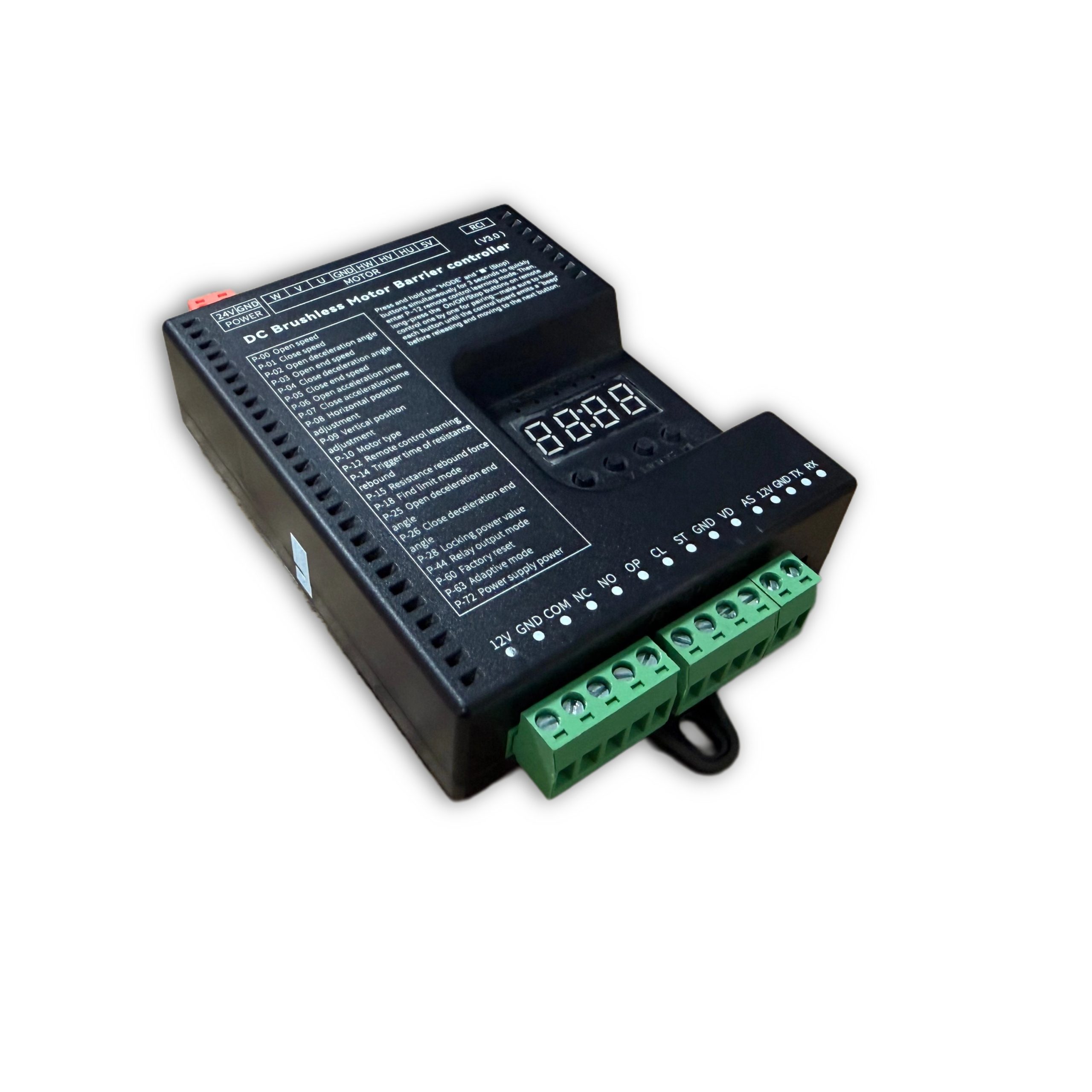
Safety & specifications
Installation, operation and maintenance+
Read the manual before use and keep it for reference. Transport, use and store within the permitted temperature and humidity. Keep liquid out, provide ventilation and do not block vents. Avoid heavy pressure, severe vibration and immersion. Transport in original packaging or equivalent protection. Grounding through the grounding hole is recommended. Do not disassemble without authorization. Use manufacturer-specified accessories, installed and serviced by qualified personnel. Do not extend, shorten or add weight to the boom without authorization.
Original manual · 2 ↗Technical specifications+
Power Supply: DC 24V +/-10% Motor Power: Max 200W Static Power: <2W Boom Raise/Lower Speed: 1%-100% adjustable Operating Temperature: -35℃ ~ 75℃ Operating Humidity: 30% ~ 80% (no condensation)
Original manual · 2 ↗Product features+
DC 24 V supply; static power below 2 W; maximum motor power 200 W; independent raise/lower speed adjustment; multistage speed control; working noise below 50 dB. Motor overcurrent, overload, short-circuit, motor fault and reverse-polarity protection. External remote-control input, configurable parameters, windproof, anti-freeze, anti-rust and relay output modes.
Original manual · 2 ↗Before changing parameters+
Some preset default values may differ from the defaults printed in the parameter table. Use the entries for this controller model and manual version. Original inconsistencies are noted beside the affected entries.
Original manual · 6 ↗Buttons & setup
Buttons: Open / Close / Menu / Stop+
I. Button Description The controller has 4 buttons. From left to right, they are "Open/+", "Close/-", "Menu", and "Stop/Cancel". Various parameters of the controller can be set through these 4 buttons. "Open/+": In normal working mode, pressing this button raises the boom. After entering settings mode, this button can be used to increase menu items and adjust values upward. In parameter setting mode, each short press increases by one. Long press continuously increases to the maximum value, then restarts from the minimum. If long-pressed for an extended period, the continuous increase speed will accelerate. "Close/-": In normal working mode, pressing this button lowers the boom. After entering settings mode, this button can be used to decrease menu items and adjust values downward. In parameter setting mode, each short press decreases by one. Long press continuously decreases to the minimum value, then restarts from the maximum. If long-pressed for an extended period, the continuous decrease speed will accelerate. "Menu": This button has 3 functions: 1. In normal working mode, long-press this button for 3 seconds to enter menu item selection mode. The LED displays "P-XX", then you can press "Open/+" or "Close/-" to select menu items; 2. In menu item selection mode, short-press "Menu" to enter parameter setting mode; 3. After parameter setting is complete, short-press to save and exit. "Stop/Cancel": In normal working mode, this button functions as stop. In menu item selection mode, it exits the setting mode. In parameter setting mode, pressing this button exits the current state and returns to the menu selection state (i.e., returns to the previous menu level), and the set value is invalid. If no button is pressed within 60 seconds in menu selection mode and parameter setting mode, the buzzer will sound a long beep and the controller will return to normal working mode.
Original manual · 5 ↗LED display and power saving+
The control board has a 4-digit LED display that can show barrier gate working status, parameters, menu items, and other information. After power-on, it runs in low-power mode, where the LED display brightness is dim. Pressing any button will switch the LED display to normal working mode with high brightness. If no button is pressed, after 60 seconds it enters low-power mode with dim LED brightness to reduce power consumption. After 2 minutes without button press, the LED display will turn off, entering the lowest power consumption state.
Original manual · 5 ↗Set and save a parameter+
III. Parameter Settings You can enter the parameter setting mode by long-pressing the "Menu" button for 3 seconds. The LED will display "P-XX". Use short press or long press of "Open/+" and "Close/-" buttons to select menu items. Short press increases or decreases by one; long press continuously increases or decreases. Press "Menu" again to enter the setting for the specified item. Press "Stop/Cancel" to return to the previous level or exit settings. After completing the parameter setting, you must press "Menu" to confirm for it to take effect. Parameters set by pressing "Stop/Cancel" will not take effect. If no button is pressed within 60 seconds, the buzzer on the control board will sound a long beep, exit the setting mode, and return to normal working mode.
Steps
- Hold Menu for 3 seconds.
- Select P-XX with Open/+ or Close/-.
- Press Menu to enter the setting and adjust the value.
- Press Menu to save. Stop/Cancel discards the current change.
- Settings time out after 60 seconds without a button press.
Motion & limits
P-00Boom Raise Speed+
DEFAULT80
RANGE10-200
The larger the value, the faster the speed; the smaller the value, the slower the speed. When adjusted to 200 and still unable to reach the required speed, increase P-72. (When P-63 is 0 or 1, values exceeding 100 are treated as 100; when P-63 is set to 2, values exceeding 100 are valid)
Original manual · 6 ↗P-01Boom Lower Speed+
P-02Boom Raise Deceleration Angle+
DEFAULT45
RANGE10-90
Used to set the position where deceleration starts during boom raising. Measured in degrees, 0 degrees represents the horizontal position and 90 degrees represents the vertical position. This parameter indicates the angle at which the boom starts to decelerate during raising.
Original manual · 6 ↗P-03Boom Raise End Speed+
DEFAULT10
RANGE1-80
The boom raising ends at this speed. Too low will cause incomplete opening; too high will cause oscillation.
Original manual · 6 ↗P-04Boom Lower Deceleration Angle+
DEFAULT55
RANGE0-80
Used to set the position where deceleration starts during boom lowering. Measured in degrees, 0 degrees represents the horizontal position and 90 degrees represents the vertical position. This parameter indicates the angle at which the boom starts to decelerate during lowering.
Original manual · 6 ↗P-05Boom Lower End Speed+
DEFAULT5
RANGE1-80
The boom lowering ends at this speed. Too low will cause incomplete closing; too high will cause oscillation. If the P-26 command has set a boom lower low-speed angle and it is within the valid range, it will run at this speed in the low-speed uniform zone.
Original manual · 6 ↗P-06Boom Raise Acceleration Time+
DEFAULT60
RANGE0-255
Time required to accelerate from start to the boom raise speed set by P-00 (larger value means longer time). (Unit: 0.01 seconds)
Original manual · 6 ↗P-07Boom Lower Acceleration Time+
DEFAULT50
RANGE0-255
Time required to accelerate from start to the boom lower speed set by P-01 (larger value means longer time). (Unit: 0.01 seconds)
Original manual · 6 ↗P-08Horizontal Position Fine-tuning+
DEFAULT15
RANGE0-255
Distance of the boom horizontal position from the horizontal mechanical limit. Larger value means farther, and vice versa. When the barrier gate completes self-check and is in the closed- in-place state, modifying this parameter will cause the barrier gate horizontal angle to update in real-time according to the set value. (This parameter should not be set too small, otherwise the connecting rod may hit the mechanical limit when closed in place, posing a risk of damaging the mechanism and mainboard)
Original manual · 6 ↗P-09Vertical Position Fine-tuning+
DEFAULT15
RANGE0-255
Distance of the boom vertical position from the vertical mechanical limit. Larger value means farther, and vice versa. When the barrier gate completes self-check and is in the open-in-place state, modifying this parameter will cause the barrier gate vertical angle to update in real-time according to the set value. (This parameter should not be set too small, otherwise the connecting rod may hit the mechanical limit when open in place, posing a risk of damaging the mechanism and mainboard)
Original manual · 6 ↗P-10Motor Type+
Source inconsistency: the default column says 0, but the description says default 1. Confirm the correct motor type for this hardware.
DEFAULT0
RANGE0-3
Value range: 0-3; Default: 1. Due to different Hall polarities of motors, different reduction ratios of barrier gate mechanisms, and left/right boom output configurations, this parameter is used to be compatible with various types of motors and barrier gates. 0: Motor positive polarity, reducer positive polarity; 1: Motor positive polarity, reducer negative polarity; 2: Motor negative polarity, reducer positive polarity; 3: Motor negative polarity, reducer negative polarity
Original manual · 6 ↗P-17Limit Learning Speed+
DEFAULT40
RANGE10-80
Set different speeds for finding upper limit and lower limit. After entering the menu, the first setting is the speed for finding the upper limit. The digital tube displays "1-XX", where XX represents the speed for finding the upper limit. You can adjust the speed by pressing "Open/+" and "Close/-". After setting the upper limit speed, press "Menu" and the digital tube displays "2-XX", where XX represents the speed for finding the lower limit. Similarly, adjust the speed by pressing "Open/+" and "Close/-". After both upper and lower limit speeds are set, press "Menu" to save. If "Stop/Cancel" is pressed during setting, the parameters will be invalid.
Original manual · 7 ↗P-18Limit Search Mode+
DEFAULT0
RANGE0-2
0: Search for both limits. 1: Search for upper limit. 2: Search for lower limit.
Original manual · 7 ↗P-19Manual Upper Limit Learning+
After entering this setting, the digital tube displays L-00. The boom automatically raises to position and stops, displaying L-01. The operation is the same as P-21, finding vertical and horizontal limits. After learning the horizontal limit, it automatically returns to the setting page, indicating success. Then set P-18 to 1 to use.
Original manual · 7 ↗P-20Manual Lower Limit Learning+
Same as P-19 but reversed. After entering the setting, it displays L-00 and automatically finds the lower limit. When in position, it stops and displays L-01. The user manually finds the horizontal and vertical positions. The first confirmation is the horizontal position, displaying L-02. The second is the vertical position, and it returns to the setting page. Then set P-18 to 2 to use.
Original manual · 7 ↗P-21Manual Upper/Lower Limit Learning+
After entering this setting, the digital tube displays L-00. The barrier gate first automatically lowers the boom. When in position, it displays L-01, then automatically raises the boom. When in position, it stops and displays L-02. At this point, holding the raise or lower button will raise or lower the boom, and releasing will stop. It will alarm when reaching the mechanical limit. The user can adjust the position manually. Once determined, press Menu to learn one limit. The first Menu press is for the vertical limit, displaying L-03. The second is for the horizontal limit. After the second press, it automatically returns to the setting page, indicating learning is successful. After setting this function, P-18 must be set to 0.
Original manual · 8 ↗P-22Boom Raise Reverse Buffer Time+
DEFAULT80
RANGE10-255
Buffer time from boom raise to boom lower. Too short a time may cause excessive instantaneous current. (Unit: 0.01 seconds)
Original manual · 8 ↗P-23Boom Lower Reverse Buffer Time+
DEFAULT100
RANGE10-255
Buffer time from boom lower to boom raise. Too short a time may cause excessive instantaneous current. (Unit: 0.01 seconds)
Original manual · 8 ↗P-24Stop Buffer Time+
DEFAULT100
RANGE10-255
Time required for the motor to stop from running when Stop is pressed during boom raise or lower. Too large will cause slow and stable stopping. Too short may cause excessive instantaneous current. (Unit: 0.01 seconds)
Original manual · 8 ↗P-25Boom Raise Deceleration End Angle+
DEFAULT90
RANGE45-90
During boom raising, the boom first accelerates to P-00, then starts decelerating at P-02. At this option, it stops decelerating and enters uniform motion until boom raising ends.
Original manual · 8 ↗P-26Boom Lower Deceleration End Angle+
DEFAULT10
RANGE0-45
During boom lowering, the boom first accelerates to P-01, then starts decelerating at P-04. At this option, it stops decelerating and enters uniform motion until boom lowering ends.
Original manual · 8 ↗Remote control
P-11Remote Control Learning Mode+
DEFAULT0
RANGE0-1
0: Press Open, Close, Stop in sequence to complete learning; 1: Press any one button to complete learning
Original manual · 7 ↗P-12Remote Control Learning+
DEFAULT0
RANGE0-50
Remote control learning: Entering P-12 will display the current number of saved remote controls. At this point, press the remote control buttons Open, Close, Stop in sequence to learn. Keep pressing until the control board beeps once, then release and press the next button. Continue until the control board gives a long beep or the number displayed on the digital tube increases by one, indicating learning is complete. You can continue learning the next remote or press Cancel to return. Remote control deletion: In this menu, press "+" or "-" to modify the learned remote control count, then press "Menu" to confirm. This will delete all learned remote controls after that count.
Original manual · 7 ↗P-13Remote Convoy Mode+
DEFAULT0
RANGE0-3
0: Normal remote control mode. (Temporary convoy mode entry method: After the barrier gate is fully opened, long-press the remote control Open button for more than 5 seconds to temporarily enter convoy mode. The buzzer will sound for 2 seconds. Press Close to exit convoy mode and close the barrier gate.) 1: Remote "Open" enters convoy mode. Loop detector signals will not be processed until manual boom lowering. The boom stays raised. 2: Manual mode. All opening actions of the barrier gate will enter convoy mode, and loop detector trigger will not lower the boom. 3: Disable convoy mode.
Original manual · 7 ↗P-82Bluetooth Connection+
When the mini program connects to the mainboard via Bluetooth for the first time, please enter the P-82 menu, then connect to the mainboard Bluetooth. After the mini program has the mainboard connection data, there is no need to enter the P-82 menu. You can directly connect via Bluetooth.
Original manual · 13 ↗Detection & automatic closing
P-14Reverse-on- Obstacle Trigger Time+
DEFAULT2
RANGE1-40
How long an obstacle must be encountered before it is judged as reverse-on-obstacle. (Unit: 0.05 seconds)
Original manual · 7 ↗P-15Reverse-on- Obstacle Force+
DEFAULT45
RANGE1-100
How much resistance is considered as an obstacle. The reverse condition is that the resistance set by P-15 is encountered and persists for the time set by P-14, then the boom reverses.
Original manual · 7 ↗P-16Reverse-on- Obstacle Angle+
DEFAULT5
RANGE0-90
When the boom is below this angle, reverse-on- obstacle will not occur. 0 disables this function.
Original manual · 7 ↗P-27Anti-crash Function+
DEFAULT1
RANGE0-8
Whether the anti-crash port signal is valid. 0: Invalid, triggering anti-crash signal does not raise the boom. 1: Valid, triggering anti-crash signal during boom lowering raises the boom. 2: Anti-crash port repurposed as "Open" port function. 3: Anti-crash port repurposed as "Close" port function. 4: Anti-crash port repurposed as loop detector port function. (After repurposing the anti-crash port, the original function port becomes invalid.) 5: Anti-crash terminal connected to radar for pedestrian anti- crash. (Valid during lowering, resumes lowering after target disappears, i.e., does not change the original raise/lower state, only used for anti- crash for pedestrians/vehicles.) 6: Anti-crash port repurposed as "Open" port function while keeping the original "Open" port valid. 7: Anti- crash port repurposed as "Fire Emergency port". When triggered, raises the boom and automatically enters convoy mode. 8: Anti-crash port repurposed as Open, Stop port repurposed as loop detector. (Original Open and loop detector ports become invalid.)
Original manual · 8 ↗P-28Lock Power Value+
DEFAULT255
RANGE0-21, 255
When the motor stops in a non-mechanical lock zone, since there is no mechanical lock, the spring tension will pull the boom up. This function uses controller output control for locking, which will cause the motor and board to heat up. It is recommended to set according to actual conditions and not too high. When set to 255, it is auto-adaptive lock power.
Original manual · 8 ↗P-29Open-in-place Lock Time+
DEFAULT0
RANGE0-255
How long the lock remains active after the boom reaches the open position. (Unit: seconds) When set to 255, the lock is always maintained when open in place, without timing.
Original manual · 8 ↗P-30Close-in-place Lock Time+
DEFAULT0
RANGE0-255
How long the lock remains active after the boom reaches the close position. (Unit: seconds) When set to 255, the lock is always maintained when closed in place, without timing.
Original manual · 8 ↗P-31Reverse Lock Turns+
DEFAULT0
RANGE0-20
During boom raising, if the motor reverses for various reasons, how many turns before locking.
Original manual · 9 ↗P-32Auto Lower Time Without Loop Detector+
DEFAULT0
RANGE0-255
Time for the boom to automatically lower without loop detector trigger. Setting to 0 means no auto-lowering without loop detector. (Unit: seconds)
Original manual · 9 ↗P-33Vehicle Pass Delay Lower Time+
DEFAULT2
RANGE0-255
How long after the loop detector signal disappears before starting to lower the boom. Default 0.2 seconds. (Unit: 0.1 seconds)
Original manual · 9 ↗P-34Loop Detector Counting+
DEFAULT1
RANGE0-4
0: No raise counting, lower after vehicle passes. 1: Count raise signals, max count is 1. Decrement count when loop detector is triggered. Lower when loop detector disappears and count is 0. 2: Count raise signals, max count is 2. Decrement count when loop detector is triggered. Lower when loop detector disappears and count is 0. 3: Count raise signals, max count is 3. Decrement count when loop detector is triggered. Lower when loop detector disappears and count is 0. 4: Count raise signals, max count is 255. Decrement count when loop detector is triggered. Lower when loop detector disappears and count is 0.
Original manual · 9 ↗P-35Loop Detector Non- detection Angle+
DEFAULT10
RANGE0-45
When the boom angle is below this value, loop detector signals will not be processed, and the boom lowers directly.
Original manual · 9 ↗P-36Loop Detector Trigger Buzzer Frequency+
DEFAULT4
RANGE0-20
Buzzer frequency when loop detector is triggered. 0 disables. Larger number means faster beeping.
Original manual · 9 ↗P-37Loop Detector Signal Trigger Judgment Time+
DEFAULT4
RANGE1-255
How long the signal must be maintained to be considered a loop detector trigger. (Unit: 0.01 seconds)
Original manual · 9 ↗P-38Loop Detector Signal Valid Judgment Time+
DEFAULT4
RANGE1-255
When the loop detector is triggered, how long it must remain triggered to be considered a real loop detector signal (i.e., a vehicle is present). (Unit: 0.01 seconds)
Original manual · 9 ↗P-42Boom Raise Priority+
DEFAULT1
RANGE0-2, 50-80
0: All control signals have the same priority in any state. 1: Boom raise has the highest priority. Other signals are ineffective during raising. 2: During boom raising, if the vehicle has already passed the loop detector, immediately start lowering without waiting for the barrier gate to fully open. 50-80: During boom raising, if the vehicle has passed the loop detector before fully open, the barrier gate starts lowering when it reaches the angle set by this value.
Original manual · 9 ↗P-43Boom Raise Signal Judgment Time+
DEFAULT8
RANGE1-255
How long the raise signal must persist to be considered a valid raise signal. (Unit: 0.01 seconds)
Original manual · 9 ↗P-58Auto Close Count After Manual Raise+
DEFAULT0
RANGE0-255
When closed in place, if the boom is manually lifted more than 10 degrees, the machine will automatically lower. This parameter is how many times it lowers. When the manual lift and lower count exceeds this value, it will no longer trigger lowering. Each normal raise-lower cycle resets the accumulated auto-lower count. If set to 255, no counting is performed and this function is always active.
Original manual · 11 ↗P-68Pause on Loop Trigger During Lowering+
DEFAULT0
RANGE0-1
0: When loop detector is triggered during lowering, the barrier gate automatically raises. 1: When loop detector is triggered during lowering, the barrier gate stops at the current position (can serve as a certain degree of anti- toll-evasion function).
Original manual · 12 ↗P-73Auto Lower Speed Without Loop Detector+
DEFAULT40
RANGE0-80
Auto lower speed without loop detector. When set to 0, it is invalid. Auto-lowering without loop detector uses P-01 (boom lower speed) as the running speed. When set to non-zero, this parameter replaces P-01 (boom lower speed) as the running speed. This function solves the problem of auto-lowering without loop detector being too fast and potentially hitting pedestrians. A relatively smaller auto-lower speed parameter can be set to prevent auto- lowering from hitting pedestrians.
Original manual · 12 ↗P-83Boom Raise Loop Non-detection Angle+
DEFAULT20
RANGE0-80
During boom raising, when the loop detector is below the set angle, loop detector trigger is invalid.
Original manual · 13 ↗P-89Loop Detector Tailgating Auto Lower Time+
DEFAULT0
RANGE0-255
Used to solve the problem where the front vehicle has not left the loop detector, the rear vehicle gives an open signal, and the vehicles are too close together causing both to press the loop detector. When the front vehicle leaves and the loop detector signal does not disappear, the boom does not lower. The set value is the lower time for this situation, in units of 10 seconds. Setting to 0 disables this function.
Original manual · 14 ↗System & other parameters
P-39Undocumented menu slot+
The original manual marks this menu slot with “/” and provides no setting instructions.
Original manual · 9 ↗P-40Undocumented menu slot+
The original manual marks this menu slot with “/” and provides no setting instructions.
Original manual · 9 ↗P-41Light Sensor Off Threshold+
This entry refers to P-46, but the D6 manual marks P-46 as undocumented. Confirm whether this function is supported on the installed hardware.
DEFAULT0
RANGE0-50
0 -- This parameter is invalid. The light sensor is fully controlled by the P-46 photosensitive threshold. Other -- Light sensor off threshold. When ambient light intensity falls below this value, the light sensor turns off after a delay. (P-41 works with P-46. P-46 sets the light-on threshold, and P-41 sets the light-off threshold. By setting P-41 to a value smaller than P-46, you can solve the problem of the light box control being unstable due to the light box illuminating the photosensitive receiver.)
Original manual · 9 ↗P-44Relay Output Mode+
DEFAULT4
RANGE0-7
0: Traffic light mode: Relay closes when open in place, relay opens when closed in place. 1: / 2: Loop detector mode: Closes when boom starts raising, relay opens when closed in place. 3: Traffic light mode 1: Normally closed connects to red light, normally open connects to green light. Relay closes and green light turns on after barrier gate opens in place; otherwise relay opens and red light turns on. 4: Traffic light mode 2: Normally closed connects to red light, normally open connects to green light. Relay closes and green light turns on when barrier gate angle exceeds 60 degrees; otherwise relay opens and red light turns on. 5: Traffic light mode 3: Relay closes during boom raising, opens during boom lowering. 6: Manual lift alarm: Relay closes when boom is manually lifted more than 5 degrees after closing in place. Can be used to connect an alarm. 7: Pulse mode: Relay closes for 1 second when closed in place, then opens.
Original manual · 9 ↗P-45Undocumented menu slot+
The original manual marks this menu slot with “/” and provides no setting instructions.
Original manual · 11 ↗P-46Undocumented menu slot+
The original manual marks this menu slot with “/” and provides no setting instructions.
Original manual · 11 ↗P-47Undocumented menu slot+
The original manual marks this menu slot with “/” and provides no setting instructions.
Original manual · 11 ↗P-48Undocumented menu slot+
The original manual marks this menu slot with “/” and provides no setting instructions.
Original manual · 11 ↗P-49Ambient Temperature+
This option is used to display the current ambient temperature on the digital tube.
Original manual · 11 ↗P-50Anti-freeze Temperature Threshold+
DEFAULT0
RANGE-40-0
At low temperatures, to prevent the machine from freezing, when this function is enabled and the temperature falls below the set value, if the barrier gate has not moved within the P-52 time interval, it will automatically run to the P-51 angle and then close.
Original manual · 11 ↗P-51Anti-freeze Boom Raise Angle+
DEFAULT0
RANGE0-45
Range: 0-45, Default: 0. Anti-freeze opening angle. When the ambient temperature drops to the P-50 set temperature and the P-52 anti- freeze time interval has elapsed, the barrier gate will open to the angle set by this parameter, then automatically close. If this parameter is 0, the anti-freeze function is disabled. Both P-51 and P-52 must be non-zero to enable the anti- freeze function.
Original manual · 11 ↗P-52Anti-freeze Boom Raise Time Interval+
DEFAULT0
RANGE0-255
When the ambient temperature is below the set temperature, timing starts. If the barrier gate has no movement within the timing period, it will open to the P-51 set angle after the time interval set by this command, then automatically close. Setting this parameter to 0 disables the anti- freeze function. (Unit: minutes)
Original manual · 11 ↗P-53Anti-rust Open Angle+
DEFAULT0
RANGE0-45
The angle for anti-rust boom raising. If this parameter is non-zero, after the time interval specified by the P-54 command, the controller will open to the angle specified by this parameter, then automatically close. During normal operation, the boom raising and lowering of the barrier gate will reset the time interval and restart timing. If this parameter is 0, the anti-rust function is disabled.
Original manual · 11 ↗P-54Anti-rust Boom Raise Time Interval+
DEFAULT0
RANGE0-255
If the barrier gate is installed at a site and left unused for a long time, it may rust. You can enable this parameter to make the barrier gate open once after a certain time interval. The opening angle is set by the P-53 command. If this parameter is 0, the anti-rust function is disabled. Both P-53 and P-54 must be non-zero to enable the anti-rust function. (Unit: hours)
Original manual · 11 ↗P-55Set 485 Baud Rate+
DEFAULT4
RANGE0-4
Set the baud rate of the control board. Settings: 0: 9600; 1: 19200; 2: 38400; 3: 57600; 4: 115200
Original manual · 11 ↗P-56Set 485 Address+
P-57Controller Master/Slave Mode+
DEFAULT0
RANGE0-1
Set the master/slave mode of the control board. 0: Slave mode. 1: Master mode.
Original manual · 11 ↗P-59Auto Test+
DEFAULT0
RANGE0-255
Auto test time interval. When set to 0, auto test is disabled. Used for auto testing and aging testing. After testing is complete, set this parameter to 0 to cancel auto test. Short press "Open" button to start open/close-in-place auto test. Long press "Open" button to start simulated lowering to middle position then raising auto test. (Unit: seconds)
Original manual · 11 ↗P-60Restore Default Settings+
DEFAULT0
RANGE0-255
This option has three functions: clear remote controls, partial factory reset, and full factory reset. To prevent misoperation, specific values must be set before pressing "Menu" to complete the operation. 5: Clear remote controls. 10: Factory reset (remote controls and motor type are not restored). 15: Full factory reset.
Original manual · 11 ↗P-61Undocumented menu slot+
The original manual marks this menu slot with “/” and provides no setting instructions.
Original manual · 12 ↗P-62Undocumented menu slot+
The original manual marks this menu slot with “/” and provides no setting instructions.
Original manual · 12 ↗P-63Adaptive Mode+
Source inconsistency: the default is 3, but the listed range is 0–2 and only modes 0–2 are explained. Do not infer mode 3 from another model.
DEFAULT3
RANGE0-2
0: Conventional mode. 1: Use adaptive mode for limit initialization. 2: Use adaptive mode for both limit initialization and boom raise/lower.
Original manual · 12 ↗P-64Boom Raise/Lower Timeout+
The parameter table gives an adjustable timeout of 6–40 seconds (default 30), while the Err5/Err6 descriptions say 15 seconds. The source is inconsistent; confirm the firmware behavior.
DEFAULT30
RANGE6-40
Set the boom raise/lower timeout. If the boom raise/lower exceeds the set time without reaching position, the barrier gate will automatically pause and report a raise timeout warning (Err5) or lower timeout warning (Err6). (Unit: seconds)
Original manual · 12 ↗P-65Power-off Auto Raise/Lower Voltage+
DEFAULT0
RANGE0-21
0: Disabled. 1-21: Trigger auto raise/lower voltage. This function requires a backup power supply and must be configured with the P-69 setting. Recommended to set to 20.
Original manual · 12 ↗P-66Brake Reverse Voltage Warning Threshold+
The range column lists 30–100 V, while the description also specifies 0 to disable the warning. This source exception is retained.
DEFAULT55
RANGE30-100
For situations where the barrier gate spring is poorly matched, when the motor decelerates and generates excessive reverse voltage, a warning is issued. The warning sound is 5 quick buzzer beeps, and the digital tube displays ERR2. This warning will not interrupt barrier gate operation. The reverse voltage effect can be reduced by lowering the barrier gate running speed or matching the spring and boom balance. (Unit: V). Setting to 0 disables this warning.
Original manual · 12 ↗P-67Display Drive Voltage and Current+
DEFAULT1
RANGE0-1
0: Do not display voltage and current data. 1: During boom raising and lowering, the digital tube displays drive voltage (Unit: V) or drive current (Unit: A). In working mode, you can switch between displaying current and voltage by short-pressing the "Menu" button.
Original manual · 12 ↗P-69Power-off Auto Run Function+
DEFAULT1
RANGE0-4
Set the power-off auto run option. When P-65 is set to non-zero and the supply voltage is detected to be below the P-65 set value, the barrier gate handling method: 0: No action. 1: Auto raise boom. 2: Auto lower boom. 3: No action when in open/close-in-place position; auto raise when in middle position. 4: No action when in open/close-in-place position; auto low- speed lower when in middle position.
Original manual · 12 ↗P-70Custom Parameter Settings+
Currently no function
Original manual · 12 ↗P-71Overcurrent Protection Value+
DEFAULT120
RANGE20-160
Overcurrent protection value. When the barrier gate running current exceeds this value, the barrier gate automatically stops running. If overcurrent protection occurs during lowering, the barrier gate will treat it as reverse-on- obstacle. (Unit: 0.1A)
Original manual · 12 ↗P-72Power Output+
DEFAULT80
RANGE20-100
Maximum limited output power % during barrier gate operation. (Non-professionals should operate with caution)
Original manual · 12 ↗P-74Undocumented menu slot+
The original manual marks this menu slot with “/” and provides no setting instructions.
Original manual · 12 ↗P-75Undocumented menu slot+
The original manual marks this menu slot with “/” and provides no setting instructions.
Original manual · 12 ↗P-76Undocumented menu slot+
The original manual marks this menu slot with “/” and provides no setting instructions.
Original manual · 12 ↗P-77Undocumented menu slot+
The original manual marks this menu slot with “/” and provides no setting instructions.
Original manual · 12 ↗P-78Auto Send Barrier Status Data+
DEFAULT0
RANGE0-1
When set to 1, when the barrier gate triggers a raise/lower action, it automatically sends barrier gate status commands.
Original manual · 13 ↗P-79Undocumented menu slot+
The original manual marks this menu slot with “/” and provides no setting instructions.
Original manual · 13 ↗P-80Adaptive Control Coefficient+
DEFAULT4
RANGE0-9
Adaptive control parameter. Used for optimizing the effect on some special barrier gates. (Not recommended for non-professionals to adjust this parameter)
Original manual · 13 ↗P-81Adaptive Mode Limit Learning Power+
DEFAULT40
RANGE10-80
In adaptive mode, set the maximum power for limit learning. For some lower-power power supplies, if power overcurrent protection occurs during limit learning, this parameter can be reduced. For poorly matched spring counterweights where the motor torque is insufficient during limit learning raise/lower, this parameter can be increased.
Original manual · 13 ↗P-84Expansion Port Mode+
DEFAULT0
RANGE0-5
0: 485 mode. 1-3: TX pin repurposed as colored light strip flashing mode. Larger value means higher light strip brightness. When P-44 is set to 3, RX pin is repurposed as close-in- place status output (if the built-in relay is normally open, it becomes open-in-place status output). 4: Colored light strip flashing mode 2. 5: Colored light strip flashing mode 3.
Original manual · 13 ↗P-85Undocumented menu slot+
The original manual marks this menu slot with “/” and provides no setting instructions.
Original manual · 14 ↗P-86Undocumented menu slot+
The original manual marks this menu slot with “/” and provides no setting instructions.
Original manual · 14 ↗P-87Undocumented menu slot+
The original manual marks this menu slot with “/” and provides no setting instructions.
Original manual · 14 ↗P-88Control Interface Disable+
DEFAULT0
RANGE0-3
0 - All enabled. 0x01 - Disable Open/Close/Stop ports. 0x02 - Disable remote control interface. 0x03 - Disable Open/Close/Stop and remote control.
Original manual · 14 ↗P-90Barrier Limit Verification+
DEFAULT1
RANGE0-1
0 - Disable. 1 - Enable. Enabling this function can optimize the issue of some barrier gates with poorly matched parameters, where self- check easily misjudges the limit, causing incorrect self-check angles and incomplete opening/closing.
Original manual · 14 ↗Relay output modes
P-440: Traffic Light Mode+
Relay closes when open in place, relay opens when closed in place
Original manual · 10 ↗P-441: /+
P-442: Loop Detector Mode+
Closes when boom starts raising, relay opens when closed in place
Original manual · 10 ↗P-443: Traffic Light Mode 1+
Normally closed connects to red light, normally open connects to green light. Relay closes and green light turns on after barrier gate opens in place; otherwise relay opens and red light turns on
Original manual · 10 ↗P-444: Traffic Light Mode 2+
Normally closed connects to red light, normally open connects to green light. Relay closes and green light turns on when barrier gate angle exceeds 60 degrees; otherwise relay opens and red light turns on
Original manual · 10 ↗P-445: Traffic Light Mode 3+
Relay closes during boom raising, opens during boom lowering
Original manual · 10 ↗P-446: Manual Lift Alarm+
Relay closes when boom is manually lifted more than 5 degrees after closing in place. Can be used to connect an alarm
Original manual · 10 ↗P-447: Pulse Mode+
Relay closes for 1 second when closed in place, then opens
Original manual · 10 ↗Fault codes
Err0Err0+
When clearing remote controls and restoring factory settings, the correct confirmation value must be set. An incorrect confirmation value will prompt an Err0 error.
Original manual · 14 ↗Err1Err1+
Reserved.
Original manual · 14 ↗Err2Err2+
Brake reverse voltage too high warning. Generally caused by poorly matched springs and excessive speed. Can be resolved by matching the spring and boom balance and reducing running speed. You can also increase the P-66 setting value to increase the trigger threshold.
Original manual · 14 ↗Err3Err3+
Boom raise stall. Possible causes: broken barrier gate spring, boom raise speed too low, boom raise end speed too low. Can increase boom raise speed and boom raise end speed.
Original manual · 14 ↗Err4Err4+
Boom lower stall. Possible causes: barrier gate spring too tight, boom not attached, boom lower speed or boom lower end speed too low. Check if the spring is too tight, whether the boom is attached, and increase boom lower speed or boom lower end speed.
Original manual · 14 ↗Err5Err5+
The parameter table gives an adjustable timeout of 6–40 seconds (default 30), while the Err5/Err6 descriptions say 15 seconds. The source is inconsistent; confirm the firmware behavior.
Boom raise timeout. The cause is that the raise time exceeds 15 seconds. Can increase boom raise speed and boom raise end speed.
Original manual · 14 ↗Err6Err6+
The parameter table gives an adjustable timeout of 6–40 seconds (default 30), while the Err5/Err6 descriptions say 15 seconds. The source is inconsistent; confirm the firmware behavior.
Boom lower timeout. The cause is that the lower time exceeds 15 seconds. Can increase boom lower speed and boom lower end speed.
Original manual · 14 ↗Err7Err7+
Motor type selection error. Can be corrected by changing P-10 to the correct type.
Original manual · 14 ↗Err8Err8+
Reserved.
Original manual · 14 ↗Err9Err9+
During boom raising, the motor reverses due to situations such as a broken spring.
Original manual · 14 ↗Display messages
IDLEIDLE+
Motor wiring not connected (or loose), or motor Hall sensor fault. By pressing buttons to enter the menu settings, find P-59, then enter the value setting interface. At this point, the 3 LED status lights on the right will become 3 Hall sensor level indicators, used to assist in diagnosing Hall detection issues.
Original manual · 15 ↗STOPSTOP+
Barrier gate closed in place
Original manual · 15 ↗CLOSCLOS+
Barrier gate is closing
Original manual · 15 ↗OPENOPEN+
Barrier gate is opening
Original manual · 15 ↗HOLDHOLD+
Barrier gate opened in place
Original manual · 15 ↗LOCKLOCK+
Barrier gate locked
Original manual · 15 ↗FLETFLET+
Convoy mode
Original manual · 15 ↗Diagrams & revisions
Horizontal and vertical position adjustment+
Original diagram for P-08 / P-09. Open the source PDF page to view the diagram.
Original manual · 16 ↗Raising without a low-speed zone+
P-25 >= 90. Open the source PDF page to view the speed/position diagram.
Original manual · 16 ↗Raising with a low-speed zone+
P-25 < 90 and P-25 > P-02. Open the source PDF page to view the diagram.
Original manual · 17 ↗Lowering without a low-speed zone+
P-26 = 0. Open the source PDF page to view the diagram.
Original manual · 17 ↗Lowering with a low-speed zone+
P-26 != 0 and P-26 < P-04. Open the source PDF page to view the diagram.
Original manual · 18 ↗Mounting hole dimensions+
Refer to the original dimensioned drawing on PDF page 21.
Original manual · 21 ↗V2.1 · 2023-10-26+
Initial draft
Original manual · 22 ↗V3.0 · 2024-03-30+
Added plug-in traffic light interface
Original manual · 22 ↗V3.1 · 2025-03-25+
Added menu function P-84: Expansion port mode
Original manual · 22 ↗V3.2 · 2025-04-16+
Menu function P-84 added item 4 and item 5
Original manual · 22 ↗V3.3 · 2025-05-30+
Added menu function P-41: Light sensor off threshold
Original manual · 22 ↗V3.4 · 2025-06-17+
Added menu function P-90: Barrier limit verification
Original manual · 22 ↗V3.5 · 2025-08-21+
Menu function P-27 added item 8
Original manual · 22 ↗V3.51 · 2026-05-29+
Menu function P-27 modified item 5
Original manual · 22 ↗Wiring diagrams
Mainboard terminals+
The supplied wiring image reproduces the original controller terminal diagram. Match the terminal labels and hardware variant to the original drawing.
Original manual · 19 ↗Variant with plug-in traffic light port+
The second drawing in the supplied image is the original plug-in traffic light port variant. Use the diagram that matches your hardware.
Original manual · 20 ↗Traffic light wiring+
Refer to the original P-44 traffic light wiring drawing. The source describes common-anode LED strips and says to reverse the power supply 12 V / GND connections for common-cathode strips.
Original manual · 10 ↗Original PDF page(s): 19, 20. Additional lighting diagrams are linked through their source-page entries. Product compatibility is not inferred.
No matching entries.
D8 DC Brushless Barrier Gate Controller
Setup, parameters, relay modes, fault codes and wiring for the D8 barrier gate controller.
Manual version 3.81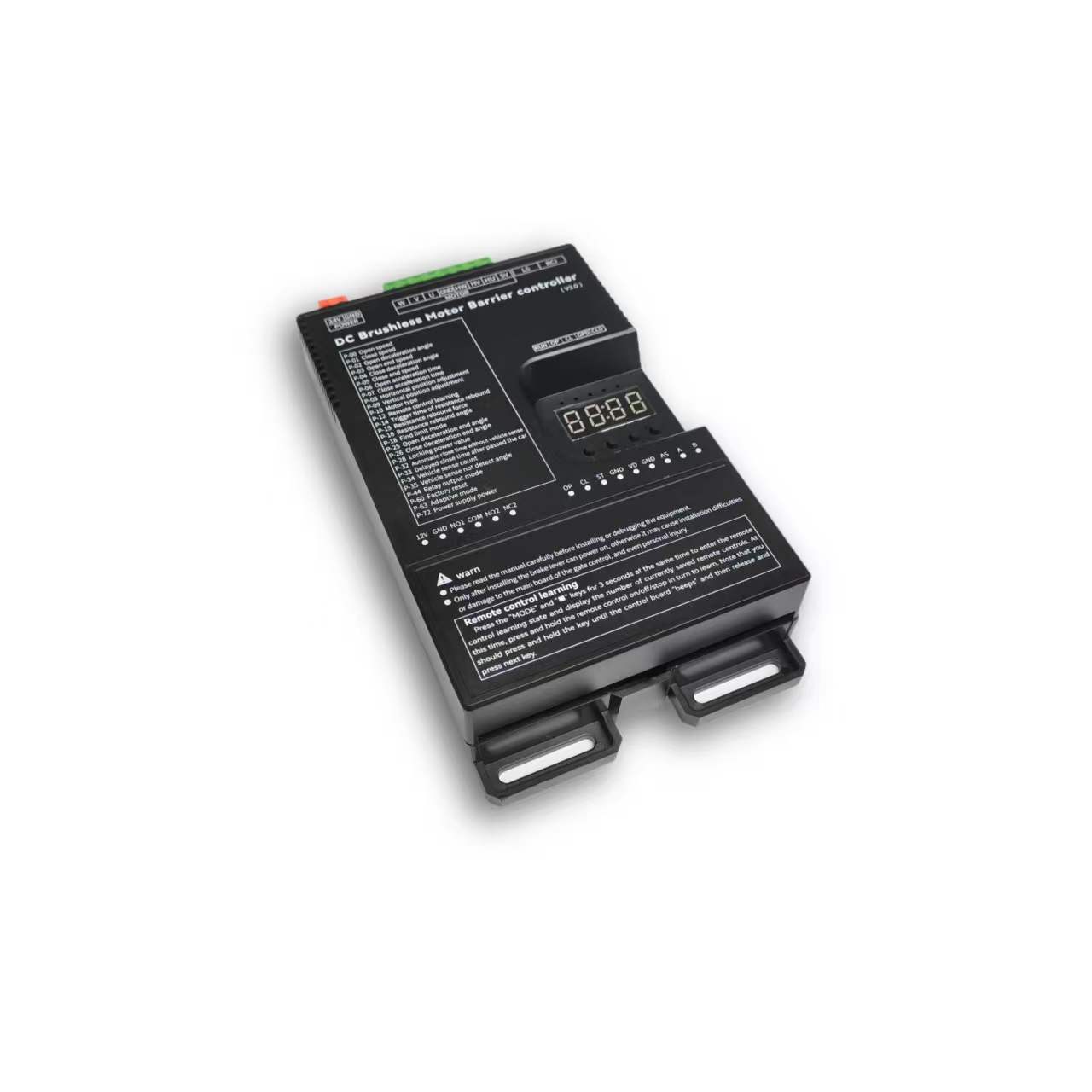
Safety & specifications
Installation, operation and maintenance+
Read the manual before use and keep it for reference. Transport, use and store within the permitted temperature and humidity. Keep liquid out, provide ventilation and do not block vents. Avoid heavy pressure, severe vibration and immersion. Transport in original packaging or equivalent protection. Grounding through the grounding hole is recommended. Do not disassemble without authorization. Use manufacturer-specified accessories, installed and serviced by qualified personnel. Do not extend, shorten or add weight to the boom without authorization.
Original manual · 2 ↗Technical specifications+
Power Supply: DC 24V +/-10% 10A Motor Power: Max 250W Static Power: <2W Boom Raise/Lower Speed: 1%-100% adjustable Operating Temperature: -40℃ ~ 75℃ Operating Humidity: 30%~80% (no condensation)
Original manual · 2 ↗Product features+
DC 24 V supply; static power below 2 W; maximum motor power 250 W; independent raise/lower speed adjustment; multistage speed control; working noise below 50 dB. Motor overcurrent, overload, short-circuit, motor fault and reverse-polarity protection. External remote-control input, configurable parameters, windproof, anti-freeze, anti-rust and relay output modes. Light-sensor control for advertising lighting.
Original manual · 2 ↗Before changing parameters+
Some preset default values may differ from the defaults printed in the parameter table. Use the entries for this controller model and manual version. Original inconsistencies are noted beside the affected entries.
Original manual · 6 ↗Buttons & setup
Buttons: Open / Close / Menu / Stop+
1. Button Description The controller has 4 buttons. From left to right, they are "Open/+", "Close/-", "Menu", and "Stop/Cancel". Various parameters of the controller can be set through these 4 buttons. "Open/+": In normal working state, pressing this button raises the boom. After entering the setting state, this button can be used to increase menu items and adjust setting values upward. In the parameter setting state, short press increments by 1 each time. Long press continuously increases to the maximum value, then starts from the minimum value. If long pressed for a longer time, the continuous increment will speed up. "Close/-": In normal working state, pressing this button lowers the boom. After entering the setting state, this button can be used to decrease menu items and adjust setting values downward. In the parameter setting state, short press decrements by 1 each time. Long press continuously decreases to the minimum value, then starts from the maximum value. If long pressed for a longer time, the continuous decrement will speed up. "Menu": This key has 3 functions: 1. In normal working mode, long press this key for 3 seconds to enter the menu item selection state. The LED displays "P-XX", then you can press "Open/+" and "Close/-" buttons to select menu items; 2. In the menu item selection state, short press "Menu" to enter the parameter setting state; 3. After parameter setting is complete, short press to save and exit. "Stop/Cancel": In normal working mode, this button functions as stop. In the menu item selection state, it exits the setting state. In the parameter setting state, pressing this key will exit the current state and return to the menu selection state (i.e., return to the previous menu level), and the set value will be invalid. If there is no button operation for 60 seconds in the menu selection state and parameter setting state, the buzzer will sound a long beep and the controller will return to normal working state.
Original manual · 5 ↗LED display and power saving+
The control board has a four-digit LED display that can show barrier gate working status, parameters, menu items, and other information. After power-on, it runs in low-power mode, during which the LED display brightness is dim. Pressing any button will make the LED display enter normal working mode with high brightness. If there is no button press, after 60 seconds it enters low-power mode and the LED brightness dims to reduce power consumption. After 2 minutes without button operation, the LED display will turn off, entering the lowest energy consumption state.
Original manual · 5 ↗Set and save a parameter+
3. Parameter Settings You can enter the parameter setting state by long pressing the "Menu" button for 3 seconds. The LED will display "P-XX". Select menu items by short or long pressing the "Open/+" and "Close/-" buttons. Short press increments or decrements by 1, long press continuously increases or decreases. Press "Menu" again to enter the setting of the specified item. Press "Stop/Cancel" to return to the previous level or exit settings. After setting a specified parameter, you must press the "Menu" key to confirm for it to take effect. Pressing "Stop/Cancel" will not save the set parameters. If there is no button operation for 60 seconds, the buzzer on the control board will sound a long beep, exit the setting state, and return to normal working state.
Steps
- Hold Menu for 3 seconds.
- Select P-XX with Open/+ or Close/-.
- Press Menu to enter the setting and adjust the value.
- Press Menu to save. Stop/Cancel discards the current change.
- Settings time out after 60 seconds without a button press.
Motion & limits
P-00Boom raising speed+
DEFAULT80
RANGE10-200
The larger the value, the faster the speed; the smaller the value, the slower the speed. When the value reaches 200 and the required speed is still not achieved, increase P-72. (When P-63 is 0 or 1, values exceeding 100 are treated as 100; when P-63 is set to 2, values exceeding 100 are effective)
Original manual · 6 ↗P-01Boom lowering speed+
P-02Boom raising deceleration angle+
DEFAULT45
RANGE10-90
Used to set the position where deceleration begins during boom raising. Measured in degrees, 0 degrees represents the horizontal position and 90 degrees represents the vertical position. This parameter indicates the angle at which the boom starts to decelerate during raising.
Original manual · 6 ↗P-03Boom raising end speed+
DEFAULT10
RANGE1-80
The speed at which boom raising ends. Too small a value will result in incomplete opening; too large a value will cause shaking.
Original manual · 6 ↗P-04Boom lowering deceleration angle+
DEFAULT55
RANGE0-80
Used to set the position where deceleration begins during boom lowering. Measured in degrees, 0 degrees represents the horizontal position and 90 degrees represents the vertical position. This parameter indicates the angle at which the boom starts to decelerate during lowering.
Original manual · 6 ↗P-05Boom lowering end speed+
DEFAULT5
RANGE1-80
The speed at which boom lowering ends. Too small a value will result in incomplete closing; too large a value will cause shaking. If P-26 sets a boom lowering low-speed angle within a valid range, the boom will run at this speed in the low- speed uniform zone.
Original manual · 6 ↗P-06Boom raising acceleration time+
DEFAULT60
RANGE0-255
Time required to accelerate from start of boom raising to the speed set by P-00 (larger value means longer time). (Unit: 0.01 seconds)
Original manual · 6 ↗P-07Boom lowering acceleration time+
DEFAULT50
RANGE0-255
Time required to accelerate from start of boom lowering to the speed set by P-01 (larger value means longer time). (Unit: 0.01 seconds)
Original manual · 6 ↗P-08Horizontal position fine- tuning+
DEFAULT15
RANGE0-255
Distance from the boom horizontal position to the horizontal mechanical limit. The larger the value, the farther the distance, and vice versa. When the barrier gate completes self-check and is in the set position state, this parameter can be modified in real time by manually turning. This parameter cannot be too small, otherwise the connecting rod will hit the mechanical limit when fully closed, risking damage to the mechanism and mainboard.
Original manual · 6 ↗P-09Vertical position fine- tuning+
DEFAULT15
RANGE0-255
Distance from the boom vertical position to the vertical mechanical limit. The larger the value, the farther the distance, and vice versa. When the barrier gate completes self-check and is in the set position state, this parameter can be modified in real time by manually turning. This parameter cannot be too small, otherwise the connecting rod will hit the mechanical limit when fully open, risking damage to the mechanism and mainboard.
Original manual · 6 ↗P-10Motor type+
DEFAULT0
RANGE0-3
Due to different motor Hall polarity, barrier gate mechanism gear reduction ratios, and left/right boom orientations, this parameter is used to be compatible with various types of motors and barrier gates. 0: Motor positive polarity, gear reducer positive polarity; 1: Motor positive polarity, gear reducer negative polarity; 2: Motor negative polarity, gear reducer positive polarity; 3: Motor negative polarity, gear reducer negative polarity
Original manual · 6 ↗P-17Limit position learning speed+
DEFAULT40
RANGE10-80
Set different speeds for finding upper and lower limit positions. After entering the menu, the first setting is the speed for finding the upper limit. The display shows "1-XX", where XX represents the speed for finding the upper limit. Adjust the speed by pressing "Open/+" and "Close/-". After setting the upper limit speed, press "Menu" and the display shows "2-XX", where XX represents the speed for finding the lower limit. Adjust the speed the same way. After both speeds are set, press "Menu" to save. If "Stop/Cancel" is pressed during the process, the settings will be invalid.
Original manual · 7 ↗P-18Limit position search mode+
DEFAULT0
RANGE0-2
0: Search for both limits. 1: Search for upper limit. 2: Search for lower limit.
Original manual · 7 ↗P-19Manual learn upper limit+
After entering this setting, the display shows L-00. The boom automatically raises to the limit and stops, showing L-01. The operation is the same as P-21, searching for vertical and horizontal limits. After learning the horizontal position, it automatically returns to the setting page, indicating success. Then set P-18 to 1 to use.
Original manual · 7 ↗P-20Manual learn lower limit+
Same as P-19 but reversed. After entering, the display shows L-00. It automatically finds the lower limit. When reached, it stops and shows L-01. The user manually finds the horizontal and vertical positions. The first confirmation is the horizontal position, showing L-02. The second is the vertical position, then it returns to the setting page. Set P-18 to 2 to use.
Original manual · 7 ↗P-21Manual learn upper and lower limits+
After entering this setting, the display shows L-00. The barrier gate first automatically lowers the boom. When in position, it shows L-01, then automatically raises until reaching the limit and stops, showing L-02. At this point, pressing raise or lower will raise or lower the boom, and releasing will stop. The mechanical limit will trigger an alarm. The user can adjust the position manually. Press Menu to learn one limit position. The first press of Menu sets the vertical limit, showing L-03. The second press sets the horizontal limit. After the second press, it automatically returns to the setting page, indicating successful learning. After this function is set, P-18 must also be set to 0.
Original manual · 7 ↗P-22Boom raising rebound buffer time+
DEFAULT80
RANGE10-255
Buffer time from boom raising to lowering. Too short a time may cause excessive instantaneous current. (Unit: 0.01 seconds)
Original manual · 8 ↗P-23Boom lowering rebound buffer time+
DEFAULT50
RANGE10-255
Buffer time from boom lowering to raising. Too short a time may cause excessive instantaneous current. (Unit: 0.01 seconds)
Original manual · 8 ↗P-24Stop buffer time+
DEFAULT60
RANGE10-255
Time required for the motor to stop from running when Stop is pressed during boom raising or lowering. Too large a value will result in very slow and stable stopping. Too short a time may cause excessive instantaneous current. (Unit: 0.01 seconds)
Original manual · 8 ↗P-25Boom raising deceleration end angle+
DEFAULT90
RANGE45-90
During boom raising, the boom first accelerates to P-00, then starts decelerating at P-02. At this option, deceleration stops and uniform motion begins until boom raising is complete.
Original manual · 8 ↗P-26Boom lowering deceleration end angle+
DEFAULT10
RANGE0-45
During boom lowering, the boom first accelerates to P-01, then starts decelerating at P-04. At this option, deceleration stops and uniform motion begins until boom lowering is complete.
Original manual · 8 ↗Remote control
P-11Remote control learning method+
The range is 0–4, but only modes 0, 1 and 4 are explained. Modes 2 and 3 are not documented.
DEFAULT0
RANGE0-4
0: Learn by sequentially pressing Open/Close/Stop; 1: Learn by pressing any one key; 4: One-key learning of specified type remote control (up to 200 remote controls can be learned in this mode, not compatible with non-original remote controls). Note: When the original setting is not 4, setting this parameter to 4 will automatically clear learned remote controls; when the original setting is 4, setting other values will also automatically clear learned remote controls.
Original manual · 7 ↗P-12Remote control learning+
DEFAULT0
RANGE0-50
Remote control learning: Entering P-12 will show the current number of saved remote controls. Press the remote control's Open/Close/Stop in sequence to learn. Keep pressing until the control board beeps once, then release and press the next button. When the control board beeps a long beep or the displayed number increments by 1, learning is complete. You can continue learning the next one or press Cancel to return. Remote control deletion: In this menu, press "+" or "-" to modify the number of learned remote controls, press "Menu" to confirm, and delete the learned remote controls after that number.
Original manual · 7 ↗P-13Remote control convoy mode+
DEFAULT0
RANGE0-3
0: Normal remote control mode; (Temporary convoy mode entry: After the barrier gate is fully open, long press the remote control Open button for more than 5 seconds to temporarily enter convoy mode. The buzzer will sound for 2 seconds. Press Close to exit convoy mode and the barrier gate will close.) 1: Remote control "Open" enters convoy mode. Before manually lowering the boom, ground sensor signals will not be processed, and the boom stays raised; 2: Manual mode. All boom opening actions will enter convoy mode, and ground sensor triggers will not lower the boom. 3: Disable convoy mode.
Original manual · 7 ↗P-82Bluetooth connection type+
DEFAULT1
RANGE0-3
Bluetooth verification permission: When the mini program first connects to the mainboard via Bluetooth, in normal working state, long press "Pause" for 3 seconds. The buzzer will sound a long beep and display -LY-, opening Bluetooth verification permission for 30 minutes. Then perform the Bluetooth connection operation. Once the mini program has the mainboard connection data, subsequent connections to this mainboard can be verified directly. 0: Allow verified phones to connect directly; 1: Do not allow verified phones to connect directly. Each connection requires long pressing "Pause" to open Bluetooth verification permission; 2: Automatically start 30-minute Bluetooth connection verification permission on each power- on; 3: Disable Bluetooth mini program connection.
Original manual · 14 ↗Detection & automatic closing
P-14Obstacle rebound trigger time+
DEFAULT5
RANGE1-40
How long an obstacle must be encountered before it is judged as an obstacle. (Unit: 0.05 seconds)
Original manual · 7 ↗P-15Obstacle rebound force+
DEFAULT65
RANGE1-100
How much resistance is considered an obstacle. The rebound condition is: the resistance set by P-15 is encountered and lasts for the time set by P-14.
Original manual · 7 ↗P-16Obstacle rebound angle+
DEFAULT10
RANGE0-90
When the boom angle is below this value, obstacle rebound will not occur. 0 disables this function.
Original manual · 7 ↗P-27Anti-smash function+
DEFAULT1
RANGE0-9
Whether the anti-smash port signal is valid; 0: Invalid, triggering anti-smash signal does not raise the boom. 1: Valid, triggering anti-smash signal during boom lowering raises the boom. 2: Anti-smash interface multiplexed as "Open" interface function. 3: Anti-smash interface multiplexed as "Close" interface function. 4: Anti-smash interface multiplexed as ground sensor interface function. (After multiplexing, the original function's interface becomes invalid.) 5: Anti-smash terminal connected to radar for pedestrian anti-smash. (Valid during boom lowering, resumes lowering after target disappears, i.e., does not change the original raise/lower state, only for anti-smash of people/vehicles.) 6: Anti-smash interface multiplexed as "Open" interface function, while keeping the original "Open" interface valid. 7: Anti-smash interface multiplexed as "Fire interface". When triggered, raises the boom and automatically enters convoy mode. 8: Anti-smash interface multiplexed as Open, Stop interface multiplexed as ground sensor. (Original Open and ground sensor interfaces become invalid.) 9: Anti-smash interface multiplexed as ground sensor interface, original ground sensor interface remains valid.
Original manual · 8 ↗P-28Lock power+
DEFAULT255
RANGE0-255
When the motor stops in a non-mechanical lock zone, since there is no mechanical lock, the spring force will pull the boom up. This function uses controller output control for locking, which may cause the motor and board to heat up. It is recommended to set according to actual conditions and not set too high. When the value is 255, the lock power is auto-adaptive.
Original manual · 8 ↗P-29Lock time at fully open position+
DEFAULT0
RANGE0-255
How long to maintain locking after the boom reaches the fully open position before releasing the lock. (Unit: seconds) When set to 255, the lock is maintained at fully open position without timing.
Original manual · 8 ↗P-30Lock time at fully closed position+
DEFAULT0
RANGE0-255
How long to maintain locking after the boom reaches the fully closed position before releasing the lock. (Unit: seconds) When set to 255, the lock is maintained at fully closed position without timing.
Original manual · 8 ↗P-31Reverse lock turns+
DEFAULT0
RANGE0-20
If the motor reverses for various reasons during boom raising, how many turns before locking.
Original manual · 9 ↗P-32Auto lowering time without ground sensor+
DEFAULT0
RANGE0-255
Time for the boom to automatically lower without ground sensor trigger. Set to 0 means no auto lowering without ground sensor. (Unit: seconds)
Original manual · 9 ↗P-33Vehicle passing delayed lowering time+
DEFAULT2
RANGE0-255
How long after the ground sensor signal disappears before lowering begins. Default 0.2 seconds. (Unit: 0.1 seconds)
Original manual · 9 ↗P-34Ground sensor count+
DEFAULT1
RANGE0-4
0: No boom raising count, vehicle passing lowers boom. 1: Counts boom raising signals, max count is 1. When ground sensor is triggered, the count is decremented. When ground sensor disappears and count is 0, lower the boom. 2: Counts boom raising signals, max count is 2. When ground sensor is triggered, the count is decremented. When ground sensor disappears and count is 0, lower the boom. 3: Counts boom raising signals, max count is 3. When ground sensor is triggered, the count is decremented. When ground sensor disappears and count is 0, lower the boom. 4: Counts boom raising signals, max count is 255. When ground sensor is triggered, the count is decremented. When ground sensor disappears and count is 0, lower the boom.
Original manual · 9 ↗P-35Ground sensor no- detection angle+
DEFAULT10
RANGE0-45
When the boom angle is below this value, ground sensor signals will not be processed and the boom lowers directly.
Original manual · 9 ↗P-36Ground sensor trigger buzzer frequency+
DEFAULT4
RANGE0-20
Buzzer frequency when ground sensor is triggered. 0 disables the buzzer. The larger the number, the faster the buzzer speed.
Original manual · 9 ↗P-37Ground sensor signal trigger judgment time+
DEFAULT4
RANGE1-255
How long the signal must be maintained to be considered a ground sensor trigger. (Unit: 0.01 seconds)
Original manual · 9 ↗P-38Ground sensor signal valid judgment time+
DEFAULT4
RANGE1-255
When the ground sensor is triggered, how long the signal must be continuously maintained to be considered a valid ground sensor signal (i.e., a vehicle is present). (Unit: 0.01 seconds)
Original manual · 9 ↗P-42Boom raising priority+
The range column lists 0–2, but the description also lists 50–80. Confirm support for those additional angle values.
DEFAULT1
RANGE0-2
0: In all states, all control signals have the same priority. 1: Boom raising has the highest priority. During boom raising, other signals are invalid. 2: During boom raising, if the vehicle has already passed the ground sensor, boom lowering starts immediately without waiting for the barrier gate to fully open. 50-80: During boom raising, if the vehicle has already passed the ground sensor before the gate is fully open, the barrier gate starts lowering at the angle set by this value.
Original manual · 9 ↗P-43Boom raising signal judgment time+
DEFAULT5
RANGE1-255
How long the boom raising signal must be maintained to be considered a valid boom raising signal. (Unit: 0.01 seconds)
Original manual · 9 ↗P-58Auto close count after manual boom raising+
DEFAULT0
RANGE0-255
When the boom is at fully closed position and manually raised beyond 10 degrees, the machine will automatically lower the boom. This parameter sets how many times to lower. When the manual boom raising and lowering count exceeds this value, it will not trigger lowering again. Each normal raise/lower cycle resets the auto lowering count to zero. If set to 255, counting is not performed and this function is always active.
Original manual · 13 ↗P-68Ground sensor pause during boom lowering+
DEFAULT0
RANGE0-1
0: When ground sensor is triggered during boom lowering, the barrier gate automatically raises the boom; 1: When ground sensor is triggered during boom lowering, the barrier gate stops at the current position (can partially serve as an anti-toll-evasion function).
Original manual · 13 ↗P-73Auto lowering speed without ground sensor+
DEFAULT40
RANGE0-80
Auto lowering speed without ground sensor. When set to 0, it is invalid. Auto lowering without ground sensor uses P-01 (boom lowering speed) as the lowering speed. When set to a non-zero value, this parameter replaces P-01 (boom lowering speed) as the lowering speed. This function addresses the issue where auto lowering without ground sensor may be too fast and hit pedestrians. A relatively small auto lowering speed parameter can be set to prevent auto lowering from hitting pedestrians.
Original manual · 14 ↗P-83Boom raising ground sensor no-detection angle+
DEFAULT20
RANGE0-80
During boom raising, when the boom angle is below the set value, ground sensor triggers are invalid.
Original manual · 14 ↗P-89Ground sensor following car auto lowering time+
DEFAULT0
RANGE0-255
Used to solve the problem where the front car has not left the ground sensor when the rear car gives an open signal and follows too closely, causing the front car to leave the ground sensor but the signal does not disappear and the boom does not lower. The set value is the lowering time for this situation, in units of 10 seconds. Setting to 0 disables this function. (30 means 300 seconds)
Original manual · 15 ↗System & other parameters
P-39Undocumented menu slot+
The original manual marks this menu slot with “/” and provides no setting instructions.
Original manual · 9 ↗P-40Undocumented menu slot+
The original manual marks this menu slot with “/” and provides no setting instructions.
Original manual · 9 ↗P-41Light sensor lamp off threshold+
DEFAULT0
RANGE0-50
0: This parameter is invalid. The light sensor lamp is fully controlled by P-46. Other: Light sensor lamp off threshold. When the ambient light intensity falls below this value, the light sensor lamp starts delayed turn-off. (P-41 works with P-46. P-46 sets the turn-on threshold, P-41 sets the turn-off threshold. By setting P-41 to a value smaller than P-46, you can solve the problem where the light box illumination affects the light sensor receiver, causing unstable light box control.)
Original manual · 9 ↗P-44Relay output mode+
DEFAULT3
RANGE0-19
Default: 3. The controller has two relays. The relay output can be set through output modes to meet different application requirements. 0: Traffic light mode 1: Advertising light mode 2: Ground sensor mode 3: Traffic light mode 1 4: Traffic light mode 2 5: Pulse mode 6: Traffic light mode 3 7: Traffic light mode 4 8: Barrier gate working status mode 9: Traffic light mode 5 10: / 11: / 12: Barrier gate working status 2 13: Ground sensor, Open signal passthrough 14: Open signal passthrough + Traffic light 15: Open-in-position pulse + Traffic light 16: Barrier gate working status 3 17: Barrier gate position pulse output 18: Large vehicle gate opening ground sensor signal sync + Traffic light 19: Advertising light + Large vehicle gate opening ground sensor signal sync See the "Relay Mode Output and Relay Switch Closure Self-Check Relationship Table" below for details.
Original manual · 9 ↗P-45Light sensor value+
Current ambient light intensity. The smaller the value, the brighter the environment.
Original manual · 12 ↗P-46Light sensor threshold+
DEFAULT30
RANGE0-200
When the current ambient light intensity exceeds this value and P-44 related settings are configured, a relay signal will be output.
Original manual · 12 ↗P-47Delayed open+
DEFAULT10
RANGE0-255
How long to delay outputting relay signal when current light exceeds P-46. (Unit: seconds)
Original manual · 12 ↗P-48Delayed close+
DEFAULT250
RANGE0-255
How long to delay turning off relay output when current ambient light is below P-46. (Unit: seconds)
Original manual · 12 ↗P-49Ambient temperature+
This option displays the current ambient temperature on the LED display.
Original manual · 12 ↗P-50Antifreeze temperature threshold+
DEFAULT0
RANGE-40-0
At low temperatures, to prevent the machine from freezing, when this function is enabled and the temperature falls below the set value, if the barrier gate has not moved within the P-52 time interval, it will automatically run to the P-51 angle and then close.
Original manual · 12 ↗P-51Antifreeze boom raising angle+
DEFAULT0
RANGE0-45
Range: 0-45, default: 0. Antifreeze activation angle. When the ambient temperature drops to the P-50 setting, after the P-52 time interval expires, the barrier gate will open to the angle set by this parameter, then automatically close. If this parameter is 0, the antifreeze function is disabled. Only when both P-51 and P-52 are non-zero is the antifreeze function enabled. When the ambient temperature falls below the set value, timing begins. If the barrier gate does not move during the timing period, when the time interval set by this command is reached, the barrier gate opens to the P-51 set angle, then automatically closes.
Original manual · 12 ↗P-52Antifreeze boom raising time interval+
DEFAULT0
RANGE0-255
When the ambient temperature drops below the set value, timing begins. If the barrier gate has no movement during the timing period, after the time interval set by this command, the barrier gate opens to the angle set by P-51, then automatically closes. If this parameter is set to 0, the antifreeze function is disabled. (Unit: minutes)
Original manual · 12 ↗P-53Antirust open angle+
DEFAULT0
RANGE0-45
Antirust boom raising angle. If this parameter is not 0, after the time interval specified by P-54, the controller will open to the angle specified by this parameter, then automatically close. During normal operation, boom raising and lowering will reset the time interval and restart timing. If this parameter is 0, the antirust function is disabled.
Original manual · 12 ↗P-54Antirust boom raising time interval+
DEFAULT0
RANGE0-255
If the barrier gate is installed at a site and not used for a long time, it may rust. You can enable this parameter to make the barrier gate open once after a certain time interval. The opening angle is set by P-53. If this parameter is 0, the antirust function is disabled. Both P-53 and P-54 must be non-zero to enable the antirust function. (Unit: hours)
Original manual · 13 ↗P-55Set 485 baud rate+
DEFAULT4
RANGE0-4
Set the control board baud rate. 0: 9600; 1: 19200; 2: 38400; 3: 57600; 4: 115200
Original manual · 13 ↗P-56Set 485 address+
P-57Controller master/slave mode+
DEFAULT0
RANGE0-1
Set the control board master/slave mode. 0: Slave mode. 1: Master mode.
Original manual · 13 ↗P-59Auto test+
DEFAULT0
RANGE0-255
Auto test time interval. 0 means auto test is disabled. Used for auto testing and aging tests. Set this parameter to 0 after testing to cancel auto test. Short press "Open" to start open/close position auto test. Long press "Open" to start simulated boom lowering to middle position then raising auto test.
Original manual · 13 ↗P-60Restore default settings+
DEFAULT0
RANGE0-255
This option has three functions: clear remote controls, partial factory reset, full factory reset. To prevent misoperation, a specific value must be set before pressing "Menu" to complete the operation. 5: Clear remote controls 10: Factory reset (remote controls and motor type are not restored) 15: Full factory reset
Original manual · 13 ↗P-61Undocumented menu slot+
The original manual marks this menu slot with “/” and provides no setting instructions.
Original manual · 13 ↗P-62Undocumented menu slot+
The original manual marks this menu slot with “/” and provides no setting instructions.
Original manual · 13 ↗P-63Adaptive mode+
DEFAULT2
RANGE0-3
0: Normal mode; 1: Use adaptive mode for limit initialization; 2: Use adaptive mode for both limit initialization and boom raising/lowering; 3: Fast gate mode.
Original manual · 13 ↗P-64Barrier gate boom raising/lowering timeout+
The parameter table gives an adjustable timeout of 6–40 seconds (default 30), while the Err5/Err6 descriptions say 15 seconds. The source is inconsistent; confirm the firmware behavior.
DEFAULT30
RANGE6-40
Set the barrier gate boom raising/lowering timeout. If the barrier gate boom raising/lowering exceeds the set time without reaching position, the barrier gate will automatically pause and report a boom raising timeout warning (Err5) or boom lowering timeout warning (Err6). (Unit: seconds)
Original manual · 13 ↗P-65Power-off auto raise/lower voltage+
DEFAULT0
RANGE0-21
0: Disabled; 1-21: Trigger auto raise/lower voltage. This function requires a backup power supply and must be configured with P-69. Recommended setting: 20.
Original manual · 13 ↗P-66Brake reverse voltage warning threshold+
The range column lists 30–100 V, while the description also specifies 0 to disable the warning. This source exception is retained.
DEFAULT55
RANGE30-100
For situations where the barrier gate spring is poorly matched, warns when the motor deceleration produces excessive reverse voltage. The warning sound is 5 fast buzzer beeps, and the display shows ERR2. This warning does not interrupt barrier gate operation. It can be mitigated by reducing the barrier gate running speed or matching the spring and boom balance. (Unit: V). Setting to 0 disables this warning.
Original manual · 13 ↗P-67LED display drive voltage and current+
DEFAULT1
RANGE0-1
0: Do not display voltage and current data. 1: During boom raising and lowering, the LED displays drive voltage (Unit: V) or drive current (Unit: A). In working mode, short press "Menu" to toggle between current and voltage display.
Original manual · 13 ↗P-69Power-off auto run function+
DEFAULT1
RANGE0-4
Set the power-off auto run option. When P-65 is not 0 and the supply voltage is detected to be below the P-65 set value, the barrier gate's handling method: 0: No action; 1: Auto raise boom; 2: Auto lower boom; 3: No action when at open/close position; auto raise boom when in middle position; 4: No action when at open/close position; auto lower boom at low speed when in middle position.
Original manual · 13 ↗P-70Custom parameter settings+
No operating description is provided in the source manual.
Original manual · 14 ↗P-71Overcurrent protection value+
DEFAULT140
RANGE20-160
Overcurrent protection value. When the barrier gate running current exceeds this value, the barrier gate automatically stops. If overcurrent protection occurs during boom lowering, the barrier gate treats it as obstacle rebound. (Unit: 0.1A)
Original manual · 14 ↗P-72Power output+
DEFAULT90
RANGE20-100
Maximum output power percentage during barrier gate operation. (Non-professionals should operate with caution)
Original manual · 14 ↗P-74Undocumented menu slot+
The original manual marks this menu slot with “/” and provides no setting instructions.
Original manual · 14 ↗P-75Undocumented menu slot+
The original manual marks this menu slot with “/” and provides no setting instructions.
Original manual · 14 ↗P-76Undocumented menu slot+
The original manual marks this menu slot with “/” and provides no setting instructions.
Original manual · 14 ↗P-77Undocumented menu slot+
The original manual marks this menu slot with “/” and provides no setting instructions.
Original manual · 14 ↗P-78Auto send barrier gate status data+
DEFAULT0
RANGE0-1
When set to 1, the barrier gate automatically sends status commands when triggering raise/lower actions.
Original manual · 14 ↗P-79Undocumented menu slot+
The original manual marks this menu slot with “/” and provides no setting instructions.
Original manual · 14 ↗P-80Undocumented menu slot+
The original manual marks this menu slot with “/” and provides no setting instructions.
Original manual · 14 ↗P-81Adaptive mode limit learning power+
DEFAULT50
RANGE10-80
In adaptive mode, the maximum power for learning limit positions. For some power supplies with lower power, if overcurrent protection occurs during limit learning, this parameter can be reduced. For poorly matched spring counterweights where the motor torque is insufficient during limit learning boom raising/lowering, increase this parameter.
Original manual · 14 ↗P-84Expansion port mode+
DEFAULT0
RANGE0-5
0: 485 mode 1-3: TX pin multiplexed as colored light strip flash mode 1. The larger the value, the higher the light strip brightness. 4: Colored light strip flash mode 2 5: Colored light strip flash mode 3
Original manual · 14 ↗P-85Undocumented menu slot+
The original manual marks this menu slot with “/” and provides no setting instructions.
Original manual · 15 ↗P-86Undocumented menu slot+
The original manual marks this menu slot with “/” and provides no setting instructions.
Original manual · 15 ↗P-87Undocumented menu slot+
The original manual marks this menu slot with “/” and provides no setting instructions.
Original manual · 15 ↗P-88Control interface disable+
DEFAULT0
RANGE0-3
0: All enabled; 0x01: Disable Open/Close/Stop port; 0x02: Disable remote control interface; 0x03: Disable both Open/Close/Stop and remote control.
Original manual · 15 ↗P-90Barrier gate limit verification+
DEFAULT0
RANGE0-1
0: Off; 1: On. Enabling this function can optimize the issue where some barrier gate parameters are poorly matched, and during self-check, limit positions are easily misjudged, causing incorrect self-check angles and the switch not being in position.
Original manual · 15 ↗Relay output modes
P-440: Traffic light mode+
Relay 1: Opens at fully open, closes at fully closed Relay 2: Closes at fully open, opens at fully closed
Original manual · 10 ↗P-441: Advertising light mode+
Relay 1: Used for advertising barrier gates. Opens/closes advertising gate lights based on external light sensor Relay 2: Closes after boom reaches fully closed position and manually raised beyond 5 degrees Can be used to connect an alarm
Original manual · 10 ↗P-442: Ground sensor mode+
Relay 1: Closes when boom raising starts Opens at fully closed position Relay 2: Not used
Original manual · 10 ↗P-443: Traffic light mode 1+
Relay 1: Same as the advertising light mode, used for advertising barrier gates. The light of the advertising barrier gate is turned on/off according to the externally connected light sensor. Relay 2: Normally closed contact connects to the red light, normally open contact connects to the green light.When the barrier gate is fully opened, the relay closes and the green light turns on; otherwise, the relay disconnects and the red light turns on.
Original manual · 10 ↗P-444: Traffic light mode 2+
Relay 1: Connected to the red light: the relay closes when the barrier gate starts closing, and disconnects after the barrier gate is fully opened. Relay 2: Connected to the green light: the relay closes after the barrier gate is fully opened, and disconnects when the barrier gate starts closing.
Original manual · 10 ↗P-445: Pulse mode+
Relay 1: When the barrier gate is fully closed, the relay closes for 1 second and then disconnects. Relay 2: The relay closes after the barrier gate is fully closed, and the relay disconnects after the barrier gate is fully opened.
Original manual · 10 ↗P-446: Traffic light mode 3+
Relay 1: Same as advertising light mode.Used for advertising barrier gates. Opens/closes advertising gate lights based on external light sensor. Relay 2: Normally closed connects red light, normally open connects green light. Relay closes and green light turns on when barrier gate angle is greater than 60 degrees.Otherwise relay opens and red light turns on.
Original manual · 10 ↗P-447: Traffic light mode 4+
Relay 1: Opens during boom raising. Closes during boom lowering. Relay 2: Closes during boom raising. Opens during boom lowering.
Original manual · 10 ↗P-448: Barrier gate working status mode+
Relay 1: The relay closes when the barrier gate is fully closed, and disconnects while the barrier gate is running or in a paused state at an intermediate position. Relay 2: The relay closes when the barrier gate is fully opened, and disconnects while the barrier gate is running or in a paused state at an intermediate position.
Original manual · 10 ↗P-449: Traffic light mode 5+
Relay 1: Turn on/off the light of the advertising barrier gate according to the externally connected light sensor. Relay 2: The relay closes when the barrier gate is fully closed, and disconnects in all other states.
Original manual · 10 ↗P-4410: /+
Relay 1: / Relay 2: /
Original manual · 10 ↗P-4411: /+
Relay 1: / Relay 2: /
Original manual · 10 ↗P-4412: Barrier gate working status 2+
Relay 1: The relay closes while the boom is rising and while the boom is falling, and disconnects in all other states. Relay 2: The relay closes when the barrier gate is fully opened, and disconnects in all other states.
Original manual · 10 ↗P-4413: Ground sensor, Open signal passthrough+
Relay 1: Consistent with the "loop detector" signal input status. Relay 2: Consistent with the "open" signal input status.
Original manual · 10 ↗P-4414: Open signal passthrough + Traffic light+
Relay 1: Consistent with the "open" signal input status. Relay 2: Normally closed contact connects to the red light, normally open contact connects to the green light. The relay closes when the barrier gate is fully opened and the green light turns on; in all other states, the red light turns on.
Original manual · 10 ↗P-4415: Open-in- position pulse + Traffic light+
Relay 1: When the barrier gate is fully opened, the relay closes for 1 second and then disconnects. Relay 2: Normally closed contact connects to the red light, normally open contact connects to the green light. The relay closes when the barrier gate is fully opened and the green light turns on; in all other states, the red light turns on.
Original manual · 11 ↗P-4416: Barrier gate working status 3+
Relay 1: The relay closes while the boom is falling, and disconnects in all other states. Relay 2: The relay closes while the boom is rising, and disconnects in all other states.
Original manual · 11 ↗P-4417: Barrier gate position pulse output+
Relay 1: When the barrier gate is fully opened, the relay closes for 1 second and then disconnects. Relay 2: When the barrier gate is fully closed, the relay closes for 1 second and then disconnects.
Original manual · 11 ↗P-4418: Large vehicle gate opening ground sensor signal sync + Traffic light+
Relay 1: When a large vehicle triggers the gate opening, the loop detector output is synchronized (an open port trigger duration exceeding 1.5 seconds is identified as a large vehicle gate-opening signal). Relay 2: Normally closed contact connects to the red light, normally open contact connects to the green light. The relay closes when the barrier gate is fully opened and the green light turns on; in all other states, the red light turns on.
Original manual · 11 ↗P-4419: Advertising light + Large vehicle gate opening ground sensor signal sync+
Relay 1: Same as the advertising light mode. Relay 2: When a large vehicle triggers the gate opening, the normally open contact synchronizes the loop detector output (an open port trigger duration exceeding 1.5 seconds is identified as a large vehicle gate-opening signal; a setting of 2 seconds is recommended).
Original manual · 11 ↗Fault codes
Err0Err0+
When clearing remote controls and restoring factory settings, the correct confirmation value must be set. An incorrect confirmation value will prompt the Err0 error.
Original manual · 16 ↗Err1Err1+
Reserved.
Original manual · 16 ↗Err2Err2+
Brake reverse voltage too high warning. Generally caused by poor spring matching and excessive speed. Can be resolved by matching the spring and boom balance and reducing running speed. You can also increase the P-66 setting value to raise the trigger threshold.
Original manual · 16 ↗Err3Err3+
Boom raising stall. Possible causes: barrier gate spring is broken, boom raising speed is too low, boom raising end speed is too low. Increase the boom raising speed and boom raising end speed.
Original manual · 16 ↗Err4Err4+
Boom lowering stall. Possible causes: barrier gate spring is too tight, boom is not attached, boom lowering speed or boom lowering end speed is too low. Check if the spring is too tight, whether the boom is attached, and increase the boom lowering speed or boom lowering end speed.
Original manual · 16 ↗Err5Err5+
The parameter table gives an adjustable timeout of 6–40 seconds (default 30), while the Err5/Err6 descriptions say 15 seconds. The source is inconsistent; confirm the firmware behavior.
Boom raising timeout. Cause: boom raising time exceeds 15 seconds. Increase the boom raising speed and boom raising end speed.
Original manual · 16 ↗Err6Err6+
The parameter table gives an adjustable timeout of 6–40 seconds (default 30), while the Err5/Err6 descriptions say 15 seconds. The source is inconsistent; confirm the firmware behavior.
Boom lowering timeout. Cause: boom lowering time exceeds 15 seconds. Increase the boom lowering speed and boom lowering end speed.
Original manual · 16 ↗Err7Err7+
Motor type selection error. Change to the correct type through P-10.
Original manual · 16 ↗Err8Err8+
Reserved.
Original manual · 16 ↗Err9Err9+
During boom raising, motor reversal occurs due to broken spring or similar conditions.
Original manual · 16 ↗Display messages
IDLEIDLE+
Motor not connected, or motor Hall fault. Possible cause: loose wiring. Through button entry into menu settings, find P-59, then enter the value setting interface. The 3 LED status indicators on the right will become 3 Hall sensor level indicators to assist in diagnosing Hall detection issues.
Original manual · 16 ↗STOPSTOP+
Barrier gate fully closed
Original manual · 16 ↗CLOSCLOS+
Barrier gate is closing
Original manual · 16 ↗OPENOPEN+
Barrier gate is opening
Original manual · 16 ↗HOLDHOLD+
Barrier gate fully open
Original manual · 16 ↗LOCKLOCK+
Barrier gate locked
Original manual · 16 ↗FLETFLET+
Convoy mode
Original manual · 16 ↗Diagrams & revisions
Horizontal and vertical position adjustment+
Original diagram for P-08 / P-09. Open the source PDF page to view the diagram.
Original manual · 17 ↗Raising without a low-speed zone+
P-25 >= 90. Open the source PDF page to view the speed/position diagram.
Original manual · 17 ↗Raising with a low-speed zone+
P-25 < 90 and P-25 > P-02. Open the source PDF page to view the diagram.
Original manual · 18 ↗Lowering without a low-speed zone+
P-26 = 0. Open the source PDF page to view the diagram.
Original manual · 18 ↗Lowering with a low-speed zone+
P-26 != 0 and P-26 < P-04. Open the source PDF page to view the diagram.
Original manual · 19 ↗Mounting hole dimensions+
Refer to the original dimensioned drawing on PDF page 21.
Original manual · 21 ↗V1.0 · 2023-04-24+
Initial draft
Original manual · 22 ↗V2.0 · 2023-09-26+
Menu function P-27 added item 5: Anti-smash terminal connected to radar to distinguish people and vehicles
Original manual · 22 ↗/ · 2024-05-07+
Menu function P-27 added item 6: Anti-smash interface multiplexed as "Open" interface function
Original manual · 22 ↗/ · 2024-06-24+
Menu function P-13 added item 2: Manual mode
Original manual · 22 ↗/ · 2024-07-15+
Menu function P-13 added item 3: Disable convoy mode
Original manual · 22 ↗V3.0 · 2024-12-02+
Menu function P-11 added item 4: One-key learning of specified type remote control; Menu functions P-88, P-89 added
Original manual · 22 ↗V3.1 · 2025-01-07+
Menu function P-44 added items 12, 13, 14, 15, 16
Original manual · 22 ↗V3.2 · 2025-03-25+
Menu function P-27 added item 7: Anti-smash interface multiplexed as "Fire interface", raises boom and automatically enters convoy mode when triggered; New menu function P-84: Expansion port mode
Original manual · 22 ↗V3.3 · 2025-04-17+
Menu function P-84 added items 4, 5; Menu function P-44 added item 17
Original manual · 22 ↗V3.4 · 2025-05-30+
New menu function P-41: Light sensor lamp off threshold
Original manual · 22 ↗V3.5 · 2025-08-21+
Menu function P-27 added item 8; New menu function P-90: Barrier gate limit verification
Original manual · 22 ↗V3.6 · 2025-09-10+
Menu function P-27 added item 9; Menu function P-44 added items 18, 19
Original manual · 22 ↗V3.7 · 2025-11-21+
Menu function P-63 added item 3
Original manual · 22 ↗V3.8 · 2026-01-16+
Menu function P-82 added Bluetooth connection type
Original manual · 22 ↗V3.81 · 2026-05-26+
Menu function P-27 modified item 5
Original manual · 22 ↗Wiring diagrams
Mainboard terminals+
The supplied wiring image reproduces the original controller terminal diagram. Match the terminal labels and hardware variant to the original drawing.
Original manual · 20 ↗Traffic light wiring+
Refer to the original P-44 traffic light wiring drawing. The source describes common-anode LED strips and says to reverse the power supply 12 V / GND connections for common-cathode strips.
Original manual · 12 ↗Advertising light wiring+
Refer to the original advertising light wiring diagram and P-44 relay modes.
Original manual · 11 ↗Original PDF page(s): 20. Additional lighting diagrams are linked through their source-page entries. Product compatibility is not inferred.
No matching entries.
K2 Swing Gate Controller User Manual
Find controller settings, wiring connections and display messages.
Manual version 2.1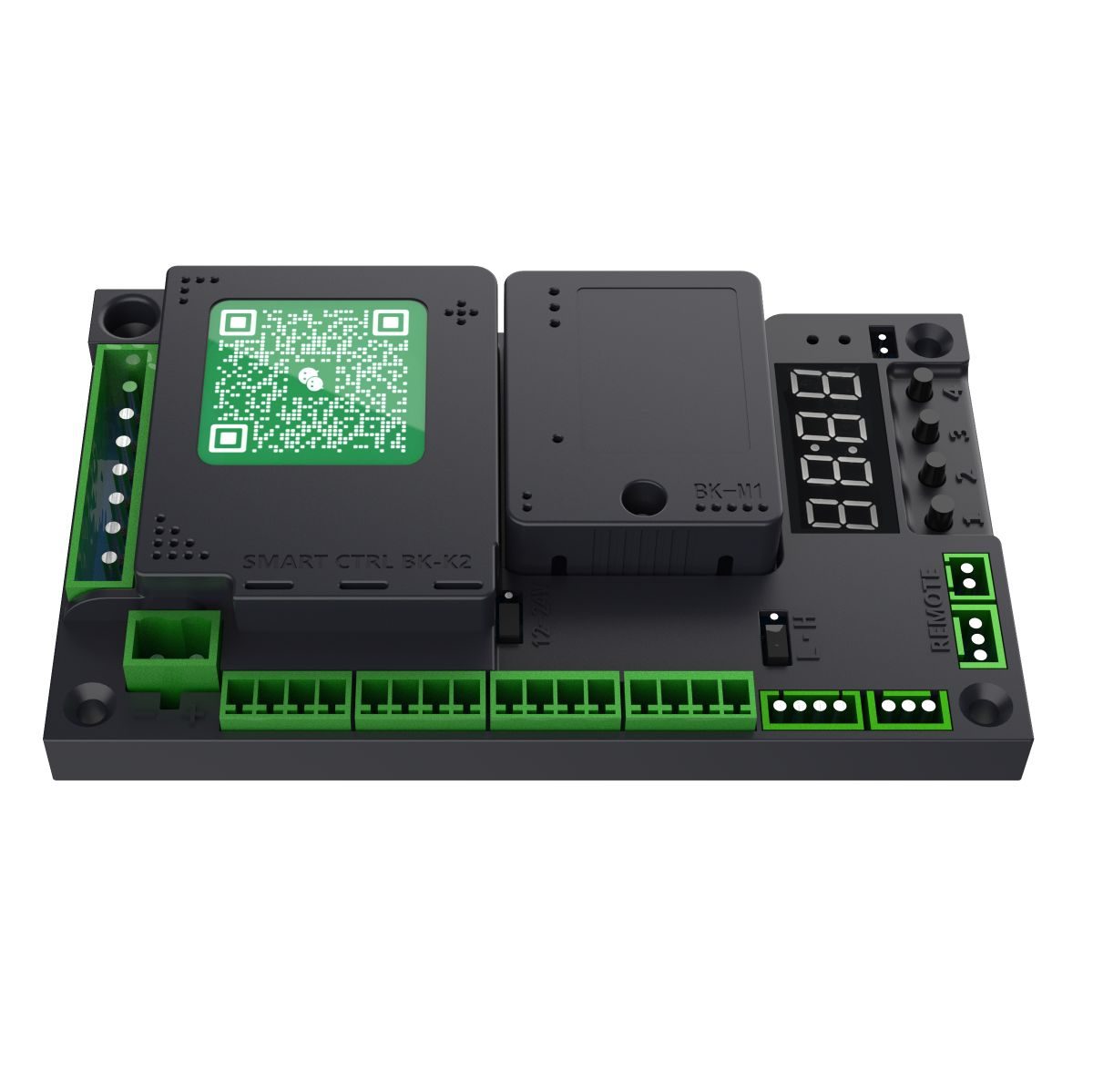
Used in these products
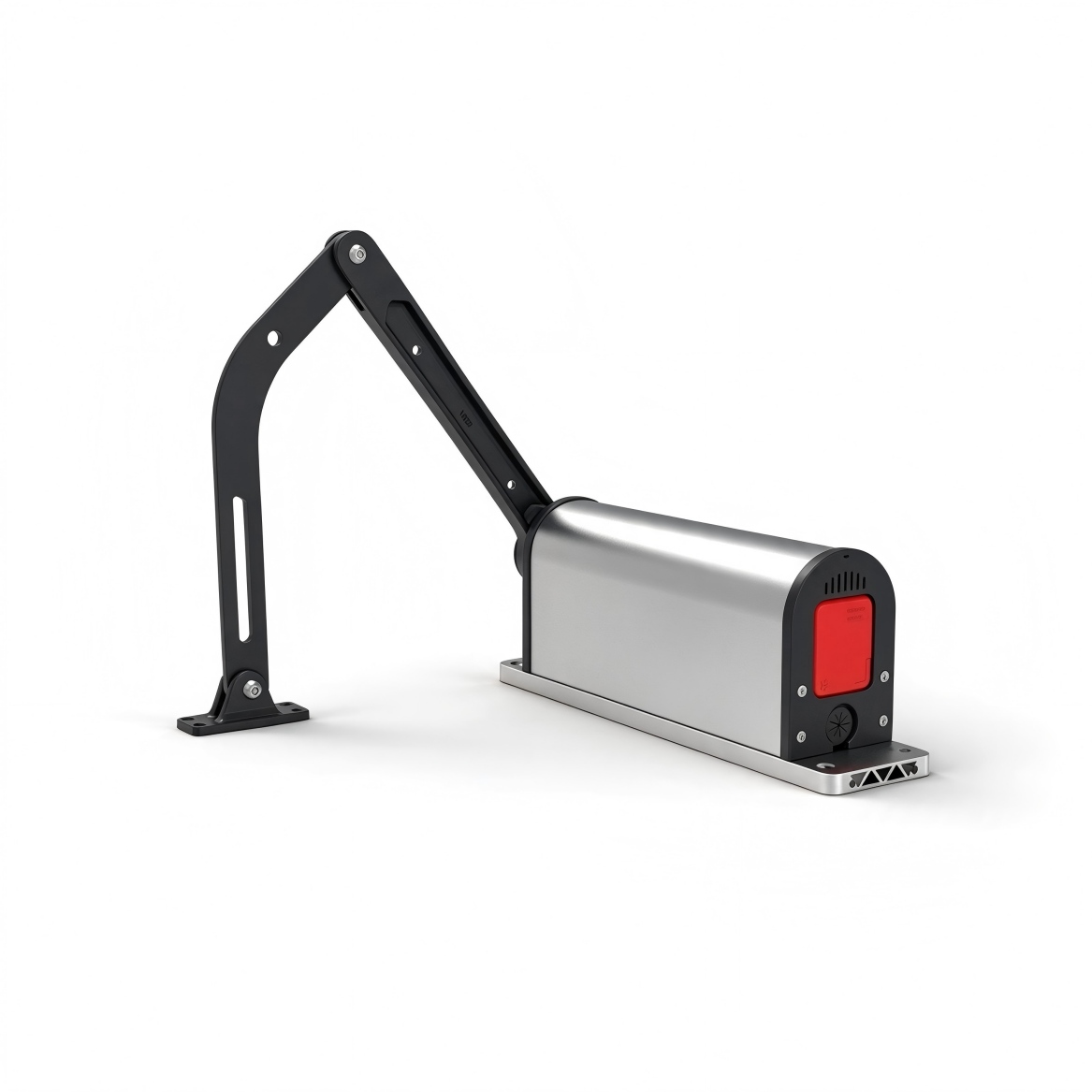
H3 Swing Gates Series
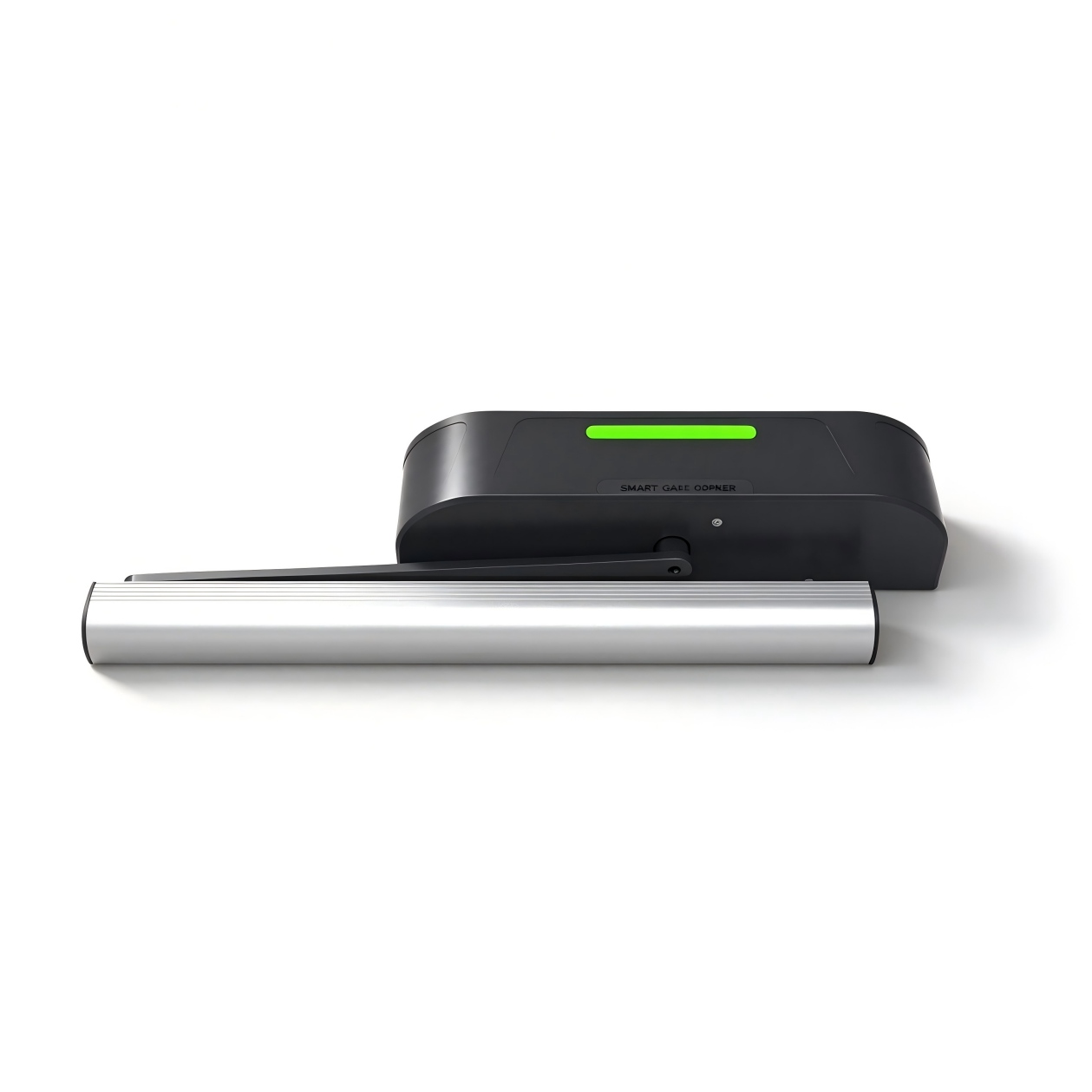
H5 Swing Gates Series
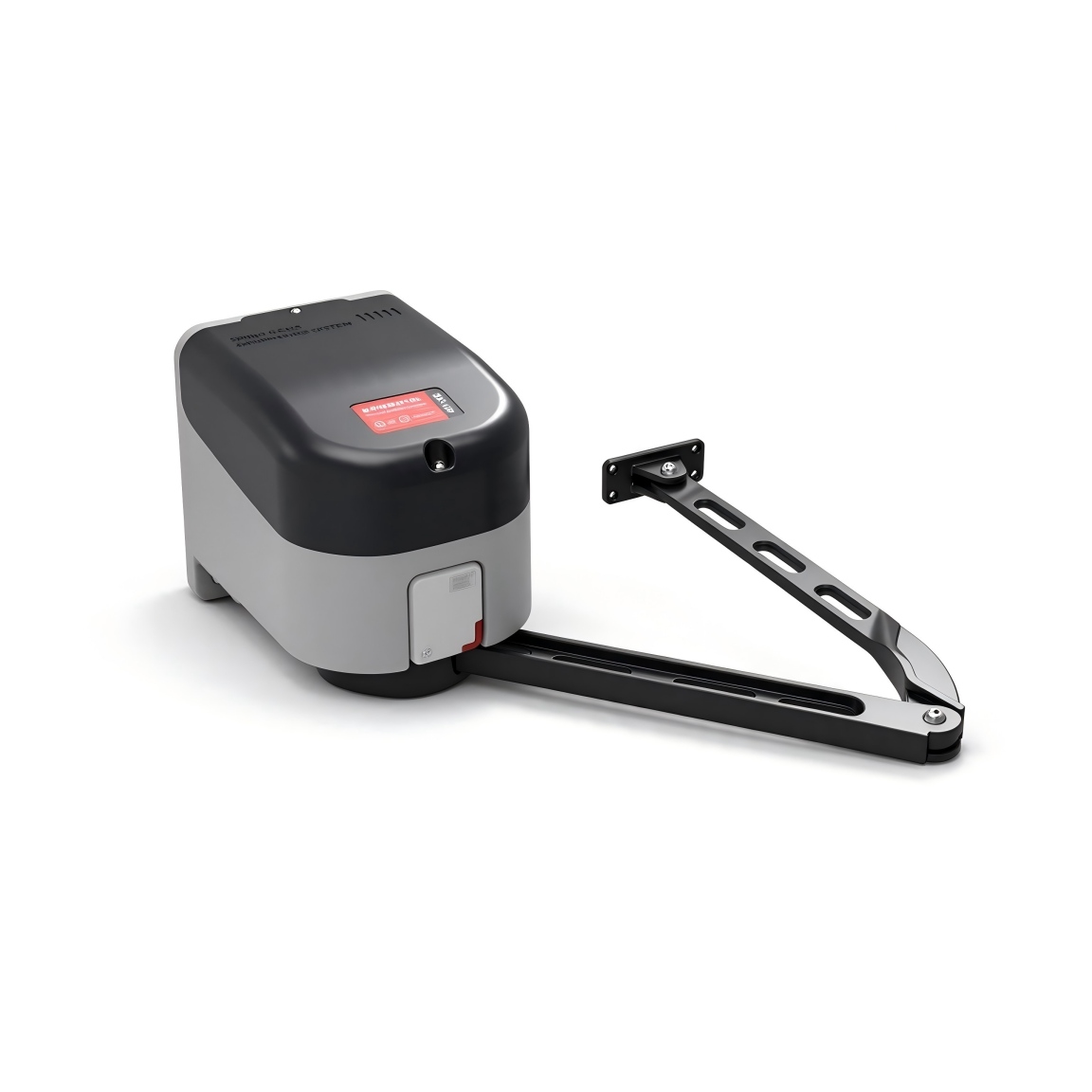
H9 Swing Gates Series
Fault codes
Err0Err0+
When clearing remotes or restoring factory defaults, the correct confirmation value must be set; if the confirmation value is incorrect, Err0 is reported.
Original manual · 15 ↗Err1Err1+
Reserved.
Original manual · 15 ↗Err2Err2+
Braking back-EMF voltage too high warning; can be resolved by reducing the operating speed.
Original manual · 15 ↗Err3Err3+
Opening stall. Possible causes: opening speed too low, or end-of-opening speed too low. Increase the opening speed and the end-of-opening speed.
Original manual · 15 ↗Err4Err4+
Closing stall. Possible causes: closing speed or end-of-closing speed too low. Increase the closing speed or the end-of-closing speed.
Original manual · 15 ↗Err5Err5+
Opening timeout – the opening time exceeded P-49. Increase the opening speed and the end-of-opening speed.
Original manual · 15 ↗Err6Err6+
Closing timeout – the closing time exceeded P-49. Increase the closing speed and the end-of-closing speed.
Original manual · 15 ↗Err7Err7+
Incorrect motor type selection; change to the correct type via P-22.
Original manual · 15 ↗Err8Err8+
Reserved.
Original manual · 15 ↗Common functions
P-00Opening SpeedMotion & speed+
DEFAULT35
RANGE10-100
The larger the value, the faster the speed; the smaller the value, the slower the speed.
Original manual · 6 ↗P-01Closing SpeedMotion & speed+
P-06End-of-Opening SpeedMotion & speed+
DEFAULT15
RANGE1-80
The opening ends at this speed. The larger the value, the faster the speed. If the speed is too high, the gate may sway when the opening ends; reduce the value in this case.
Original manual · 6 ↗P-07End-of-Closing SpeedMotion & speed+
DEFAULT15
RANGE1-80
The closing ends at this speed. The larger the value, the faster the speed. If the speed is too high, the gate may collide during closing; reduce the value in this case. If the gate fails to close completely, increase the value.
Original manual · 6 ↗P-08End-of-Opening Deceleration AngleMotion & speed+
Detailed instructions are missing. Confirm with the supplier before changing.
DEFAULTNot specified
RANGENot specified
Listed in the index without detailed instructions in this edition.
Original manual · 3 ↗P-09End-of-Closing Deceleration AngleMotion & speed+
Detailed instructions are missing. Confirm with the supplier before changing.
DEFAULTNot specified
RANGENot specified
Listed in the index without detailed instructions in this edition.
Original manual · 3 ↗P-13Remote LearningRemotes & access+
DEFAULT0
RANGE0-60
Remote learning: Entering P-13 displays the number of remotes currently stored. Press the OPEN, CLOSE and STOP buttons on the remote in sequence for learning. Keep pressing each button until the control board beeps once, then release and press the next button. Learning is complete when the control board gives one long beep or the number displayed on the digit display increments by one; you can then learn the next remote or press CANCEL to exit. Remote deletion: In this menu, press “+” or “ ” to change the value − of a learned remote, then press the “MENU” button to confirm and delete the learned remote corresponding to that value.
Steps
- Enter P-13 to view the stored remote count.
- Press OPEN, CLOSE and STOP on the remote in sequence. Hold each button until the board beeps once, then release it.
- A long beep or an increased stored-remote count confirms learning.
- Learn another remote or press CANCEL to exit.
P-14Auto-Close DelayRemotes & access+
DEFAULT5
RANGE0-255
After the gate opens, it closes automatically after the specified dwell time. If set to 0, the gate does not close automatically. Unit: 1 second.
Original manual · 6 ↗P-16Learn Open PositionMotor & system+
DEFAULT0
RANGE0-0
Entering the setting displays L-00; the controller automatically seeks the closing limit position and stops when it is reached, then displays L-01. Manually press the “OPEN/CLOSE” button to find the fully-open position, then press confirm to save the open position.
Steps
- Enter P-16. L-00 appears and the gate automatically seeks the closing limit.
- After the gate stops at the closing limit, L-01 appears.
- Use OPEN/CLOSE to find the fully-open position.
- Press confirm to save the open position.
P-18Obstruction Reversal SensitivitySensors & protection+
DEFAULT5
RANGE1-40
The duration for which an obstruction must be present before it is recognized as an obstruction. (Unit: 0.05 s)
Original manual · 6 ↗P-19Obstruction Reversal ForceSensors & protection+
DEFAULT30
RANGE1-100
The resistance magnitude recognized as an obstruction. The reversal condition is: the resistance reaches the P-19 value and persists for the P-18 time, and then the gate reverses (opens).
Original manual · 7 ↗P-20Obstruction Reversal AngleSensors & protection+
DEFAULT10
RANGE0-90
When the closing angle is smaller than this option's angle, no obstruction reversal occurs. 0 disables this function.
Original manual · 7 ↗P-23Opening DirectionMotor & system+
DEFAULT0
RANGE0-1
Range: 0-1, default: 0. 0 = left-opening gate, 1 = right-opening gate.
Original manual · 7 ↗P-27Factory ResetMotor & system+
DEFAULT0
RANGE0-255
This option has three functions: clear remotes, partial factory reset and full factory reset. To prevent accidental operation, a specific value must be set and then the “MENU” button pressed to complete the operation. 5: Clear remotes; 10: Factory reset (remotes and motor type are not reset); 15: Full factory reset.
Original manual · 7 ↗P-31Sensor Port Function Setting 1Sensors & protection+
DEFAULT2
RANGE0-7
Range: 0-7, default: 2. This parameter applies to the presence-sensor port IN1. Different values provide different functions. 0: Disabled; 1: Presence detection – closes immediately when no person is detected; 2: Presence detection – closes after the opening-hold time elapses when no person is detected; 3: External signal inputs are accepted only after fully closed; not detected during closing; 4: OPEN function – the “ACCESS+” and “ACCESS ” terminals are active; 5: OPEN − function – the “ACCESS+” and “ACCESS ” − terminals are inactive; 6: Close; 7: Stop.
Original manual · 7 ↗P-32Sensor Port Function Setting 2Sensors & protection+
The range is listed as 0–7, but option 8 is also described. Confirm supported options with your supplier.
DEFAULT2
RANGE0-7
Range: 0-7, default: 2. This parameter applies to the presence-sensor port IN2. Different values provide different functions. 0: Disabled; 1: Presence detection – closes immediately when no person is detected; 2: Presence detection – closes after the opening-hold time elapses when no person is detected; 3: External signal inputs are accepted only after fully closed; not detected during closing; 4: OPEN function – the “ACCESS+” and “ACCESS ” terminals are active; 5: OPEN − function – the “ACCESS+” and “ACCESS ” − terminals are inactive; 6: Close; 7: Stop; 8: External Hall limit mode.
Original manual · 7 ↗P-39Electric Lock TypeLocks & paired gates+
DEFAULT0
RANGE0-3
Range: 0-3, default: 0. Different values correspond to different lock types. 0: Electromagnetic lock – locks when powered, unlocks when de-energized; 1: Electric bolt lock – unlocks when powered, locks when de-energized; 2: Electric control lock – unlocks when powered, no action when de-energized, locks automatically when locked in position; 3: Mechanical lock – unlocks when powered; the gate relies on its inertia to lock during closing.
Original manual · 8 ↗P-64Double-Door TypeLocks & paired gates+
The range column says 0–6; the description says 0–4 but includes options 5 and 6. Confirm supported modes.
DEFAULT0
RANGE0-6
Range: 0-4, default: 0, where: 0: Single door; 1: Master leaf of a double-leaf door – the other leaf must be set to 2; 2: Slave leaf of a double-leaf door – the other leaf must be set to 1; 3: Master leaf of an unequal-leaf door – the other leaf must be set to 4; 4: Slave leaf of an unequal-leaf door – the other leaf must be set to 3; 5: Master leaf of an interlocking door – the other leaf must be set to 6; 6: Slave leaf of an interlocking door – the other leaf must be set to 5. Double-leaf doors, unequal-leaf doors and interlocking doors are used in pairs: one side is the master leaf and the other is the slave leaf.
Original manual · 8 ↗P-65Unequal-Leaf Door Opening DelayLocks & paired gates+
DEFAULT10
RANGE0-100
Range: 0-100, default: 10. Unit: 0.1 s. This parameter is effective only when P-64 is set to 3 (master leaf of an unequal-leaf door). During opening, the master leaf opens first and the slave leaf opens after the set delay; during closing, the master leaf closes first and the slave leaf closes after the set delay.
Original manual · 8 ↗P-66Unequal-Leaf Door Waiting AngleLocks & paired gates+
DEFAULT15
RANGE0-90
During the first limit-seeking after power-on, the master and slave leaves first open to the angle set by P-66, then start closing to seek the limit. For the master leaf of an unequal-leaf door, the master board begins closing only after the slave leaf is fully closed. During normal opening/closing, if the master leaf reaches the angle set by P-66 but the slave leaf has not fully closed, the master leaf stops and waits; after the slave leaf is fully closed, the master leaf closes again.
Original manual · 8 ↗P-71Single-Button Toggle FunctionRemotes & access+
The wiring diagram labels P71:3, but the parameter table lists 0–2. Do not use the diagram value until confirmed.
DEFAULT2
RANGE0-2
0: Not multiplexed. 1: Multiplexed as the PUSH function. An open triggered by this port synchronizes the open signal to the slave with RS- 485 device ID 2, and all close signals are also synchronized to the slave with device ID 2. 2: Multiplexed as the PUSH function; the signal is changed to falling-edge triggering, or a signal held for 3 seconds triggers it. When a long press of 3 seconds triggers an open, the open signal is synchronized to the slave with RS-485 device ID 2, and all close signals are also synchronized to the slave with device ID 2. (PUSH interface description: when the master board is in the fully- open state, triggering PUSH closes the gate; when the master board is in any other state, triggering PUSH opens the gate.)
Original manual · 8 ↗P-78Push-to-Open FunctionRemotes & access+
DEFAULT0
RANGE0-10
0: Push-to-open disabled. 1-10: Enables the push-to-open function, which takes effect after the gate is fully closed; the smaller the value, the more sensitive it is. (When this function is active, the P-58 forced-open auto-close function is disabled.)
Original manual · 9 ↗P-79Reverse Push Force on OpeningLocks & paired gates+
DEFAULT0
RANGE0-60
When opening is triggered while fully closed, the gate first briefly reverses in the closing direction, then opens. This helps resolve cases where some locks jam when opened directly, causing the opening to fail. 0: Function disabled; other values: reverse force, the larger the value, the greater the force.
Original manual · 9 ↗P-85Relay Signal Output Module FunctionLighting & outputs+
DEFAULT0
RANGE0-3
0: Function disabled; 1: Normally-closed output when fully open/closed; 2: Pulse output when fully open/closed; 3: Open/close status output.
Original manual · 9 ↗Advanced settings
P-02Mid-Opening Deceleration AngleMotion & speed+
DEFAULT60
RANGE10-90
Sets the position where deceleration begins during opening. Expressed in degrees: the gate fully closed is 0° and fully open is 90°. This parameter indicates the angle at which the gate begins to decelerate during opening.
Original manual · 9 ↗P-03Mid-Closing Deceleration AngleMotion & speed+
DEFAULT40
RANGE0-80
Sets the position where deceleration begins during closing. Expressed in degrees: the gate fully closed is 0° and fully open is 90°. This parameter indicates the angle at which the gate begins to decelerate during closing.
Original manual · 10 ↗P-04Opening Acceleration TimeMotion & speed+
DEFAULT100
RANGE0-255
The time required to accelerate from standstill to the opening speed set by P-00 (the larger the value, the longer the time). (Unit: 0.01 s)
Original manual · 10 ↗P-05Closing Acceleration TimeMotion & speed+
DEFAULT100
RANGE0-255
The time required to accelerate from standstill to the closing speed set by P-01 (the larger the value, the longer the time). (Unit: 0.01 s)
Original manual · 10 ↗P-10Closing Brake AngleMotion & speed+
DEFAULT0
RANGE0-30
From this position, closing continues at the closing end speed. If closing vibration is large, reduce this value. 0 disables braking.
Original manual · 10 ↗P-11Closing Brake DurationMotion & speed+
DEFAULT0
RANGE0-255
The braking time during closing. Unit: 0.01 s. A braking point is set at the closing brake angle. If closing vibration remains large even when the closing end speed and the closing buffer start position are both adjusted to their limits, the gate usually has large inertia; a brake time can be set. The default is 0, i.e., no braking.
Original manual · 10 ↗P-12Initial Open/Close Speed SettingMotion & speed+
DEFAULT35
RANGE10-80
After the control board is powered on, a speed is required to seek the home position. If the speed after power-on is too high or too low, it can be set with this parameter. The larger the value, the higher the speed.
Original manual · 10 ↗P-15Access-Signal Opening DelayRemotes & access+
The range column starts at 0, while the description starts at 1. Confirm the minimum supported value.
DEFAULT1
RANGE0-100
Range 1-100, unit: 0.1 s, default: 1. The time to wait for the magnetic lock to release.
Original manual · 10 ↗P-17Closing Double- Confirmation FunctionLocks & paired gates+
DEFAULT20
RANGE0-60
The main purpose of this parameter is to apply additional force to confirm closing after the gate is fully closed, ensuring that the magnetic lock can engage. 0: Stops directly after fully closed and enters the fully-closed state. >0: After closing to the fully-closed position, continues to apply closing force for a second confirmation of closing. The larger the value, the greater the closing force for the second confirmation. Increase this value if the gate fails to lock.
Original manual · 10 ↗P-21Hold-Open ModeRemotes & access+
DEFAULT0
RANGE0-3
0: Normal remote mode. (To temporarily enter hold-open mode in normal remote mode: when the set value is 0, after the gate is fully open, press and hold the remote STOP button for more than 5 seconds to temporarily enter hold-open mode; the buzzer beeps for 2 seconds. Press CLOSE to exit hold-open mode and close the gate.) 1: Remote “OPEN” enters hold-open mode; presence-sensor signals are not processed until “CLOSE” is manually pressed, and the gate remains open. 2: Manual mode – all opening actions of the master board enter hold-open mode; presence detection does not close the gate. 3: Disable hold-open mode.
Original manual · 10 ↗P-22Motor TypeMotor & system+
DEFAULT0
RANGE0-3
Range: 0-3. Because the Hall polarity of the motor, the reduction ratio of the gate mechanism, and the left/right-opening configuration of the gate differ, this parameter is used to accommodate various types of motors and gates. 1: Side-mounted gate operator (H3L, H9); 2: Horizontal-mounted gate operator (H5L).
Original manual · 11 ↗P-24Open/Close Buffer TimeMotion & speed+
DEFAULT60
RANGE10-255
The buffer time when transitioning from opening to closing, and from closing to opening. If the time is too short, the instantaneous current may be excessive; a slightly longer time gives a smoother transition. (Unit: 0.01 s)
Original manual · 11 ↗P-25Stop Buffer TimeMotion & speed+
DEFAULT60
RANGE10-255
The time required for the motor to go from motion to stop when STOP is pressed during opening or closing. If too large, the gate stops very slowly but smoothly; if too short, the instantaneous current may be excessive. (Unit: 0.01 s)
Original manual · 11 ↗P-26Remote Adding MethodRemotes & access+
DEFAULT0
RANGE0-4
0: Press OPEN, CLOSE and STOP in sequence to complete learning; 1: Press any one of them to complete learning.
Original manual · 11 ↗P-28Motor Hold ForceMotor & system+
The listed range is 0–30, but the default and automatic mode are 255. Confirm supported settings.
DEFAULT255
RANGE0-30
When the motor stops outside the open/close limit areas, the controller outputs control to lock the gate, which may cause the motor and the board to overheat. It is recommended to set this value according to the actual conditions and not too large. When set to 255, the locking power is automatically adapted.
Original manual · 11 ↗P-29Motor Hold Time at Fully-OpenMotor & system+
DEFAULT0
RANGE0-255
How long the motor remains held after the gate is fully open. (Unit: seconds.) When set to 255, the motor remains held continuously after fully open without timing.
Original manual · 11 ↗P-30Motor Hold Time at Fully-ClosedMotor & system+
DEFAULT0
RANGE0-255
How long the motor remains held after the gate is fully closed. (Unit: seconds.) When set to 255, the motor remains held continuously after fully closed without timing.
Original manual · 12 ↗P-33Auto-Test FunctionMotor & system+
DEFAULT0
RANGE2-255
The auto-test interval. 0 disables auto-test; it is used for automatic and burn-in testing. After testing is complete, set this parameter to 0 to release auto-test. Short-press the “OPEN” button to start.
Original manual · 12 ↗P-34Counting ModeSensors & protection+
DEFAULT1
RANGE0-4
0: No counting of openings; closes when a person passes. 1-3: Counts opening signals up to a maximum of 1-3; the count is decremented when presence is triggered, and the gate closes when presence disappears and the count reaches 0. 4: Counts opening signals up to a maximum of 255; the count is decremented when presence is triggered, and the gate closes when presence disappears and the count reaches 0.
Original manual · 12 ↗P-35Closing Ignore-Sensor PositionSensors & protection+
DEFAULT10
RANGE0-45
When the closing angle is lower than this value, presence-sensor signals are not processed and the gate closes directly.
Original manual · 12 ↗P-36Opening Ignore- Sensor PositionSensors & protection+
DEFAULT20
RANGE0-80
During opening, presence triggering is invalid when the gate angle is smaller than the set angle.
Original manual · 12 ↗P-37Sensor Buzzer FrequencySensors & protection+
DEFAULT1
RANGE0-10
The buzzer beep frequency when presence is triggered. 0: Off; 1: One short beep; 2-10: Continuous beeping at the specified frequency; the larger the number, the faster the beeping.
Original manual · 12 ↗P-38Access-Signal Valid TimeRemotes & access+
DEFAULT10
RANGE1-255
The duration for which the open, close, stop, access-control and presence signals are considered valid. (Unit: 0.01 s)
Original manual · 12 ↗P-40RS-485 Baud RateCommunication & display+
DEFAULT4
RANGE0-4
Sets the baud rate of the control board: 0: 9600; 1: 19200; 2: 38400; 3: 57600; 4: 115200.
Original manual · 12 ↗P-41RS-485 Device IDCommunication & display+
P-42RS-485 Master/Slave ModeCommunication & display+
DEFAULT0
RANGE0-1
Sets the master/slave mode of the control board: 0: Slave mode; 1: Master mode.
Original manual · 12 ↗P-43RS-485 Active Status TransmissionCommunication & display+
DEFAULT0
RANGE0-1
When set to 1, whenever the gate opens/closes (raises/lowers), the controller automatically sends the gate status command.
Original manual · 12 ↗P-44Opening PriorityRemotes & access+
DEFAULT0
RANGE0-80
0: All control signals have equal priority in any state; 1: Opening has the highest priority; when opening, other signals have no effect.
Original manual · 13 ↗P-45Ambient Light IntensityLighting & outputs+
DEFAULT0
RANGE0-0
The current ambient light intensity; the smaller the value, the brighter it is.
Original manual · 13 ↗P-46Light Intensity ThresholdLighting & outputs+
DEFAULT30
RANGE0-255
When the ambient light intensity is greater than this value, the light strip terminal signal is output.
Original manual · 13 ↗P-47Delayed Light-OnLighting & outputs+
DEFAULT10
RANGE0-255
The delay before outputting the light strip signal when the ambient light is greater than P-46. (Unit: seconds)
Original manual · 13 ↗P-48Delayed Light-OffLighting & outputs+
DEFAULT250
RANGE0-255
The delay before turning off the light strip output when the ambient light is lower than P-46. (Unit: seconds)
Original manual · 13 ↗P-49Open/Close TimeoutMotion & speed+
DEFAULT30
RANGE6-40
Sets the opening/closing timeout. If the gate does not reach the position within the set time, it pauses automatically and reports an opening timeout warning (Err5) or closing timeout warning (Err6). (Unit: seconds)
Original manual · 13 ↗P-54Bluetooth SettingsCommunication & display+
P-55Power-Loss Auto- Operation VoltageMotor & system+
The description mixes a 21 V trigger with a variable threshold and recommends 20. Confirm behavior for your firmware.
DEFAULT0
RANGE0-30
0: Disabled; 1: 21 V triggers automatic open/close operation. This function requires a backup power supply and is used together with the P-56 setting. It is recommended to set it to 20.
Original manual · 13 ↗P-56Power-Loss Auto- Operation ModeMotor & system+
DEFAULT1
RANGE0-4
Sets the power-loss auto-operation option. When P-55 is not 0, this determines how the gate responds when the supply voltage drops below the P-55 value: 0: No action; 1: Open automatically; 2: Close automatically.
Original manual · 13 ↗P-57Digital Display ModeCommunication & display+
DEFAULT2
RANGE0-2
0: Displays gate status. 1: During opening/closing, the digital display shows the drive voltage (unit V) or drive current (unit A); in operating mode, short-press the “MENU” button to switch between displaying current and voltage. 2: Displays motor position.
Original manual · 13 ↗P-58Forced-Open Auto- Close CountSensors & protection+
DEFAULT255
RANGE0-255
When fully closed, if the gate is pushed manually beyond 10°, the controller automatically triggers closing. After the manual push/close count exceeds this value, automatic closing is no longer triggered. Each normal open/close cycle resets the accumulated auto-close count. When set to 255, no counting is performed and this function remains always active.
Original manual · 13 ↗P-59Motor Overcurrent Protection ValueSensors & protection+
DEFAULT70
RANGE20-180
The overcurrent protection value. When the gate's operating current exceeds this value, the gate stops automatically. If overcurrent protection occurs during closing, the gate is treated as an obstruction reversal. (Unit: 0.1 A)
Original manual · 14 ↗P-62Output Power LimitMotor & system+
DEFAULT100
RANGE20-100
The maximum limited output power (%) during gate operation. (Non-professionals should operate with caution.)
Original manual · 14 ↗P-67Electric Lock Engage AngleLocks & paired gates+
DEFAULT20
RANGE0-30
The angle at which the magnetic lock begins to engage during closing.
Original manual · 14 ↗P-68Opening Obstruction Protection ValueSensors & protection+
DEFAULT60
RANGE0-255
The resistance threshold for recognizing an obstruction during opening.
Original manual · 14 ↗P-72Light Strip Output ModeLighting & outputs+
P-73Alarm Light Operating ModeLighting & outputs+
DEFAULT0
RANGE0-3
0: Alarm light off; 1: Flashes during opening; 2: Flashes during closing; 3: Flashes during both opening and closing.
Original manual · 14 ↗P-74Alarm Light Flash FrequencyLighting & outputs+
DEFAULT0
RANGE0-2
0: 2 Hz alternating on/off; 1: 1 Hz alternating on/off; 2: 0.5 Hz alternating on/off.
Original manual · 14 ↗P-75Forced-Open Alarm FunctionSensors & protection+
P-76Traffic-Light ModeLighting & outputs+
DEFAULT0
RANGE0-3
0: Traffic-light mode 1 – green when the opening angle is greater than 60°, red when closing begins. 1: Traffic-light mode 2 – green when fully open, red in all other states. 2: Position-status output – green when fully open, red when fully closed, both lights off in other states. 3: Position-pulse output – green for 1 second when fully open, red for 1 second when fully closed.
Original manual · 14 ↗P-77Enhanced Obstruction Reversal SensitivitySensors & protection+
DEFAULT0
RANGE0-1
Makes the minimum trigger threshold of the P-19 obstruction reversal force more sensitive. 0: Disabled; 1: Enabled.
Original manual · 14 ↗Display messages
IDLEIDLE+
Motor not connected, or motor Hall fault. Possible cause: loose wiring.
Original manual · 15 ↗STOPSTOP+
Motorized gate fully closed.
Original manual · 15 ↗CLOSCLOS+
Motorized gate closing.
Original manual · 15 ↗OPENOPEN+
Motorized gate opening.
Original manual · 15 ↗HOLDHOLD+
Motorized gate fully open.
Original manual · 15 ↗LOCKLOCK+
Motorized gate locked.
Original manual · 15 ↗FLETFLET+
Hold-open mode.
Original manual · 15 ↗Wiring diagram
The diagram labels P71:3, while the parameter table lists 0–2. Confirm the correct value with your supplier.
No matching entries.
Microwave Sensor User Manual
Installation, wiring, sensitivity adjustment, technical specifications and troubleshooting for an automatic-door microwave motion sensor.
Manual version V1.2
Safety & detection
Moving-object detection only+
This sensor detects moving objects. An object that remains stationary for longer than the approximately 1.5-second hold time may no longer be detected even while inside the sensing area. Detection distance varies with movement, conductivity and object size.
Original manual · 1 ↗Mounting height and coverage+
Do not mount above 3.5 m: sensitivity may be insufficient to detect children. Ensure the detection width exceeds the passage width. If one sensor cannot cover the entire passage, install multiple sensors to provide coverage.
Original manual · 1 ↗Mounting position+
Mount the sensor level and securely on the automatic door crossbeam. Read the original instructions before installation.
Original manual · 1 ↗Installation
Install and test the sensor+
Follow the original installation sequence and terminal labels.
Steps
- Install at a height not exceeding 3.5 m.
- Connect the cable to the corresponding automatic-door terminals: 1–2 signal output; 3–4 power input.
- Remove the cover and secure the sensor base with screws.
- Plug the cable connector into the sensor.
- Apply power; the indicator flashes five times.
- Adjust the sensing angle (factory setting 40°–50°) and sensitivity (factory position between 3 and 5).
- Refit the cover and test detection.
Angle & sensitivity
Sensing angle+
The adjustable tilt range is 0°–90°. Factory sensing angle: 40°–50°. Adjust the sensing direction to suit the installation.
Original manual · 1 ↗Sensitivity adjustment+
Turn the sensitivity potentiometer clockwise to increase detection distance and counterclockwise to decrease it. Use the lowest sensitivity that provides the required detection. Excessive sensitivity can reduce stability and interference resistance. The factory setting is between positions 3 and 5.
Original manual · 1 ↗Maximum-sensitivity indication+
At the maximum sensing-distance setting, the indicator flashes twice quickly before each illumination.
Original manual · 1 ↗Power-up and detection indicator+
The indicator flashes five times at power-up. When a moving object is detected, the indicator lights in synchrony with the signal output.
Original manual · 1 ↗Technical specifications
Dimensions+
116 mm (length) × 70 mm (width) × 48 mm (height).
Original manual · 1 ↗Operating frequency+
24.125 GHz.
Original manual · 2 ↗Transmitted density+
Less than 5 mW/cm², as specified in the original technical table.
Original manual · 2 ↗Maximum mounting height+
3.5 m maximum.
Original manual · 2 ↗Power supply+
12–24 V AC or DC; power input is non-polarized.
Original manual · 2 ↗Adjustable tilt+
0°–90°.
Original manual · 2 ↗Operating current+
Standby: less than 8 mA. Detection output active: less than 15 mA.
Original manual · 2 ↗Detection area+
Approximately 4 m wide × 2 m deep at an installation height of 2.6 m.
Original manual · 2 ↗Operating temperature+
−20°C to +65°C.
Original manual · 2 ↗Output hold time+
1.5 seconds.
Original manual · 2 ↗IP rating+
IP54.
Original manual · 2 ↗Signal output+
COM / NO switch output, non-polarized. Maximum permitted current: 50 mA.
Original manual · 1 ↗Troubleshooting
Indicator on, door does not move+
Possible cause: poor signal cable contact or incorrect door-controller configuration. Check wiring and connectors for loose connections. Ensure the door controller is configured for switch-trigger operation.
Original manual · 2 ↗Red indicator off: low voltage+
Check the supply and adjust it to 12–24 V AC/DC.
Original manual · 2 ↗Red indicator off: wiring or power+
Check for incorrect wiring or a missing power supply.
Original manual · 2 ↗Abnormal operation: dirty cover+
Clean dirt from the inside and outside surfaces of the cover.
Original manual · 2 ↗Abnormal operation: door movement or vibration+
The sensor may detect the moving door, or door closing may cause vibration. Adjust the antenna direction upward, make sure the sensor is secured without looseness, and reduce sensitivity.
Original manual · 2 ↗Repeated activation: moving objects+
Remove moving objects from the detection area, such as oscillating fans, plants or hanging baskets that sway in air currents.
Original manual · 2 ↗Repeated activation: water droplets+
Wipe water droplets off the cover and use rain-protection accessories.
Original manual · 2 ↗Repeated activation: sensor vibration+
Tighten the bracket and base mounting bolts. Avoid mounting the sensor on the automatic-door operator housing where possible.
Original manual · 2 ↗Repeated activation: detection area includes door+
Adjust the sensor angle to avoid detecting the movement of the automatic door.
Original manual · 2 ↗Wiring & parts
Terminals 1–2: signal output+
COM / NO switch output. Non-polarized; maximum permitted current 50 mA. Connect to the corresponding signal terminals of the automatic door controller.
Original manual · 1 ↗Terminals 3–4: power input+
12–24 V AC or DC. Non-polarized. The power and signal terminal pairs have different functions; follow the original connector labels.
Original manual · 1 ↗Parts and connector reference+
The original page identifies the indicator, sensitivity potentiometer, cable connector and 24.125 GHz microwave sensing element. The supplied image preserves the original Chinese labels; English explanations are provided in these entries.
Original manual · 1 ↗Original Chinese manual, page 1. Terminals 1–2: COM/NO signal output, maximum 50 mA. Terminals 3–4: 12–24 V AC/DC power. No specific product model or manual version is stated.
No matching entries.
RFID Access Controller User Manual
Installation, WeChat Mini Program binding, keypad programming, initialization and standalone operation. Source manual released April 11, 2025.
Manual version V1.0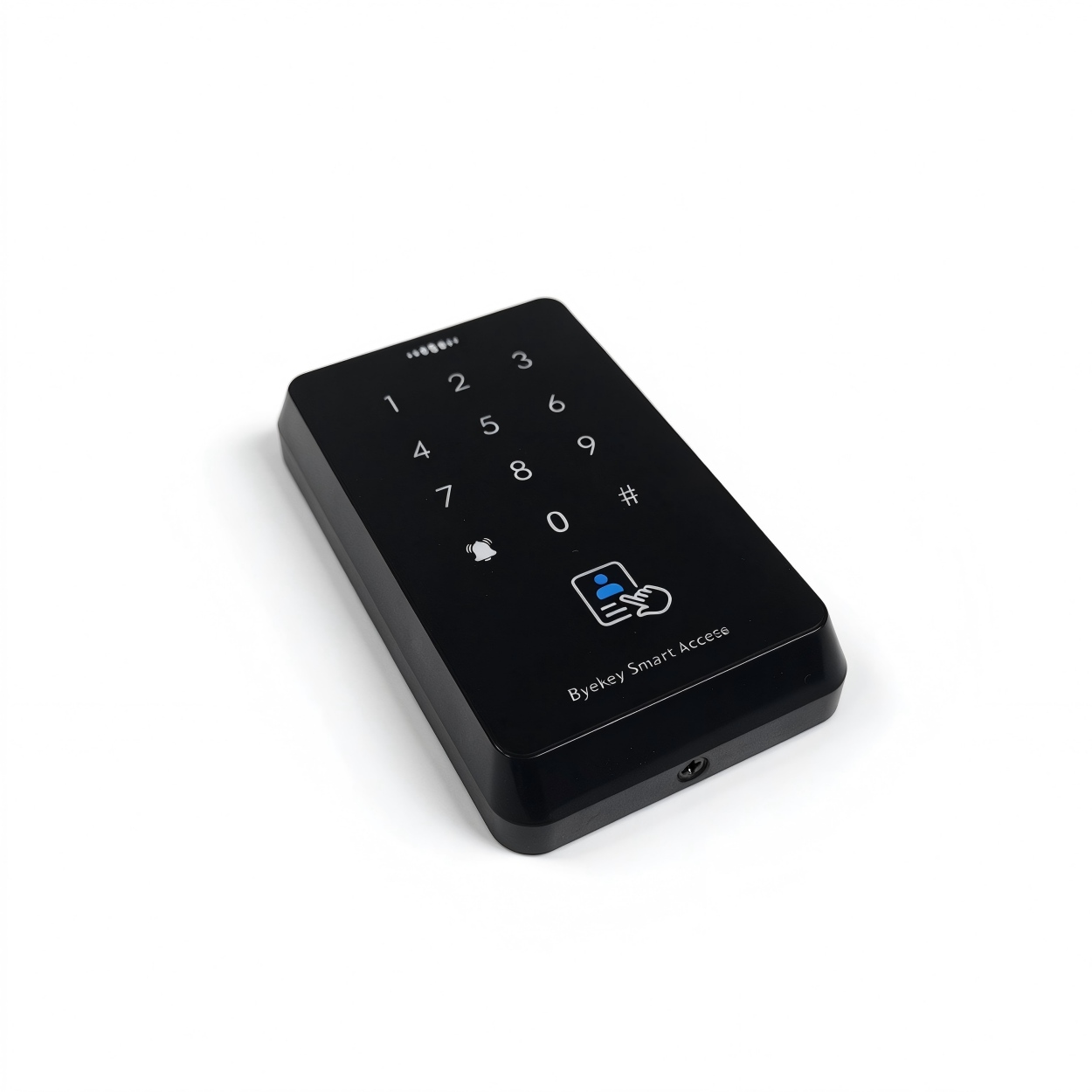
Overview & specifications
Purpose and intended users+
This operating manual covers installation, commissioning, binding, programming, initialization and standalone use of the AC-R2L-MD access controller. It is intended for installers, commissioning personnel, system administrators and daily users.
Original manual · 1 ↗Device and document information+
Device model: AC-R2L-MD. Document version: V1.0. Release date: April 11, 2025. Management: WeChat Mini Program / keypad. Factory programming password: 123456.
Original manual · 1 ↗Technical specifications+
Operating voltage: DC 12 V ±10%. Ambient temperature: 0°C–60°C. Card type: ID + IC dual-frequency cards. User capacity: 1000 cards; 100 fingerprints. Dimensions: 117 × 70 × 20 mm. Unlock methods listed in the specification table: fingerprint, IC card, password or mobile phone. Management: WeChat Mini Program. Card reading distance: 1–10 cm.
Original manual · 2 ↗System administrator and operator user+
System administrator: the first user to bind the device in the WeChat Mini Program, with the highest management authority. Operator user: a user authorized by the system administrator to perform programming operations via the keypad.
Original manual · 1 ↗Programming password+
Change the factory programming password promptly when putting the device into official use (source page 6).
The password used to enter programming mode. The factory value is 123456. The system administrator can change it after Mini Program binding; standalone password changes are described separately.
Original manual · 1 ↗Installation & safety
Installation environment+
Install in a dry, well-ventilated environment without strong electromagnetic interference. Use only DC 12 V ±10%. Keep the operating environment within 0°C–60°C.
Original manual · 3 ↗Checks before power-on+
After wiring, check that every connection is secure and that there is no short circuit. Confirm the supply meets DC 12 V ±10% before powering on.
Original manual · 3 ↗Safety precautions+
Verify correct wiring and supply voltage before power-on. Disconnect power before making or removing the OPEN/GND short circuit used for initialization. Protect the system-administrator account and do not grant access to unrelated personnel. Change the factory programming password promptly. Keep the device clean and prevent water or dust from entering. Present cards within the specified reading distance of approximately 1–10 cm.
Original manual · 6 ↗Working modes
Factory Experience Mode+
Experience Mode does not restrict unlocking to enrolled users. Check that the device has left this mode before relying on enrolled-user access.
Experience Mode is the factory default state. Any card, password or fingerprint can unlock the door directly in this mode.
Original manual · 3 ↗Entering normal operation+
Adding the first user automatically exits Experience Mode and enters normal operation. Clearing all users automatically returns the device to Experience Mode.
Original manual · 3 ↗WeChat binding & management
Administrator ownership+
The first person to bind the access controller in the WeChat Mini Program becomes its system administrator. This role controls user management, device settings and permission assignment.
Original manual · 3 ↗Before binding+
Turn on phone Bluetooth and location services. Bluetooth discovery range is approximately 10 m; a shorter distance gives a stronger signal. Confirm the factory programming password is 123456.
Original manual · 3 ↗Bind the controller+
Use the device QR code or the Mini Program named “Anan Open Door” as stated in the source. The original binding QR codes are on PDF page 4.
Steps
- Scan the device QR code, or search for “Anan Open Door” in WeChat and open it.
- Tap + in the upper-left corner and select “Add Bluetooth Access Controller”.
- Select the corresponding controller from the discovered-device list.
- Follow the Mini Program prompts to complete binding.
- After binding, tap the controller to enter its management interface.
Authorize keypad programming+
The source then lists sequences beginning with “# Programming Password #”, but does not specify how operator verification is interleaved with that sequence. Both requirements are retained; confirm the exact authorization flow for your device.
Add an operator user in the Mini Program before performing the Chapter 7 keypad operations. The chapter states that the operator must verify with an unlock password, valid card or fingerprint to enter programming mode.
Original manual · 4 ↗Keypad programming
11Add a user card+
Keypad sequence: # Programming Password # 11 Read Card # To add multiple user cards, read cards consecutively.
Original manual · 4 ↗12Add a fingerprint+
Keypad sequence: # Programming Password # 12 Press the same fingerprint 5 times Press the same fingerprint five times in a row.
Original manual · 4 ↗21Add or modify the public password+
Keypad sequence: # Programming Password # 21 6-digit password # Re-enter 6-digit password # The password must contain six digits.
Original manual · 4 ↗41Delete a single user+
Keypad sequence: # Programming Password # 41 Read Card / Press Fingerprint # To delete multiple user cards, read cards consecutively.
Original manual · 4 ↗40Delete all users+
This operation removes all user records. The manual states that clearing all users returns the device to Experience Mode, in which any card, password or fingerprint can unlock (page 3).
Keypad sequence: # Programming Password # 40 0000 # This deletes all users, including operator users.
Original manual · 4 ↗5Set relay unlock time+
The source does not specify the time unit or default relay unlock time. Confirm the unit rather than assuming seconds.
RANGE01–99
Keypad sequence: # Programming Password # 5 xx # xx is a number from 01 to 99.
Original manual · 4 ↗8Restore factory settings+
The source does not state whether this keypad factory-reset operation preserves user records or Mini Program binding. Do not assume it has the same effects as the separate OPEN/GND initialization procedure.
Keypad sequence: # Programming Password # 8 99 # The source says that all device parameters are restored to factory defaults.
Original manual · 4 ↗Device initialization
Initialize using OPEN and GND+
Disconnect power before both connecting and removing the short circuit. Initialization clears the existing Mini Program binding and resets the programming password.
OPEN is the yellow unlock-control wire; GND is the black ground wire. Use the two-stage power-off procedure described below.
Steps
- Disconnect device power. Short-circuit OPEN (yellow) and GND (black), then power on again. The green indicator flashes and a continuous beep sounds.
- Disconnect power again. Remove the OPEN/GND short circuit, then power on once more. Initialization is complete.
State after initialization+
The bound WeChat Mini Program is cleared and the device returns to a pending-binding state. The programming password is reset to 123456. Existing user information—cards, fingerprints and passwords—is not cleared.
Original manual · 5 ↗Standalone operation
Use without Mini Program binding+
The device can operate independently without binding to the WeChat Mini Program. Other programming operations follow Chapter 7 of the source manual.
Original manual · 5 ↗Change the programming password+
The source does not specify the length of the new programming password. Do not assume that the six-digit user/public-password requirement applies here.
Command: # Programming Password # 0 New Programming Password # Repeat New Password #
Original manual · 5 ↗Replace a user card+
Replace the card after verification with the current valid card.
Steps
- Unlock the door using a valid card.
- Hold # for approximately 5 seconds.
- When the green indicator flashes rapidly, press 1.
- Swipe the new card to complete replacement.
Replace a user fingerprint+
Replace a fingerprint after verification with the current valid fingerprint.
Steps
- Unlock the door using a valid fingerprint.
- Hold # for approximately 5 seconds.
- When the green indicator flashes rapidly, press 2.
- Press the same new fingerprint five consecutive times to enroll it.
Change a user password+
Change the password after unlocking with the current valid password.
Steps
- Unlock the door using a valid password.
- Hold # for approximately 5 seconds.
- When the green indicator flashes rapidly, press 4.
- Enter a new six-digit password, enter it again, then press # to confirm.
Wiring diagram
Power and control wiring+
The lower diagram labels the black ground wire “GDD”, while the text and power-supply diagram use “GND”. The brown, orange and pink wires are named only by color; their relay contact assignments are not specified. Confirm board/wire labels and contact assignments before connecting. Do not infer NO/NC/COM from color alone.
Follow Figure 1 on PDF page 2. The source identifies the supply as DC 12 V, OPEN as the yellow unlock-control wire, and GND as the black ground wire. The diagram also shows access-control power-supply terminals, an exit button, doorbell, Wiegand output and external relay-signal wiring.
Original manual · 2 ↗Figure 1, original PDF page 2. Supply: DC 12 V ±10%. OPEN is yellow; GND is black. The source diagram prints “GDD” for the black ground terminal and does not identify the NO/NC/COM assignments of the brown/orange/pink relay wires; confirm with the device supplier.
No matching entries.